
Introduction to Kirby's Adventure
Welcome to the world of Kirby's Adventure! This classic platformer for the Nintendo Entertainment System (NES) introduces players to Kirby, a small, pink, spherical creature with the unique ability to inhale enemies and copy their powers. Your mission is to help Kirby recover the stolen Star Rod from King Dedede and restore peace to Dream Land. This manual provides essential information for setting up, playing, maintaining, and troubleshooting your game.
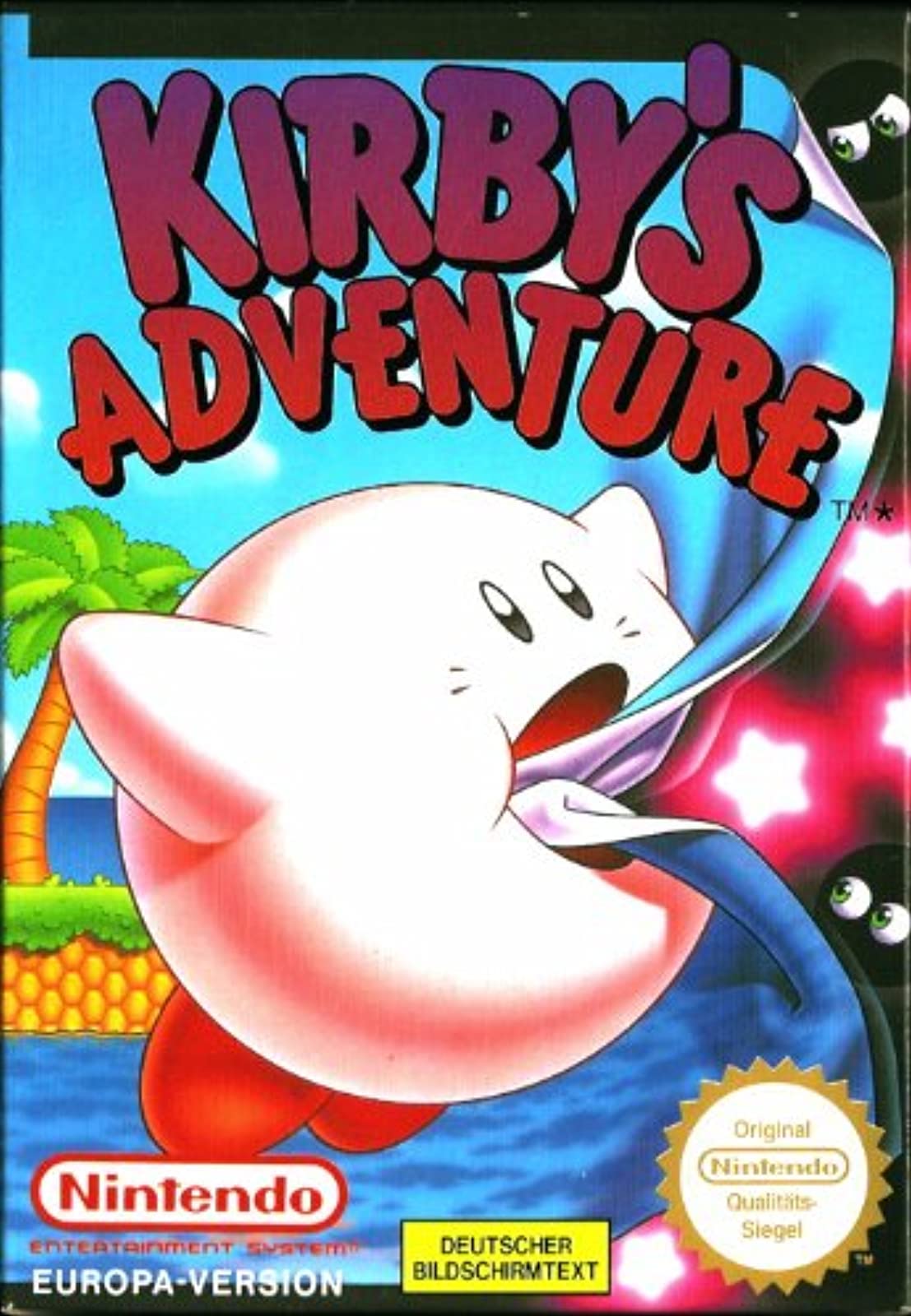
Image: The Kirby's Adventure game cartridge for the Nintendo Entertainment System.
Awọn ilana iṣeto
Follow these steps to set up your Nintendo Entertainment System and begin playing Kirby's Adventure:
- Connect the NES Console: Ensure your NES console is properly connected to your television set using the RF switch or AV cables. Refer to your NES console's manual for detailed connection instructions.
- Awọn oludari asopọ: Plug your NES controllers into the controller ports on the front of the console.
- Insert the Game Cartridge:
- Gently insert the Kirby's Adventure game cartridge into the cartridge slot of the NES console. Ensure the label faces forward (towards you).
- Press the cartridge down firmly until it clicks into place.
- Lower the front flap of the console.
- Agbara Tan: Turn on your television and select the correct input channel (e.g., Channel 3 or 4 for RF, or AV input). Then, press the POWER button on your NES console.
- The game's title screen should appear. If not, refer to the Troubleshooting section.
Ṣiṣẹ́ eré náà
Awọn iṣakoso ipilẹ
| Bọtini | Išẹ |
|---|---|
| Paadi Itọnisọna (D-paadi) | Move Kirby left, right, up, or down. |
| Bọtini kan | Jump. When holding an enemy, press A to spit it out. |
| Bọtini B | Inhale enemies. If Kirby has a copy ability, press B to use it. |
| Bọtini Bẹrẹ | Pause the game; access the pause menu. |
| Bọtini Yan | Drop current copy ability. |
Gameplay Objective
King Dedede has shattered the Star Rod, the source of all dreams in Dream Land, and distributed its pieces among his loyal henchmen. Kirby must travel through seven unique worlds, defeat King Dedede's minions, and collect all seven pieces of the Star Rod to restore peace.
Àwọn Agbára Kirby
- Inhale: Press the B button to inhale enemies. You can then spit them out as projectiles by pressing the A button.
- Copy Abilities: When Kirby inhales certain enemies, he can swallow them to gain their unique powers. These "copy abilities" grant Kirby new attacks and movement options. Experiment with different enemies to discover new abilities. Press B to use the copied ability.
- Ti n fo: Press the A button repeatedly to inflate Kirby and fly. You can move freely while flying, but you cannot use copy abilities. Press the D-Pad down to deflate.
Saving Your Progress
Kirby's Adventure features a battery-backed save system. Your progress will be automatically saved at key points in the game, typically after completing a level or defeating a boss. You can also save your game manually from the pause menu in certain areas. Ensure the game cartridge is not removed while the console is powered on to prevent data corruption.
Itọju ati Itọju
Proper care of your game cartridge will ensure its longevity and reliable performance.
- Cleaning Cartridge Contacts: If the game fails to load, the gold connector pins on the bottom of the cartridge may be dirty.
- Power off the NES console before handling the cartridge.
- Lo swab owu kan sere dampened with isopropyl alcohol (rubbing alcohol) to gently clean the gold contacts.
- Allow the contacts to dry completely before re-inserting the cartridge into the console.
- Ibi ipamọ: Store the game cartridge in a cool, dry place, away from direct sunlight, extreme temperatures, and excessive humidity. Keep it in its original case or a protective sleeve to prevent dust and physical damage.
- Mimu: Maa mu katiriji naa nigbagbogbo pẹlu ike ṣiṣu rẹasing. Avoid touching the gold connector pins directly, as oils from your skin can cause corrosion over time.
- Yago fun ipa: Do not force the cartridge into the console. If it doesn't insert smoothly, check for obstructions or incorrect orientation.
Laasigbotitusita Awọn ọrọ to wọpọ
If you encounter problems while playing Kirby's Adventure, try the following solutions:
- Game Does Not Load / Flashing Screen:
- Ensure the cartridge is fully inserted and pressed down into the console.
- Nu awọn pinni asopọ goolu ti katiriji naa mọ gẹgẹ bi a ti ṣalaye ninu apakan Itọju.
- Try re-inserting the cartridge multiple times.
- Kò sí Àwòrán tàbí Ohùn:
- Verify that your NES console is properly connected to your TV and that the TV is set to the correct input channel.
- Check all power and video cables for secure connections.
- Alakoso Ko Dahun:
- Rii daju pe oludari naa ti so mọ inu console naa lailewu.
- Try using a different controller or plugging the controller into the other port to rule out a faulty controller or port.
- Save Data Lost / Game Not Saving:
- Kirby's Adventure uses a battery inside the cartridge to retain save data. If save data is consistently lost, the internal battery may need replacement. This is an advanced procedure and should only be attempted by experienced individuals or professional repair services.
- Always ensure the console is powered off before removing the cartridge.
Awọn pato ọja
| Akọle ọja | Kirby's Adventure |
| Platform | Nintendo Entertainment System (NES) |
| Manufacturer/Publisher | Nintendo |
| Date First Available (Amazon) | Oṣu Kẹta Ọjọ 1, Ọdun 2000 |
| Ọja Mefa | 5.3 x 4.8 x 0.9 inches |
| Iwọn Nkan | 4 iwon |
| Ede | English |
| UPC | 045496630720 |
| ASIN | B00004SVR9 |
Atilẹyin ọja ati Support
As Kirby's Adventure is a vintage game for the Nintendo Entertainment System, direct manufacturer warranty support from Nintendo for this specific product is generally no longer available. The game was originally released decades ago.
For technical assistance or repair of vintage gaming equipment, it is recommended to consult:
- Specialized Retro Gaming Repair Shops: These businesses often have expertise in repairing older consoles and cartridges.
- Online Retro Gaming Communities: Forums and communities dedicated to retro gaming can provide valuable troubleshooting advice and resources for common issues.
- Original Nintendo Documentation: While specific product support is limited, general NES console manuals may offer additional insights into system operation.
Please note that any repairs or modifications to the game cartridge, such as battery replacement, should be performed by qualified individuals to avoid further damage.