
1. Alaye Aabo pataki
Please read all instructions carefully before operating your Thomson RR 68 M clock. Keep this manual for future reference.
- Ma ṣe fi aago naa han si awọn iwọn otutu to gaju, oorun taara, tabi ọriniinitutu giga.
- Yago fun sisọ aago silẹ tabi fifisilẹ si awọn ipa to lagbara.
- Ma ṣe gbiyanju lati tunto tabi yi aago pada. Eyi yoo sọ atilẹyin ọja di ofo.
- Lo iru batiri ti a ti sọ tẹlẹ. Rii daju polarity ti o pe nigbati o ba nfi awọn batiri sii.
- Yọ awọn batiri kuro ti aago ko ba ni lo fun igba pipẹ lati ṣe idiwọ jijo.
2. Ọja Ipariview
Familiarize yourself with the components of your Thomson RR 68 M clock.
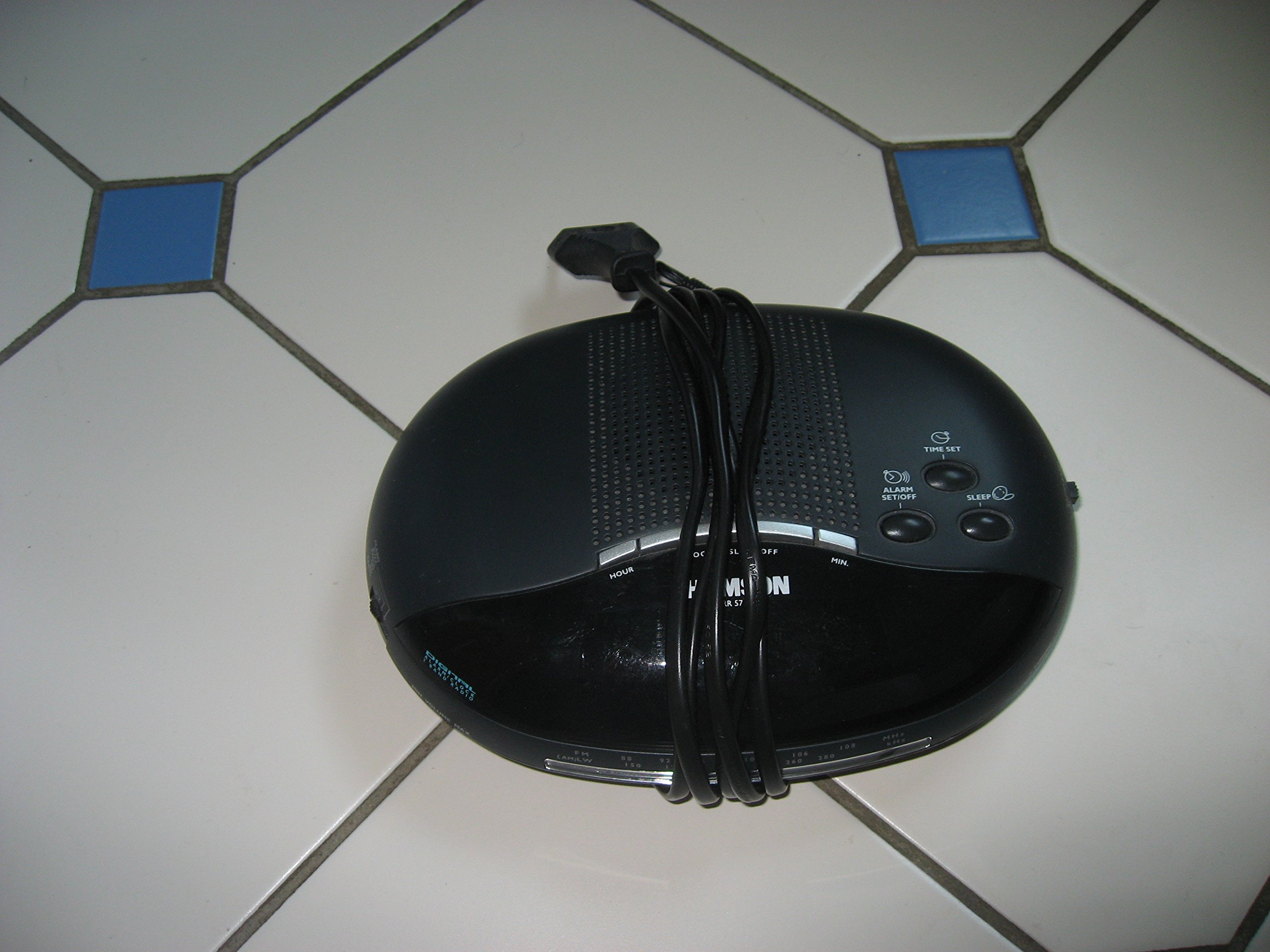
Aworan 1: Iwaju view of the Thomson RR 68 M clock, showing the digital display and control buttons. This image illustrates the compact design suitable for tabletop placement.
2.1 Package Awọn akoonu
- Thomson RR 68 M Clock Unit
- Afowoyi Olumulo (iwe-ipamọ yii)
3. Eto
3.1 Lilo Aago naa
The Thomson RR 68 M clock operates on batteries (not included). Ensure you have the correct type and quantity of batteries before proceeding.
- Locate the battery compartment cover on the back or bottom of the clock.
- Remove the battery compartment cover by sliding or unlatching it.
- Insert the required batteries, paying close attention to the polarity markings (+ and -) inside the compartment.
- Replace the battery compartment cover securely. The clock display should now illuminate.
4. Awọn ilana Iṣiṣẹ
4.1 Ṣiṣeto Aago naa
To set the current time on your Thomson RR 68 M clock:
- Locate the 'SET' or 'MODE' button, usually on the back or side of the clock. Press and hold this button for a few seconds until the hour digits begin to flash.
- Use the '+' or 'HOUR' button to adjust the hour. Press repeatedly to advance the hour.
- Press the 'SET' or 'MODE' button again. The minute digits will begin to flash.
- Use the '+' or 'MINUTE' button to adjust the minutes. Press repeatedly to advance the minutes.
- Press the 'SET' or 'MODE' button one last time to confirm the time setting and exit the setting mode. The display will stop flashing.
Note: This model does not feature an alarm function.
5. Itọju
5.1 Ninu
To maintain the appearance of your clock:
- Pa ode aago kuro pẹlu asọ asọ ti o gbẹ.
- Ma ṣe lo abrasive ose, nkanmimu, tabi kemikali sprays, bi awọn wọnyi le ba awọn ipari.
5.2 Batiri Rirọpo
When the display dims or the clock stops functioning, it is time to replace the batteries. Follow the steps in Section 3.1 to replace the old batteries with new ones. Dispose of used batteries responsibly according to local regulations.
6. Laasigbotitusita
If you encounter issues with your Thomson RR 68 M clock, refer to the following common problems and solutions:
6.1 Clock Display is Blank or Dim
- Ṣayẹwo awọn batiri: Ensure batteries are inserted correctly with the correct polarity. Replace with fresh batteries if necessary.
- Abala Batiri: Rí i dájú pé ideri yàrá batiri náà ti sé dáadáa.
6.2 Akoko ko tọ
- Akoko Atunto: Follow the instructions in Section 4.1 to manually set the time.
- Agbara Batiri: If the time frequently resets or loses accuracy, the batteries may be low and require replacement.
7. Awọn pato
| Nọmba awoṣe | RR 68 M |
| Brand | THỌMSON |
| Iṣagbesori Iru | Tabili |
| Orisun agbara | Awọn batiri (ko si) |
| Iṣẹ-ṣiṣe itaniji | Rara |
8. atilẹyin ọja Information
Specific warranty details for the Thomson RR 68 M clock are not provided within this user manual. Please refer to the product packaging, the point of purchase, or the official Thomson webAaye fun okeerẹ atilẹyin ọja ofin ati ipo.
9. Onibara Support
For further assistance, technical support, or inquiries regarding your Thomson RR 68 M clock, please visit the official Thomson website or contact their customer service department. Contact information is typically available on the manufacturer's webaaye tabi apoti ọja.