
1. Ifihan
This manual provides essential information for the proper installation, operation, and maintenance of your Xerox Phaser 3635 MFP Black High Capacity Toner Cartridge (Model: 108R00795). This genuine Xerox product is designed to deliver optimal performance and consistent print quality with your Xerox Phaser 3635 MFP printer.
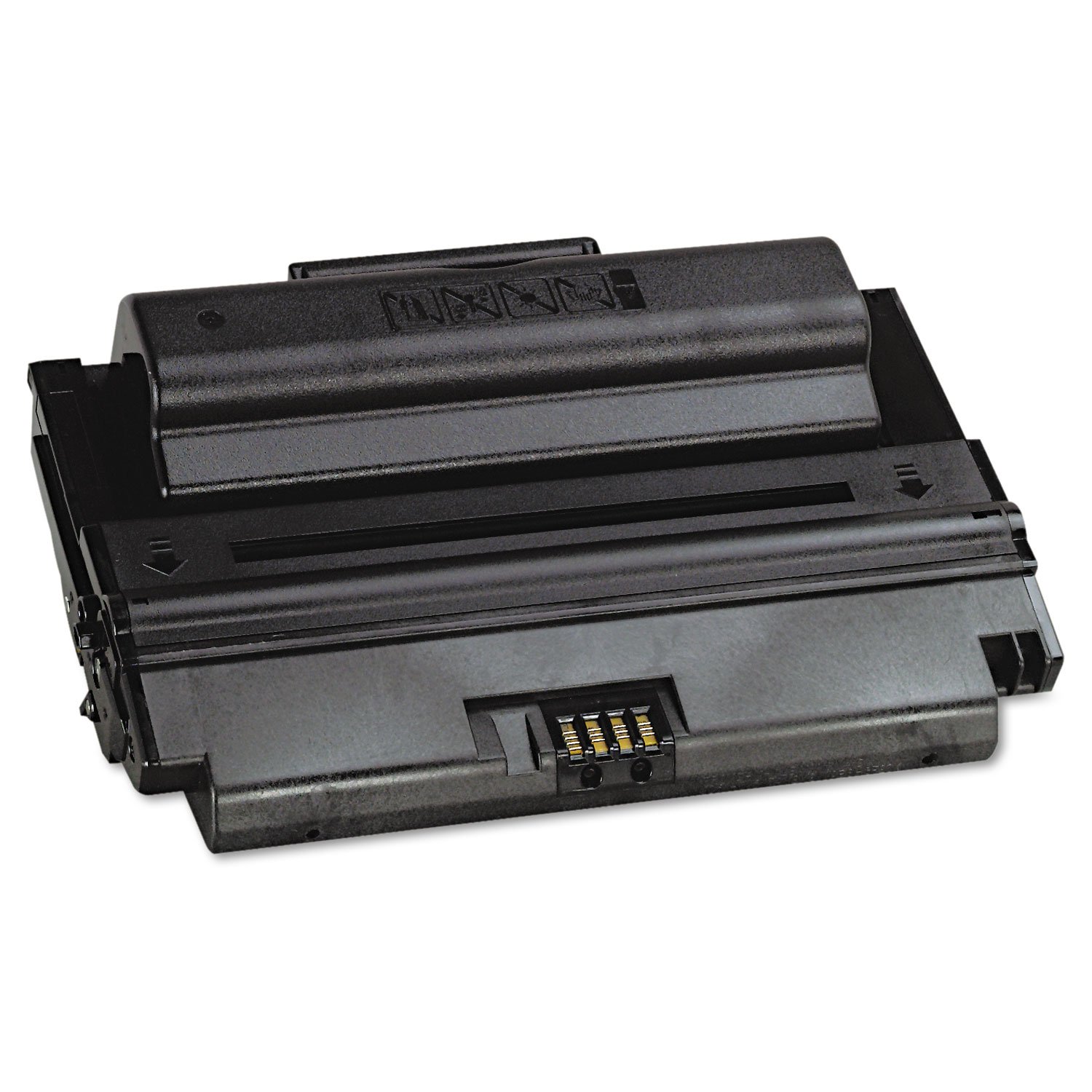
Image 1.1: Xerox Phaser 3635 MFP Black High Capacity Toner Cartridge (108R00795) and its packaging.
2. Alaye Aabo
Jọwọ ka ati tẹle awọn itọsọna aabo wọnyi lati rii daju pe a mu katiriji toner ṣiṣẹ daradara ati lilo rẹ:
- Jeki kuro ni arọwọto awọn ọmọde: Toner powder can be harmful if ingested.
- Avoid inhalation: Do not open the toner cartridge or attempt to refill it. Inhaling toner dust can cause respiratory irritation.
- Yago fun olubasọrọ pẹlu awọ ara ati oju: If toner comes into contact with skin, wash thoroughly with soap and water. If it gets into eyes, flush immediately with plenty of water and seek medical attention if irritation persists.
- Maṣe sun: Toner powder is flammable. Do not dispose of cartridges in fire.
- Tọju daradara: Keep unused cartridges in their original packaging in a cool, dry place away from direct sunlight and extreme temperatures.
3. Package Awọn akoonu
package rẹ yẹ ki o ni nkan wọnyi ninu:
- 1 x Xerox Phaser 3635 MFP Black High Capacity Toner Cartridge (Model: 108R00795)

Image 3.1: Packaging for the Xerox 108R00795 Toner Cartridge.
4. Eto ati fifi sori
Follow these steps to install the toner cartridge into your Xerox Phaser 3635 MFP printer. For detailed printer-specific instructions, always refer to your printer's user manual.
- Agbara Atẹwe: Ensure your Xerox Phaser 3635 MFP printer is powered off and unplugged before beginning installation.
- Ilẹ̀kùn Ìṣíṣí: Locate and open the toner cartridge access door on your printer.
- Yọ Katiriji atijọ kuro (ti o ba wulo): Carefully remove the used toner cartridge by pulling it straight out. Place it in a protective bag for recycling.
- Yọ Katiriji Tuntun silẹ: Remove the new Xerox 108R00795 toner cartridge from its packaging.
- Mi gbọn pẹlu ọwọ: Gently rock the cartridge horizontally several times to distribute the toner evenly inside.
- Yọ Awọn edidi Aabo kuro: Carefully remove any protective tapes, seals, or covers from the cartridge as indicated in your printer's manual. Do not touch the imaging drum or electrical contacts.
- Fi Katiriji sii: Align the new toner cartridge with the guides inside the printer and slide it in until it clicks firmly into place.
- Ti ilẹkun iwọle: Ti ilẹkun iwọle ti katiriji toner naa.
- Agbara Lori itẹwe: Plug in and power on your printer. The printer should automatically detect the new cartridge.

Image 4.1: A user interacting with a Xerox printer, demonstrating the straightforward process.
5. Awọn ilana Iṣiṣẹ
Once the Xerox 108R00795 toner cartridge is correctly installed, your printer is ready for use. The printer's internal system will recognize the genuine Xerox cartridge and prepare for printing.
- Titẹ sita: Proceed with your normal printing tasks from your computer or directly from the printer's control panel.
- Abojuto Awọn Ipele Toner: You can monitor the estimated toner levels through your printer's display or via the printer software on your computer. The printer will typically alert you when toner levels are low.
- Ikore Oju-iwe: This high-capacity cartridge is rated for approximately 10,000 pages. Actual page yield may vary significantly based on content printed, print settings, and other factors.

Aworan 5.1: Tunviewing a printed document, showcasing the quality output.
6. Itọju
The Xerox 108R00795 toner cartridge requires minimal maintenance. Adhering to these guidelines will help ensure consistent performance:
- Ibi ipamọ: Store spare cartridges in their sealed original packaging in a cool, dry environment. Avoid exposing them to direct sunlight or extreme temperatures.
- Rọpo: Replace the toner cartridge when the printer indicates it is empty or when print quality significantly degrades.
- Ninu: Do not attempt to clean the toner cartridge itself. If toner spills, use a dry cloth to wipe it up. Do not use water, as toner is designed to be water-resistant and can spread.
- Atunlo: Xerox encourages responsible recycling of used toner cartridges. Please refer to Xerox's official website for recycling programs in your region.
7. Laasigbotitusita
If you encounter issues with your Xerox 108R00795 toner cartridge, consider the following common solutions:
- Ẹ̀rọ ìtẹ̀wé kò dá Katiriji mọ̀:
- Ensure the cartridge is fully seated in its slot. Remove and re-insert it firmly.
- Check for any remaining protective seals or packaging material that might be blocking contacts.
- Verify that you are using a genuine Xerox 108R00795 cartridge, as non-genuine cartridges may cause compatibility issues.
- Poor Print Quality (Faded, Streaky, or Inconsistent Prints):
- Gently rock the cartridge horizontally a few times to redistribute any settled toner.
- Check your printer's settings to ensure they are appropriate for your print job (e.g., paper type, print density).
- If the cartridge is nearing its estimated page yield, it may be running low on toner and require replacement.
- Ensure the printer's internal components (e.g., drum unit, fuser) are clean and functioning correctly, as issues with these can affect print quality.
- Ìmújáde ojú ìwé kékeré:
- The stated page yield of 10,000 pages is an estimate based on ISO/IEC standards (5% coverage). Actual yield varies significantly based on the density of printed pages, graphics, and frequency of printing.
- Ensure you are using genuine Xerox cartridges, as non-genuine alternatives may offer reduced page yields.
If these steps do not resolve the issue, please consult your printer's comprehensive user manual or contact Xerox customer support.
8. Awọn pato
| Ẹya ara ẹrọ | Sipesifikesonu |
|---|---|
| Nọmba awoṣe | 108R00795 |
| Ọja Iru | Black High Capacity Toner Cartridge |
| Atẹwe ibaramu | Xerox Phaser 3635 MFP |
| Ìmújáde ojú ìwé (tó fẹ́rẹ̀ẹ́ tó) | 10,000 pages (based on ISO/IEC 19752) |
| Àwọ̀ | Dudu |
| Ọja Mefa | 4.8 x 13.5 x 8.9 inches (12.2 x 34.3 x 22.6 cm) |
| Iwọn Nkan | 3.45 poun (1.56 kg) |
| Olupese | XEROX |
| Ede | English |
9. Atilẹyin ọja ati Support
As a consumable item, toner cartridges typically have a limited warranty that covers manufacturing defects. For specific warranty details regarding your Xerox 108R00795 toner cartridge, please refer to the official Xerox warranty policy for consumables, usually available on the Xerox website or included with your printer documentation.
Using genuine Xerox supplies ensures compatibility and optimal performance, and is often a requirement to maintain your printer's warranty. Xerox Genuine Supplies and Xerox equipment are designed to work together seamlessly.
For technical support, warranty claims, or further assistance, please contact Xerox customer service through their official webojú-òpó wẹ́ẹ̀bù tàbí ìwífún ìbáṣepọ̀ tí a pèsè pẹ̀lú ẹ̀rọ ìtẹ̀wé rẹ.
Xerox Official Webojula: www.xerox.com