
1. Ifihan
Thank you for choosing the Domo DO9089W Digital Kitchen Scale. This manual provides essential information for the safe and efficient operation, maintenance, and troubleshooting of your new kitchen scale. Please read these instructions carefully before first use and keep them for future reference.
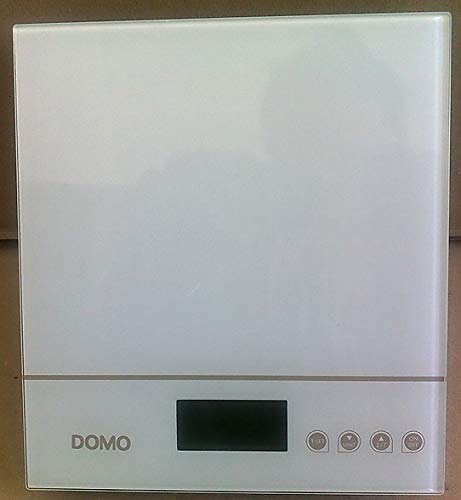
Nọmba 1: Domo DO9089W Digital Kitchen Scale. This image shows the compact design of the scale with its glass weighing platform and LCD display.
2. Awọn ilana aabo
- Ma ṣe fi omi irẹwẹsi sinu omi tabi awọn olomi miiran.
- Nu iwọn pẹlu ipolowoamp aṣọ nikan. Maṣe lo awọn afọmọ abrasive.
- Place the scale on a firm, flat, and stable surface for accurate measurements.
- Maṣe ṣe apọju iwọn ju agbara ti o pọju ti 5 kg lọ.
- Keep the scale away from extreme temperatures, direct sunlight, and high humidity.
- Ohun elo yii jẹ fun lilo ile nikan.
3. Package Awọn akoonu
Jẹrisi pe gbogbo awọn ohun kan wa ninu package:
- 1 x Domo DO9089W Digital Kitchen Scale
- 1 x Itọsọna olumulo (iwe yii)
- Batteries (may or may not be included, check packaging)
4. Eto
4.1. Fifi sori batiri
- Wa yara batiri ni isalẹ ti iwọn.
- Ṣii ideri iyẹwu batiri naa.
- Insert the required 3V batteries (typically 2x CR2032, check compartment for exact type and polarity). Ensure correct polarity (+/-).
- Pa ideri batiri naa ni aabo.
4.2. Ifiweranṣẹ
Place the scale on a hard, flat, and level surface. Uneven surfaces can affect weighing accuracy.
5. Awọn ilana Iṣiṣẹ
5.1. Agbara Tan / Paa
- Lati tan-an: Tẹ awọn TAN/PA button. The LCD display will show '0g' or '0lb'.
- Lati paa: Tẹ mọlẹ TAN/PA bọ́tìnì náà fún ìṣẹ́jú díẹ̀, tàbí kí ìwọ̀n náà pa láìfọwọ́sí lẹ́yìn àkókò àìṣiṣẹ́.
5.2. Awọn nkan iwuwo
- Ensure the scale is on and displays '0g' or '0lb'.
- Place the item to be weighed directly onto the glass weighing platform.
- The weight will be displayed on the large LCD screen.
5.3. Iṣẹ́ Tare (Sifidi odo)
Iṣẹ́ tare yìí fún ọ láyè láti wọn ọ̀pọ̀lọpọ̀ èròjà nínú àpótí kan náà tàbí láti yọ ìwọ̀n àpótí kan kúrò.
- Gbe ohun elo ti o ṣofo sori pẹpẹ iwọn. Ifihan naa yoo fihan iwuwo rẹ.
- Tẹ awọn Tọju button (often labeled 'T' or integrated with the ON/OFF button). The display will reset to '0g'.
- Add the ingredient to the container. The display will show only the weight of the ingredient.
- Repeat the tare process for additional ingredients.
5.4. Iyipada Unit
To switch between weighing units (e.g., grams, pounds, ounces), press the UNIT or MODE button (if available). The current unit will be indicated on the LCD display.
5.5. Laifọwọyi Tiipa
The scale is equipped with an automatic shut-off feature to conserve battery life. It will turn off after a period of inactivity, typically around 60-120 seconds.
6. Itọju ati Cleaning
- Mu ese pẹlu die-die damp asọ. Maṣe lo kemikali tabi awọn aṣoju afọmọ abrasive.
- Do not allow water to enter the interior of the scale.
- Yọ awọn batiri kuro ti a ko ba lo iwọn naa fun igba pipẹ lati dena jijo.
7. Laasigbotitusita
| Isoro | Owun to le Fa | Ojutu |
|---|---|---|
| Iwọn ko ni tan-an | Awọn batiri ti o ku tabi ti ko tọ ti fi sori ẹrọ. | Rọpo awọn batiri pẹlu awọn tuntun, ni idaniloju polarity ti o pe. |
| Inaccurate readings / Cannot zero | Scale on an uneven surface; Overloaded; Internal error. | Place scale on a flat, stable surface. Ensure weight is within 5 kg limit. Try removing batteries for 10 seconds and reinserting. |
| Ìfihàn ń fi 'Err' tàbí 'O-Ld' hàn | Iwọn ti kojọpọ. | Remove items from the scale immediately. Do not exceed 5 kg. |
| Buttons unresponsive or sensitive | Moisture or debris on buttons; Software glitch. | Ensure buttons are clean and dry. Remove batteries for a few seconds to reset the scale. |
8. Awọn pato
| Ẹya ara ẹrọ | Sipesifikesonu |
|---|---|
| Nọmba awoṣe | DO9089W |
| Brand | DOMO |
| O pọju Agbara | 5 kg |
| Yiye | 1 g |
| Ifihan Iru | LCD |
| Ohun elo | Gilasi iwọn Syeed |
| Awọn iwọn (L x W x H) | 18 x 18 x 4 cm |
| Iwọn | O fẹrẹ to 762 g |
| Orisun agbara | 3V batteries (type may vary, check compartment) |
| Tiipa aifọwọyi | Bẹẹni |
9. Atilẹyin ọja ati Support
Ọja yi wa pẹlu kan 24-osu atilẹyin ọja for the appliance itself. For items equipped with batteries, the batteries are guaranteed for 6 months. This warranty covers manufacturing defects under normal use. It does not cover damage resulting from misuse, accidents, unauthorized modifications, or normal wear and tear.
For warranty claims or technical support, please contact your retailer or the DOMO customer service department. Please have your proof of purchase and model number (DO9089W) ready.