
1. Ifihan
The RCA DTA809 DTV Digital TV Converter Box is designed to enable analog television sets to receive over-the-air digital television broadcasts. This device converts digital signals into an analog format, making them compatible with older analog TVs. It features an Electronic Programming Guide (EPG) for easy program selection and a smart antenna interface for improved signal reception.
Please read this manual thoroughly before operating your converter box to ensure proper setup and use.
2. Package Awọn akoonu
Daju pe gbogbo awọn nkan ti a ṣe akojọ rẹ si isalẹ wa ninu package rẹ:
- RCA DTA809 DTV Digital TV Converter Box
- Isakoṣo latọna jijin
- Adapter agbara
- RCA User Manual (this document)
- Quick Bẹrẹ Itọsọna
- Awọn batiri AAA (fun isakoṣo latọna jijin)
- Okun Coaxial

Nọmba 2.1: Package contents of the RCA DTA809 DTV Digital TV Converter Box. This image displays the converter box, remote control, power adapter, user manual, quick start guide, AAA batteries, and a coaxial cable.
3. Awọn ilana iṣeto
Follow these steps to connect your RCA DTA809 converter box to your analog television and antenna.
- Asopọmọra Antenna: Connect your over-the-air antenna to the "ANT IN" port on the back of the RCA DTA809 converter box.
- Sopọ si TV: Use the coaxial cable provided to connect the "TO TV" (RF Out) port on the converter box to the "ANT IN" or "RF IN" port on your analog television. Alternatively, if your TV has RCA composite video/audio inputs, you can use RCA cables (not included) to connect the "VIDEO OUT" and "AUDIO OUT (L/R)" ports on the converter box to the corresponding inputs on your TV.
- So agbara: Plug the power adapter into the "DC IN" port on the converter box, then plug the other end into a standard electrical outlet.
- Fi awọn batiri sii si Latọna jijin: Open the battery compartment on the back of the remote control and insert the two AAA batteries, ensuring correct polarity (+/-).
- Agbara Tan: Turn on your television and select the correct input source (e.g., TV, Video 1, AV) that corresponds to where you connected the converter box. Then, press the Power button on the converter box or its remote control.
- Initial Channel Scan: Upon first power-on, the converter box will likely prompt you to perform an automatic channel scan. Follow the on-screen instructions to scan for available digital channels. This process may take several minutes.
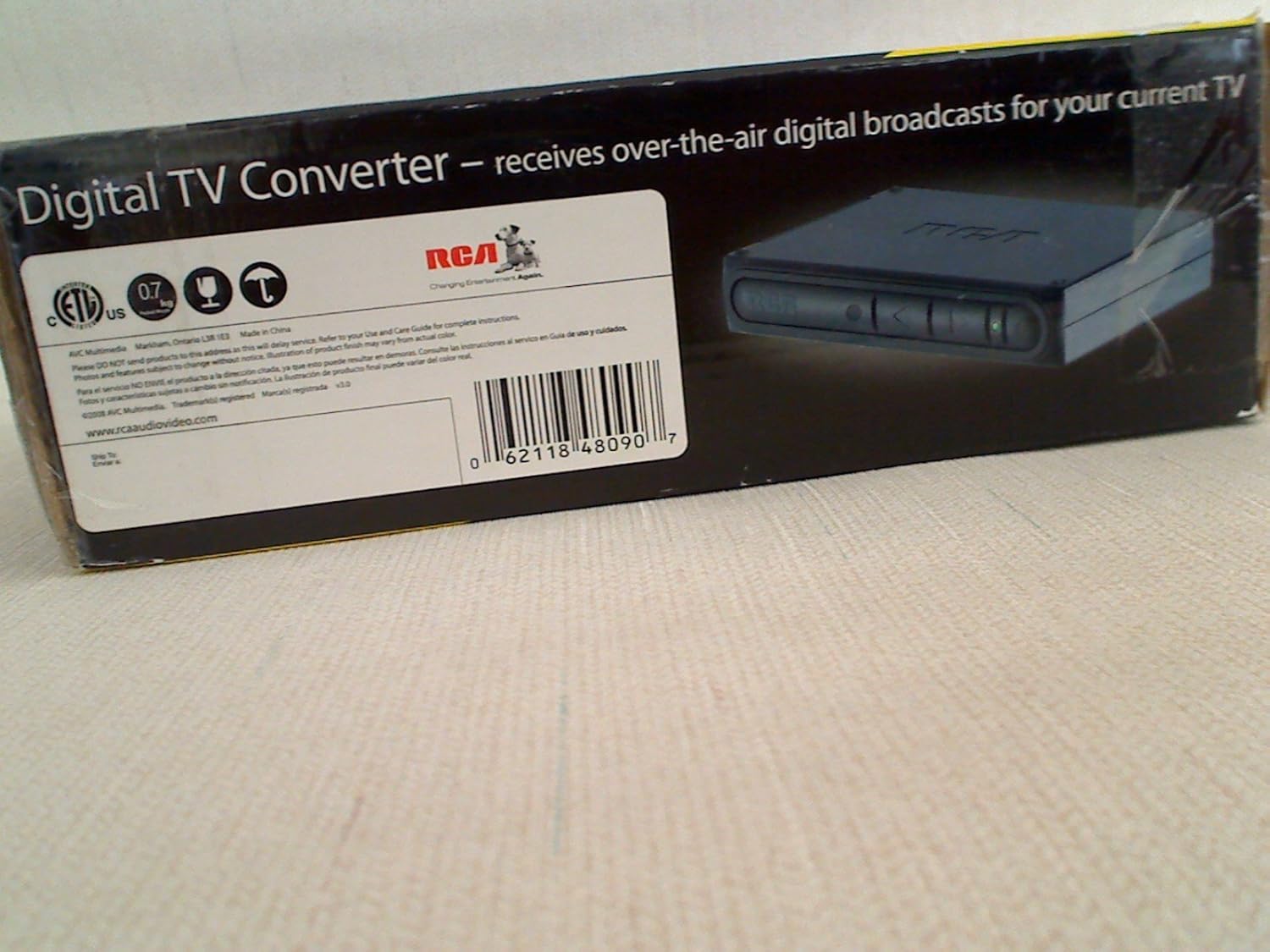
Nọmba 3.1: Front panel of the RCA DTA809 converter box, showing control buttons and indicator lights.
4. Awọn ilana Iṣiṣẹ
Once setup is complete, you can begin using your RCA DTA809 converter box to watch digital television.
4.1 Ipilẹ isẹ
- Titan/Apapa: Tẹ awọn AGBARA button on the remote control or the front panel of the converter box.
- Aṣayan ikanni: Lo awọn CH+ / CH- buttons to change channels sequentially, or enter the channel number directly using the numeric keypad on the remote.
- Iṣakoso iwọn didun: Lo awọn VOL+ / VOL- buttons on the remote control to adjust the audio volume.
- Pa ẹnu mọ́: Tẹ awọn IKU bọ́tìnì láti pa ohùn náà rẹ́ fún ìgbà díẹ̀. Tẹ̀ lẹ́ẹ̀kan síi láti mú un padà bọ̀ sípò.
4.2 Electronic Programming Guide (EPG)
The EPG provides a schedule of current and upcoming programs. To access the EPG:
- Tẹ awọn ITOJU bọtini lori rẹ isakoṣo latọna jijin.
- Lo awọn bọtini itọka (UP, SILE, OSI, OTO) to navigate through channels and program listings.
- Tẹ OK or Yan si view details about a selected program.
- Tẹ JADE to leave the EPG.
4.3 Lilọ kiri Akojọ aṣyn
The menu allows you to adjust settings, perform channel scans, and configure other features.
- Tẹ awọn Akojọ button on the remote control to access the main menu.
- Use the arrow buttons to navigate through menu options.
- Tẹ OK or Yan lati tẹ akojọ aṣayan-ipin sii tabi jẹrisi yiyan.
- Tẹ JADE to return to the previous menu or exit the menu system.
5. Itọju
Proper care and maintenance will ensure the longevity of your RCA DTA809 converter box.
- Ninu: Disconnect the power before cleaning. Use a soft, dry cloth to wipe the exterior of the converter box. Do not use liquid cleaners, aerosols, or abrasive materials.
- Afẹfẹ: Ensure the converter box is placed in a well-ventilated area. Do not block any ventilation openings.
- Ayika: Avoid exposing the unit to extreme temperatures, humidity, direct sunlight, or dusty environments.
- Okun Agbara: Máa ṣe àyẹ̀wò okùn iná mànàmáná déédéé fún ìbàjẹ́ èyíkéyìí. Tí ó bá bàjẹ́, dáwọ́ lílò dúró kí o sì kan sí ìrànlọ́wọ́ àwọn oníbàárà.
6. Laasigbotitusita
If you encounter issues with your RCA DTA809, refer to the following common problems and solutions.
| Isoro | Owun to le Fa / Solusan |
|---|---|
| Ko si Agbara |
|
| Kò sí àmì/Ìbòjú dúdú |
|
| Isakoṣo latọna jijin Ko Ṣiṣẹ |
|
| Poor Picture Quality / Freezing |
|
7. Awọn pato
Technical specifications for the RCA DTA809 DTV Digital TV Converter Box.
- Brand: RCA
- Awoṣe: DTA809
- Irú Ayélujára: RCA
- Iru nkan elo: Electronic Components, Plastic
- UPC: 062118480907
- Ìwọ̀n Nkan: Approximately 0.01 Ounces (Note: This weight seems unusually low and might be a data entry error. Refer to product packaging for accurate weight.)
- Nọmba awọn ikanni: 100 (Digital TV channels)
- Iru fifi sori: Oke Oke
8. Atilẹyin ọja ati Support
For warranty information, technical support, or service inquiries, please refer to the warranty card included with your product or visit the official RCA support webojula.
O le wa alaye diẹ sii ati awọn orisun atilẹyin lori awọn RCA Brand Store on Amazon.