
Casio HL-815L
Casio HL-815L Calculator Instruction Manual
Model: HL-815L
1. Ifihan
This manual provides essential information for the proper use and maintenance of your Casio HL-815L portable calculator. The HL-815L is an 8-digit calculator designed for basic arithmetic, featuring an extra-large display for enhanced readability. Please read this manual thoroughly before using the calculator to ensure optimal performance and longevity.
2. Key Awọn ẹya ara ẹrọ
- 8-Nọmba Ifihan: Clear and easy-to-read extra-large display.
- Awọn iṣẹ ipilẹ: Supports addition, subtraction, multiplication, and division.
- Awọn iṣẹ pataki: Includes square root (√) and percentage (%) calculations.
- Awọn iṣẹ iranti: Features M+, M-, and MRC for convenient memory operations.
- Thousands Separators: Enhances readability of large numbers.
- Ibi ti ina elekitiriki ti nwa: Operates on a single LR6 battery.
- Gbigbe: Compact design with a practical soft case for protection.
3. Eto
3.1 Fifi sori batiri
The Casio HL-815L calculator requires one LR6 battery for operation. To install or replace the battery:
- Wa ideri iyẹwu batiri ni ẹhin ẹṣiro naa.
- Fi ìṣọ́ra rọra yọ tàbí tú ìbòrí náà láti ṣí yàrá náà.
- Insert one LR6 battery, ensuring the correct polarity (+/-) as indicated inside the compartment.
- Rọpo ideri iyẹwu batiri ni aabo.
Akiyesi: Always use a fresh LR6 battery for optimal performance. Remove the battery if the calculator will not be used for an extended period to prevent leakage.
4. Awọn ilana Iṣiṣẹ
4.1 Agbara ON / PA
- To turn the calculator ON, tẹ awọn AC or ON bọtini.
- To turn the calculator PAA, tẹ awọn PAA button. The calculator may also power off automatically after a period of inactivity to conserve battery life.
4.2 Àwọn Iṣẹ́ Ìṣirò Pàtàkì
Lati ṣe awọn iṣiro ipilẹ:
- Tẹ nọmba akọkọ sii.
- Press the desired operation key (+, -, ×, tabi ÷).
- Tẹ nọmba keji sii.
- Tẹ awọn = bọtini lati ṣafihan abajade naa.
4.3 Awọn iṣẹ pataki
- Ogoruntage (%): Enter a number, press ×, enter the percentage value, then press % to calculate the percentage of the number. For example, to calculate 10% of 200, enter 200 × 10 %.
- Square Root (√): Enter a number, then press the √ key to find its square root.
- Awọn iṣẹ iranti:
- M+: Ṣe afikun iye ti o han si iranti.
- M-: Yọkuro iye ti o han lati iranti.
- MRC: Tẹ lẹẹkan lati pe iye iranti pada. Tẹ lẹẹmeji lati nu iranti naa kuro.
4.4 Ko Awọn iṣẹ
- C (Clear Entry): Clears the last entered number or the current calculation entry without affecting memory or previous operations.
- AC (Gbogbo rẹ Ko): Clears all entries, operations, and memory (if pressed twice after MRC).
5. Itọju
To ensure the longevity and proper functioning of your calculator:
- Ninu: Wipe the calculator with a soft, dry cloth. Do not use abrasive cleaners or solvents.
- Ibi ipamọ: Store the calculator in a cool, dry place, away from direct sunlight and extreme temperatures.
- Itọju Batiri: Replace the battery promptly when the display becomes dim or erratic. Remove the battery if the calculator is not used for extended periods to prevent corrosion.
- Mimu: Yago fun sisọ ẹrọ iṣiro silẹ tabi fifisilẹ si awọn ipa to lagbara.
6. Laasigbotitusita
If you encounter issues with your Casio HL-815L calculator, consider the following:
- Ifihan ti ṣofo tabi baibai: Ṣayẹwo boya batiri ti fi sori ẹrọ daradara tabi nilo rirọpo.
- Awọn iṣiro ti ko tọ: Ensure all previous calculations and memory are cleared by pressing AC. Verify correct entry of numbers and operations.
- Àwọn kọ́kọ́rọ́ kò dáhùn: Clean around the keys to remove any debris. If the issue persists, the internal mechanism may be damaged.
Tí àwọn ìgbésẹ̀ wọ̀nyí kò bá yanjú ìṣòro náà, jọ̀wọ́ kan sí ìrànlọ́wọ́ oníbàárà.
7. Awọn pato
| Sipesifikesonu | Ẹ̀kúnrẹ́rẹ́ |
|---|---|
| Brand | Casio |
| Orukọ awoṣe | HL-815L |
| Ifihan Iru | LCD |
| Iwon iboju | 8 centimita |
| Nọmba awọn nọmba | 8 |
| Orisun agbara | Battery Operated (1 x LR6) |
| Ohun elo apade | Irin |
| Àwọ̀ | Dudu |
| Iwọn Nkan | 0.08 kilo |
8. Awọn aworan ọja

A oke-isalẹ view of the Casio HL-815L calculator, showcasing its 8-digit display and key layout. The calculator is dark gray with white, gray, red, and black keys.
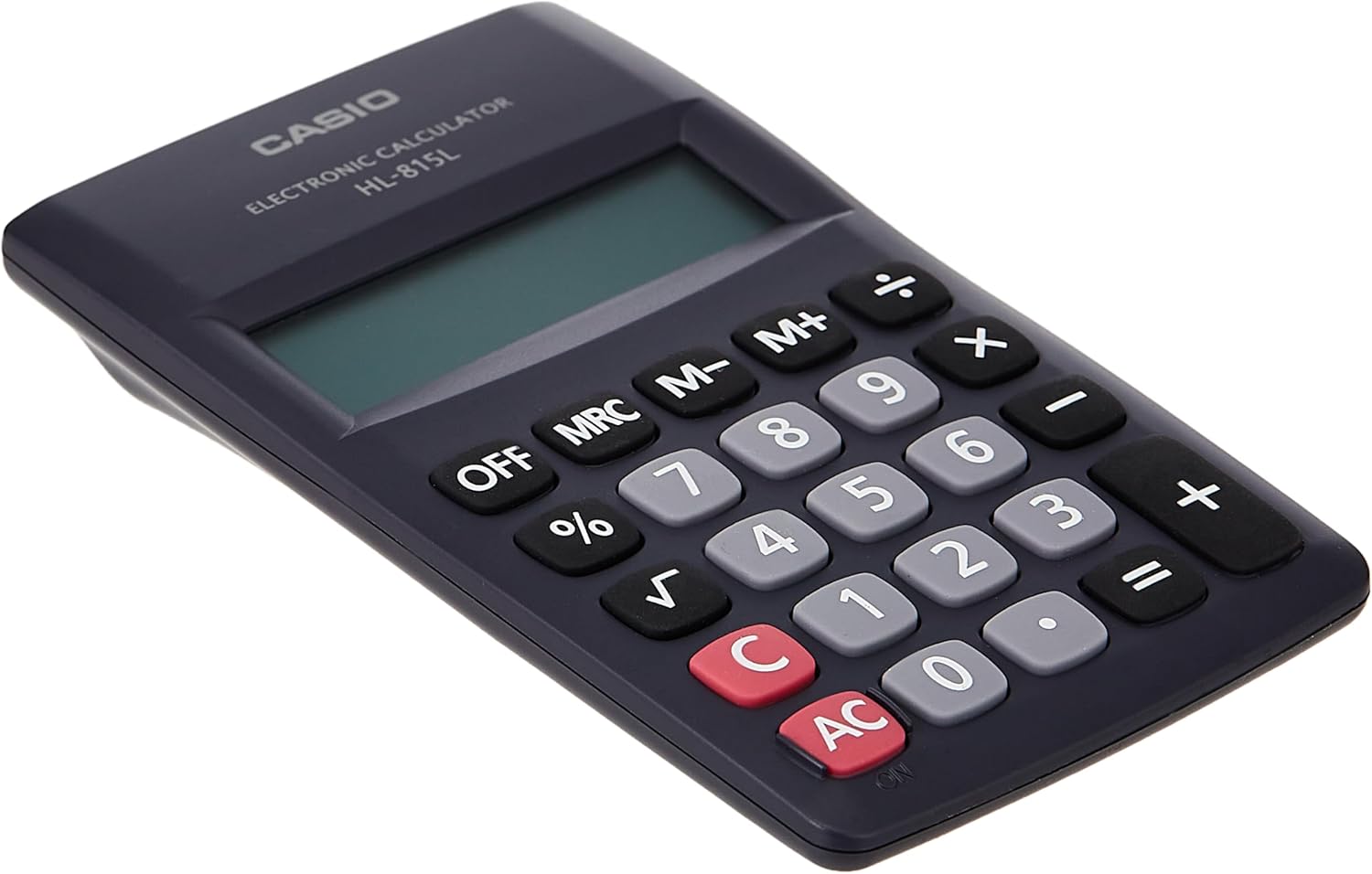
A sunmọ-soke view of the numeric keypad of the Casio HL-815L calculator, highlighting the clear numbering and key spacing.

The Casio HL-815L calculator held in a hand, with a ruler indicating its dimensions of approximately 4.9 inches (12 cm) in length, demonstrating its portable size.
9. Atilẹyin ọja ati Support
For warranty information and customer support, please refer to the documentation included with your purchase or visit the official Casio webojula. Jeki ẹri rira rẹ fun awọn iṣeduro atilẹyin ọja.