
1. Ifihan
This manual provides essential information for the proper setup, operation, and maintenance of your Cisco Scientific Atlanta IPN330HD Internet Set Top Box. Please read this manual thoroughly before using the device.
2. Alaye Aabo
- Rii daju pe ẹrọ naa wa lori iduro, dada alapin.
- Ma ṣe fi ẹrọ naa han si omi tabi ọrinrin pupọ.
- Yẹra fun didi awọn ṣiṣi afẹfẹ lati ṣe idiwọ igbona.
- Lo oluyipada agbara nikan ti a pese pẹlu ẹrọ naa.
- Ge asopọ okun agbara nigba iji manamana tabi nigba lilo fun igba pipẹ.
3. Package Awọn akoonu
Jẹrisi pe gbogbo awọn ohun kan wa ninu package:
- Cisco Scientific Atlanta IPN330HD Set Top Box
- Adapter agbara
- Iṣakoso latọna jijin (ti o ba wa)
- Okun HDMI (ti o ba wa)
Note: Specific cable inclusions may vary.
4. Ọja Ipariview
The IPN330HD is an Internet Protocol Set Top Box designed for digital television services. It features various connectivity options for integration with your home entertainment system.
4.1 Igbimọ iwaju
The front panel typically includes status indicators and an IR receiver for the remote control.
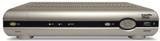
Aworan: Iwaju view of the Cisco Scientific Atlanta IPN330HD Set Top Box. This image displays the device's front panel, which typically features power indicators and an infrared receiver for remote control commands.
4.2 Ru Panel Awọn isopọ
The rear panel provides all necessary ports for connecting the set top box to your television and network.
- Ijade HDMI: For high-definition video and audio connection to a compatible TV.
- Ìjáde Fídíò Àwọn Ẹ̀yà Ara (YPbPr): For high-definition video connection to older TVs.
- Coaxial (RF) Output: For standard definition video and audio connection.
- Composite Video Output (RCA): For standard definition video connection.
- S-Video Ijade: For enhanced standard definition video connection.
- Audio Outputs (RCA L/R): For analog stereo audio.
- Àjọlò Port: For network connection (if applicable for your service).
- Iṣagbewọle agbara: Fun sisopọ ohun ti nmu badọgba agbara.
5. Eto
Follow these steps to connect your IPN330HD Set Top Box:
- Position the Set Top Box: Place the device on a flat, stable surface near your television, ensuring adequate ventilation.
- Sopọ si TV:
- For best quality, connect an HDMI cable from the HDMI Ijade on the set top box to an Input HDMI lori TV rẹ.
- Alternatively, use Component, S-Video, Coaxial, or Composite cables based on your TV's available inputs.
- Connect to Network (if required): If your service provider requires an Ethernet connection, connect an Ethernet cable from the Àjọlò Port on the set top box to your home network router or wall jack.
- So agbara: Pulọọgi ohun ti nmu badọgba agbara sinu awọn Agbara Input on the set top box, then plug the other end into a wall outlet.
- Agbara Tan: Turn on your television and select the correct input source (e.g., HDMI 1, Video 2) that corresponds to your set top box connection. The set top box should power on automatically or can be turned on using the remote control.
- Service Activation: Pataki: This unit requires activation from your service provider. It will not function out of the box without proper activation. Contact your service provider to register and activate the device.
6. Awọn ilana Iṣiṣẹ
Once activated by your service provider, you can begin using your IPN330HD Set Top Box.
- Titan/Apapa: Use the power button on the remote control or the front panel to turn the device on or off.
- Lilọ kiri ikanni: Use the CH+/CH- buttons or the number pad on your remote control to change channels.
- Iṣakoso iwọn didun: Use the VOL+/VOL- buttons on your remote control to adjust the audio volume.
- Wiwọle Akojọ aṣayan: Press the "Menu" button on your remote to access on-screen guides, settings, and other features provided by your service provider.
- Awọn ẹya ibaraenisepo: Explore interactive features and on-demand content as offered by your service provider.
7. Itọju
- Ninu: Use a soft, dry cloth to clean the exterior of the set top box. Do not use liquid cleaners or aerosols.
- Afẹfẹ: Rii daju pe awọn šiši fentilesonu ko ni idiwọ lati ṣe idiwọ igbona.
- Awọn imudojuiwọn famuwia: Firmware updates are typically managed by your service provider. Do not attempt manual updates unless instructed.
8. Laasigbotitusita
Ti o ba pade awọn iṣoro, tọka si awọn solusan ti o wọpọ wọnyi:
| Isoro | Owun to le Solusan |
|---|---|
| Ko si Aworan/Ohun |
|
| Device Not Working Out of Box | This device requires activation by your service provider. Contact them to register the unit and enable service. It will not function without this step. |
| Isakoṣo latọna jijin Ko Dahun |
|
| Freezing Picture/Signal Loss |
|
9. Awọn pato
| Ẹya ara ẹrọ | Ẹ̀kúnrẹ́rẹ́ |
|---|---|
| Nọmba awoṣe | IPN330HD |
| Olupese | Cisco (Scientific Atlanta) |
| Asopọmọra | HDMI, Component, Coaxial, Composite, S-Video outputs |
| Ọja Iru | Internet Protocol Set Top Box |
| Ni akọkọ Wa | Oṣu Kẹwa Ọjọ 11, Ọdun 2010 |
10. Important Notes on Activation
Please be aware that the Cisco Scientific Atlanta IPN330HD Set Top Box is designed to work with specific service providers and requires activation. This unit will not function as a standalone device or "out of the box" without being provisioned and activated by your digital TV service provider. Technical support for activation and service-related issues must be obtained directly from your service provider.
11. Atilẹyin ọja ati Support
Specific warranty details for this product are typically provided by your service provider at the time of service activation or purchase. For technical support, service-related inquiries, or warranty claims, please contact your digital TV service provider directly. The manufacturer does not provide direct technical support for end-users of this device.