
1. Ifihan ati Alaye Aabo
This manual provides essential instructions for the safe and efficient operation of your Candy CMG 25 DCS Microwave with Grill. Please read it thoroughly before using the appliance and retain it for future reference.
1.1 Gbogbogbo Aabo Awọn iṣọra
- Rii daju nigbagbogbo pe ẹrọ naa wa ni ilẹ ti o tọ.
- Do not operate the microwave if the door seal is damaged or if the door does not close properly.
- Never heat sealed containers, as they may explode.
- Má ṣe lo àwọn ohun èlò irin tàbí fọ́ìlì ní ọ̀nà máíkrówéfù, nítorí èyí lè fa ìfàsẹ́yìn.
- Supervise children when the appliance is in use, especially when the grill function is active.
- Do not attempt to service or repair the microwave yourself. Contact qualified service personnel.
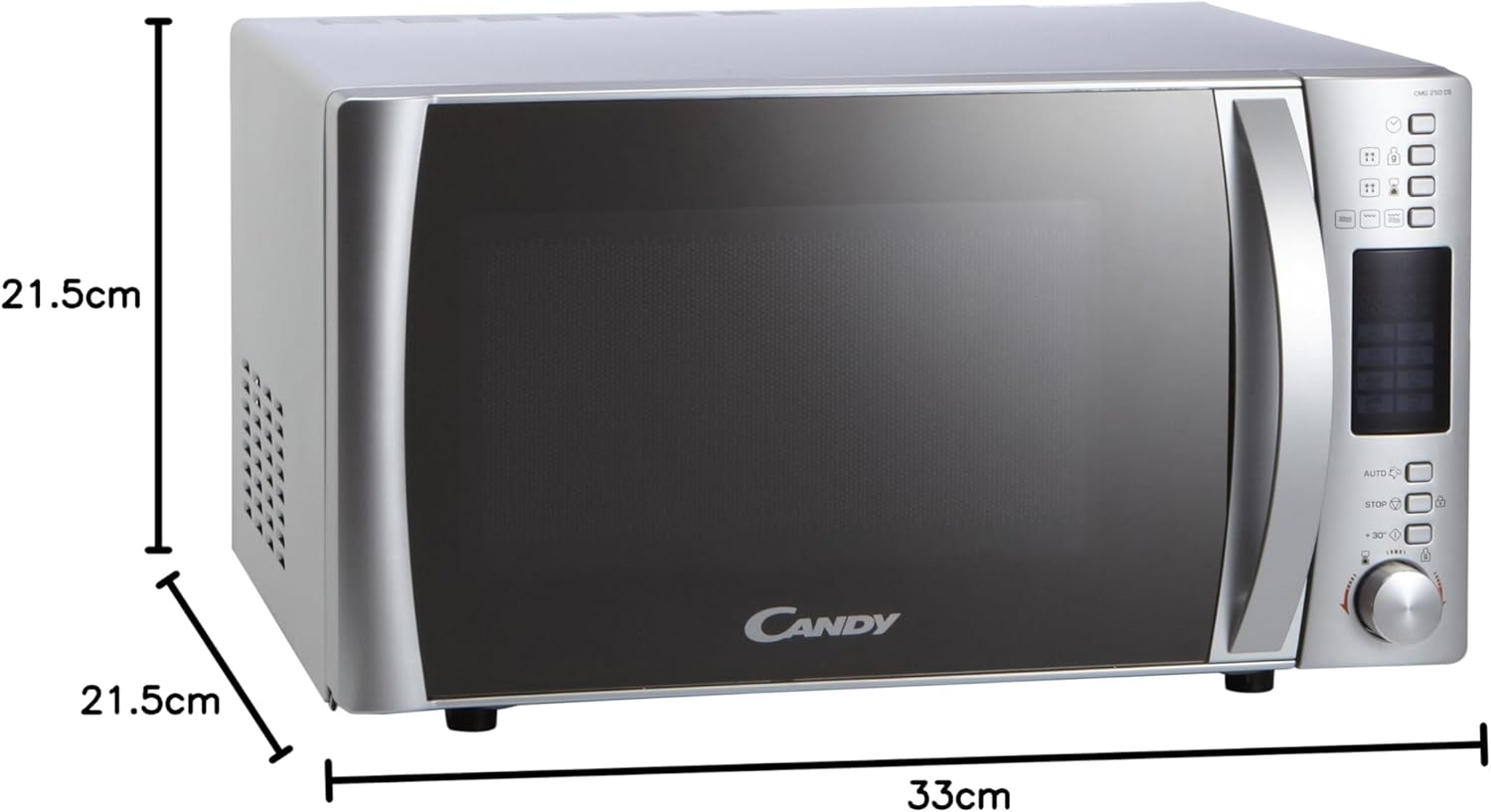
The Candy CMG 25 DCS is a 25-liter microwave oven with an integrated grill function, designed for residential use. It features a digital display, multiple power levels, and automatic programs for convenient cooking.

2. Ọja Ipariview
Familiarize yourself with the components and control panel of your Candy CMG 25 DCS microwave.
2.1 irinše
- Yipada: Ṣe idaniloju paapaa sise nipasẹ yiyi ounjẹ.
- Atilẹyin ti o yipada: Holds the turntable in place.
- Yiyan agbeko: Used for grilling food, elevating it closer to the heating element.
- Crunchy Plate: Special accessory for achieving crispy results.
- Door with Safety Lock System: Prevents microwave operation when the door is open.
2.2 Iṣakoso igbimo


The control panel features a digital display for time and program information, a Joggle Hi-Fi knob for setting time and selecting options, and dedicated buttons for functions such as power level, grill, automatic programs, defrost, and express start.
3. Eto ati fifi sori
Proper installation is crucial for the safe and optimal performance of your microwave oven.
3.1 Ṣiṣii silẹ
- Yọ gbogbo awọn ohun elo apoti ati awọn ẹya ẹrọ kuro.
- Inspect the microwave for any damage, such as dents or a misaligned door. Do not operate if damaged.
3.2 Ibi
- Place the microwave on a stable, level surface strong enough to support its weight.
- Ensure adequate ventilation. Leave a minimum of 10 cm (4 inches) clearance at the rear, 20 cm (8 inches) on the top, and 5 cm (2 inches) on the sides. The front of the microwave should be at least 30 cm (12 inches) from the edge of the counter to prevent tipping.
- Do not place the microwave near heat sources or in areas of high humidity.
3.3 Itanna Asopọ
- Plug the microwave into a dedicated, properly grounded 230V AC outlet.
- Ma ṣe lo awọn okun itẹsiwaju tabi awọn oluyipada.
3.4 Ni ibẹrẹ Oṣo
- After plugging in, the display will show '0:00' or similar.
- To set the clock, refer to the 'Setting the Clock' section in Operating Instructions.
4. Awọn ilana Iṣiṣẹ
This section details how to use the various functions of your microwave oven.
4.1 Eto aago
- Press the 'Clock' button (if available, otherwise consult the specific button for time setting).
- Rotate the Joggle Hi-Fi knob to set the hour. Press the 'Start' button to confirm.
- Rotate the Joggle Hi-Fi knob to set the minutes. Press the 'Start' button to confirm.
4.2 Makirowefu Sise
- Fi ounjẹ sinu apo eiyan-ailewu kan makirowefu lori tabili titan.
- Ti ilẹkun.
- Press the 'Microwave' button repeatedly to select the desired power level (5 levels available).
- Rotate the Joggle Hi-Fi knob to set the cooking time.
- Tẹ bọtini 'Bẹrẹ' lati bẹrẹ sise.
4.3 Yiyan Išė
- Place food on the grill rack within a heat-resistant dish.
- Ti ilẹkun.
- Tẹ bọtini 'Grill'.
- Rotate the Joggle Hi-Fi knob to set the grilling time.
- Press the 'Start' button to begin grilling.
4.4 Combined Cooking (Microwave + Grill)
- Fi ounjẹ sinu makirowefu ati apo eiyan-ailewu.
- Ti ilẹkun.
- Press the 'Combi' button (or the relevant button for combined mode).
- Rotate the Joggle Hi-Fi knob to set the cooking time.
- Press the 'Start' button to begin combined cooking.
4.5 Awọn eto aifọwọyi
The microwave features 8 automatic programs for various food types. Refer to the icons on the control panel for specific program selection.
- Press the 'Auto' button.
- Rotate the Joggle Hi-Fi knob to select the desired program number.
- Press the 'Start' button. The microwave will automatically set the cooking time and power level.
4.6 Defrost Išė
The automatic defrost function allows defrosting by weight or time.
- Tẹ bọtini 'Defrost'.
- Rotate the Joggle Hi-Fi knob to select defrost by weight or time, and adjust the value.
- Tẹ bọtini 'Bẹrẹ'.
4.7 Express Start (+30 Seconds)
For quick heating at maximum power, press the '+30s' button. Each press adds 30 seconds to the cooking time.
4.8 Titiipa Abo (Titiipa Ọmọ)
To activate the child lock, press and hold the 'Stop' button for approximately 3 seconds until a lock indicator appears on the display. To deactivate, repeat the process.
5. Itọju ati Cleaning
Regular cleaning ensures hygiene and prolongs the life of your appliance.
5.1 inu ilohunsoke Cleaning
- Lẹhin lilo kọọkan, mu ese inu ilohunsoke pẹlu ipolowoamp asọ lati yọ ounje spplatters.
- For stubborn stains, place a bowl of water with lemon juice inside and microwave for 2-3 minutes. The steam will loosen the grime.
- Clean the turntable and turntable support with warm, soapy water. They are usually dishwasher safe.
5.2 Ode Ninu
- Mu ese ita gbangba pẹlu asọ, damp asọ.
- Avoid abrasive cleaners or scouring pads, as they can damage the finish.
- Clean the door and door seal regularly to ensure proper closure.
5.3 Ìmọ́tótó Àwọn Ẹ̀yà Gíréè
- Ensure the microwave is cool before cleaning the grill element.
- Nu ohun èlò ìsun omi pẹ̀lú ìpolówóamp asọ. Maṣe lo omi ti o pọju.
6. Laasigbotitusita
Tí o bá ní ìṣòro pẹ̀lú máìkrówéfù rẹ, wo àwọn ìṣòro àti ìdáhùn tó wọ́pọ̀ wọ̀nyí.
| Isoro | Owun to le Fa | Ojutu |
|---|---|---|
| Makirowefu ko bẹrẹ. | Door not closed properly; Power cord unplugged; Fuse blown; Child lock activated. | Ensure door is firmly closed; Check power connection; Check household fuse/circuit breaker; Deactivate child lock. |
| Ounjẹ kii ṣe alapapo. | Ipele agbara ti ko tọ tabi ṣeto akoko sise; Ilekun ko tii dada. | Adjust power level and time; Ensure door is firmly closed. |
| Ariwo dani nigbati isẹ. | Turntable not correctly placed; Foreign object in cavity. | Ensure turntable and support are correctly positioned; Remove any obstructions. |
| Ifihan ko ṣiṣẹ. | Agbara otage; Appliance unplugged. | Check power supply; Plug in the appliance. |
If the problem persists after attempting these solutions, please contact Candy customer service or a qualified technician.
7. Awọn pato
Technical details for the Candy CMG 25 DCS Microwave with Grill.
| Ẹya ara ẹrọ | Sipesifikesonu |
|---|---|
| Brand | Suwiti |
| Nọmba awoṣe | CMG 25 DCS (8016361823310) |
| Agbara | 25 liters |
| Makirowefu Power | 900 Wattis |
| Voltage | 230 Volts |
| Ohun elo | Irin ti ko njepata |
| Àwọ̀ | Fadaka |
| Awọn iwọn Ọja (L x W x H) | 42.5 x 51.3 x 30.5 cm |
| Internal Cavity Dimensions (W x D x H) | 33 x 34.6 x 21.5 cm |
| Turntable Opin | 31.5 cm |
| Pataki Awọn ẹya ara ẹrọ | Automatic Defrost, 95 min Timer, Express Start, Safety Lock |
| Awọn irinše to wa | Grill Rack, Microwave, Crunchy Plate |
| Adarí Iru | Button, Joggle Hi-Fi Knob |
8. Atilẹyin ọja ati Support
Your Candy CMG 25 DCS Microwave with Grill comes with a manufacturer's warranty. Please refer to the warranty card provided with your purchase for specific terms and conditions.
For technical assistance, spare parts, or service inquiries, please contact Candy customer support. Keep your purchase receipt and model number (CMG 25 DCS) readily available when contacting support.


