
1. Ọja Ipariview
The AmScope LED-96S is an intensity-adjustable 96-LED ring light designed to provide cool, even, intense, and shadow-free illumination for single zoom microscopes. It features variable intensity control and is compatible with power supplies ranging from 110V to 240V.
Awọn akoonu idii:
- One (1) 96-LED Ring Light
- One (1) Control Box
- One (1) Power Cable
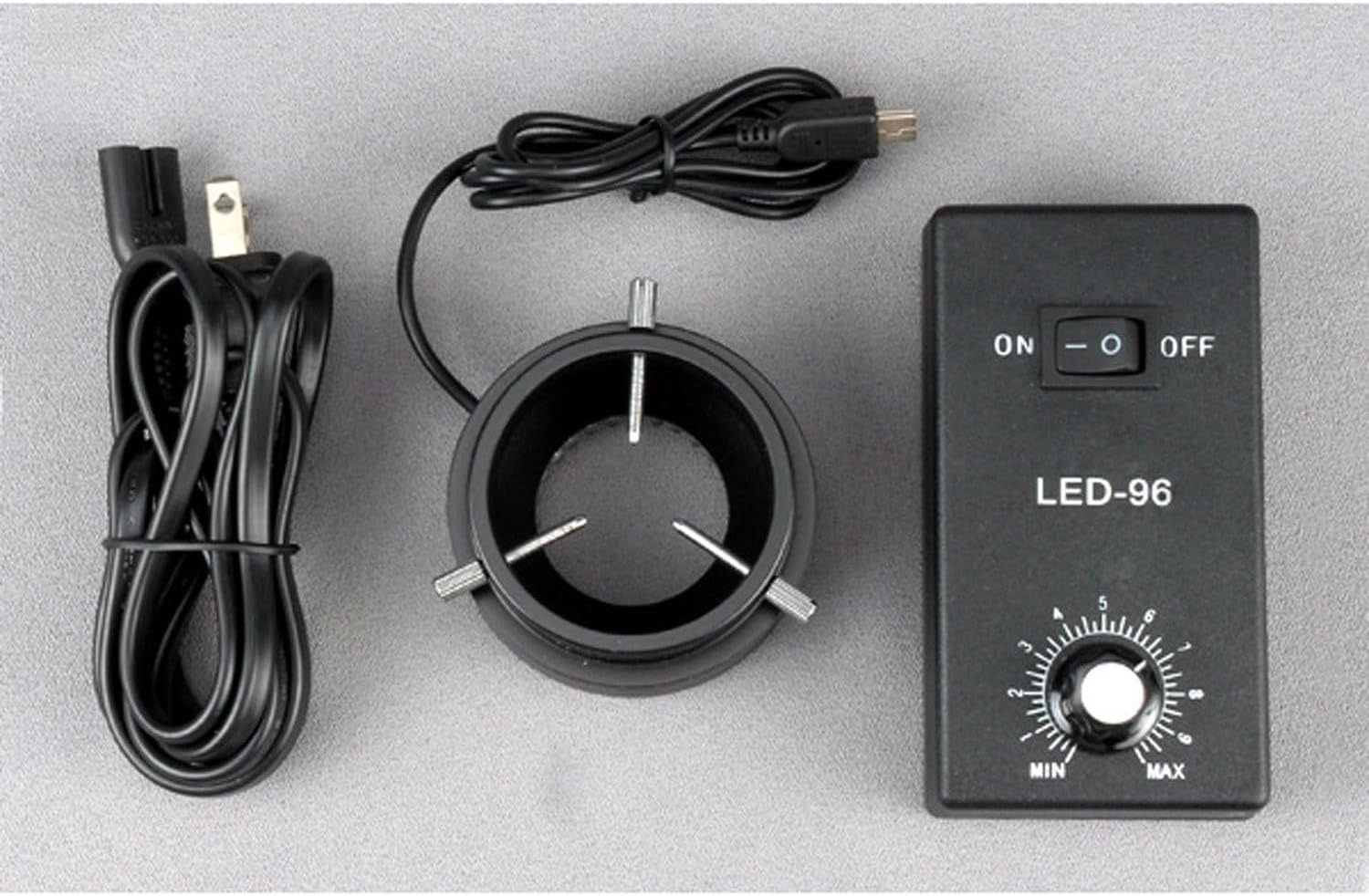
Figure 1: Included components of the AmScope LED-96S 96 LED Ring Light kit.
2. Awọn ilana iṣeto
- Attach the Ring Light to the Control Box: Connect the cable from the 96-LED ring light to the designated port on the control box. Ensure the connection is secure.
- Oke Imọlẹ Iwọn: The ring light is designed to mount onto microscope objectives or bodies with a diameter up to 2 inches (52mm). Carefully slide the ring light onto the microscope's objective housing until it is firmly in place. The inside diameter of the ring light is 1-7/16 inches (36mm).
- So agbara: Plug the provided power cable into the control box, then connect the other end to a standard electrical outlet (110-240V, 50-60Hz).

Figure 2: The 96-LED ring light connected to the control box.

Figure 3: The LED ring light installed on a microscope.
3. Awọn ilana Iṣiṣẹ
- Agbara Tan: Locate the ON/OFF switch on the control box. Flip the switch to the "ON" position to power on the ring light. The LEDs will illuminate.
- Ṣatunṣe Kikan: Use the rotary dial labeled "MIN" to "MAX" on the control box to adjust the brightness of the LED illumination. Turn the dial clockwise to increase intensity and counter-clockwise to decrease it.
- Agbara Pa: When finished, flip the ON/OFF switch to the "OFF" position.
The 96 bright white LED bulbs provide intense and focused shadow-free illumination, enhancing visibility for microscope observations.
4. Itọju
- Ninu: Ensure the device is powered off and unplugged before cleaning. Use a soft, dry cloth to wipe the exterior of the ring light and control box. Do not use liquid cleaners or solvents, as they may damage the components.
- Ibi ipamọ: Store the ring light and control box in a clean, dry environment when not in use. Avoid extreme temperatures and humidity.
- LED Longevity: The LED bulbs have an estimated life of 100,000 hours, requiring minimal replacement under normal operating conditions.
5. Laasigbotitusita
| Isoro | Owun to le Fa | Ojutu |
|---|---|---|
| Ina oruka ko tan. |
|
|
| Light intensity cannot be adjusted. |
|
|
| Imọlẹ jẹ baibai tabi flickers. |
|
|
6. Awọn pato
| Nọmba awoṣe | LED-96S |
| LED opoiye | 96 bright white LED bulbs |
| LED Life ireti | wakati meji 100,000 |
| Iru itanna | Intense, focused, shadow-free |
| Iṣakoso airotẹlẹ | Ayípadà |
| Iṣagbesori Iwon | Up to 2 inches (52mm) in diameter |
| Inu Opin | 1-7/16 inches (36mm) |
| Ita Diamita | 3 inches (78mm) |
| Agbara Input | 110-240V, 50-60Hz (auto switching) |
| Ọja Mefa | 10 x 5.2 x 2.1 inches |
| Iwọn Nkan | 14.4 iwon |
7. atilẹyin ọja Information
The AmScope LED-96S 96 LED Ring Light comes with a ọkan-odun atilẹyin ọja against manufacturing defects. Please retain your proof of purchase for warranty claims. For service under warranty, contact AmScope customer support.
8. Onibara Support
For further assistance, technical support, or warranty inquiries, please contact AmScope customer service. You can find more information and contact details by visiting the official AmScope store: