
1. Ifihan
O ṣeun fun riraasing the BaBylissPRO FX780 Barberology Cord/Cordless Trimmer. This professional-grade trimmer is designed for precision outlining, detailing, and general trimming of necklines, hairlines, sideburns, beards, and mustaches. Please read this manual thoroughly before using your new trimmer to ensure safe and optimal performance.
2. Awọn Ilana Aabo pataki
Nigbati o ba nlo awọn ohun elo itanna, paapaa nigbati awọn ọmọde ba wa, awọn iṣọra aabo ipilẹ yẹ ki o tẹle nigbagbogbo, pẹlu atẹle naa:
- IJAMBA - Lati dinku eewu ina mọnamọna:
- Yọọ ohun elo yi nigbagbogbo lati inu iṣan itanna lẹsẹkẹsẹ lẹhin lilo ati ṣaaju ṣiṣe mimọ.
- Maṣe de ọdọ ohun elo ti o ṣubu sinu omi. Yọọ kuro lẹsẹkẹsẹ.
- Maṣe lo lakoko ti o nwẹwẹ tabi ni ibi iwẹ.
- Maṣe gbe tabi tọju ohun elo nibiti o le ṣubu tabi fa sinu iwẹ tabi ifọwọ. Ma ṣe gbe sinu tabi ju sinu omi tabi omi miiran.
- IKILO - Lati dinku eewu awọn ijona, mọnamọna, ina, tabi ipalara si awọn eniyan:
- Ohun elo ko yẹ ki o fi silẹ laini abojuto nigbati o ba ṣafọ sinu.
- Abojuto sunmọ jẹ pataki nigbati ohun elo yii ba jẹ lilo nipasẹ, lori, tabi sunmọ awọn ọmọde tabi awọn ẹni-kọọkan pẹlu awọn alaabo kan.
- Lo ohun elo yii nikan fun lilo ipinnu rẹ gẹgẹbi a ti ṣalaye ninu iwe afọwọkọ yii. Ma ṣe lo awọn asomọ ti olupese ko ṣeduro.
- Maṣe ṣiṣẹ ohun elo yi ti o ba ni okun tabi plug ti o bajẹ, ti ko ba ṣiṣẹ daradara, tabi ti o ba ti lọ silẹ tabi bajẹ, tabi sọ sinu omi. Pada ohun elo pada si ile-iṣẹ iṣẹ ti a fun ni aṣẹ fun idanwo ati atunṣe.
- Jeki okun kuro lati awọn aaye ti o gbona.
- Maṣe ju silẹ tabi fi ohunkan sinu ṣiṣi eyikeyi.
- Ma ṣe lo ita tabi ṣiṣẹ ni ibiti a ti nlo awọn ọja aerosol (sokiri) tabi nibiti a ti nṣakoso atẹgun.
- Do not use this appliance with a damaged or broken comb attachment, as facial injury may occur.
- Nigbagbogbo so plug si ohun elo akọkọ, lẹhinna si iṣan. Lati ge asopọ, tan gbogbo awọn idari si PA, lẹhinna yọ plug kuro ni iṣan.
- Ohun elo naa jẹ apẹrẹ fun lilo ile nikan.
3. Package Awọn akoonu
Daju pe gbogbo awọn nkan ti a ṣe akojọ rẹ si isalẹ wa ninu package rẹ:
- BaBylissPRO FX780 Cord/Cordless Trimmer
- Iduro gbigba agbara
- Adapter agbara
- 2 Slimline Comb Attachments
- Fifọ Fẹlẹ
- Epo ti npa
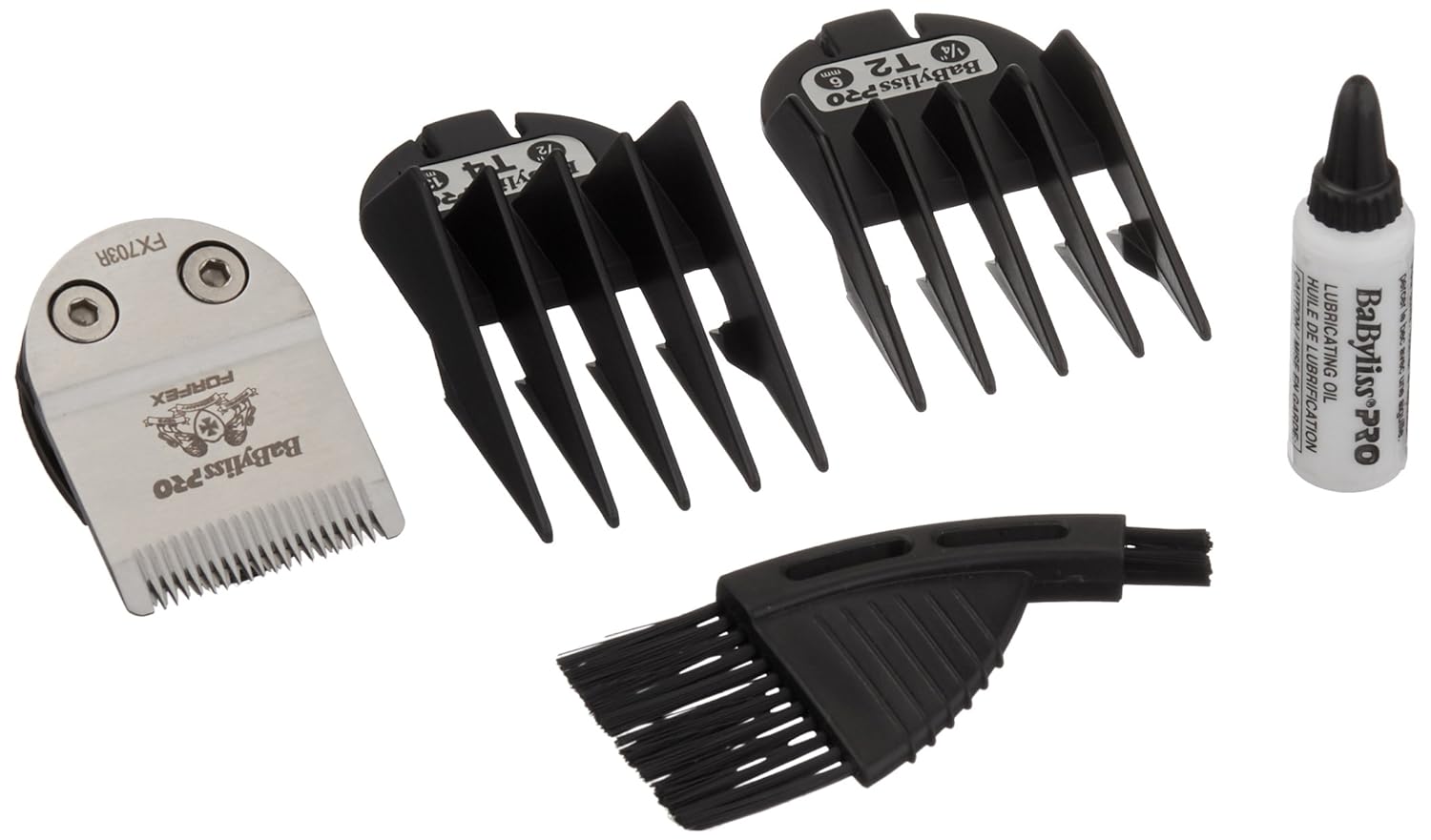
Figure 1: Included accessories for the BaBylissPRO FX780 Trimmer.
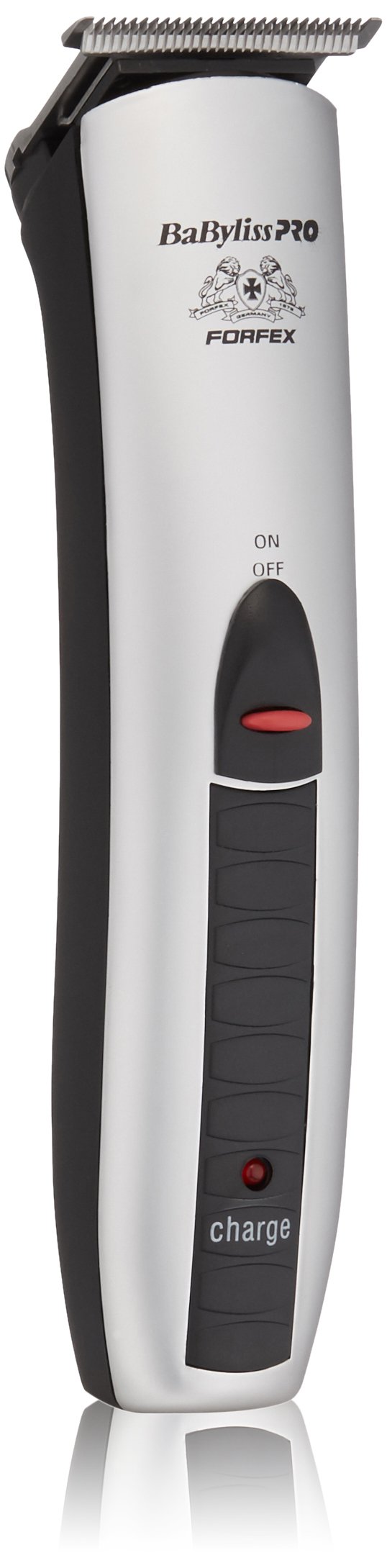
Figure 2: BaBylissPRO FX780 Trimmer with charging stand and comb attachments.
4. Awọn ẹya Ọja
The BaBylissPRO FX780 Trimmer is engineered with advanced features for professional performance:
- Ultra-Thin Detachable Blades: Features a fine tooth pattern for precision detailing.
- Okun/Isẹ Ailokun: Provides flexibility for use with or without the power cord.
- Batiri NiMH gbigba agbara: Ensures consistent power and improved charging functionality.
- 60-Minute Run Time: Awọn ipese ample operating time on a full charge.
- Iduro gbigba agbara: Conveniently stores and charges the trimmer.
- Atọka gbigba agbara: Light indicates charging status.
- Meji Voltage: Suitable for worldwide usage (100-240V).
5. Eto
5.1 Gbigba agbara akọkọ
- Ṣaaju lilo akọkọ, gba agbara ni kikun trimmer fun wakati 16.
- Rii daju pe trimmer ti wa ni pipa.
- So oluyipada agbara pọ si imurasilẹ gbigba agbara.
- Pulọọgi ohun ti nmu badọgba agbara sinu itanna iṣan.
- Place the trimmer into the charging stand. The charging indicator light on the trimmer will illuminate to confirm it is charging.
For subsequent charges, a full charge typically takes 8 hours and provides approximately 60 minutes of cordless operation.
5.2 Attaching and Detaching Blades
The FX780 features detachable blades for easy cleaning and replacement.
- Lati Yọ: Ensure the trimmer is OFF. Gently push the blade assembly forward and away from the trimmer body.
- Lati So pọ: Align the blade assembly with the trimmer body and push it back until it clicks securely into place.
5.3 Attaching Comb Attachments
The trimmer comes with two slimline comb attachments for varying hair lengths.
- Ensure the trimmer is OFF.
- Select the desired comb attachment.
- Slide the comb attachment onto the trimmer blade until it locks into position.
- To remove, gently pull the comb attachment away from the blade.
6. Awọn ilana Iṣiṣẹ
6.1 Titan / Pa a
To turn the trimmer ON, slide the power switch upwards. To turn it OFF, slide the switch downwards.
6.2 Corded and Cordless Use
- Iṣẹ Ailokun: For maximum flexibility, use the trimmer on battery power after a full charge.
- Isẹ ti o ni okun: If the battery is low or you prefer continuous power, connect the power adapter directly to the trimmer and an electrical outlet. The trimmer can be used while charging.
6.3 Àwọn Ọ̀nà Ìtọ́jú Gígé
Láti rí i dájú pé irun rẹ mọ́ tónítóní kí o tó gé e.
- Outlining and Detailing: Use the trimmer without a comb attachment. Hold the trimmer at a slight angle to the skin and use light, controlled strokes to create sharp lines around the neckline, sideburns, and beard edges.
- Beard and Mustache Trimming: Attach a comb attachment for desired length. Start with a longer comb if unsure, and gradually reduce length. Trim against the direction of hair growth for an even cut.
- Neckline and Hairline: Use the trimmer without a comb attachment for a close finish. Gently pull the skin taut with one hand and trim with the other, moving against the direction of hair growth.
7. Itọju
7.1 Ninu Trimmer
- Ensure the trimmer is OFF and unplugged from the power source.
- Detach the blade assembly (refer to Section 5.2).
- Use the provided cleaning brush to remove any loose hairs from the blades and the trimmer body.
- Do not rinse the trimmer body under water. The blades can be carefully rinsed under running water, but ensure they are completely dry before reattaching.
- Nu ara trimmer nu pẹlu mimọ, damp asọ.
7.2 Oiling awọn Blades
To maintain optimal cutting performance and blade longevity, it is essential to oil the blades regularly.
- After each use, or at least once a week, apply 2-3 drops of the lubricating oil (provided) across the top of the blades.
- Turn the trimmer ON for a few seconds to allow the oil to distribute evenly.
- Pa epo ti o pọju kuro pẹlu asọ asọ.
Note: Only use the oil specifically designed for hair clippers/trimmers. Do not use hair oil, grease, or any oil mixed with kerosene or solvents, as these will slow down the blades and evaporate, leaving a thick residue.
8. Laasigbotitusita
| Isoro | Owun to le Fa | Ojutu |
|---|---|---|
| Trimmer ko ni tan. | Battery is not charged; Power cord not properly connected. | Charge the trimmer for the recommended time. Ensure power cord is securely plugged into both the trimmer/stand and the electrical outlet. |
| Ige iṣẹ ti ko dara tabi fifa irun. | Blades are dull, dirty, or not oiled; Hair buildup in blades; Battery low. | Clean and oil the blades (refer to Section 7). Ensure the trimmer is fully charged. Consider replacing blades if they are excessively dull. |
| Trimmer gets hot during use. | Extended continuous use; Blades require lubrication. | Allow the trimmer to cool down. Ensure blades are properly cleaned and oiled. |
| Atọka gbigba agbara ko si tan. | Trimmer not properly seated in stand; Power adapter not connected; Faulty outlet. | Ensure trimmer is correctly placed in the charging stand. Check power adapter connections and try a different electrical outlet. |
9. Awọn pato
- Awoṣe: FX780
- Orisun Agbara: Cord/Cordless (Rechargeable NiMH Battery)
- Akoko Ṣiṣe: Approximately 60 minutes (on full charge)
- Akoko gbigba agbara: 16 hours (initial), 8 hours (subsequent)
- Iṣagbewọle Voltage: 100-240V AC (Dual Voltage)
- Awọn iwọn: 4.25 x 5 x 9.5 inches
- Ìwúwo: 1 iwon
- Olupese: BaBylissPro
10. Atilẹyin ọja ati Support
BaBylissPRO products are manufactured to the highest standards and undergo rigorous quality control. This product is covered by a limited warranty against defects in materials and workmanship. For specific warranty details, duration, and terms, please refer to the warranty card included with your purchase or visit the official BaBylissPRO webojula.
For technical support, service, or replacement parts, please contact BaBylissPRO customer service. Contact information can typically be found on the product packaging or the official BaBylissPRO webojula.
Webojula: www.babylisspro.com