
Imọlẹ ṣiṣan 25302
Streamlight SL-20LP Rechargeable LED Flashlight
Awoṣe: 25302
Ọja Pariview
The Streamlight SL-20LP is a robust, full-sized rechargeable LED flashlight engineered for professional use. It combines advanced LED technology with a durable design to provide reliable illumination in various conditions. Its intelligent power management system ensures consistent brightness and extended runtime.
Awọn ẹya pataki:
- LED technology for extreme brightness
- IPX4 rated design for water resistance
- 1 meter impact resistance tested
- Serialized fun rere idanimọ
- High, Medium, Low, and Strobe modes

Image: The Streamlight SL-20LP flashlight, showcasing its full-size design and textured grip.
Eto ati Lilo akọkọ
Before first use, ensure the flashlight's NiMH battery is fully charged. This model comes with a 12-volt DC smart charger for convenient charging.
Awọn ilana gbigba agbara:
- Connect the 12-volt DC smart charger to a compatible power source (e.g., vehicle's 12V DC outlet).
- Insert the flashlight securely into the charging cradle. Ensure proper alignment for the charging contacts.
- The charging indicator light on the charger will illuminate, indicating that charging is in progress.
- Allow the battery to charge until the indicator light changes or turns off, signaling a full charge. Refer to the charger's specific instructions for exact indicator behavior.
Awọn eroja to wa:
- Streamlight SL-20LP Rechargeable Flashlight
- 12-Volt DC Smart Charger
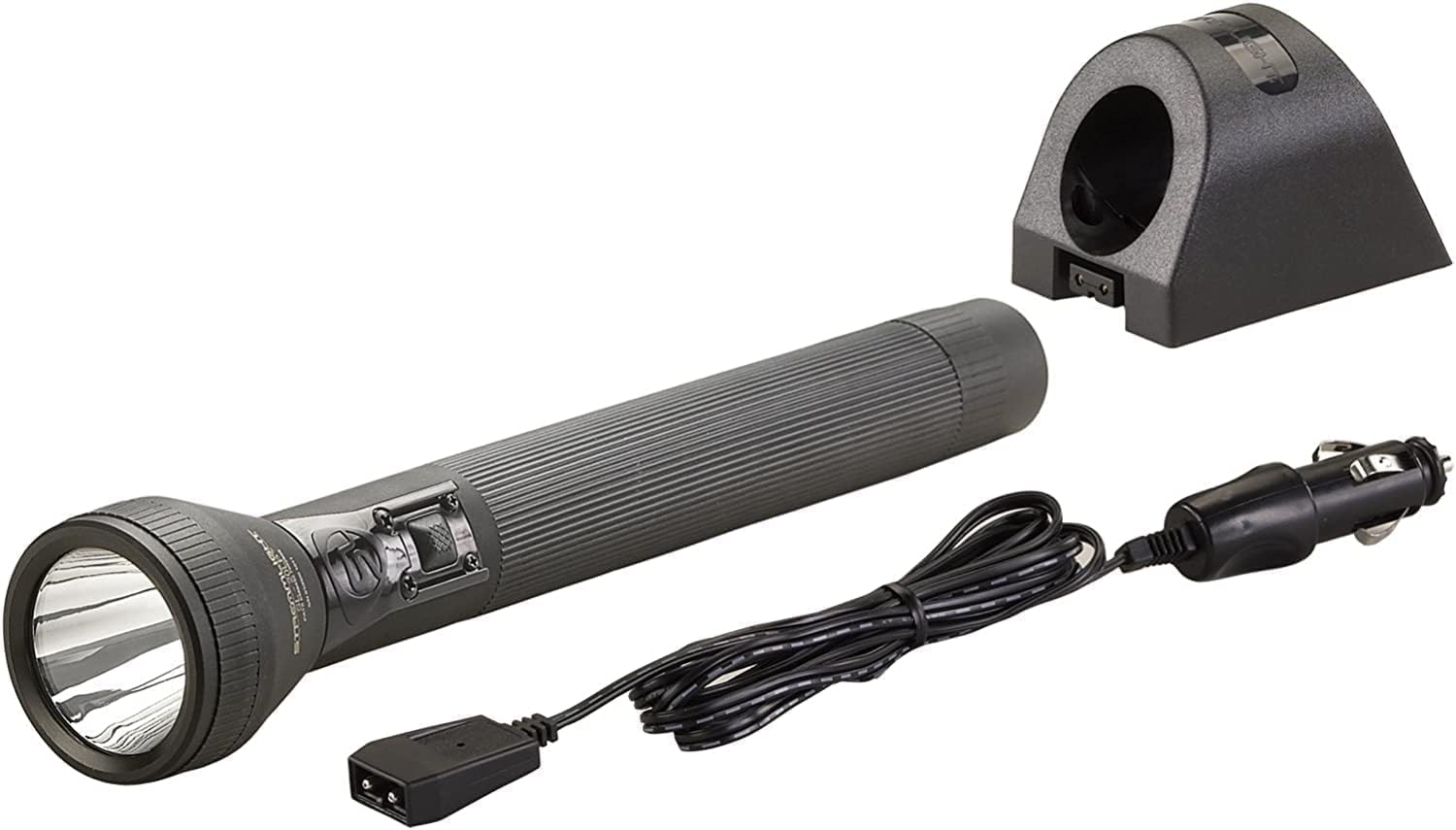
Image: The Streamlight SL-20LP flashlight alongside its 12-volt DC smart charger and power cable.
Isẹ
The SL-20LP features a multi-function push-button barrel switch for easy control of its various lighting modes.
Awọn iṣẹ Yipada:
- Ni akoko kukuru: Lightly press and hold the switch for temporary illumination. Release to turn off.
- Títàn/Pípa nígbà gbogbo: Fully press and release the switch to turn the flashlight on or off.
- Gígun kẹ̀kẹ́ ní ipò: From the 'on' position, quickly press and release the switch to cycle through the intensity modes: High → Medium → Low.
- Ipo Strobe: From any 'on' position, double-tap the switch quickly to activate the strobe function. Double-tap again to return to the previous mode.
The flashlight's deep-dish parabolic reflector is designed to produce a concentrated beam for long-distance illumination, while also providing sufficient peripheral light for situational awareness.

Image: Diagram illustrating different beam patterns, including wide beam, long-distance, and a combination of distance and close-up illumination, characteristic of the SL-20LP's traditional beam.

Image: Text descriptions detailing various beam patterns: Tradition Series for general use, High Lumen (HL) for maximum illumination and wide beam, and High Performance High Lumen (HPL) for optimal beam distance and enhanced lumen output.
Itoju
Proper maintenance ensures the longevity and optimal performance of your Streamlight SL-20LP flashlight.
Itọju Batiri:
- The NiMH battery included with this flashlight is designed for many charge cycles.
- For best performance, recharge the battery regularly, especially after extended use.
- While NiMH batteries have reduced memory effect compared to older battery types, it is still recommended to fully discharge and recharge periodically to maintain battery health.
- Store the flashlight in a cool, dry place when not in use. If storing for extended periods, ensure the battery has a partial charge (around 50%) and recharge every few months.
Ninu ati Ayẹwo:
- Wipe the exterior of the flashlight with a damp cloth to remove dirt and grime. Do not use abrasive cleaners.
- Periodically inspect the O-rings for any signs of wear or damage. The O-rings are crucial for maintaining the flashlight's water resistance. Replace if necessary.
- Keep the lens clean to ensure maximum light output. Use a soft, lint-free cloth.
Laasigbotitusita
If you encounter issues with your Streamlight SL-20LP, refer to the following common troubleshooting steps:
| Isoro | Owun to le Fa | Ojutu |
|---|---|---|
| Ina filaṣi ko tan. | Battery is depleted or not properly seated. | Recharge the battery fully. Ensure the battery is correctly inserted and the tail cap is tightened. |
| Imọlẹ jẹ baibai tabi flickers. | Low battery charge or dirty contacts. | Recharge the battery. Clean battery and flashlight contacts with a clean, dry cloth. |
| Flashlight not charging. | Charger not connected, faulty charger, or dirty charging contacts. | Ensure charger is properly plugged in. Verify charging contacts on both flashlight and charger are clean. Test charger with another compatible device if possible. |
| Imuwọle omi. | Damaged or improperly seated O-rings. | Inspect O-rings for damage or misalignment. Ensure all parts are securely tightened. Replace O-rings if damaged. |
If the issue persists after attempting these solutions, please refer to the official user guide or contact Streamlight customer support.
Imọ ni pato
| Ẹya ara ẹrọ | Sipesifikesonu |
|---|---|
| Brand | Imọlẹ ṣiṣan |
| Nọmba awoṣe | 25302 |
| Imọlẹ Orisun Orisun | LED |
| Imọlẹ | 450 Lumens |
| Light Ona Ijinna | 529 Mita |
| Orisun agbara | Agbara Batiri |
| Batiri Iru | NiMH (Nickel-Metal Hydride) |
| Akoko ṣiṣe | 3 hours (on high) |
| Ohun elo | Nylon (Polymer body) |
| Àwọ̀ | Dudu |
| Omi Resistance Ipele | Alatako omi (IPX4 ti won won) |
| Iwọn Nkan | 2.05 iwon |
| Ọja Mefa | 13.1 x 2.5 x 2.5 inches |
Atilẹyin ọja ati Support
This Streamlight SL-20LP flashlight is covered by a manufacturer's warranty. For specific details regarding warranty coverage, terms, and conditions, please refer to the official documentation provided with your product or visit the Streamlight webojula.
Awọn orisun afikun:
- Itọsọna olumulo osise (PDF): Ṣe igbasilẹ Itọsọna olumulo
- Fact Sheet (PDF): Download Fact Sheet
Ìkìlọ̀ Àbá 65: Ọjà yìí ní àwọn kẹ́míkà tí Ìpínlẹ̀ California mọ̀ pé ó lè fa àrùn jẹjẹrẹ àti àbùkù ìbímọ tàbí àwọn ìpalára mìíràn nínú ìbímọ.
For further assistance, technical support, or to inquire about replacement parts, please contact Streamlight customer service directly.
Ask a question about this manual
Ask about setup, troubleshooting, compatibility, parts, safety, or missing instructions. Manuals+ will review the question and use this page’s manual context to help answer it.