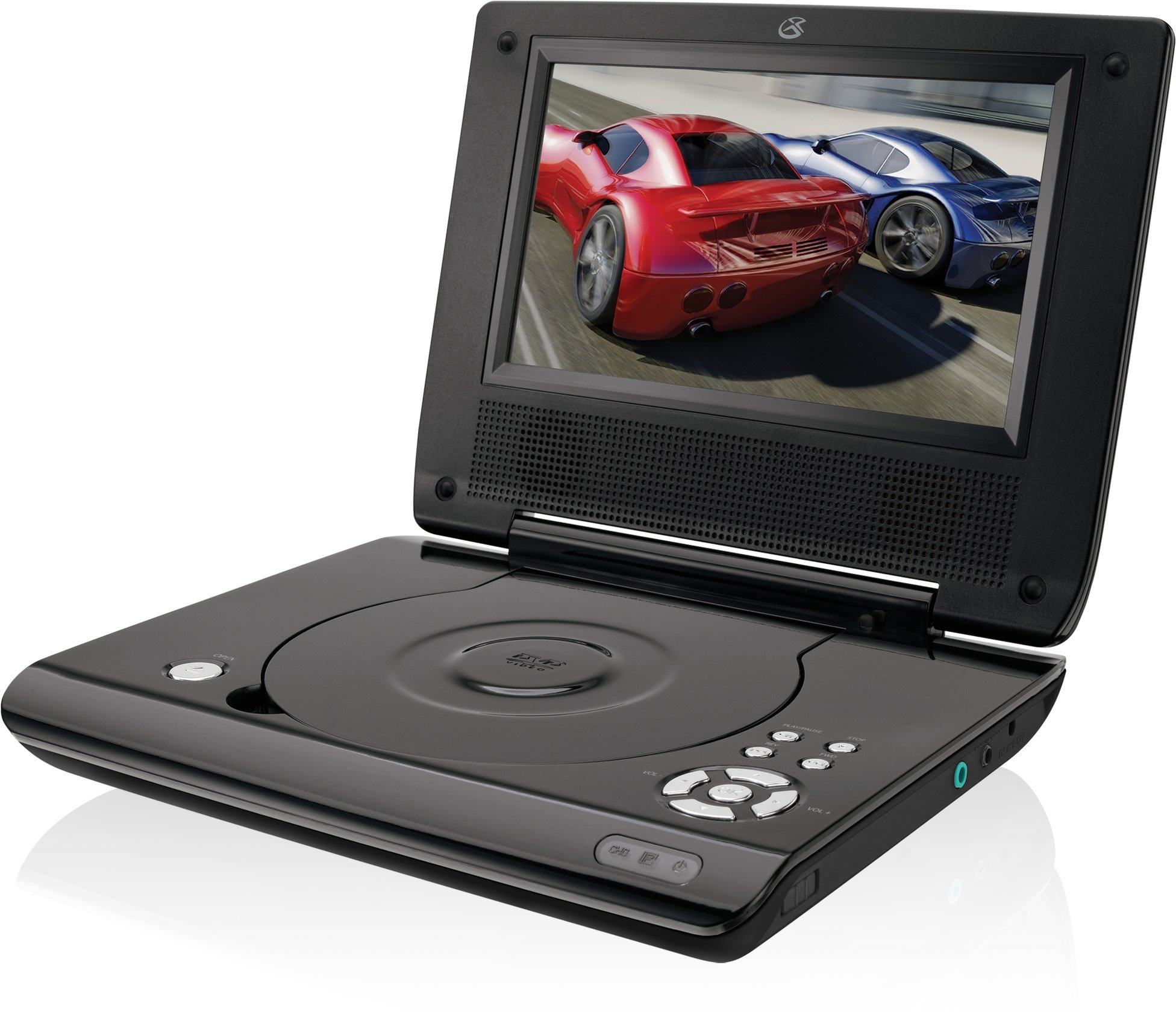
This manual provides essential instructions for the safe and efficient operation of your GPX PD730B 7-inch Portable DVD Player. Please read this manual thoroughly before using the device and retain it for future reference. The GPX PD730B is designed for portable entertainment, allowing you to enjoy DVDs, CDs, and JPEG files on its 7-inch TFT LCD screen.
Package Awọn akoonu
Daju pe gbogbo awọn nkan ti a ṣe akojọ rẹ si isalẹ wa ninu package rẹ:
GPX PD730B Portable DVD Player
AC / DC Power Adapter
Adapta ọkọ ayọkẹlẹ DC (12V)
Sitẹrio Earbuds
Iṣakoso latọna jijin (pẹlu awọn batiri AAA 2)
Afowoyi Olumulo (iwe-ipamọ yii)
Ọja Pariview
Figure 1: GPX PD730B Portable DVD Player (Closed)
This image shows the GPX PD730B portable DVD player in its closed position, highlighting its compact and sleek design. The top surface is smooth and black, with control buttons visible on the right edge.
Awọn iṣakoso ati awọn isopọ
Familiarize yourself with the various controls and connection ports on your portable DVD player.
Bọtini agbara: Yipada ẹyọ naa tan tabi pa.
Bọ́tìnnì Ṣíṣe/Sánu duro: Bẹrẹ tabi da duro sẹhin duro.
Bọtini Duro: Duro ṣiṣiṣẹsẹhin.
Skip/Search Buttons: Navigates tracks or chapters, or fast-forwards/rewinds.
Iṣakoso iwọn didun: Ṣe atunṣe ipele iṣelọpọ ohun.
Jack agbekari: For private listening with stereo earbuds or headphones.
DC ní Ibudo: Connects to the AC/DC or car power adapter for charging and power.
Ṣeto
1. Ngba agbara si Batiri naa
Before initial use, fully charge the built-in rechargeable battery. A full charge provides approximately 2 hours of playback time.
Connect the AC/DC power adapter to the DC In port on the DVD player.
Pulọọgi ohun ti nmu badọgba agbara AC/DC sinu iṣan odi boṣewa kan.
The charging indicator light (if present) will illuminate. Charging is complete when the light changes color or turns off (refer to device for specific indicator behavior).
Alternatively, use the 12V DC car adapter to charge the player in a vehicle.
2. Agbara lori / Paa
Tẹ mọlẹ Agbara button on the unit to turn the player on or off. The screen will illuminate when powered on.
Awọn ilana Iṣiṣẹ
1. Fi sii ati yiyọ awọn disiki
Gently open the disc compartment lid.
Place a DVD or CD onto the spindle with the label side facing up. Press down gently on the center of the disc until it clicks into place.
Close the disc compartment lid firmly.
To remove a disc, open the lid, gently press the spindle button (if present) or lift the disc from the edges, avoiding touching the data surface.
2. ipilẹ Sisisẹsẹhin
After inserting a disc, the player will typically begin playback automatically.
Lo awọn Ṣiṣẹ / Sinmi bọtini lati da duro tabi bẹrẹ šišẹsẹhin.
Tẹ awọn Duro bọtini lati da sẹhin duro.
Lo awọn Rekọja buttons (usually labeled with arrows) to navigate between chapters or tracks.
Lo awọn àwárí buttons (often combined with Skip) to fast-forward or rewind.
3. Lilo isakoṣo latọna jijin
The included remote control provides convenient access to all player functions from a distance. Ensure the 2 AAA batteries are correctly installed. Point the remote control directly at the player's remote sensor.
4. Nsopọ Awọn agbekọri
For private listening, plug the stereo earbuds (or your own headphones) into the Jack agbekọri on the side of the player. The built-in speakers will automatically mute when headphones are connected.
Figure 2: Portable DVD Player in use (Bedroom)
This image illustrates the portable DVD player being used by a girl in a bedroom setting, demonstrating its suitability for personal entertainment at home.
Figure 3: Portable DVD Player in use (Vehicle)
This image shows a boy watching the portable DVD player in the back seat of a car, highlighting its utility for entertainment during travel.
Figure 4: Portable DVD Player in use (Airplane)
This image depicts a woman using the portable DVD player with headphones on an airplane, showcasing its versatility for quiet, personal entertainment during flights.
Itoju
Cleaning the Player
Disconnect the player from all power sources before cleaning.
Use a soft, dry cloth to wipe the exterior surfaces. Do not use abrasive cleaners, waxes, or solvents.
For the screen, use a soft, lint-free cloth specifically designed for LCD screens. Avoid excessive pressure.
Jẹ́ kí ibi tí a ti ń gbé àwo disiki náà wà láìsí eruku àti ìdọ̀tí.
Itọju Batiri
Lati pẹ aye batiri, yago fun gbigba agbara si batiri ni kikun nigbagbogbo.
If the player will not be used for an extended period, charge the battery to about 50% before storing.
Store the player in a cool, dry place.
Laasigbotitusita
If you encounter issues with your GPX PD730B, refer to the following common problems and solutions:
Isoro
Owun to le Fa
Ojutu
Ẹrọ orin ko tan-an.
Battery is discharged; Power adapter not connected properly.
Charge the battery; Ensure power adapter is securely connected to both the player and power source.
No disc playback.
Disc inserted incorrectly; Disc is dirty or scratched; Incorrect disc format.
Reinsert disc correctly (label side up); Clean disc with a soft cloth; Ensure disc is DVD, CD, or JPEG CD format.
Ko si ohun lati awọn agbohunsoke/agbekọri.
Volume too low; Headphones not fully plugged in; Mute function active.
Increase volume; Ensure headphones are fully inserted; Check if mute is active on remote or player.
Isakoṣo latọna jijin ko ṣiṣẹ.
Awọn batiri ti ku tabi fi sii lọna ti ko tọ; Idilọwọ laarin latọna jijin ati ẹrọ orin.
Replace remote batteries; Ensure correct polarity; Remove any obstructions and point remote directly at sensor.
Awọn pato
Nọmba awoṣe
PD730B
Iwon iboju
7 inches
Ifihan Iru
TFT LCD
Ipinnu abinibi
480x234
Apakan Ipin
16:9
Media ibaramu
DVD, DVD+R/RW, CD, CD-R/RW, JPEG CD
Igbesi aye Batiri (Apapọ)
Awọn wakati 2
Agbara Input
AC/DC Adapter, 12V DC Car Adapter
Asopọmọra
Auxiliary (Headphone Jack)
Iwọn Nkan
1.72 iwon
UPC
047323007309
Atilẹyin ọja ati Support
For warranty information, technical support, or service inquiries, please refer to the warranty card included with your product or visit the official GPX webojula. Tọju iwe-ẹri rira rẹ bi ẹri rira fun awọn iṣeduro atilẹyin ọja.
Ask about setup, troubleshooting, compatibility, parts, safety, or missing instructions. Manuals+ will review the question and use this page’s manual context to help answer it.