
Ọrọ Iṣaaju
The Spracht BluNote Pro is a versatile portable wireless speaker designed for both music playback and professional conference calls. It features Bluetooth connectivity, high-quality audio with a bass radiator, and advanced conferencing capabilities including dual MEMS microphones and echo/noise cancellation. Its compact design and rechargeable battery make it ideal for transport and extended use.
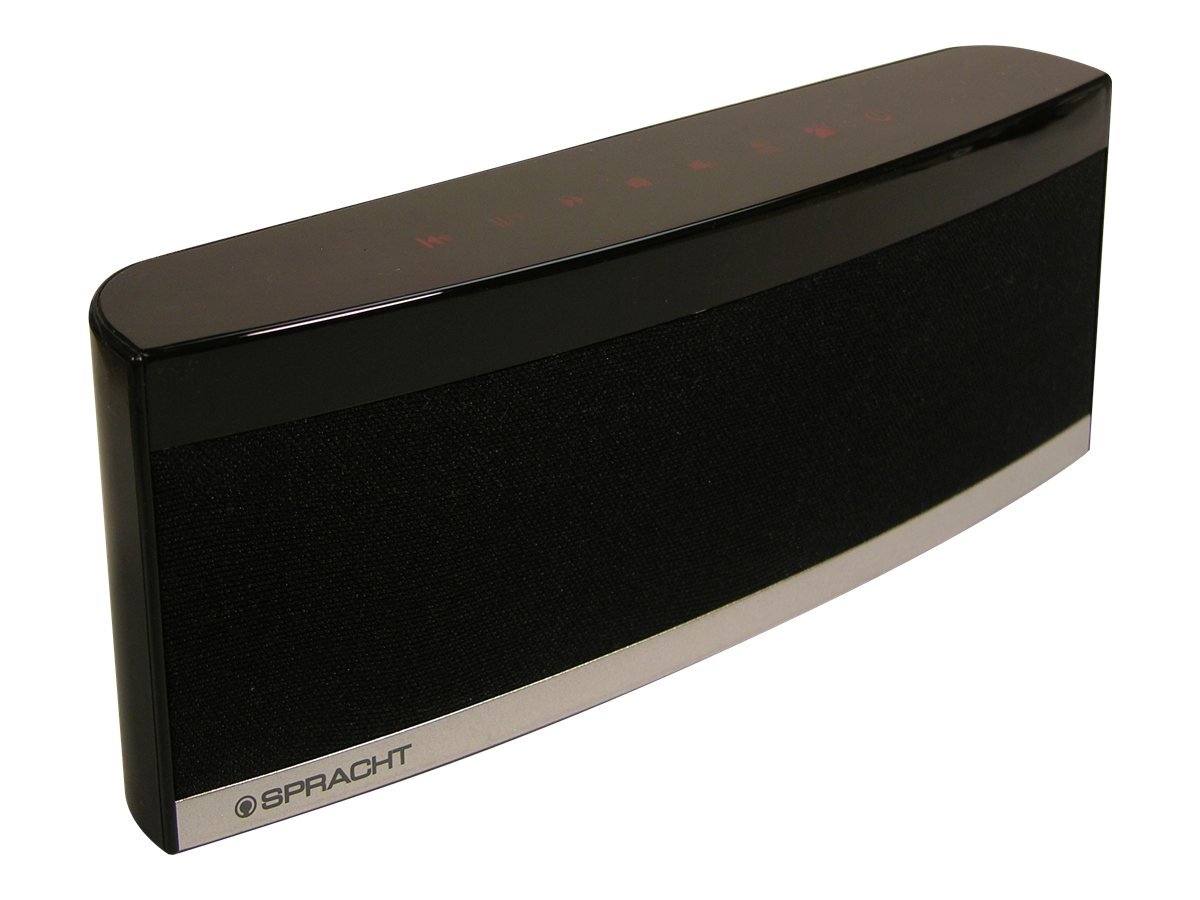
Image: The Spracht BluNote Pro speaker, a sleek black device with illuminated touch panel controls, shown on a surface.
Ohun ti o wa ninu Apoti
- Spracht BluNote Pro portable wireless speaker
- AC adapter (120-240V)
- Rechargeable 1500 mAh Li-ion battery (pre-installed or separate)
- 3.5mm audio jack cable (for non-Bluetooth devices)
- User guide/registration card
Awọn ẹya ara ẹrọ
- Bluetooth Stereo Speaker: To ti ni ilọsiwaju Audio pinpin Profile (A2DP) for wireless audio streaming.
- Ohun Imudara: Passive bass radiator and two high-quality speakers deliver up to 5 watts of full-frequency range sound.
- Awọn iṣakoso Igbimọ Fọwọkan: Modern design with intuitive touch-sensitive buttons.
- Batiri pipẹ: Rechargeable 1500 mAh Lithium-Ion battery for extended music playback or conference calls.
- Superior Conferencing: Dual MEMS microphones with impedance matching, Digital Signal Processing (DSP) for noise and echo cancellation, and full-duplex communication.
- Isakoso ipe: Answer and make phone calls using the Push-To-Talk (PTT) button. Features Caller ID display.
- Iwapọ ati iwuwo fẹẹrẹ: Designed for easy portability.
- iOS Equalizer App: Free application available to further customize your audio experience. This app can increase the speaker's volume by up to 25% and provide additional sound enhancements.
Fidio: Ipariview of the Spracht BluNote Pro speaker, demonstrating its features and compact design. This video highlights the touch panel controls, passive bass radiator, and its ability to handle phone calls.
Ṣeto
- Ngba agbara si Batiri naa: Connect the provided AC adapter to the speaker's DC IN port and plug it into a power outlet. The battery indicator will show charging status. A full charge ensures maximum portability.
- Titan / Pipa: Tẹ mọlẹ Tan/Pa a button on the touch panel until the unit powers on or off.
- Mimuuṣiṣẹpọ Bluetooth:
- Ensure the BluNote Pro is powered on.
- Mu Bluetooth ṣiṣẹ lori foonu alagbeka rẹ, tabulẹti, tabi ẹrọ Bluetooth miiran ti o ṣiṣẹ.
- Wa fun available devices and select "BluNote Pro" from the list.
- Once paired, the Bluetooth indicator light on the speaker will confirm the connection.
- Connecting Non-Bluetooth Devices: Use the supplied 3.5mm audio jack cable to connect the BluNote Pro to devices without Bluetooth capability. Insert one end into the speaker's AUX IN port and the other into your device's headphone jack.
Awọn ilana Iṣiṣẹ
Sisisẹsẹhin Orin
- Ṣiṣẹ/Daduro: Tẹ awọn Ṣiṣẹ / Sinmi button to start or pause music playback.
- Next/Back Track: Lo awọn Next Track ati Back Track buttons to navigate through your music.
- Atunse iwọn didun: Tẹ awọn Iwọn didun soke or Iwọn didun isalẹ awọn bọtini lati ṣatunṣe ipele ohun.
- Baasi didn: Tẹ awọn Bass didn button to enhance low-frequency sounds.
Awọn ipe alapejọ
- Idahun / Ipari Awọn ipe: When a call comes in, the BluNote Pro will ring. Press the Dahun ipe foonu button to accept the call. Press it again to end the call.
- ID olupe: The numeric Caller ID display on the front panel will show the incoming caller's number.
- Awọn gbohungbohun: The dual MEMS microphones ensure clear voice pickup during calls, with integrated noise and echo cancellation for optimal communication.
- Ni kikun Duplex: The speaker supports full-duplex communication, allowing both parties to speak and hear simultaneously without interruption.
iOS Equalizer App
A free iOS Equalizer App is available to further customize your audio experience. This app can increase the speaker's volume by up to 25% and provide additional sound enhancements. Download it from the App Store and follow the in-app instructions for setup.
Itoju
- Ninu: Lo aṣọ rírọrùn tí ó gbẹ láti nu ìta agbọ́hùnsọ náà. Yẹra fún lílo àwọn ohun ìfọṣọ tàbí àwọn ohun èlò ìfọṣọ.
- Itọju Batiri: To prolong battery life, avoid fully discharging the battery frequently. Recharge the unit regularly, especially if it will be stored for an extended period.
- Ibi ipamọ: Tọju agbohunsoke ni itura, aye gbigbẹ kuro lati orun taara ati awọn iwọn otutu to gaju.
Laasigbotitusita
| Isoro | Ojutu |
|---|---|
| Ko le so pọ nipasẹ Bluetooth |
|
| Ko si ohun tabi iwọn didun kekere |
|
| Poor call quality (echo/noise) |
|
| Batiri ko ngba agbara |
|
Awọn pato
| Ẹya ara ẹrọ | Ẹ̀kúnrẹ́rẹ́ |
|---|---|
| Orukọ awoṣe | BluNote+Chat |
| Nọmba awoṣe | WS-4012 |
| Agbọrọsọ Iru | Awọn Agbọrọsọ to ṣee gbe |
| Asopọmọra Technology | Bluetooth |
| Imọ-ẹrọ Ibaraẹnisọrọ Alailowaya | Bluetooth |
| Bluetooth Ibiti | Titi di Mita 10 (ẹsẹ 33) |
| Agbọrọsọ Agbara Ijade ti o pọju | 5 Wattis |
| Ipo Ijade Ohun | Sitẹrio |
| Kakiri Ohun ikanni iṣeto ni | 2.0 |
| Orisun agbara | AC Adapter, Rechargeable Lithium Ion Battery |
| Batiri Iru | 1500 mAh Litiumu Ion (pẹlu) |
| Ọna Iṣakoso | Touch Panel, App |
| Awọn iwọn Ọja (D x W x H) | 1.38" x 9" x 3.25" (3.5 cm x 22.8 cm x 8.2 cm) |
| Iwọn Nkan | 9.6 iwon (272 giramu) |
| Awọn iwọn otutu ti nṣiṣẹ | 14 sí 131 degrees Fahrenheit (-10 sí 55 degrees Celsius) |
| Pataki Awọn ẹya ara ẹrọ | Dual MEMS Mics, DSP Noise/Echo Cancellation, Caller ID, Bass Boost |
| Awọn ẹrọ ibaramu | Kọǹpútà alágbèéká, Foonuiyara, Tabulẹti, Telifisonu |
Atilẹyin ọja ati Support
The Spracht BluNote Pro is covered by a Limited Warranty. For specific warranty terms and conditions, please refer to the documentation included with your product or visit the official Spracht webojula.
For technical assistance, troubleshooting, or customer service inquiries, please contact Spracht customer support through their official channels. Contact information can typically be found on the manufacturer's webaaye tabi ni apoti ọja.