
Ọrọ Iṣaaju
This manual provides detailed instructions for the setup, operation, and maintenance of your iLive ISB212B Bluetooth Speaker. This compact speaker delivers audio wirelessly from compatible Bluetooth devices and also supports wired connections. Please read this manual thoroughly before using your speaker.
Package Awọn akoonu
- iLive ISB212B Bluetooth Speaker
- Mini-USB to USB Charging Cable
Ọja Awọn ẹya ara ẹrọ
- Wireless audio streaming via Bluetooth
- LED pairing indicator for connection status
- Compact, cylindrical design
- Rechargeable battery with approximately 2 hours of playback
- Mini-USB port for battery recharging
- 3.5mm Audio Input for wired connections
Awọn iṣakoso ati Awọn Atọka
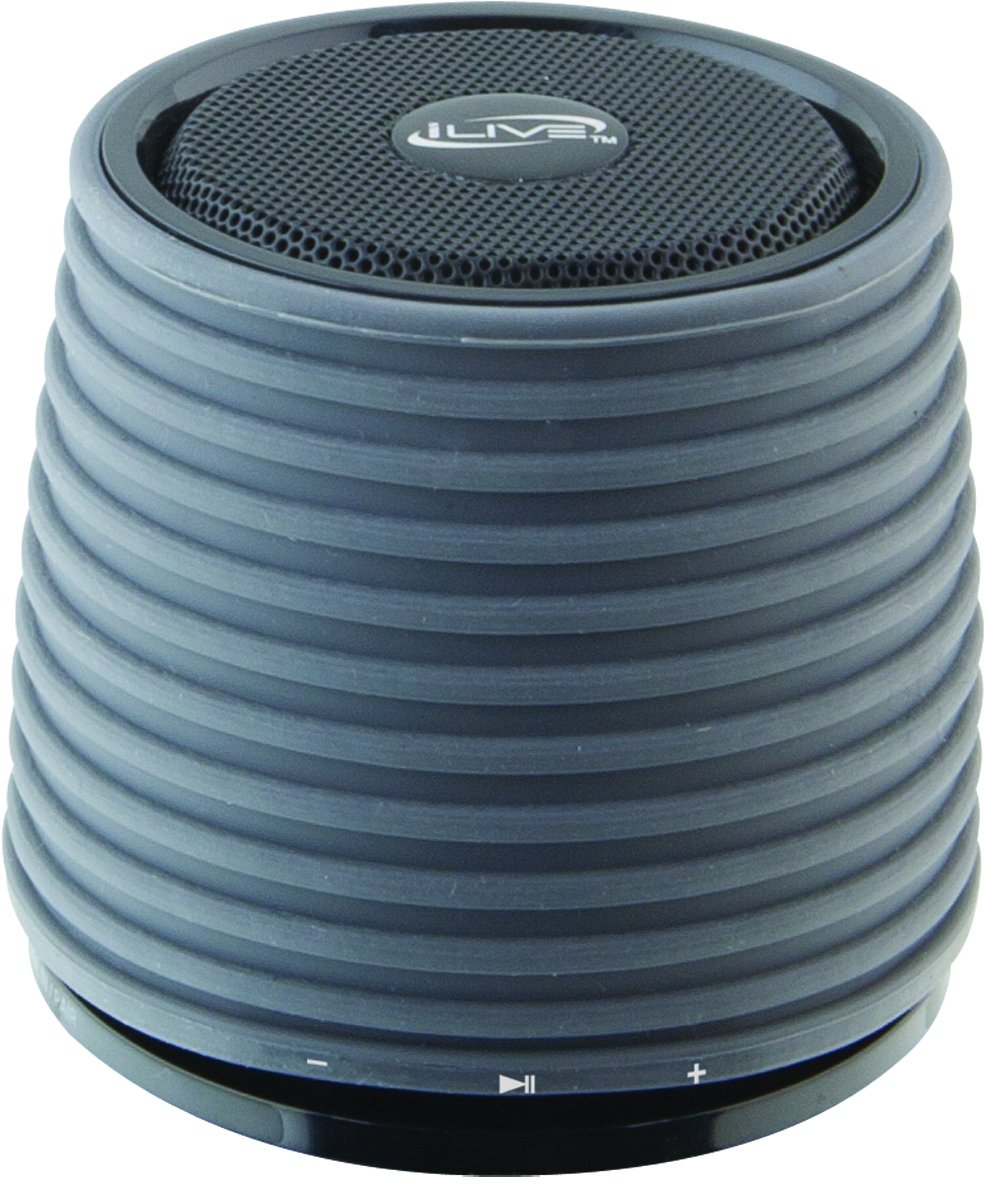
This image displays the iLive ISB212B Bluetooth Speaker. It features a cylindrical shape with a textured grey body and a black speaker grille on top. A band around the middle shows control buttons for play/pause, volume up/next track, and volume down/previous track.
- Bọtini agbara: Tẹ mọlẹ lati fi agbara tan/pa a.
- Bọ́tìnnì Ṣíṣe/Sánu duro: Ṣakoso ṣiṣiṣẹsẹhin ohun.
- Iwọn didun Up / Bọtini orin atẹle: Tẹ kukuru fun iwọn didun soke, tẹ gun fun orin atẹle.
- Iwọn didun isalẹ / Bọtini orin ti iṣaaju: Tẹ kukuru fun iwọn didun isalẹ, gun tẹ fun orin iṣaaju.
- LED Pairing Indicator: Ṣe afihan ipo asopọ Bluetooth.
- Ibudo USB Kekere: Fun gbigba agbara ti abẹnu batiri.
- Input Audio 3.5mm: For connecting external audio devices via an auxiliary cable (not included).
Ṣeto
1. Ngba agbara si Batiri naa
- Connect the small end of the included Mini-USB to USB charging cable to the Mini-USB port on the speaker.
- Connect the large end of the USB charging cable to a powered USB port (e.g., computer, USB wall adapter).
- Àmì LED náà yóò tànmọ́lẹ̀ nígbà tí a bá ń gba agbára, yóò sì pa tàbí yí àwọ̀ padà nígbà tí a bá ti gba agbára tán.
- Gbigba agbara kikun yoo gba to wakati meje ti akoko ṣiṣiṣẹ.
2. Agbara lori / Paa
- To power on, press and hold the Power button until the LED indicator illuminates.
- Lati pa agbara, tẹ mọlẹ Bọtini Agbara lẹẹkansii titi ti Atọka LED yoo wa ni pipa.
Awọn ilana Iṣiṣẹ
1. Sisopọ Bluetooth
- Ensure the speaker is powered on and within 30 feet of your Bluetooth device.
- The LED pairing indicator will flash, indicating it is in pairing mode.
- On your Bluetooth device (smartphone, tablet, etc.), enable Bluetooth and search for new devices.
- Select "iLive ISB212B" from the list of available devices.
- Once paired, the LED pairing indicator will become solid, and you may hear an audible confirmation.
- If pairing fails, power off the speaker and your device, then repeat the steps.
2. Ṣiṣẹ Audio
- After successful Bluetooth pairing, begin playing audio on your connected device.
- Use the Play/Pause button on the speaker to control playback.
- Use the Volume Up/Down buttons for volume adjustment. Long press for track navigation.
3. Using the 3.5mm Audio Input
- Connect one end of a 3.5mm audio cable (not included) to the 3.5mm Audio Input port on the speaker.
- So opin keji okun naa pọ mọ agbekọri tabi ohun ti o njade lati inu ẹrọ ohun ita rẹ.
- Agbọrọsọ yoo yipada laifọwọyi si ipo titẹ sii iranlọwọ.
- Adjust volume using your external device and the speaker's volume controls.
Itoju
- Sọ agbọrọsọ mọ pẹlu asọ asọ ti o gbẹ. Ma ṣe lo abrasive ose tabi epo.
- Keep the speaker away from water, moisture, and extreme temperatures. This product is not waterproof.
- Tọju agbohunsoke ni itura, ibi gbigbẹ nigbati o ko ba lo fun awọn akoko gigun.
- Má ṣe gbìyànjú láti tú tàbí yí agbọ́hùnsọ náà padà. Èyí yóò sọ àtìlẹ́yìn náà di òfo.
Laasigbotitusita
| Isoro | Ojutu |
|---|---|
| Agbọrọsọ ko ni agbara lori. | Ensure the battery is charged. Connect the speaker to a power source using the Mini-USB cable. |
| Ko le so pọ pẹlu ẹrọ Bluetooth. |
|
| Ko si ohun tabi iwọn kekere. |
|
| Aye batiri kukuru. | Ensure the speaker is fully charged before use. Battery life can vary based on volume level and usage. |
Awọn pato
| Ẹya ara ẹrọ | Ẹ̀kúnrẹ́rẹ́ |
|---|---|
| Nọmba awoṣe | ISB212B |
| Asopọmọra | Bluetooth, 3.5mm Auxiliary, Mini-USB (charging) |
| Agbọrọsọ o wu Power | 3 Wattis |
| Batiri Iru | 1 Lithium ion (pẹlu) |
| Igbesi aye batiri (isunmọ.) | Awọn wakati 2 |
| Ọja Mefa | 7.8 x 7.8 x 7.01 cm |
| Iwọn Nkan | 295 g |
| Ilu isenbale | China |
| Mabomire | Rara |
Atilẹyin ọja ati Support
This iLive ISB212B Bluetooth Speaker comes with a 90-ọjọ atilẹyin ọja from the date of purchase. This warranty covers manufacturing defects. For technical support or warranty claims, please refer to the contact information provided with your product packaging or visit the official iLive webojula.