
1. Ifihan
This manual provides essential information for the safe and effective use of your ProForm Power 995c Treadmill. Please read all instructions carefully before assembly and operation. Retain this manual for future reference.

Image 1.1: The ProForm Power 995c Treadmill, ready for use.
2. Alaye Aabo
Láti dín ewu ìpalára tó le koko kù, ka gbogbo àwọn ìṣọ́ra àti ìtọ́ni pàtàkì nínú ìwé ìtọ́ni yìí kí o tó lo ẹ̀rọ treadmill. ProForm kò gba ẹ̀bi kankan fún ìpalára tàbí ìbàjẹ́ dúkìá tí ó ṣẹlẹ̀ nípasẹ̀ tàbí nípasẹ̀ lílo ọjà yìí.
- Kan si alagbawo rẹ nigbagbogbo ṣaaju ki o to bẹrẹ eyikeyi eto idaraya.
- Pa awọn ọmọde ati awọn ohun ọsin kuro ni ibi-tẹtẹ.
- Gbé ẹ̀rọ treadmill náà sí orí ilẹ̀ tí ó tẹ́jú pẹ̀lú àyè tí ó tó ẹsẹ̀ mẹ́fà lẹ́yìn rẹ̀ àti ẹsẹ̀ méjì ní ẹ̀gbẹ́ méjèèjì.
- Wọ aṣọ ìdánrawò àti bàtà ìdánrawò tó yẹ.
- Má ṣe lo ẹ̀rọ treadmill tí ó bá bàjẹ́ tàbí tí kò bá ṣiṣẹ́ dáadáa.
- Always use the safety key. Attach the clip to your clothing before starting the treadmill.
- Do not exceed the maximum user weight of 350 lbs (159 kg).

Image 2.1: User preparing to use the treadmill.
3. Apejọ Awọn ilana
The ProForm Power 995c Treadmill requires assembly. Due to its weight and size, it is recommended that two or more people assist with the assembly process. Ensure all parts are present before beginning. Refer to the included assembly guide for detailed, step-by-step instructions and diagrams.
3.1 Space Saver Design
This treadmill features a Space Saver design, allowing the walking platform to be folded vertically for storage. To fold, lift the walking platform until the latch pin locks it in the upright position. To unfold, push the latch pin and slowly lower the platform to the floor.

Image 3.1: Folding the treadmill for compact storage.
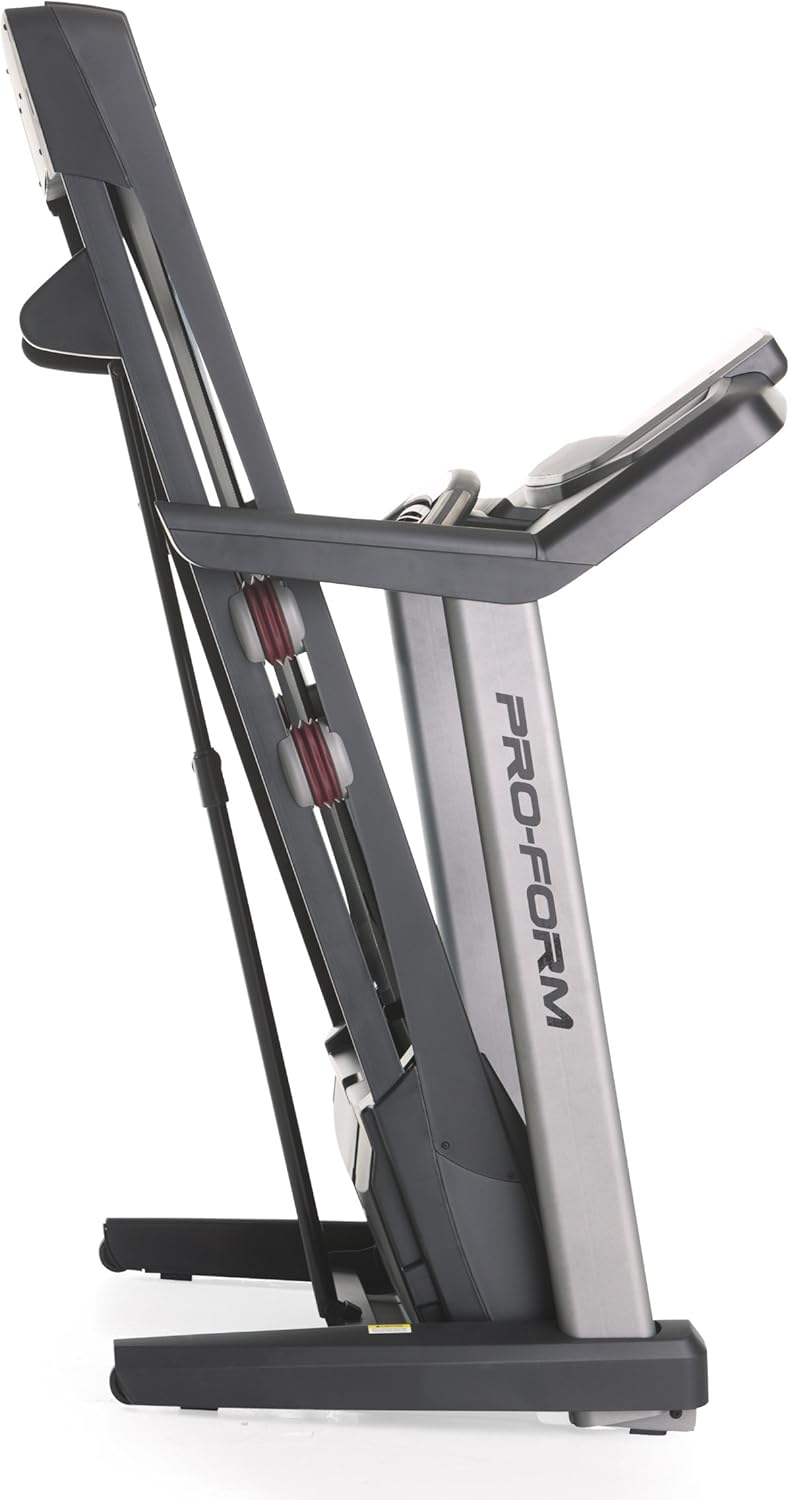
Image 3.2: The treadmill in its folded position.
4. Awọn ilana Iṣiṣẹ
Familiarize yourself with the console and its functions before starting your workout.
4.1 Kọnsolù Lóríview
The treadmill features a 7-inch oversized backlit display that shows your workout metrics. The console includes QuickSpeed and Quick Incline controls for easy adjustments during your exercise.

Image 4.1: Treadmill console with display and control buttons.
4.2 Starting a Manual Workout
- Igbesẹ lori igbanu tẹẹrẹ.
- So agekuru bọtini aabo si aṣọ rẹ.
- Tẹ awọn BERE Bọ́tìnì náà. Bẹ́lítì náà yóò bẹ̀rẹ̀ sí í rìn ní iyàrá kékeré.
- Ṣe atunṣe iyara naa nipa lilo QuickSpeed awọn bọtini tabi awọn + ati - awọn bọtini.
- Adjust the incline using the Quick Incline awọn bọtini tabi awọn ^ ati v awọn bọtini.
- Lati da duro, tẹ awọn DURO button or pull the safety key.

Image 4.2: Interacting with the console controls.
4.3 Built-in Workout Apps
The treadmill includes 30 pre-programmed workout apps. Select a workout by pressing the corresponding number button on the console. The treadmill will automatically adjust speed and incline according to the program.
4.4 iFit Compatibility
The ProForm Power 995c Treadmill is iFit Compatible. With an iFit wireless module (sold separately), you can access a library of interactive workouts, track your progress, and simulate real-world routes using Google Maps. The console also features a media tray for your personal devices.

Image 4.3: iFit Compatible feature on the console.

Image 4.4: Media tray for personal devices.
4.5 Abojuto Oṣuwọn Ọkàn
The treadmill is equipped with a heart rate monitor. Grip the metal sensors on the handlebars to display your heart rate on the console. This feature helps you stay within your target heart rate zone.
5. Itọju
Ìtọ́jú déédéé ń mú kí iṣẹ́ treadmill rẹ pẹ́ títí àti pé ó ń ṣiṣẹ́ dáadáa.
- Ninu: Pa awọn ibi-itẹ-titẹ mọlẹ pẹlu ipolowoamp asọ lẹhin ti kọọkan lilo. Yago fun abrasive ose.
- Lubrication igbanu: Periodically check and lubricate the walking belt as instructed in the detailed assembly guide. Proper lubrication prevents friction and wear.
- Iṣatunṣe igbanu ati Ẹdọfu: Ensure the walking belt remains centered and properly tensioned. Adjustments may be necessary over time. Refer to the assembly guide for specific instructions.
- Ideri mọto: Keep the motor cover clean and free of dust to ensure proper ventilation.
6. Laasigbotitusita
If you encounter issues with your treadmill, refer to the following common solutions. For problems not listed here, contact customer support.
| Isoro | Owun to le Fa | Ojutu |
|---|---|---|
| Treadmill ko ni agbara lori. | Kò sí okùn agbára tí a so mọ́; ẹ̀rọ ìdènà ìṣiṣẹ́ ti bàjẹ́; kò sí kọ́kọ́rọ́ ààbò tí a fi sí i. | Rí i dájú pé okùn agbára náà so mọ́ ibi tí a ti gún ilẹ̀ dáadáa. Ṣàyẹ̀wò ẹ̀rọ ìfọ́mọ́ ilé. Fi kọ́kọ́rọ́ ààbò sínú kọ́ńsólù náà pátápátá. |
| Walking belt slows down or stops during use. | Belt too loose; motor overheating; user weight exceeds capacity. | Adjust belt tension as per manual. Allow treadmill to cool down. Ensure user weight is within specifications. |
| Console display is erratic or not working. | Loose cable connection; console malfunction. | Ṣàyẹ̀wò gbogbo àwọn ìsopọ̀ okùn sí ẹ̀rọ ìbánisọ̀rọ̀ náà. Tí ìṣòro náà bá ń bá a lọ, kan si ìrànlọ́wọ́ àwọn oníbàárà. |
| Ariwo àìdára láti inú ẹ̀rọ ìtẹ̀wé. | Àwọn ẹ̀yà ara tí ó rọ̀ sílẹ̀; ìfọ́ bẹ́líìtì; ìṣòro mọ́tò. | Inspect for loose bolts or screws and tighten. Lubricate walking belt if needed. If noise persists, contact customer support. |
7. Awọn pato
Detailed technical specifications for the ProForm Power 995c Treadmill.
- Nọmba awoṣe: PFTL99912
- Mọto: 3.0 CHP Mach Z Commercial Plus Motor
- Iyara ti o pọju: Maili 12 fun wakati kan (19.3 km/h)
- Ilọsiwaju ti o pọju: 15% Quick Incline Control
- Igbanu Titẹ: 20 inches x 60 inches (50.8 cm x 152.4 cm) Non-Stretch, Commercial Tread belt
- Imuduro: ProShox Cushioning
- Iwọn olumulo ti o pọju: 350 iwon (159 kg)
- Awọn iwọn Ọja (LxWxH): 81" x 37" x 60" (205.7 cm x 94 cm x 152.4 cm)
- Awọn iwọn ti a ṣe pọ (Isunmọ): 33"W x 14"H (Depth varies)
- Iru ifihan: 7-inch Oversized Backlit LCD
- Awọn ohun elo adaṣe: 30 Built-in Workout Apps
- Asopọmọra: iFit ibamu
- Diwọn Awọn Metiriki: Distance, Heart Rate, Incline, Time, Calories Burned, Speed
- Ohun elo fireemu: Irin, Ṣiṣu

Image 7.1: ProShox Cushioning system.

Image 7.2: ProForm branding on the treadmill deck.
8. Atilẹyin ọja ati Support
Your ProForm Power 995c Treadmill is covered by the following warranty:
- Frame and Motor: s'aiye atilẹyin ọja
- Awọn ẹya: 3-odun atilẹyin ọja
- Iṣẹ: 1-odun atilẹyin ọja
For warranty claims, technical assistance, or to order replacement parts, please contact ProForm Customer Service. Have your model number (PFTL99912) and serial number ready when contacting support.