
1. Ifihan
Thank you for choosing the Tripp Lite SMART1500RM2UN Uninterruptible Power Supply (UPS) System. This device is designed to provide reliable battery backup and comprehensive AC power protection for your critical electronic equipment, safeguarding against blackouts, brownouts, surges, and line noise. The SMART1500RM2UN features a line-interactive sine wave output and a pre-installed SNMPWebCard for advanced network management. Please read this manual thoroughly before installation and operation to ensure proper use and maximum performance.
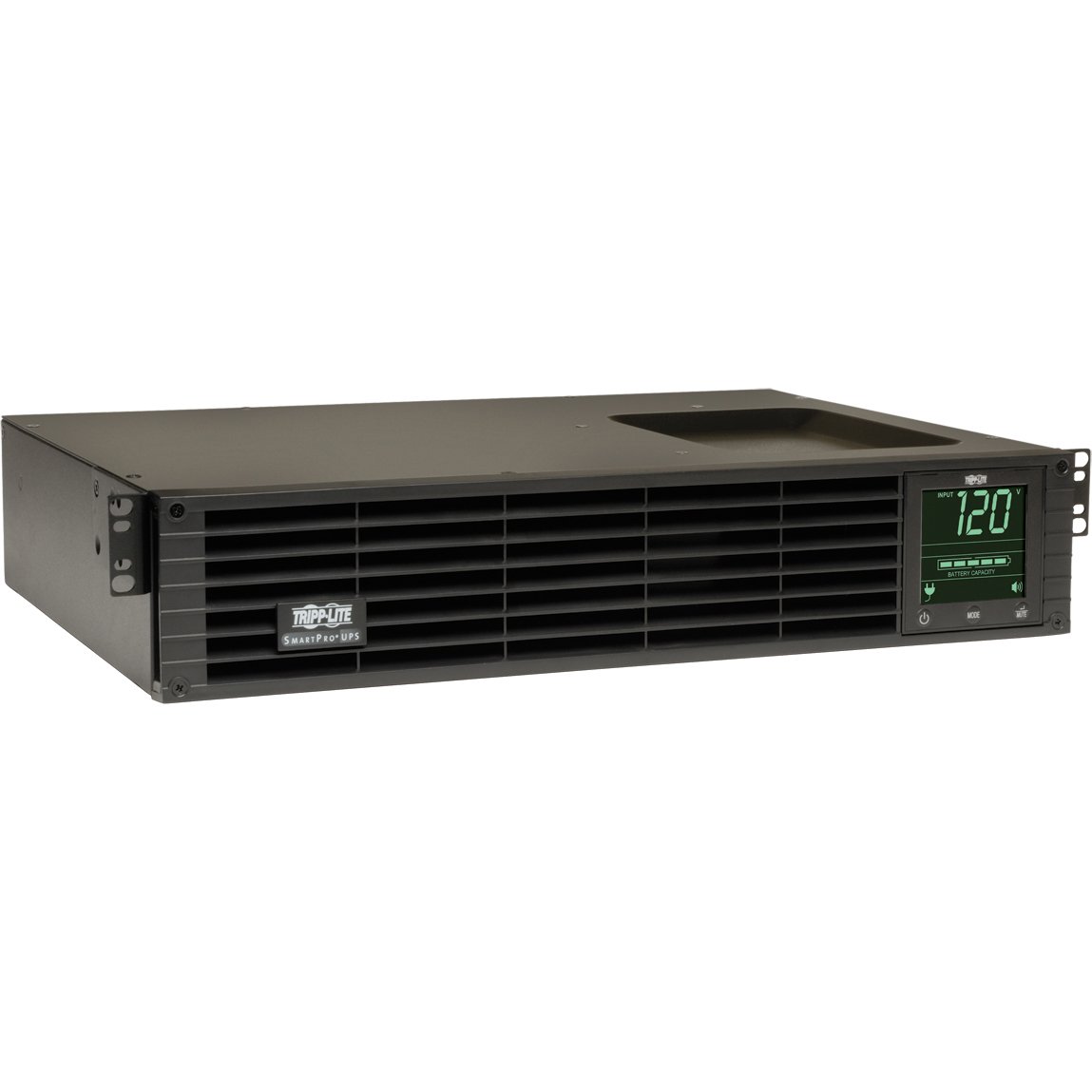
Aworan 1: Iwaju view of the Tripp Lite SMART1500RM2UN UPS System, showing the display panel and power outlets.
2. Alaye Aabo pataki
Please observe the following safety precautions to prevent injury and damage to the UPS or connected equipment:
- Aabo Itanna: Connect the UPS to a properly grounded AC power outlet. Do not remove the grounding prong.
- Aabo Batiri: The UPS contains internal batteries. Do not attempt to service the batteries yourself. Refer battery replacement to qualified service personnel. Batteries can present a risk of electrical shock and high short-circuit current.
- Ayika: Install the UPS in a controlled environment, away from excessive moisture, heat, or dust. Ensure adequate ventilation around the unit.
- Apọju: Do not overload the UPS. Ensure the total current draw of connected equipment does not exceed the UPS's capacity.
- Ge asopọ pajawiri: The UPS has a main power switch. In an emergency, turn off the UPS and disconnect it from the AC power source.
3. Package Awọn akoonu
Daju pe gbogbo awọn nkan wa ninu apo rẹ:
- Tripp Lite SMART1500RM2UN UPS System
- Okun Agbara Input
- Mounting Hardware (for rackmount and tower configurations)
- Okun USB
- Serial (DB9) Cable
- Iwe (Afọwọse olumulo, Alaye atilẹyin ọja)
4. Awọn ẹya Ọja
The SMART1500RM2UN UPS System offers the following key features:
- Agbara: 1.5kVA / 1.35kW power capacity.
- Ilana Waveform: Line-interactive sine wave output for compatibility with sensitive electronics.
- Idaabobo Agbara: Guards against blackouts, brownouts, surges, and line noise.
- Awọn ita: 8 NEMA 5-15R outlets for connecting equipment.
- Isakoso nẹtiwọki: Pre-installed SNMPWebCard for remote monitoring and control via network.
- Awọn aṣayan iṣagbesori: Versatile 2U rackmount or tower configuration.
- Aifọwọyi Voltage Ilana (AVR): Atunse brownouts ati overvoltages without using battery power.
- Hot-Swappable Batteries: Allows for battery replacement without powering down connected equipment.
5. Eto
5.1 Unpacking ati ayewo
- Carefully unpack the UPS and its accessories.
- Inspect the unit for any shipping damage. If damage is found, do not operate the unit and contact your dealer.
5.2 Mounting the UPS
The SMART1500RM2UN can be installed in a 2U rackmount space or as a tower unit.
- Fifi sori Rackmount: Use the included rackmount hardware to secure the UPS in a standard 19-inch rack. Ensure proper airflow.
- Fifi sori ile-iṣọ: Attach the included tower stands to the bottom of the UPS for stable vertical placement.
5.3 batiri Asopọ
The UPS ships with the internal batteries disconnected to prevent discharge during transit. Before initial use, connect the batteries:
- Refer to the specific instructions in the full manual for accessing the battery compartment.
- Connect the battery cables as indicated. Ensure a secure connection.
5.4 Ohun elo Nsopọ
- Plug the UPS input power cord into a grounded AC outlet.
- Connect your critical equipment (servers, network devices, etc.) to the 8 NEMA 5-15R outlets on the rear of the UPS.
- For network management, connect an Ethernet cable to the SNMPWebCard port.
- For direct communication, connect the USB or serial cable to your computer.
6. Ṣiṣẹ awọn Soke
6.1 Ibẹrẹ Agbara-soke
- After connecting the batteries and equipment, press and hold the power button on the front panel for a few seconds until the UPS powers on.
- The UPS will perform a self-test. The front panel display will show status information.
- Allow the UPS to charge for at least 24 hours before relying on its full battery runtime.
6.2 Iwaju Panel Ifi
The front panel LCD provides real-time status information, including input voltage, iwọn didun ti o wujadetage, ipele idiyele batiri, fifuye ogoruntage, and operational mode (Online, On Battery, AVR).
6.3 Titan / Pa a
- Lati Fi agbara: Press and hold the power button until the UPS activates.
- Lati Paarẹ: Press and hold the power button until the UPS shuts down. Ensure all connected equipment is safely powered off first.
6.4 SNMPWebKaadi Isẹ
The pre-installed SNMPWebCard allows for remote monitoring and management of the UPS over a network. Access the card's web ni wiwo nipasẹ a web browser using its assigned IP address. Refer to the SNMPWebCard documentation for detailed configuration and usage instructions.
7. Itọju
7.1 Batiri Rirọpo
UPS batteries typically last 3-5 years under normal operating conditions. When batteries reach the end of their service life, the UPS will indicate a battery fault. The SMART1500RM2UN supports hot-swappable battery modules. Always use Tripp Lite approved replacement batteries. Refer to the full manual for detailed battery replacement procedures or contact qualified service personnel.
7.2 Ninu
Máa fọ ìta UPS náà lẹ́ẹ̀kọ̀ọ̀kan pẹ̀lú aṣọ gbígbẹ tó rọ. Má ṣe lo ohun èlò ìfọmọ́ omi tàbí aerosol. Rí i dájú pé àwọn ihò afẹ́fẹ́ kò ní eruku tàbí ìdènà.
7.3 Ibi ipamọ
If storing the UPS for an extended period, ensure the batteries are fully charged. Recharge the batteries every 3-6 months to prevent permanent damage. Store the unit in a cool, dry place.
8. Laasigbotitusita
This section addresses common issues you might encounter with your UPS. For more complex problems, contact Tripp Lite technical support.
| Isoro | Owun to le Fa | Ojutu |
|---|---|---|
| UPS ko ni tan | Battery cables disconnected; No AC input power; UPS fault. | Ensure battery cables are securely connected. Check AC input power. Contact support if fault persists. |
| UPS beeps nigbagbogbo | On battery mode; Overload; Battery fault. | Check AC input. Reduce load. Check battery status on LCD. |
| Ẹrọ ti a sopọmọ padanu agbara | UPS battery depleted; UPS overloaded; UPS fault. | Allow UPS to recharge. Reduce load. Contact support. |
| SNMPWebCard not accessible | Network configuration issue; Card fault. | Verify network cable connection and IP settings. Consult SNMPWebCard manual. |
9. Awọn pato
Key technical specifications for the SMART1500RM2UN UPS System:
| Ẹya ara ẹrọ | Sipesifikesonu |
|---|---|
| Nọmba awoṣe | SMART1500RM2UN |
| Brand | TRIPP LITE |
| Voltage | 120 Volts |
| Iwọn Nkan | 46.08 iwon |
| Lapapọ Power iÿë | 8 |
| Wattage | 1000 watt |
| Awọn iwọn Nkan (LxWxH) | 17.48 x 13.5 x 3.5 inches |
| UPC | 037332178237 |
| ASIN | B00BCFLYF2 |
10. Atilẹyin ọja ati Support
Tripp Lite products are backed by a limited warranty. Please refer to the warranty card included with your product or visit the official Tripp Lite website for detailed warranty terms and conditions. For technical assistance, troubleshooting, or service inquiries, please contact Tripp Lite customer support.
Tripp Lite Contact Information:
Webojula: www.tripplite.com
Support: Refer to the website for regional contact numbers and online support resources.