
Ọrọ Iṣaaju
This manual provides essential information for the safe and efficient operation of your Eaton 5PX 3000 2U Rack/Tower LCD Uninterruptible Power Supply (UPS). The Eaton 5PX 3000 is designed to provide reliable power protection for servers, storage, and network equipment. Please read this manual thoroughly before installation and operation.
Alaye Aabo
Ṣe akiyesi awọn iṣọra aabo wọnyi lati yago fun ipalara ati ibajẹ si UPS tabi ẹrọ ti o sopọ mọ:
- Aabo Itanna: Ẹka yii ni voltages. Má ṣe ṣí àpótí UPS. Àwọn òṣìṣẹ́ tó péye nìkan ló yẹ kí wọ́n ṣe iṣẹ́ náà.
- Aabo Batiri: Àwọn bátìrì lè fa ewu ìkọlù iná mànàmáná àti ìṣàn iná kúkúrú gíga. Yọ àwọn aago, òrùka, tàbí àwọn ohun èlò irin mìíràn kúrò kí o tó lo bátìrì. Lo àwọn irinṣẹ́ tí wọ́n ní àwọn ọwọ́ tí a fi nǹkan sí.
- Ayika fifi sori ẹrọ: Install the UPS in a controlled environment, free from excessive dust, moisture, and extreme temperatures. Ensure adequate ventilation.
- Ilẹ: So UPS pọ nigbagbogbo si iṣan agbara ti ilẹ.
- Ìwúwo: The UPS is heavy. Use proper lifting techniques or assistance during installation to avoid injury.
Package Awọn akoonu
Daju pe gbogbo awọn nkan wa ninu apoti:
- Eaton 5PX 3000 2U Rack/Tower LCD UPS Unit
- Rack mounting kit (rails, screws)
- Tower stand kit
- okun USB
- Serial USB
- Okun agbara titẹ sii
- Output power cords
- Itọsọna Ibẹrẹ kiakia ati Awọn ilana Aabo
Ṣeto
1. Fifi sori ti ara
The Eaton 5PX 3000 can be installed in a standard 19-inch rack or as a tower unit.
Fifi sori ẹrọ agbeko:
- Attach the rack mounting rails to the rack using the provided hardware.
- Carefully slide the UPS unit onto the installed rails until it is fully seated.
- Secure the front of the UPS to the rack using the provided screws.
Fifi sori ile-iṣọ:
- Attach the tower stands to the bottom of the UPS unit.
- Place the UPS on a stable, level surface, ensuring adequate clearance for ventilation.
2. Nsopọ Agbara
Connect the UPS to a dedicated, grounded electrical outlet using the supplied input power cord. Ensure the outlet matches the UPS voltage ibeere (120V).
3. Nsopọ ẹrọ
Connect your critical equipment (servers, network devices) to the output receptacles on the rear of the UPS. The UPS features 7 outlets with various connector types (L5-30P, 5-20R, L5-30R). Distribute the load evenly across the outlets if possible.
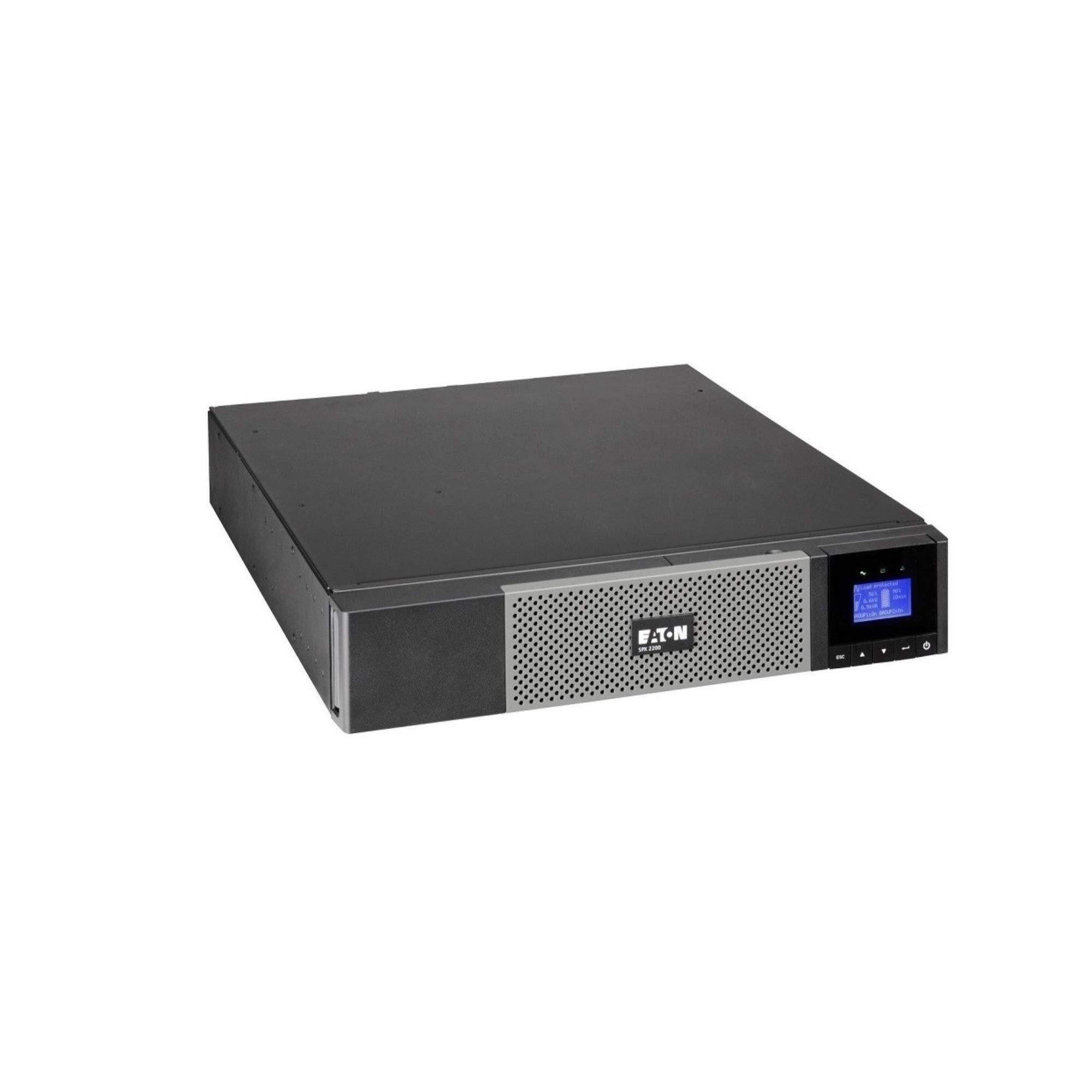
Aworan: Iwaju view of the Eaton 5PX 3000 2U Rack/Tower LCD UPS, showing the LCD display and front panel controls.
4. Ibẹrẹ Agbara-On
- After connecting all equipment and the input power, press and hold the power button on the front panel for a few seconds until the LCD display illuminates.
- The UPS will perform a self-test and then display its operational status.
- Allow the UPS batteries to charge for at least 24 hours before relying on them for extended backup power.
Ṣiṣẹ
LCD Ifihan Loriview
The front panel LCD provides real-time information about the UPS status, battery charge, load level, and various settings. Use the navigation buttons to scroll through menus and adjust parameters.
Awọn iṣẹ ipilẹ
- Titan/Apapa: Press and hold the power button to turn the UPS on or off.
- Itaniji Mute: Briefly press any button to silence an active alarm.
- Idanwo ara-ẹni: Initiate a battery self-test through the LCD menu to check battery health.
Iṣakoso batiri
The UPS automatically manages battery charging and discharge. For optimal battery life, avoid frequent deep discharges. The LCD will indicate battery charge level and estimated runtime.
Software Integration
The Eaton 5PX 3000 supports communication with computers and network management systems via USB or serial ports. Install Eaton's power management software (available from the Eaton website) for advanced monitoring, graceful shutdown of connected devices, and remote management capabilities.
Itoju
Batiri Rirọpo
The batteries in your UPS are user-replaceable. The typical lifespan of UPS batteries is 3-5 years, depending on usage and environmental conditions. The UPS LCD or management software will indicate when battery replacement is recommended. Always use genuine Eaton replacement battery modules to ensure compatibility and performance. Refer to the detailed battery replacement instructions in the full product manual or on the Eaton support webojula.
Ninu
Periodically clean the exterior of the UPS with a soft, dry cloth. Ensure ventilation openings are free from dust and obstructions to maintain proper airflow and cooling.
Famuwia Awọn imudojuiwọn
Eaton may release firmware updates to improve performance or add features. Check the Eaton support website periodically for available updates and follow the provided instructions for installation.
Laasigbotitusita
This section addresses common issues you might encounter with your Eaton 5PX 3000 UPS.
| Isoro | Owun to le Fa | Ojutu |
|---|---|---|
| UPS ko ni tan | No input power; Battery not connected or discharged | Check power cord connection and wall outlet. Ensure internal battery connectors are secure. Allow batteries to charge. |
| UPS beeps nigbagbogbo | On battery power; Overload; Battery fault | Check input power. Reduce connected load. Perform a battery self-test or consider battery replacement. |
| Short runtime on battery | Overload; Old batteries; Batteries not fully charged | Reduce connected load. Replace batteries if they are old. Allow batteries to charge for 24 hours. |
| LCD shows an error code | Internal fault; Specific issue | Refer to the full user manual for a list of error codes and their corresponding solutions. Contact technical support if the issue persists. |
Awọn pato
Key technical specifications for the Eaton 5PX 3000 2U Rack/Tower LCD UPS (Model: 5PX3000RT2U):
- Brand: Eaton
- Nọmba awoṣe: 5PX3000RT2U
- Okunfa Fọọmu: Agbeko/ Tower (2U)
- Wattage: 3000 Wattis
- Agbara to pọju: 2700 Wattis
- Ijade Wattage: 2430 Wattis
- Voltage: 120 Volts
- Iṣagbewọle Voltage: 120 Volt (AC)
- O wujade Voltage: 120 Volt (AC)
- Ijade lọwọlọwọ: 20.25 Amps
- Iwọn Igbohunsafẹfẹ: 47-53 Hz and 56.5-63.5 Hz
- Nọmba awọn iÿë: 7
- Orisi Asopọmọra: L5-30P, 5-20R, L5-30R
- Iru Plọlọ agbara: Iru B - pin 3 (Ariwa Amerika)
- Iṣapọ Ẹẹkẹẹkẹ batiri: Olori Acid
- Runtime (typical): 20 minutes (at half load)
- Ohun elo Apoti: Alloy Irin
- Àwọ̀: Dudu
- Ìwọ̀n Nkan: 0.01 Pounds (Note: This weight is likely incorrect in the source data and should be verified with actual product specifications)
Atilẹyin ọja ati Support
Alaye atilẹyin ọja
Eaton provides a standard warranty for the 5PX 3000 UPS. The specific terms and duration of the warranty may vary by region and purchase date. Please refer to the warranty card included with your product or visit the official Eaton webAaye fun alaye atilẹyin ọja alaye ati iforukọsilẹ.
Oluranlowo lati tun nkan se
For technical assistance, troubleshooting beyond this manual, or to inquire about replacement parts, please contact Eaton customer support. Support contact information can be found on the official Eaton website or in the documentation provided with your UPS.