
Ọrọ Iṣaaju
This manual provides detailed instructions for the installation, operation, and maintenance of your Lutron Toggler TG-600PR-WH 600-watt Single Pole Dimmer. Please read these instructions carefully before beginning installation to ensure proper function and safety.
Alaye Aabo
IKILO: To avoid fire, shock, or death, turn off power at the circuit breaker or fuse box and test that power is off before wiring. Installation should be performed by a qualified electrician or a person with experience in electrical wiring.
- Do not use with standard 3-way or 4-way switches.
- Use only with incandescent or halogen loads.
- Maṣe kọja 600 Wattis.
- Ground the dimmer according to national and local electrical codes.
Eto ati fifi sori
Follow these steps for proper installation of your dimmer switch.
1. Mura silẹ fun Fifi sori ẹrọ
- Pa agbara at the circuit breaker or fuse box.
- Remove the existing wallplate and switch.
- Carefully pull the existing switch out from the wall box.
2. Awọn itọnisọna Wiring
The Lutron Toggler TG-600PR-WH is designed for single-pole applications. Identify the wires in your wall box:
- Waya Gbona/Ìlà: Ojo melo dudu, o mu agbara wa lati inu fifọ iyipo.
- Fi sori ẹrọ Waya: Nigbagbogbo dudu, o lọ si ohun elo ina.
- Waya ilẹ: Bare copper or green.
Connect the dimmer wires to the house wires using wire connectors:
- Sopọ awọn alawọ ewe ground wire from the dimmer to the house ground wire.
- So ọkan ninu awọn dudu dimmer wires to the hot/line wire from the circuit breaker.
- So ekeji pọ dudu dimmer wire to the load wire going to the light fixture.
- Rii daju pe gbogbo awọn asopọ wa ni aabo.
3. Iṣagbesori ati Ipari
- Fi pẹ̀lẹ́pẹ̀lẹ́ tì gbogbo wáyà padà sínú àpótí ògiri.
- Mount the dimmer into the wall box using the provided screws.
- So ogiri.
- Mu agbara pada ni Circuit fifọ.
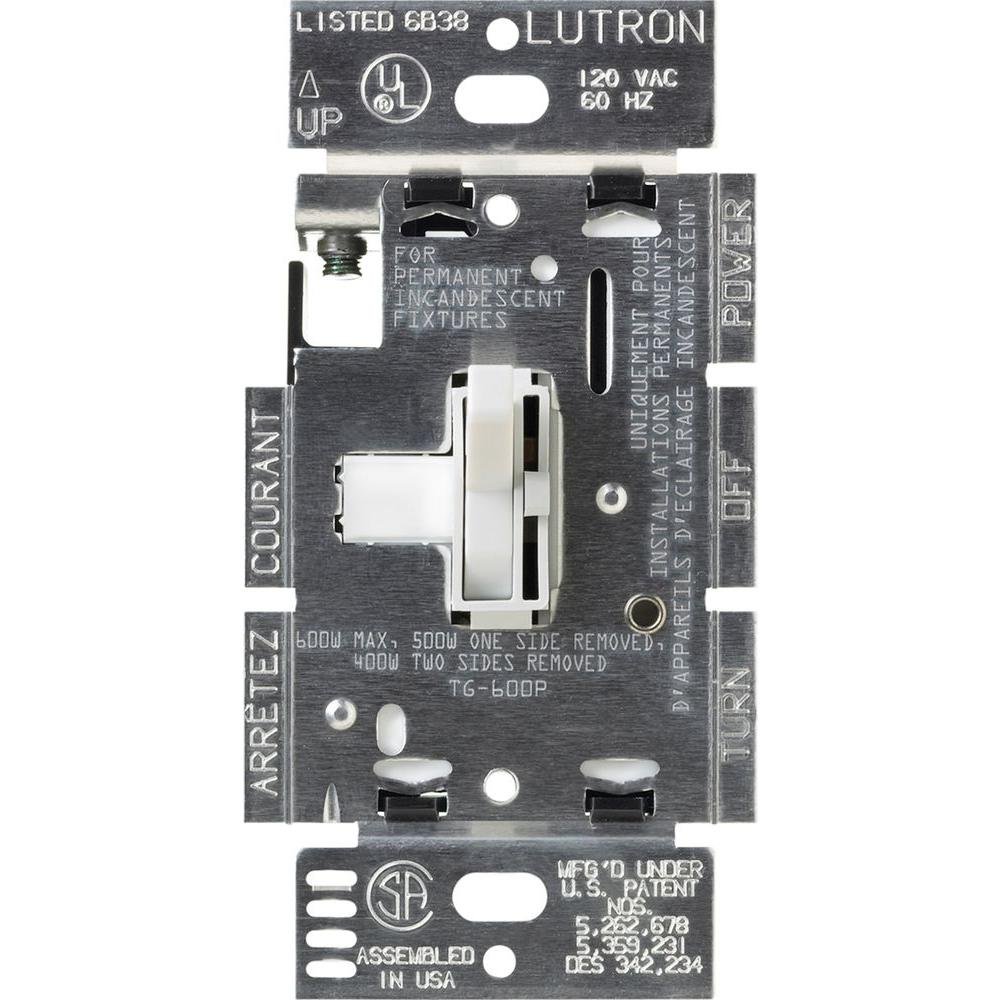
Aworan yii ṣe afihan iwaju view of the Lutron Toggler dimmer switch. It features a large white toggle switch for on/off control and a smaller, vertical slider on the right side for dimming functionality. The word 'LUTRON' is subtly embossed at the bottom of the faceplate.
Awọn ilana Iṣiṣẹ
The Lutron Toggler dimmer provides simple control over your lighting.
- Tan/Pa: Use the large toggle switch to turn the lights on or off.
- Dim/Brighten: Use the small slider control to adjust the light level. Move the slider up to brighten and down to dim.
Itoju
Your Lutron dimmer is designed for long-lasting performance with minimal maintenance.
- Ninu: Clean the dimmer and wallplate with a soft, damp asọ. Ma ṣe lo abrasive ose tabi epo.
- Ko si Awọn apakan Iṣẹ Olumulo: Kò sí àwọn ẹ̀yà ara tí a lè lò nínú dímẹ́ǹtì náà. Má ṣe gbìyànjú láti ṣí tàbí tún ẹ̀rọ náà ṣe.
Laasigbotitusita
If you experience issues with your dimmer, refer to the following common problems and solutions:
| Isoro | Owun to le Fa | Ojutu |
|---|---|---|
| Awọn imọlẹ ko tan. | Power is off at the breaker; incorrect wiring; bulb is burned out. | Check circuit breaker; verify wiring connections; replace bulb. |
| Àwọn ìmọ́lẹ̀ ń tàn tàbí kí wọ́n máa dún kíákíá. | Incompatible bulb type; loose wiring connection; dimmer overloaded. | Ensure bulbs are incandescent/halogen; check wiring; reduce total wattage. |
| Dimmer does not dim. | Incorrect wiring; incompatible bulb type. | Verify wiring for load and line; ensure bulbs are dimmable incandescent/halogen. |
Awọn pato
- Awoṣe: TG-600PR-WH
- Wattage: 600 watts (incandescent/halogen only)
- Voltage: Standard ìdílé voltage (120V AC, 60Hz)
- Yipada Iru: Single Pole Dimmer Switch
- Irú Òṣìṣẹ́: Toggler
- Àwọ̀: Funfun
- Ohun elo: Irin
- Ìwọ̀n Nkan: 3.2 iwon
- UPC: 027557631525
Alaye atilẹyin ọja
Lutron products are designed for quality and reliability. This product is covered by a limited warranty. For specific warranty details, please refer to the warranty card included with your product or visit the official Lutron webojula.
Atilẹyin
Fun iranlọwọ siwaju, atilẹyin imọ-ẹrọ, tabi si view additional product information, please visit the official Lutron webojula:
You may also contact Lutron customer service for direct support.