
1. Ifihan
O ṣeun fun riraasing the Lexon LR98R1 Onoff LCD Alarm Clock. This manual provides detailed instructions for the proper setup, operation, and maintenance of your device. Please read this manual thoroughly before use and retain it for future reference.
The Lexon Onoff alarm clock features a unique design where flipping the clock activates or deactivates the alarm. It includes an LCD display with a blue electroluminescent backlight for clear visibility.
2. Alaye Aabo
- Ma ṣe fi ẹrọ naa han si awọn iwọn otutu to gaju, imọlẹ orun taara, tabi ọriniinitutu giga.
- Yago fun sisọ ẹrọ naa silẹ tabi fifisilẹ si awọn ipa to lagbara.
- Do not attempt to disassemble or modify the alarm clock. This will void the warranty.
- Jeki ẹrọ naa kuro ninu omi ati awọn olomi miiran.
- Sọ awọn batiri ti a lo ni ifojusọna ni ibamu si awọn ilana agbegbe.
- Use only the specified battery type (2 x AAA).
3. Package Awọn akoonu
Rii daju pe gbogbo awọn nkan wa ninu package:
- Lexon LR98R1 Onoff LCD Alarm Clock
- Afowoyi Olumulo (iwe-ipamọ yii)
Àkíyèsí: Àwọn bátírì AAA kò sí nínú wọn, wọ́n sì gbọ́dọ̀ ra wọ́n lọ́tọ̀ọ̀tọ̀.
4. Ọja Ipariview
Familiarize yourself with the components of your Lexon Onoff alarm clock.
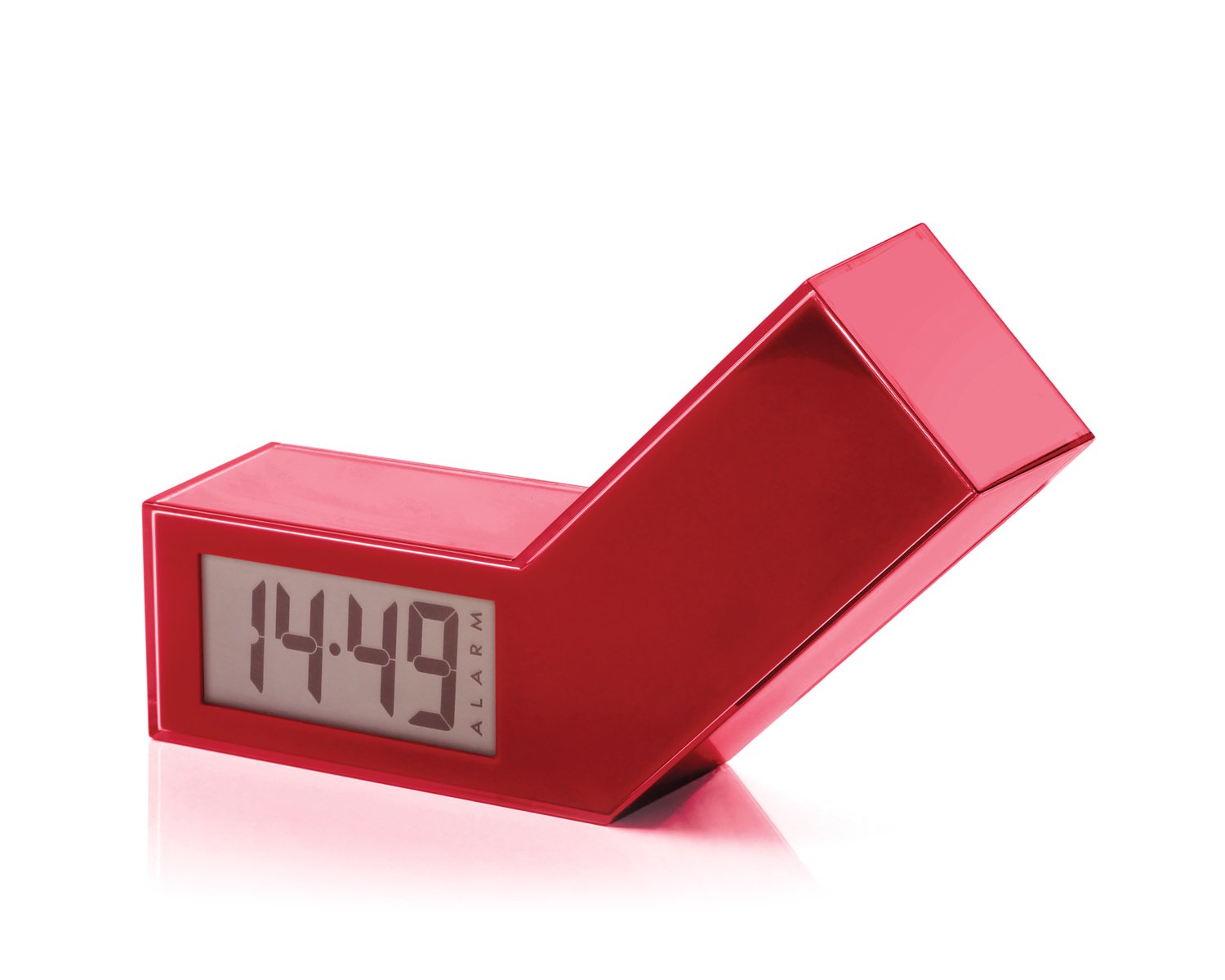
olusin 1: Iwaju view of the Lexon LR98R1 Onoff LCD Alarm Clock. The image displays the alarm clock in its red casing, with the LCD screen visible. The side labeled 'ON' is facing upwards, indicating the alarm is active. The clock has a minimalist rectangular design.
While specific button labels are not visible in the provided image, typical alarm clock controls are usually located on the back or sides. These generally include:
- Bọ́tìnì Ṣíṣe Àkókò: To adjust the current time.
- Bọ́tìnì Ṣètò Ìkìlọ̀: To adjust the alarm time.
- Hour/Minute Adjustment Buttons: To change hour and minute values.
- Didun/Bọtini ina: To temporarily silence the alarm or activate the backlight.
- Abala Batiri: Located on the back or bottom.
5. Eto
5.1 Fifi sori batiri
- Locate the battery compartment cover on the back or bottom of the alarm clock.
- Gbe tabi gbe ideri soke lati ṣii yara naa.
- Fi awọn batiri AAA meji (2) sii, ki o rii daju pe polarity (+ ati -) to tọ gẹgẹ bi a ti fihan ninu yara naa.
- Rọpo ideri iyẹwu batiri ni aabo.
Note: Batteries are not included. Please use new AAA alkaline batteries for optimal performance.
5.2 Ibẹrẹ Agbara Lori
Once batteries are installed, the LCD display should illuminate, and the clock will typically start at a default time (e.g., 12:00 AM). You will then need to set the current time and alarm.
6. Awọn ilana Iṣiṣẹ
6.1 Ṣíṣeto Àkókò Lọ́wọ́lọ́wọ́
- Tẹ mọlẹ Akoko SET button (or similar, refer to device markings) until the hour digits begin to flash.
- Lo awọn WAKATI ati ISEJU adjustment buttons to set the correct hour and minute.
- Tẹ Akoko SET lẹẹkansi lati jẹrisi ati ipo eto akoko jade.
6.2 Ṣíṣeto Àkókò Ìkìlọ̀
- Tẹ mọlẹ ALAGBARA SET button (or similar) until the alarm hour digits begin to flash.
- Lo awọn WAKATI ati ISEJU adjustment buttons to set your desired alarm time.
- Tẹ ALAGBARA SET again to confirm and exit alarm setting mode.
6.3 Activating/Deactivating the Alarm (Onoff Feature)
The Lexon Onoff alarm clock features a unique flip mechanism:
- Si MU ṣiṣẹ the alarm, place the clock with the side labeled "ON" facing upwards. An alarm icon should appear on the LCD display.
- Si IDAJU the alarm, flip the clock so the side labeled "PAA" is facing upwards. The alarm icon should disappear from the display.
6.4 Silencing the Alarm / Snooze Function
- Nigbati itaniji ba dun, tẹ bọtini naa SNOOZE / LIGHT button (usually a large button on top) to temporarily silence the alarm. The alarm will sound again after a few minutes (typically 5-10 minutes).
- To completely turn off the alarm for the day, flip the clock to the "PAA"ipo.
6.5 Ifihan Backlight
Tẹ awọn SNOOZE / LIGHT button to activate the blue electroluminescent backlight for a few seconds, allowing you to view the time in low-light conditions.
7. Itọju
7.1 Ninu
Wipe the surface of the alarm clock with a soft, dry cloth. Do not use abrasive cleaners, solvents, or chemical sprays, as these may damage the finish or electronic components.
7.2 Batiri Rirọpo
When the display dims or the alarm function becomes unreliable, it is time to replace the batteries. Follow the battery installation steps in Section 5.1. Always replace both AAA batteries at the same time.
8. Laasigbotitusita
| Isoro | Owun to le Fa | Ojutu |
|---|---|---|
| Ifihan ti ṣofo tabi baibai. | Awọn batiri ti ku tabi ti fi sori ẹrọ ti ko tọ. | Ropo awọn batiri pẹlu titun AAA batiri, aridaju ti o tọ polarity. |
| Itaniji ko dun. | Alarm is not activated (clock is in "OFF" position) or alarm time is not set. | Flip the clock to the "ON" position. Verify the alarm time is set correctly (Section 6.2). Ensure batteries are not low. |
| Akoko ko tọ. | Time was not set correctly or batteries were removed/replaced. | Reset the current time (Section 6.1). |
| Imọlẹ ẹhin ko ṣiṣẹ. | Awọn batiri kekere. | Rọpo awọn batiri. |
9. Awọn pato
| Nọmba awoṣe | LR98R1 |
| Brand | Lexon |
| Ifihan Iru | LCD with Blue Electroluminescent Backlight |
| Orisun agbara | Awọn batiri 2 x AAA (kii ṣe pẹlu) |
| Ohun elo | ABS / Injected Polycarbonate |
| Awọn iwọn (L x W x H) | 13.5 x 3.5 x 8 cm (isunmọ 5.3 x 1.4 x 3.1 inches) |
| Iṣipopada Iru | Kuotisi |
| Pataki Awọn ẹya ara ẹrọ | Onoff flip alarm activation/deactivation, Snooze function |
10. Atilẹyin ọja ati Support
The Lexon LR98R1 Onoff LCD Alarm Clock comes with a 2-odun olupese ká atilẹyin ọja lati ọjọ ti o ra. Atilẹyin ọja yi ni wiwa awọn abawọn ninu awọn ohun elo ati iṣẹ ṣiṣe labẹ lilo deede.
Atilẹyin ọja naa ko ni aabo:
- Bibajẹ ti o ṣẹlẹ nipasẹ ijamba, ilokulo, ilokulo, iṣan omi, ina, ìṣẹlẹ, tabi awọn idi ita miiran.
- Damage caused by operating the product outside the permitted or intended uses described in this manual.
- Damage caused by service performed by anyone who is not an authorized representative of Lexon.
- Products or parts that have been modified to alter functionality or capability without the written permission of Lexon.
For warranty claims or technical support, please contact Lexon customer service through their official website or your retailer. Please have your proof of purchase and model number (LR98R1) ready.