SADES SA 708 Stereo Gaming Headphone Headset with Microphone (Blue) Instruction Manual
Model: SA 708 | Brand: SADES
1. Ifihan
The SADES SA 708 Stereo Gaming Headphone Headset with Microphone (Blue) is designed to provide an immersive audio experience for gamers across various platforms. This manual will guide you through the setup, operation, and maintenance of your new headset to ensure optimal performance and longevity.
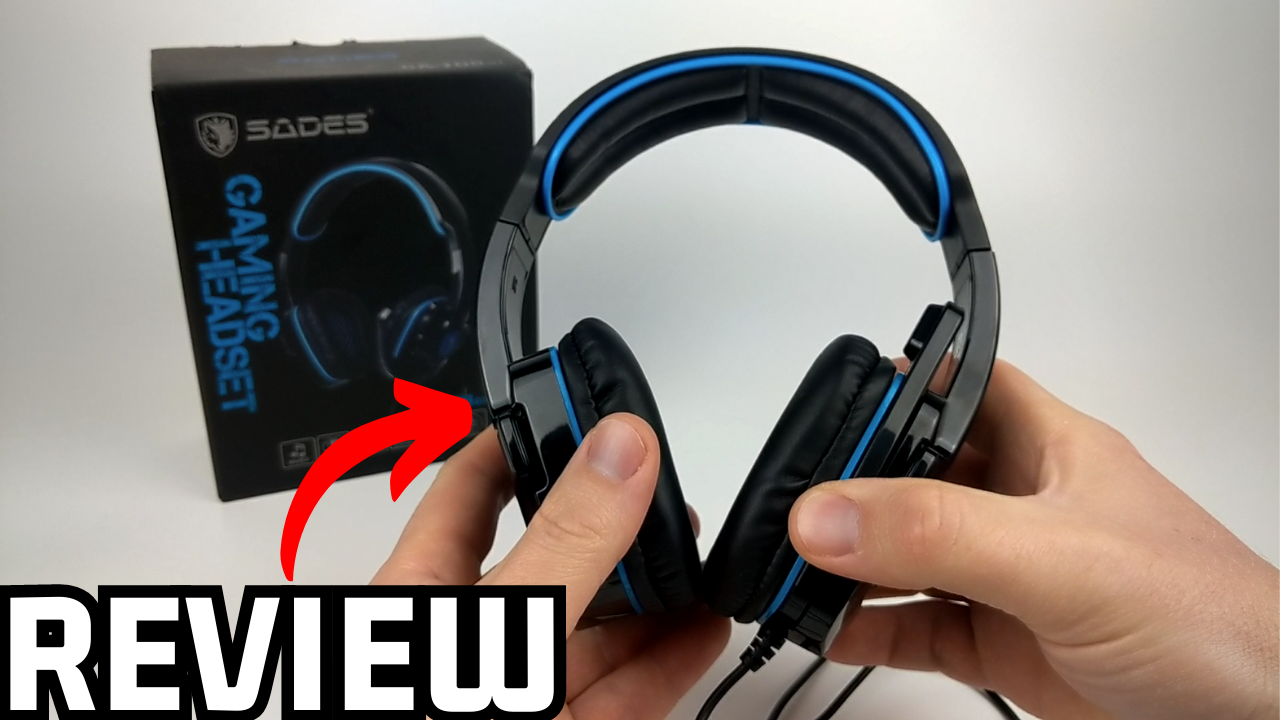
Image 1: The SADES SA 708 Stereo Gaming Headset, highlighting its design and blue accents.
2. Key Awọn ẹya ara ẹrọ
EMI/RFI Shielding: Prevents electromagnetic and radio-frequency interference for clear audio during gameplay.
Apẹrẹ alailẹgbẹ: Well-shaped and designed gaming headset with a foldable hidden microphone.
SADES-AFV Volume Control: Premier volume control with an additional microphone mute function for easy audio management.
Aṣọ itunu: Features soft PU leather cushion ear-pads and head-pads for extended comfort.
Ibamu gbooro: Works with Xbox One, PS4, PC, Computer, and Mobile Phones via its 3.5mm jack.
Image 2: Highlighting the immersive sound quality of the headset, designed for an engaging gaming experience.
Image 3: Illustrates the 40mm drivers and the noise reduction capabilities of the microphone, ensuring clear audio input and output.
3. Ohun ti o wa ninu Apoti
Upon opening your SADES SA 708 headset package, you should find the following items:
SADES SA 708 Stereo Gaming Headset with Microphone
Àwọn ìrọ̀rí etí (tí a ti fi sori ẹrọ tẹ́lẹ̀)
3.5mm Plug Cable (1.5 meters approximately)
PC Adapter Cable (for separate audio/mic jacks)
Xbox 360 Adapter (if applicable for older controllers)
Ilana itọnisọna
Image 4: Contents of the SADES SA 708GT package, showing the headset, various cables, and adapters for different devices.
4. Eto Itọsọna
4.1 Nsopọ si Awọn ẹrọ
The SADES SA 708 headset uses a standard 3.5mm audio jack for broad compatibility. Ensure your device has a compatible 3.5mm port.
For Mobile Phones, PS4, Xbox One (new controller), Nintendo Switch: Plug the 3.5mm jack directly into your device's audio port.
For PC/Computer (with separate audio/mic jacks): Use the included PC adapter cable. Plug the headset's 3.5mm jack into the adapter, then plug the green (audio) and pink (microphone) plugs of the adapter into the corresponding ports on your computer.
For Xbox 360 (older controllers): Use the specific Xbox 360 adapter if provided, connecting it to your controller and then the headset.
Image 5: Visual guide demonstrating how to connect the SADES headset to various devices including mobile phones, Xbox One, PS4, and PC.
4.2 Initial Connection and Testing
Connect the headset to your desired device as described above.
Ensure the volume control on the headset cable is turned up to an audible level.
Test the audio by playing sound from your device.
Test the microphone by speaking into it while using a voice recording application or in-game chat. Adjust microphone position for optimal clarity.
5. Awọn ilana Iṣiṣẹ
5.1 Iṣakoso iwọn didun
The headset features an in-line SADES-AFV volume control. Use the scroll wheel on the control unit to adjust the audio output level to your preference.
5.2 Gbohungbohun Lilo
The omnidirectional microphone is designed for clear voice communication. It can be folded up and hidden when not in use to prevent damage or interference.
Pa Iṣẹ́ Dakẹ́ A dedicated switch on the in-line control allows you to quickly mute or unmute the microphone.
Ipo Iṣatunṣe: Gently bend the microphone arm to position it optimally near your mouth for the best voice pickup.
Image 6: The SADES Gaming Headset, illustrating the in-line controls for volume and microphone mute, and the adjustable microphone arm.
5.3 Wọ Agbekọri
The headset is designed for comfort during long gaming sessions. The soft PU leather ear-pads and adjustable headband ensure a snug yet comfortable fit for various head shapes and sizes.
Image 7: A person wearing the SADES gaming headset, demonstrating its comfortable over-ear design and adjustable fit.
Aworan 8: alaye view of the headset's comfort features, including soft memory protein ear-pads, an adjustable headband, and ergonomic design for various head shapes.
6. Awọn pato
Ẹya ara ẹrọ
Ẹ̀kúnrẹ́rẹ́
Brand
Ìbànújẹ́
Nọmba awoṣe
SA 708
Àwọ̀
Buluu
Asopọmọra Technology
Ti firanṣẹ
Imọ-ẹrọ Ibaraẹnisọrọ Alailowaya
RF
Awọn agbekọri Jack
3.5 mm Jack
Ariwo Iṣakoso
None (EMI/RFI Shielding for interference reduction)
Apẹrẹ Akọti
Lori-Eti
Fọọmù ifosiwewe
Eti Meji
Ohun elo
Faux awọ
Iwọn Nkan
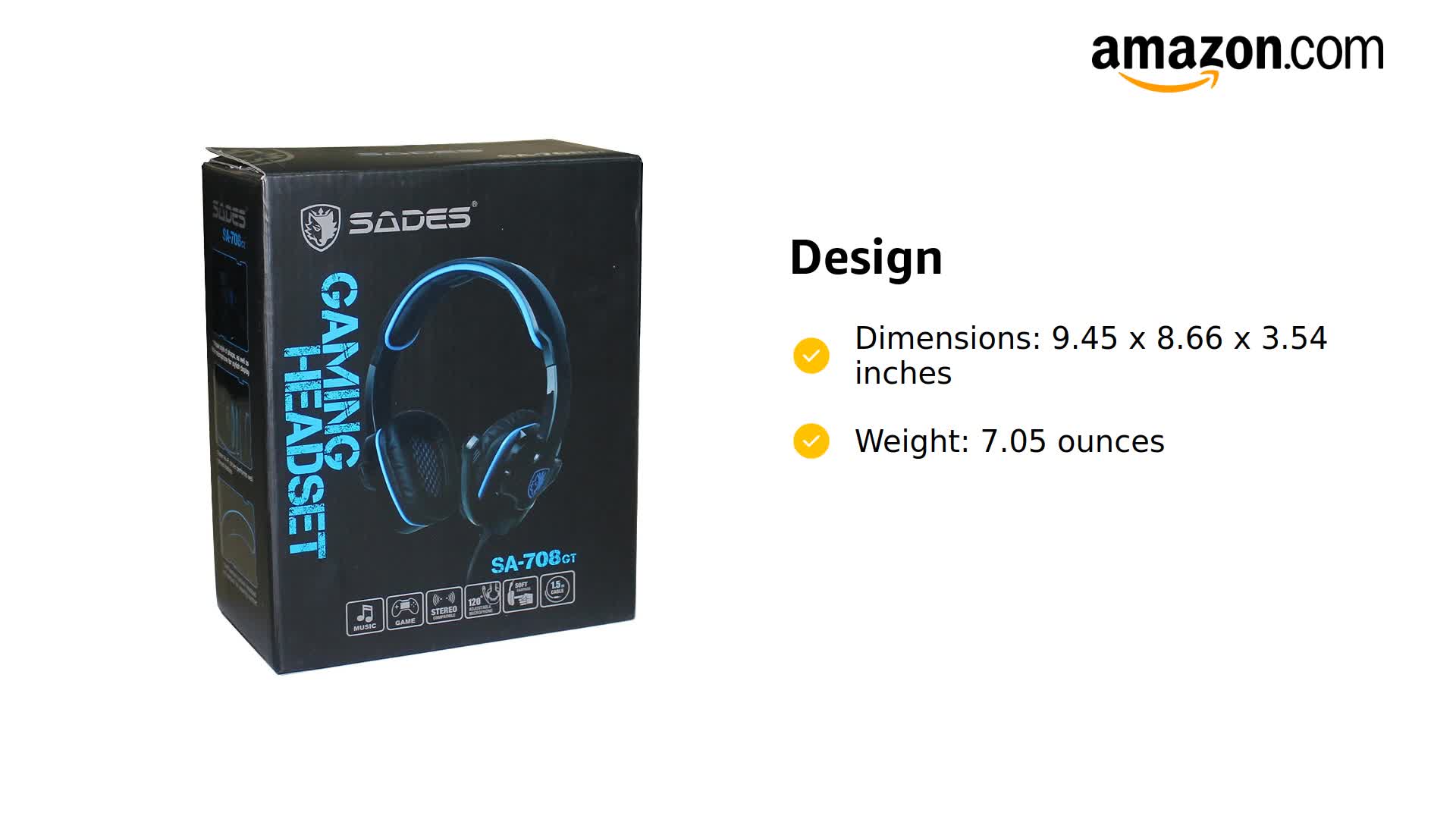
7.1 iwon (200 Giramu)
Ọja Mefa
9.45 x 8.66 x 3.54 inches
USB Ipari
2.2m (Approximately)
Awọn ẹrọ ibaramu
Xbox One, PS4, PC, Computer, Mobile Phone
Iṣakoso Iru
Volume Control (SADES-AFV)
Ọna Iṣakoso
Latọna jijin
Ipalara
32 ohms
Aworan 9: A sunmọ-soke view of the headset's customized braided wire, indicating durability and quality.
7. Itọju
Proper care and maintenance will extend the life of your SADES SA 708 headset.
Ninu: Use a soft, dry cloth to clean the headset. For ear-pads, a slightly damp asọ le ṣee lo, ṣugbọn rii daju pe wọn ti gbẹ patapata ṣaaju lilo. Yago fun awọn kẹmika lile tabi awọn ohun elo abrasive.
Ibi ipamọ: Store the headset in a cool, dry place away from direct sunlight and extreme temperatures. When not in use, fold the microphone away to protect it.
Itọju USB: Yẹra fún yíyí tó mú ṣinṣin tàbí fífà okùn náà jù láti dènà ìbàjẹ́ inú.
Ear-pad Replacement: Over time, ear-pads may wear out. Replacement ear cushions are available and can be easily installed.
8. Laasigbotitusita
If you encounter any issues with your headset, refer to the following common troubleshooting steps:
Ko si Ohun:
Check if the 3.5mm jack is fully inserted into the device.
Ensure the volume control on the headset cable is not at minimum.
Verify the device's volume settings are not muted or too low.
If using a PC adapter, ensure both green (audio) and pink (microphone) jacks are correctly plugged in.
Ṣe idanwo agbekari pẹlu ẹrọ miiran lati ṣe akoso awọn ọran-ẹrọ kan pato.
Gbohungbohun Ko Ṣiṣẹ:
Check if the microphone mute switch on the in-line control is in the "unmute" position.
Ensure the microphone is properly extended and positioned.
Verify microphone settings on your device (e.g., input device selection, volume levels).
If using a PC adapter, ensure the pink (microphone) jack is correctly plugged in.
Ṣe idanwo gbohungbohun pẹlu ẹrọ miiran tabi ohun elo.
Static or Interference:
Ensure the EMI/RFI shielding is functioning by checking for any physical damage to the cable.
Lọ kuro ni awọn ẹrọ itanna miiran ti o le fa kikọlu.
Rii daju pe gbogbo awọn asopọ wa ni aabo.
8.1 Official Product Videos for Troubleshooting and Setup
Video 1: SADES SA708GT Review, Test, & Mic Demo. This video provides a detailed review, sound test, and microphone demonstration for the SADES SA708GT headset, which can be helpful for understanding its performance and features.
Video 2: SADES Gaming Headset with Microphone. This video offers a general overview of the SADES Gaming Headset with Microphone, showcasing apẹrẹ rẹ ati awọn iṣẹ ṣiṣe ipilẹ.
9. Atilẹyin ọja & Atilẹyin
9.1 atilẹyin ọja Alaye
Specific warranty details for the SADES SA 708 headset are typically provided with your purchase documentation. Please refer to the warranty card or product packaging for information regarding coverage period and terms. For general inquiries, contact SADES customer support.
9.2 Onibara Support
For further assistance, technical support, or service inquiries, please visit the official SADES website or contact their customer service department. Contact information can usually be found on the product packaging or their official webojula.
Alaye Abo: The operating distance may vary with the operating environment. Battery life may vary based on user and working conditions.
Ask a question about this manual
Ask about setup, troubleshooting, compatibility, parts, safety, or missing instructions. Manuals+ will review the question and use this page’s manual context to help answer it.