
Ọrọ Iṣaaju
Thank you for choosing the iKKEGOL HC520 Digital Indoor/Outdoor Thermometer and Hygrometer. This device is designed to provide accurate and reliable measurements of indoor and outdoor temperatures, as well as indoor humidity. Its large LCD display ensures easy readability, and the wired external probe allows for versatile placement. Please read this manual carefully to ensure proper setup, operation, and maintenance of your device.
Ọja Pariview
The iKKEGOL HC520 features a compact design with a clear LCD screen. It includes an integrated flip-out stand for desktop use and a hanging hole for wall mounting. The external probe extends the temperature measurement capabilities to outdoor environments or specific areas like refrigerators.

olusin 1: Iwaju view of the iKKEGOL HC520 device showing the LCD display and wired probe.
Ṣeto
1. Fifi sori batiri
- Wa yara batiri ni ẹhin ẹrọ naa.
- Ifaworanhan ṣii ideri batiri.
- Insert one (1) AAA battery, ensuring correct polarity (+/-).
- Pa ideri batiri naa ni aabo.

olusin 2: Pada view of the device with the battery compartment open, showing where to insert the AAA battery.
2. Connecting the External Probe
- Identify the sensor wire plug.
- Insert the sensor wire plug into the designated socket located under the battery cover.
- Place the external sensor (probe) in the desired outdoor location or specific area for measurement (e.g., refrigerator, freezer). The probe cable is approximately 2 meters (6.6 feet) long.
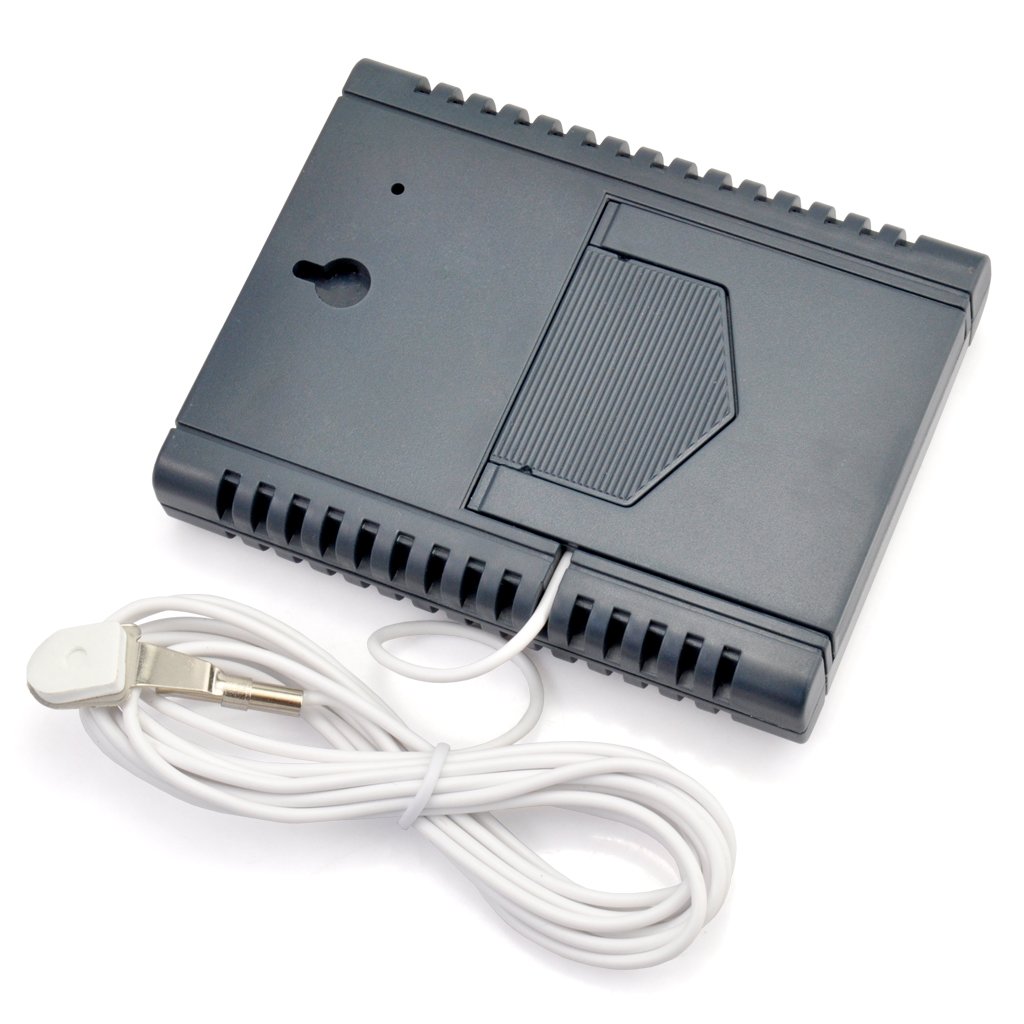
olusin 3: Pada view of the device showing the external probe connected to its socket.
3. iṣagbesori Aw
The iKKEGOL HC520 offers two convenient mounting options:
- Iduro Tabili: Utilize the integrated flip-out stand on the back of the device for placement on any flat surface.
- Odi Odi: Use the hanging hole on the back to mount the device on a wall.
Video 1: This video demonstrates the battery installation and basic display functions of a similar digital thermometer. Note that the exact model shown may differ from the iKKEGOL HC520.
Video 2: This video illustrates the connection of an external probe and the use of the °C/°F switch on a comparable indoor/outdoor thermometer. It also shows magnetic mounting, which is a feature on some similar devices.
Awọn ilana Iṣiṣẹ
The iKKEGOL HC520 features a user-friendly interface with four control buttons:
- IN-OUT Button: Press this button to switch the temperature display between INSIDE (IN) and OUTSIDE (OUT) readings. The active mode (IN or OUT) will be indicated on the LCD screen next to the temperature value. If the external sensor is not installed, only the INSIDE temperature will be displayed.
- MAX-MIN Button: Lo yi bọtini lati view the recorded MAXIMUM and MINIMUM temperature and humidity values. The display will show 'MAX' or 'MIN' to indicate which value is currently being shown.
- Bọtini C/°F: Press this button to toggle the temperature display unit between Celsius (°C) and Fahrenheit (°F).
- Bọtini Tuntun: Press this button to clear all recorded MAX/MIN values and restore all settings to their original default values.
Iwọn otutu ati Ọriniinitutu
- The device simultaneously displays the current indoor temperature and indoor humidity.
- When the external probe is connected, the device can also display the outdoor temperature. Use the 'IN-OUT' button to switch between indoor and outdoor temperature readings.
- The humidity measurement is exclusively for indoor (IN) conditions. The '%' symbol will always appear above the humidity unit.
- A comfort level symbol (e.g., a smiley face) may be displayed to indicate the general comfort level based on the indoor humidity.
Video 3: This video demonstrates the use of an extended probe with a mini thermometer, showing how it can be used to measure temperatures in different environments.
Awọn ẹya ara ẹrọ
- Lilo agbara kekere fun igbesi aye batiri ti o gbooro sii.
- High stability and accuracy in measurements.
- Memory function to recall last measured values.
- Simultaneous display of temperature and humidity.
- Records and displays MIN and MAX temperature and humidity values.
- Comfort degree symbol for quick indoor condition assessment.
- Selectable temperature units: Celsius (°C) or Fahrenheit (°F).
- Versatile placement with integrated desktop stand and wall hanging option.
- Includes a 2-meter (6.6 ft) external probe for outdoor or remote temperature sensing.
- External sensor is easily attachable and detachable.
- Powered by one (1) AAA battery (not included).
- Large, clear, and easy-to-read LCD screen.
Awọn pato
| Sipesifikesonu | Iye |
|---|---|
| Nọmba awoṣe | HC520 |
| Ibiti Igba otutu Ile | -10°C si +50°C (+14°F si +122°F) |
| Ibiti Igba otutu Ita gbangba | -50°C si +70°C (-58°F si +158°F) |
| Abe ile ọriniinitutu Range | Measures indoor humidity only |
| Ọja Mefa | 78 x 98 x 17 mm (3.1" x 3.9" x 0.7") |
| Iwọn Ọja | 95g (3.4 iwon) |
| Orisun agbara | 1 x AAA Batiri (ko si) |
| External Probe Cable Length | Mita 2 (ẹsẹ 6.6) |

Figure 4: Diagram showing the dimensions of the iKKEGOL HC520 device.
Itoju
- Ninu: Fi aṣọ gbígbẹ tó rọ, tó sì gbẹ nu ẹ̀rọ náà. Má ṣe lo àwọn ohun ìfọṣọ tàbí kí o fi omi tẹ ẹ̀rọ náà mọ́lẹ̀.
- Rirọpo Batiri: Replace the AAA battery when the display becomes dim or the device stops functioning. Ensure correct polarity during installation.
- Ibi ipamọ: If storing the device for an extended period, remove the battery to prevent leakage and damage. Store in a cool, dry place.
- Itọju Iwadii: Handle the external probe and cable with care to avoid damage. Ensure the probe is not exposed to extreme physical stress.
Laasigbotitusita
- Kò sí Ìfihàn/Ìfihàn Dídì: Ṣàyẹ̀wò bóyá batiri náà ti fi sí ibi tí ó yẹ, tí ó sì ní agbára tó. Rọpò batiri náà tí ó bá yẹ.
- Awọn kika ti ko pe: Ensure the device and probe are placed in appropriate locations, away from direct sunlight, heat sources, or strong drafts that could affect readings. Allow a few minutes for readings to stabilize after placement or changes in environment.
- Outdoor Temperature Not Displaying: Verify that the external probe is securely plugged into the device. If the probe is damaged, it may need replacement.
- Readings Not Changing: Press the 'RESET' button to clear previous data and re-initialize the device.
Atilẹyin ọja ati Support
For warranty information or technical support regarding your iKKEGOL HC520 Digital Indoor/Outdoor Thermometer and Hygrometer, please refer to the product packaging or contact iKKEGOL customer service directly. You may also visit the official iKKEGOL Store on Amazon for additional resources and contact options: iKKEGOL Store.