
Ọrọ Iṣaaju
The Brookstone Mobile Sport Massager is designed to provide deep, penetrating percussion massage for various muscle groups. Its cordless and compact design allows for convenient use at home or on the go, aiding in muscle pain alleviation and accelerating recovery.
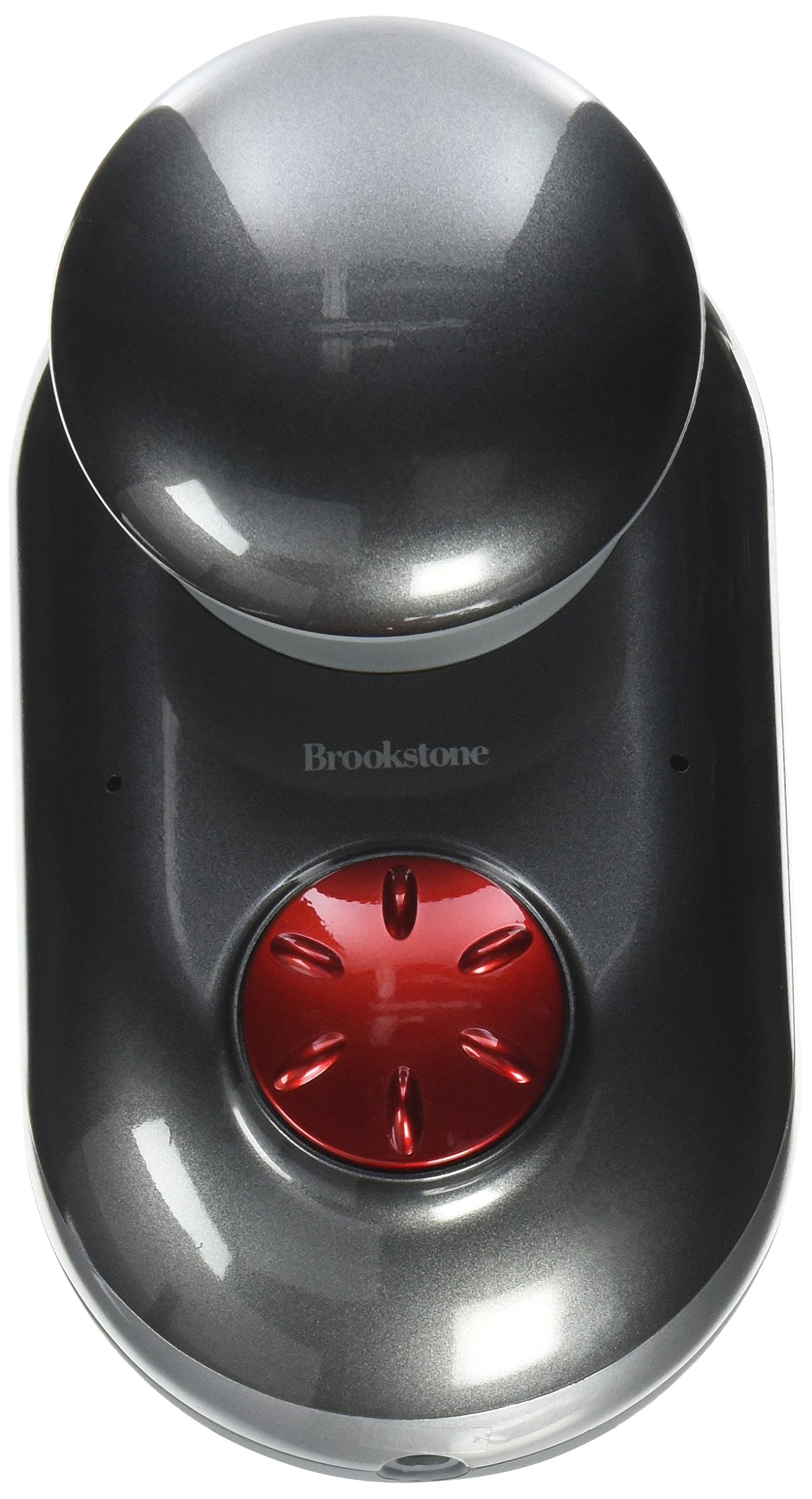
Image: The Brookstone Mobile Sport Massager, a silver-colored, compact, handheld device. It features a rounded massage head designed for percussion therapy and an ergonomic grip for ease of use. The device is shown from a slightly angled top-down perspective, highlighting its sleek design and portable nature.
Alaye Aabo pataki
- Always begin using the massager on the lowest speed setting.
- Do not use the massager on broken skin or areas with inflammation.
- Keep the massager away from water to prevent electrical shock.
- Allow the massager to cool down for 15 minutes between uses to prevent overheating.
- Kan si dokita ṣaaju lilo ti o ba ni awọn ipo ilera eyikeyi tabi o loyun.
- Maṣe lo ifọwọra fun diẹ ẹ sii ju iṣẹju 15 ni akoko kan.
- Do not overuse or apply excessive pressure to avoid injury.
Package Awọn akoonu
Jẹrisi pe gbogbo awọn ohun kan wa ninu package:
- Brookstone Mobile Sport Massager Unit
- Ngba agbara USB
- Ilana Afowoyi (iwe yii)
Ṣeto
Ngba agbara si Massager
- Locate the recharging port on the massager.
- Connect the charging cable to the massager and a suitable power source.
- Charge the massager until the LED indicators show it is fully charged.
- Ge okun gbigba agbara kuro ni kete ti gbigba agbara ba pari.
The massager is powered by 1 Lithium Ion battery, which is included and rechargeable.
Awọn ilana Iṣiṣẹ
Lilo Massager
- Rii daju pe ifọwọra ti gba agbara ni kikun ṣaaju lilo.
- Turn on the massager using the power button.
- Adjust the speed control to your desired intensity. Start with the lowest setting and gradually increase as comfortable.
- Hold the massager by its dual-grip design.
- Target specific areas such as thighs, calves, shoulders, or hips for relief.
- Move the massager gently over the desired muscle groups. Avoid applying excessive pressure.
- Maṣe lo fun diẹ ẹ sii ju iṣẹju 15 ni akoko kan.
The massager delivers deep, penetrating percussion massage to help alleviate muscle pain and accelerate muscle recovery.
Itoju
Ninu ati Ibi ipamọ
- Before cleaning, ensure the massager is turned off and unplugged from any power source.
- Wipe the massager's surface with a soft, damp asọ. Ma ṣe lo awọn olutọpa abrasive tabi fi ẹrọ bọ inu omi.
- Tọju ifọwọra ni itura, aye gbigbẹ, kuro lati orun taara ati ọrinrin.
- Proper storage helps maintain the longevity of the device.
Laasigbotitusita
| Isoro | Owun to le Fa | Ojutu |
|---|---|---|
| Massager does not turn on or has weak power. | Batiri naa kere tabi ti dinku. | Charge the massager fully. Ensure the charging cable is securely connected. |
| Massager stops working shortly after charging. | Battery issue or internal fault. | Ensure the massager is fully charged. If the issue persists, contact customer support. |
| Massager feels too heavy or unwieldy. | User preference or prolonged use. | Take breaks during use. Adjust grip or position for comfort. |
Awọn pato
| Nọmba awoṣe | 849265 |
| Brand | Brookstone |
| Ọja Mefa | 6.25 x 3.5 x 6.5 inches |
| Iwọn Nkan | 2.15 Poun (isunmọ 0.97 kg) |
| Orisun agbara | Batiri Agbara (Agba agbara) |
| Awọn batiri | 1 batiri litiumu ion (pẹlu) |
| Fọọmu Massager | Ifọwọra Wand |
| Awọn Lilo pato | Muscle Relief and Recovery |
| Awọn anfani Ọja | Pain Relief, Muscle Therapy |
| Ailokun | Bẹẹni |
| Omi Resistance Ipele | Ko Omi Resistant |
| Àwọ̀ | Fadaka |
| UPC | 883594042102 |
| Ọjọ Akọkọ Wa | Oṣu Kẹwa Ọjọ 1, Ọdun 2013 |
Atilẹyin ọja ati Support
For warranty information, technical support, or service inquiries, please refer to the official Brookstone webojula tabi kan si wọn onibara iṣẹ Eka. Tọju iwe-ẹri rira rẹ fun ijẹrisi atilẹyin ọja.
Manufacturer: Brookstone Stores, Inc.