
1. Ifihan
This manual provides detailed instructions for the installation, operation, and maintenance of the Supermicro MCP-240-82608-0N LP Rear Window. This component is designed for specific Supermicro 216B/826B series server chassis, providing a rear panel solution that complies with RoHS/Reach and PBF standards. Please read this manual thoroughly before proceeding with installation.
2. Alaye Aabo
Observe the following safety precautions to prevent injury and damage to the product or other components:
- Always disconnect power from the server chassis before installing or removing any components.
- Wear an anti-static wrist strap when handling internal server components to prevent electrostatic discharge (ESD) damage.
- Handle the rear window carefully to avoid bending or damaging its structure.
- Ensure all screws are properly tightened to secure the component, but do not overtighten.
- Keep small parts, such as screws, away from children.
3. Package Awọn akoonu
Verify that all items are present in the package. If any items are missing or damaged, contact your vendor immediately.
- Supermicro MCP-240-82608-0N LP Rear Window unit
- Mounting screws (quantity may vary)
- Documentation (this manual or similar)
4. Ọja Ipariview
The Supermicro MCP-240-82608-0N is a low-profile (LP) rear window designed for specific Supermicro 216B/826B series server chassis. This component serves as a structural and functional panel for the rear of the server, providing necessary cutouts for various ports and expansion slots, ensuring proper airflow, and maintaining the structural integrity of the chassis. It is manufactured to comply with RoHS/Reach environmental standards and is PBF (Lead-Free) compliant.
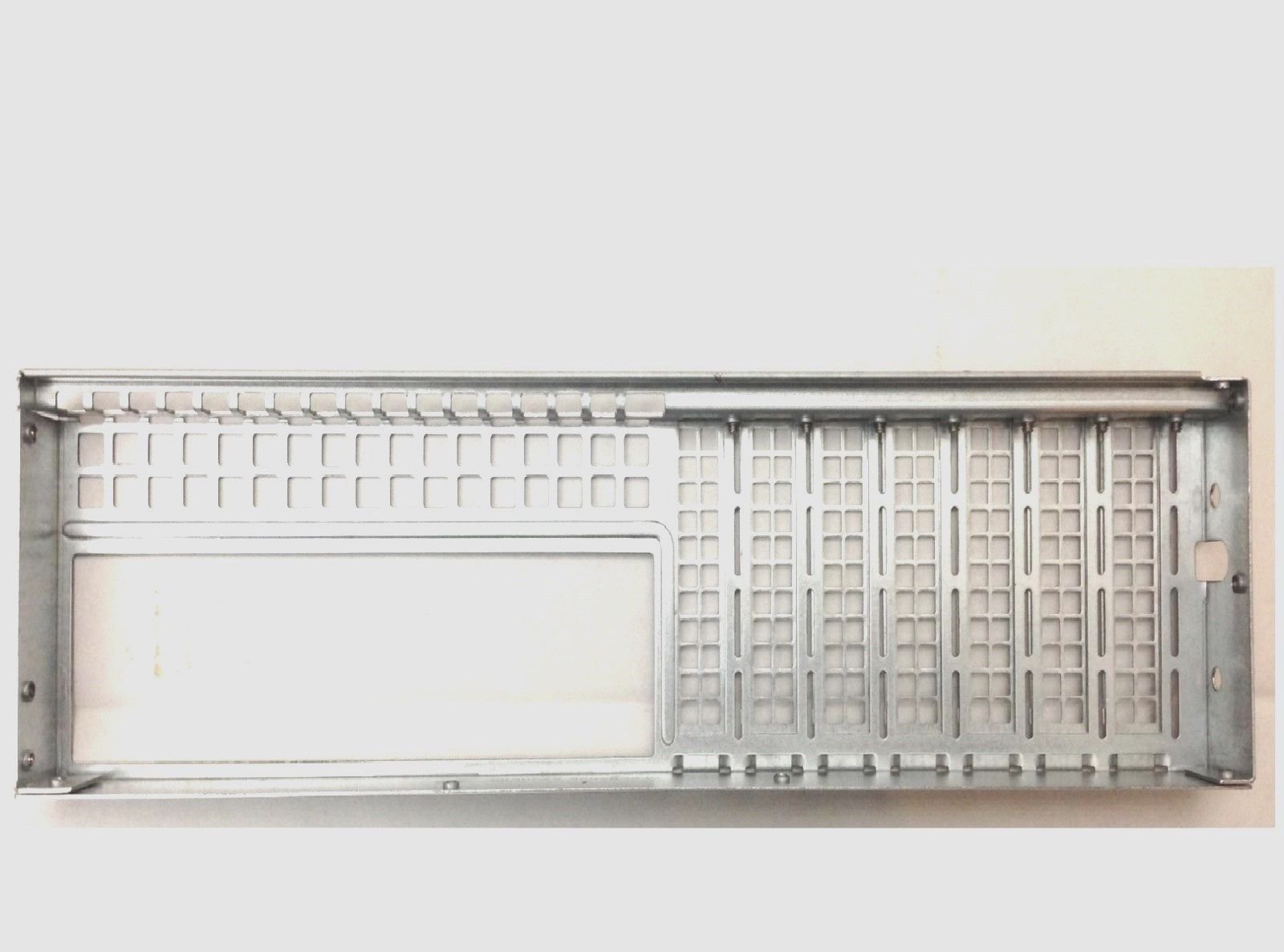
Figure 1: Supermicro MCP-240-82608-0N LP Rear Window. This image displays the physical appearance of the rear window component, highlighting its form factor and potential cutouts for server ports.
5. Eto ati fifi sori
Follow these steps to install the MCP-240-82608-0N LP Rear Window into a compatible Supermicro server chassis:
- Ṣetan chassis naa: Ensure the server chassis is powered off and disconnected from all power sources. Open the chassis cover to access the interior.
- Ṣe idanimọ agbegbe fifi sori ẹrọ: Locate the designated rear panel area on your Supermicro 216B/826B LP series chassis where the rear window is to be installed. This area may have existing blanking plates or an open slot.
- Remove Existing Components (if any): If there are any existing blanking plates or an old rear window, carefully remove them by unscrewing any fasteners and gently detaching them from the chassis.
- Position the Rear Window: Align the MCP-240-82608-0N LP Rear Window with the opening in the chassis. Ensure that all mounting holes and port cutouts match the chassis's design.
- Secure the Component: Using the provided mounting screws, carefully secure the rear window to the chassis. Start by hand-tightening all screws to ensure proper alignment, then use a screwdriver to tighten them firmly but without overtightening.
- Jẹrisi fifi sori ẹrọ: Once secured, visually inspect the rear window to ensure it is flush with the chassis and all connections are stable.
- Pa chassis: Replace the chassis cover and secure it. Reconnect power and other cables to the server.
6. Awọn Ilana Ṣiṣẹ
The Supermicro MCP-240-82608-0N LP Rear Window is a passive component that integrates with the server chassis. Its primary function is to provide a structured rear panel for the server, facilitating:
- Wiwọle Ibudo: Offers precise cutouts for motherboard I/O ports, expansion card brackets (e.g., PCI), and other rear-facing connectors.
- Chassis Integrity: Contributes to the structural rigidity of the server chassis, protecting internal components.
- Iṣakoso Iṣan Afẹfẹ: Designed to work with the chassis's cooling system, ensuring proper airflow paths and preventing hot air recirculation.
- EMI Shielding: Helps to maintain electromagnetic interference (EMI) shielding for the server system.
No active operation or configuration is required for this component once it is correctly installed.
7. Itọju
The MCP-240-82608-0N LP Rear Window requires minimal maintenance. Regular inspection and cleaning are recommended to ensure optimal performance and longevity of the server system.
- Ninu: Periodically, with the server powered off and disconnected, use a soft, dry, lint-free cloth to gently wipe down the exterior of the rear window. For stubborn dust, a can of compressed air can be used to clear vents and crevices. Avoid using liquid cleaners directly on the component.
- Ayewo: During routine server maintenance, check the rear window for any signs of damage, such as bends, cracks, or loose screws. Ensure it remains securely fastened to the chassis.
- Awọn ipo Ayika: Ensure the server operates in a clean, dust-free environment with appropriate temperature and humidity levels to prevent component degradation.
8. Laasigbotitusita
This section addresses common issues that may arise during or after the installation of the MCP-240-82608-0N LP Rear Window.
| Isoro | Owun to le Fa | Ojutu |
|---|---|---|
| Rear window does not fit into chassis opening. | Incorrect chassis model or misalignment. | Verify that your server chassis is a Supermicro 216B/826B LP series. Re-align the rear window carefully before attempting to secure it. Do not force the component. |
| Screws do not align with mounting holes. | Misalignment of the rear window. | Loosen all screws, adjust the position of the rear window, and then re-tighten. Ensure the component is seated correctly. |
| Rear window feels loose after installation. | Screws not fully tightened or missing screws. | Ensure all mounting screws are present and securely tightened. Check for any missing screws. |
| Server I/O ports are obstructed. | Rear window installed incorrectly or incompatible component. | Double-check the orientation of the rear window. Confirm that the rear window is designed for your specific motherboard and chassis configuration. |
9. Awọn pato
Key specifications for the Supermicro MCP-240-82608-0N LP Rear Window:
| Ẹya ara ẹrọ | Ẹ̀kúnrẹ́rẹ́ |
|---|---|
| Brand | Supermicro |
| Nọmba awoṣe | MCP-240-82608-0N (also known as 8541588743) |
| Awọn ẹrọ ibaramu | Supermicro 216B/826B LP Series Server Chassis |
| Ibamu | RoHS/Reach, PBF (Lead-Free) |
| Iru | LP Rear Window / I/O Shield |
| ASIN | B00HROJCV0 |
| UPC | 672042137701 |
10. Atilẹyin ọja ati Support
For warranty information and technical support regarding the Supermicro MCP-240-82608-0N LP Rear Window, please refer to the documentation provided with your purchase or visit the official Supermicro website. Warranty terms typically cover manufacturing defects and vary by region and retailer. Please retain your proof of purchase for warranty claims.