
1. Ifihan
Thank you for choosing the Casio Baby-G BG-6903-2ER Digital Watch. This timepiece is designed for durability and functionality, featuring shock resistance and 200-meter water resistance, making it suitable for various activities. This manual provides essential information for setting up, operating, and maintaining your watch.
Aworan 1.1: Iwaju view of the Casio Baby-G BG-6903-2ER digital watch, showcasing its blue resin case and strap, and digital display.
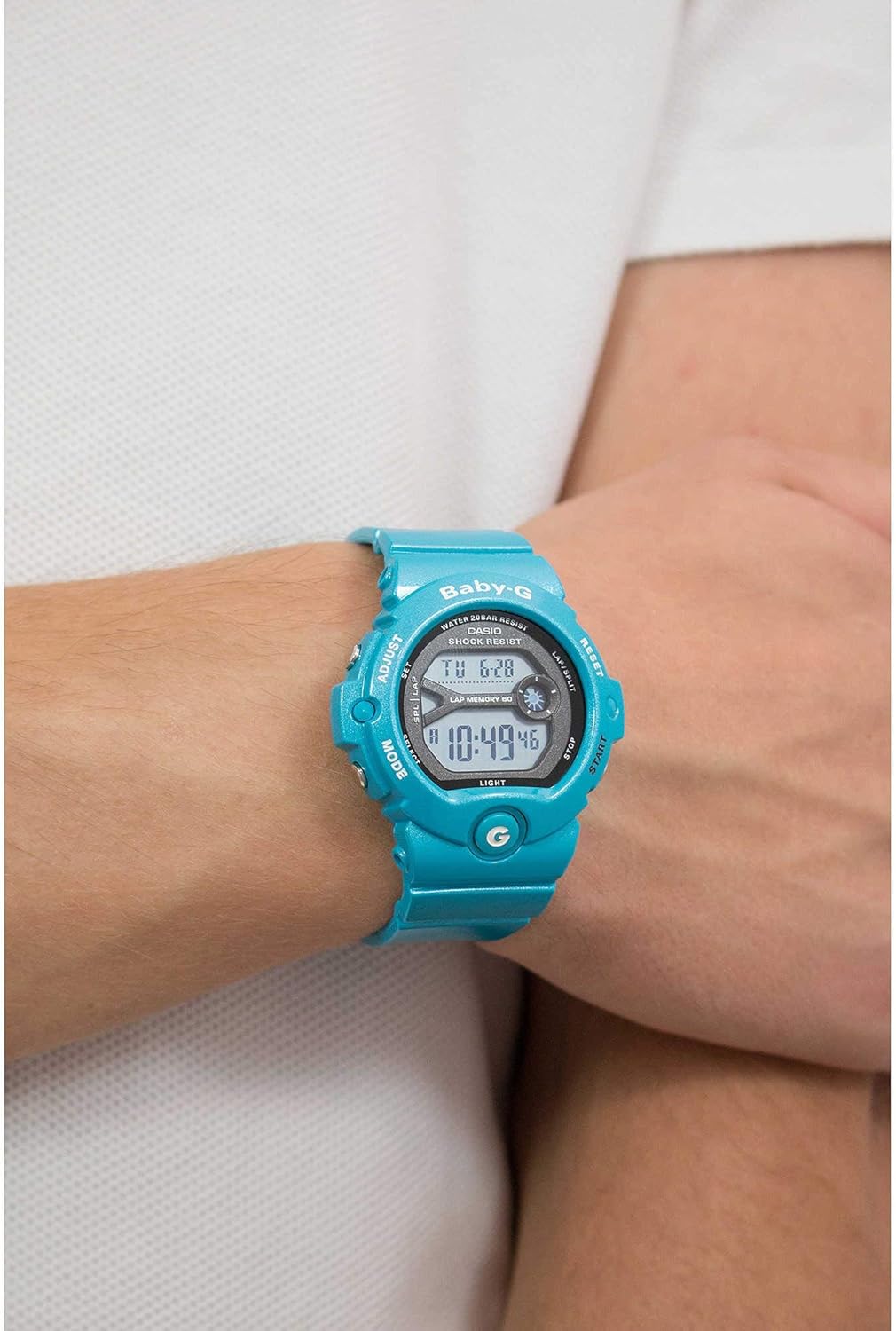
Image 1.2: The Casio Baby-G BG-6903-2ER watch worn on a wrist, illustrating its size and fit.
2. Eto
2.1 Unboxing ati Ibẹrẹ ayewo
Upon receiving your watch, carefully remove it from its packaging. Inspect the watch for any visible damage. Ensure all protective films are removed from the display and case back.
Image 2.1: The hexagonal tin packaging for the Casio Baby-G watch.
2.2 Ṣiṣeto Aago ati Ọjọ
- Ni Ipo Ṣiṣe Aago, tẹ mọlẹ ṢAtunṣe bọtini (oke apa osi) titi koodu ilu yoo bẹrẹ lati filasi, nfihan iboju eto.
- Lo awọn MODE button (bottom left) to cycle through the settings: City Code, DST (Daylight Saving Time), 12/24-hour format, Seconds, Hour, Minute, Year, Month, Day.
- Lo awọn BERE button (bottom right) and Tunto button (top right) to change the flashing value.
- Ni kete ti gbogbo eto ba tọ, tẹ bọtini naa ṢAtunṣe button again to exit the setting screen.
2.3 Atunṣe okun
The resin strap features a buckle closure. Adjust the strap length by selecting the appropriate hole for a comfortable and secure fit on your wrist. Ensure the watch is not too tight to allow for proper circulation, nor too loose to prevent excessive movement.
3. Ṣiṣẹ iṣọ
3.1 Ipo Lilọ kiri
Tẹ awọn MODE button (bottom left) to cycle through the different modes:
- Ipo Itọju akoko: Ṣe afihan akoko ati ọjọ lọwọlọwọ.
- Ipo Aago Agbaye: Displays the current time in various cities around the world.
- Ipo Aago iṣẹju-aaya: Ti a lo fun wiwọn akoko ti o kọja.
- Ipo aago: A kika aago iṣẹ.
- Ipo Itaniji: Allows setting multiple daily alarms.
3.2 Aago Aago
- Lilö kiri si Ipo aago iṣẹju-aaya nipa lilo awọn MODE bọtini.
- Tẹ awọn BERE button (bottom right) to begin timing.
- Tẹ BERE lẹẹkansi lati da duro akoko.
- Tẹ awọn Tunto bọtini (oke apa ọtun) lati tun aago iṣẹju-aaya pada si odo.
- The watch also features a Lap Memory function, indicated by "LAP MEMORY 60" on the display, allowing you to record up to 60 lap/split times.
3.3 Aago Išė
- Navigate to the Timer Mode.
- Tẹ mọlẹ ṢAtunṣe bọtini lati tẹ ipo eto aago sii.
- Lo awọn MODE bọtini lati yan wakati tabi eto iseju.
- Lo awọn BERE ati Tunto awọn bọtini lati yi awọn iye.
- Tẹ ṢAtunṣe lati jade ni ipo eto.
- Tẹ BERE to begin the countdown. An alarm will sound when the timer reaches zero.
3.4 Iṣẹ itaniji
- Navigate to the Alarm Mode.
- Lo awọn BERE button to scroll through the available alarms (AL1, AL2, etc.) and the Hourly Ifihan akoko (SIG).
- To set an alarm, select the desired alarm and press and hold the ṢAtunṣe bọtini.
- Lo awọn MODE bọtini lati yan wakati tabi iseju, ati BERE/Tunto lati yi iye.
- Tẹ ṢAtunṣe lati jẹrisi ati jade.
- Tẹ BERE to toggle the alarm or hourly akoko ifihan agbara ON/PA.
3.5 Imọlẹ ẹhin
Tẹ awọn Imọlẹ button (bottom left, below MODE) to illuminate the display for easy viewing ni kekere-ina awọn ipo.
4. Itọju
4.1 Ninu rẹ Watch
To maintain the appearance of your watch, wipe it regularly with a soft, dry cloth. For stubborn dirt, use a soft cloth dampened pẹlu omi ati ki o kan ìwọnba didoju detergent, ki o si mu ese gbẹ. Yago fun lilo awọn aṣoju iyipada bi tinrin tabi benzine, nitori wọn le ba awọn paati resini jẹ.
4.2 Omi Resistance
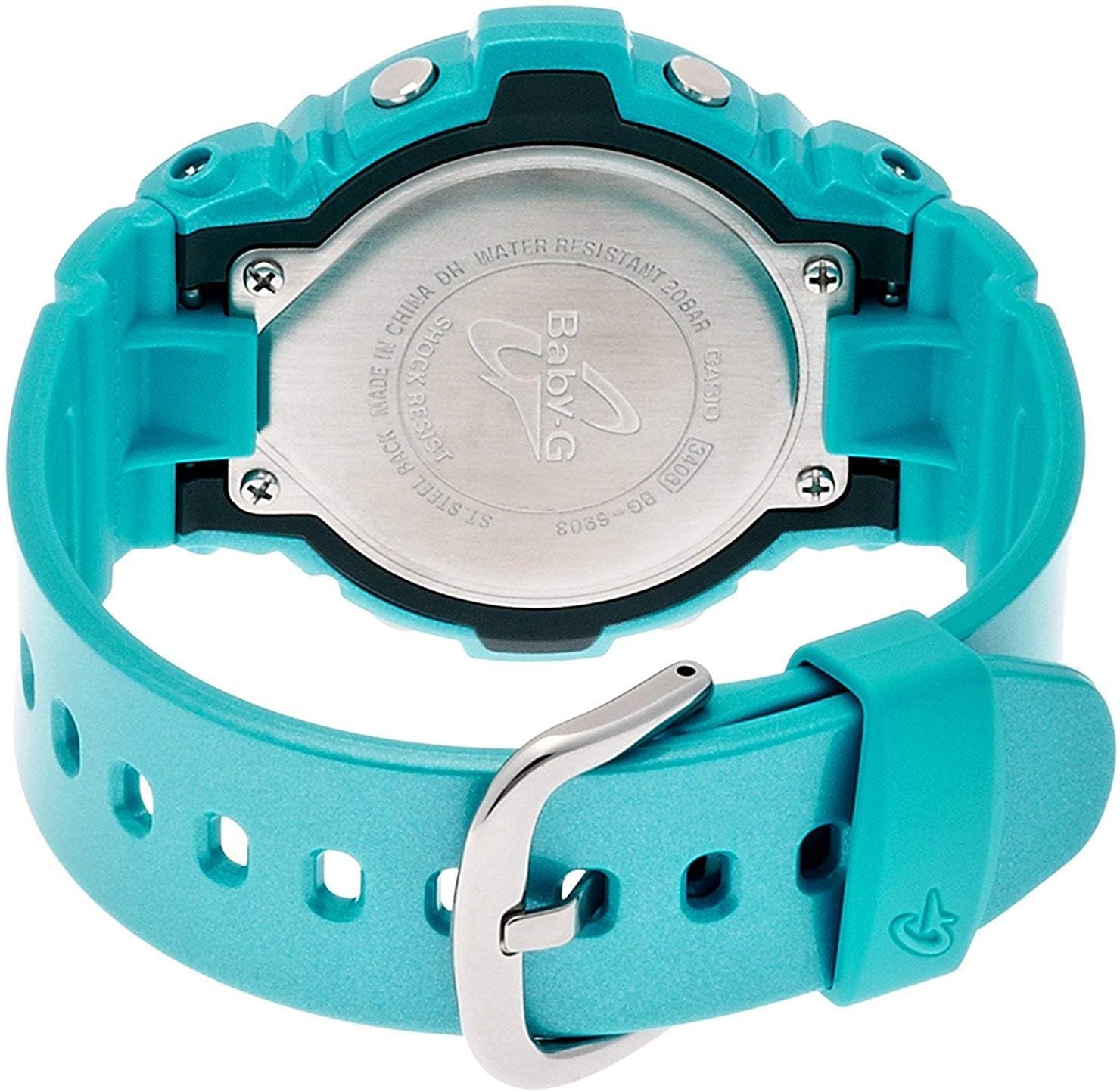
Your Casio Baby-G BG-6903-2ER watch is water resistant to 200 meters (20 bar). This means it is suitable for swimming, showering, and snorkeling. However, avoid operating buttons while the watch is submerged in water or wet, as this can compromise the water resistance. Do not expose the watch to hot water or steam, as this can also affect the seals.

Aworan 4.1: Ẹyin view of the Casio Baby-G BG-6903-2ER watch, showing the stainless steel case back with "WATER RESISTANT 20BAR" and "SHOCK RESIST" engravings.
4.3 Batiri Rirọpo
The watch is powered by a product-specific battery. When the display becomes dim or functions become erratic, it may be time for a battery replacement. It is recommended to have the battery replaced by an authorized Casio service center to ensure proper sealing and maintain water resistance.
5. Laasigbotitusita
5.1 Wọpọ Oran ati Solusan
- Blank Display or Dim Digits: The battery may be low. Consider battery replacement.
- Àkókò/Ọjọ́ tí kò tọ́: Re-adjust the time and date settings as described in Section 2.2. Ensure the correct city code and DST setting are selected.
- Awọn bọtini Ko Dahun: Ensure the watch is not in a locked mode (if applicable, though this model typically does not have a button lock). If the issue persists, a battery issue or internal malfunction may be present.
- Condensation Inside Display: If condensation appears and does not clear within a short period, the watch's water resistance may be compromised. Avoid further water exposure and seek professional inspection immediately.
For issues not covered here, please contact Casio customer support.
6. Awọn pato
| Brand | Casio |
| Nọmba awoṣe | BG-6903-2ER |
| Ifihan Iru | Oni-nọmba |
| Gbigbe | Kuotisi |
| Ohun elo ọran | Resini |
| Ohun elo okun | Resini |
| Case Opin | 45 millimeters |
| Ọran Sisanra | 14 millimeters |
| Iwọn Iwọn | 18 millimeters |
| Iwọn Nkan | 47 giramu |
| Omi Resistance Ijinle | 200 Meters (20 Bar) |
| Batiri | 1 Batiri ọja kan pato (pẹlu) |
| Afikun Awọn ẹya ara ẹrọ | Shock Resistant, Stopwatch, Timer, Alarm, World Time, Backlight |
7. Atilẹyin ọja
This Casio watch is covered by a manufacturer's warranty. The specific terms and duration of the warranty may vary by region. Please refer to the warranty card included with your purchase for detailed information regarding coverage, limitations, and how to make a claim. Keep your proof of purchase for warranty service.
8. Atilẹyin
For further assistance, technical support, or service inquiries regarding your Casio Baby-G BG-6903-2ER watch, please visit the official Casio website or contact their customer service department in your region. Contact information can typically be found on the Casio webaaye tabi ninu iwe ti a pese pẹlu aago rẹ.