
1. Ifihan
The Divoom Voombox Outdoor Speaker is a rugged, water-resistant portable audio device designed for outdoor use. It offers advanced audio performance and a long-lasting rechargeable battery, providing a full-range listening experience. This manual provides detailed instructions for setting up, operating, maintaining, and troubleshooting your Voombox Outdoor Speaker.

Figure 1: Divoom Voombox Outdoor Speaker, showcasing awọn oniwe-logan oniru.
2. Ohun ti o wa ninu Apoti
Jọwọ ṣayẹwo awọn akoonu package lati rii daju pe gbogbo awọn ohun kan wa:
- (1) Divoom Voombox Outdoor Speaker
- (1) Okun Ọwọ
- (1) Auxiliary Connection Cable
- (1) Micro-USB Charging Cable
3. Awọn ẹya Ọja
The Divoom Voombox Outdoor Speaker is equipped with several features for an enhanced audio experience:
- Booming Dual Speakers: Ó ń fúnni ní ìjáde ohùn tó lágbára àti tó ṣe kedere.
- Sisisẹsẹhin Alailowaya: Connects wirelessly via Bluetooth 4.0 from up to 10 meters away.
- Gbohungbohun ti a ṣe sinu: Enables hands-free calls and conference calls.
- Batiri pipẹ: Features a 3200 mAh rechargeable battery providing up to 12 hours of playback.
- Sturdy and Weather-Resistant Design: Built to withstand outdoor conditions with an IP44 rating.

olusin 2: Top view of the Voombox Outdoor Speaker, highlighting its control panel.

Figure 3: The Voombox Outdoor Speaker demonstrating its IP44 weather resistance against splashes.
4. Eto
4.1 Gbigba agbara si Agbọrọsọ
- Locate the Micro-USB charging port on the speaker.
- Connect the Micro-USB charging cable to the speaker and the other end to a USB power source (e.g., computer USB port, USB wall adapter).
- Ina ifihan agbara yoo tan imọlẹ. Gbigba agbara ni kikun maa n gba wakati mẹrin si marun.
- Nígbà tí a bá ti gba agbára tán pátápátá, ìmọ́lẹ̀ àmì náà yóò yípadà tàbí kí ó pa, ó sinmi lórí àwòṣe náà.

Figure 4: Visual representation of the Voombox Outdoor Speaker's 12-hour battery life.
5. Awọn ilana Iṣiṣẹ
5.1 Titan / Pa a
- To power on, press and hold the Power button until you hear an audible cue or see the indicator light.
- To power off, press and hold the Power button again until the device shuts down.
5.2 Sisopọ Bluetooth
- Ensure the speaker is powered on and within 10 meters of your Bluetooth device.
- The speaker will automatically enter pairing mode (indicated by a flashing LED).
- Lórí fóònù alágbèéká rẹ, tábìlẹ́ẹ̀tì tàbí ẹ̀rọ Bluetooth mìíràn, mu Bluetooth ṣiṣẹ́ kí o sì wá àwọn ẹ̀rọ tó wà.
- Select "Voombox Outdoor" from the list of devices.
- Ni kete ti a ba so pọ, agbọrọsọ yoo pese ijẹrisi ti o gbọ, ati pe Atọka LED yoo di mimọ.
- Agbọrọsọ yoo tun sopọ laifọwọyi si ẹrọ ti o so pọ to kẹhin nigbati o ba wa ni tan-an, ti ẹrọ naa ba wa laarin iwọn.
5.3 Audio Sisisẹsẹhin
- Ṣiṣẹ/Daduro: Tẹ bọtini Play/Sinmi.
- Iwọn didun Up: Tẹ bọtini "+".
- Iwọn didun isalẹ: Tẹ bọtini "-".
- Orin t’okan: Tẹ bọtini "+" mọlẹ.
- Tẹlẹ Orin: Tẹ bọtini "-" mọlẹ.
5.4 Ọwọ-Ọfẹ Npe
- Idahun Ipe: Press the Call button (often the Play/Pause button) when a call comes in.
- Ipe Ipari: Press the Call button again to end the call.
- Kọ Ipe: Tẹ bọtini Ipe ki o si dimu lati kọ ipe ti nwọle.
- Nọmba Ikẹhin Tun Tun: Tẹ bọtini Ipe lẹẹmeji.
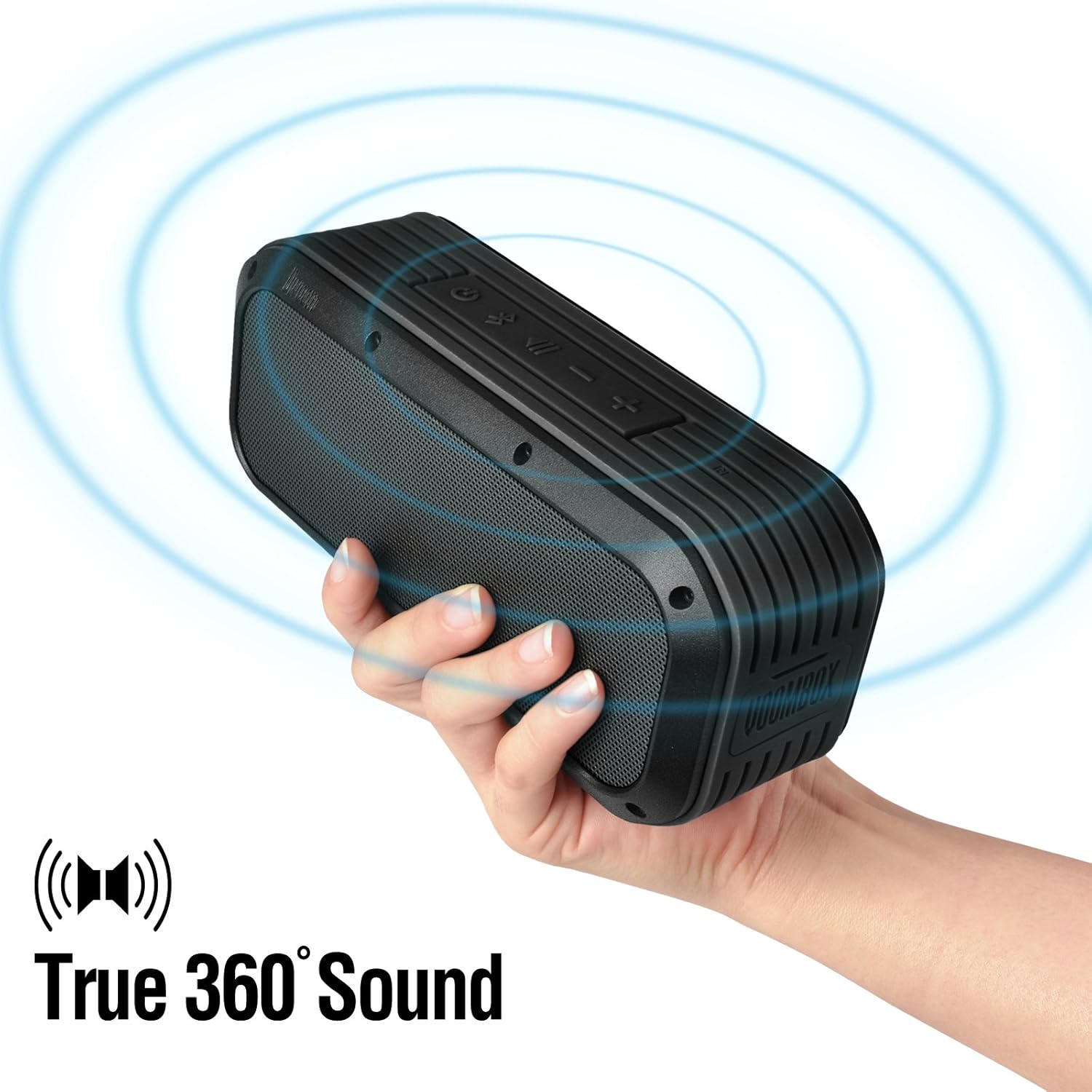
Figure 5: The Voombox Outdoor Speaker's ability to project 360-degree sound.
6. Itọju
Proper care will extend the life of your Divoom Voombox Outdoor Speaker:
- Ninu: Lo asọ, damp aṣọ láti nu ojú agbọ́rọ̀ náà. Má ṣe lo àwọn kẹ́míkà líle tàbí àwọn ohun ìfọmọ́ tí ó lè pa ara.
- Omi Resistance: While the speaker is weather-resistant (IP44), it is not designed for submersion. Ensure all port covers are securely closed before exposure to water splashes.
- Ibi ipamọ: Tọju agbohunsoke ni itura, aye gbigbẹ kuro lati orun taara ati awọn iwọn otutu to gaju.
- Itọju Batiri: Lati ṣetọju ilera batiri, yago fun gbigba agbara si batiri ni kikun nigbagbogbo. Gba agbara si agbọrọsọ nigbagbogbo, paapaa ti ko ba wa ni lilo fun awọn akoko gigun.
7. Laasigbotitusita
| Isoro | Owun to le Fa | Ojutu |
|---|---|---|
| Agbọrọsọ ko ni agbara lori. | Batiri ti dinku. | Gba agbara fun agbọrọsọ naa fun wakati 3-4. |
| Ko le so pọ pẹlu ẹrọ Bluetooth. | Agbọrọsọ ko si ni ipo sisopọ tabi jina ju. | Ensure speaker is on and within 10m. Turn Bluetooth off/on on your device. Forget previous pairings. |
| Ko si ohun tabi iwọn kekere. | Volume too low on speaker or source device. | Mu iwọn didun pọ si mejeeji agbọrọsọ ati ẹrọ ti o sopọ. |
| Iparun ohun. | Volume too high or weak Bluetooth signal. | Reduce volume. Move speaker closer to the source device. |
8. Awọn pato
| Ẹya ara ẹrọ | Ẹ̀kúnrẹ́rẹ́ |
|---|---|
| Awakọ Iwon | 2-inches x 2-inches |
| Agbara Ijade | 7.5 W x 2 (Total 15 Watts) |
| Agbọrọsọ Mefa | 165L x 52D x 70 H (mm) |
| Ifihan agbara si Noise Ratio | ≥75dB |
| Agbara Batiri | 3200 mAh |
| Batiri Voltage | 3.7 V |
| Igba agbara Batiri | 3 si 4 wakati |
| Alailowaya Ibiti | Ti o to awọn mita 10 |
| Ibamu Bluetooth | Bluetooth 4.0 |
| Bluetooth Profile Atilẹyin | A2DP stereo |
| Aago Ọrọ | Titi di wakati 12 |
| Ifamọ Gbohungbohun | -40db |
| Ọja Mefa | 18.49 x 5.99 x 7.8 cm |
| Iwọn Nkan | 698.53 g |
| Nọmba awoṣe | 17620 |

Figure 6: Internal components of the Voombox Outdoor Speaker, illustrating its robust construction.
9. Atilẹyin ọja ati Support
Divoom products are designed for durability and performance. For warranty information and technical support, please refer to the official Divoom webojula tabi kan si wọn onibara iṣẹ taara. Tọju iwe-ẹri rira rẹ bi ẹri rira fun awọn iṣeduro atilẹyin ọja.
Fun afikun atilẹyin tabi awọn ibeere, jọwọ ṣabẹwo si Divoom Official Webojula.