
1. Ifihan
This manual provides essential instructions for the installation, operation, maintenance, and troubleshooting of your Antec TruePower Classic TP-750C 750W 80 PLUS GOLD Certified Power Supply. Please read this manual thoroughly before installation and retain it for future reference. This power supply is designed to provide stable and efficient power to your personal computer system.
2. Alaye Aabo
- Rii daju pe ipese agbara ti ge asopọ lati inu iṣan agbara AC ṣaaju fifi sori ẹrọ tabi mimu.
- Maṣe ṣii ipese agbara casing. Iwọn gigatage components inside pose a risk of electric shock.
- Fi ipese agbara sii ni agbegbe ti afẹfẹ wa lati dena igbona pupọju.
- Lo awọn okùn tí a pese pẹlu ipese agbara nikan.
- Yẹra fún fífi agbára sí ọrinrin tàbí ooru tó le koko.
- This product is intended for use in personal computer systems only.
3. Package Awọn akoonu
Daju pe gbogbo awọn nkan wa ninu package ṣaaju ki o to tẹsiwaju pẹlu fifi sori ẹrọ.
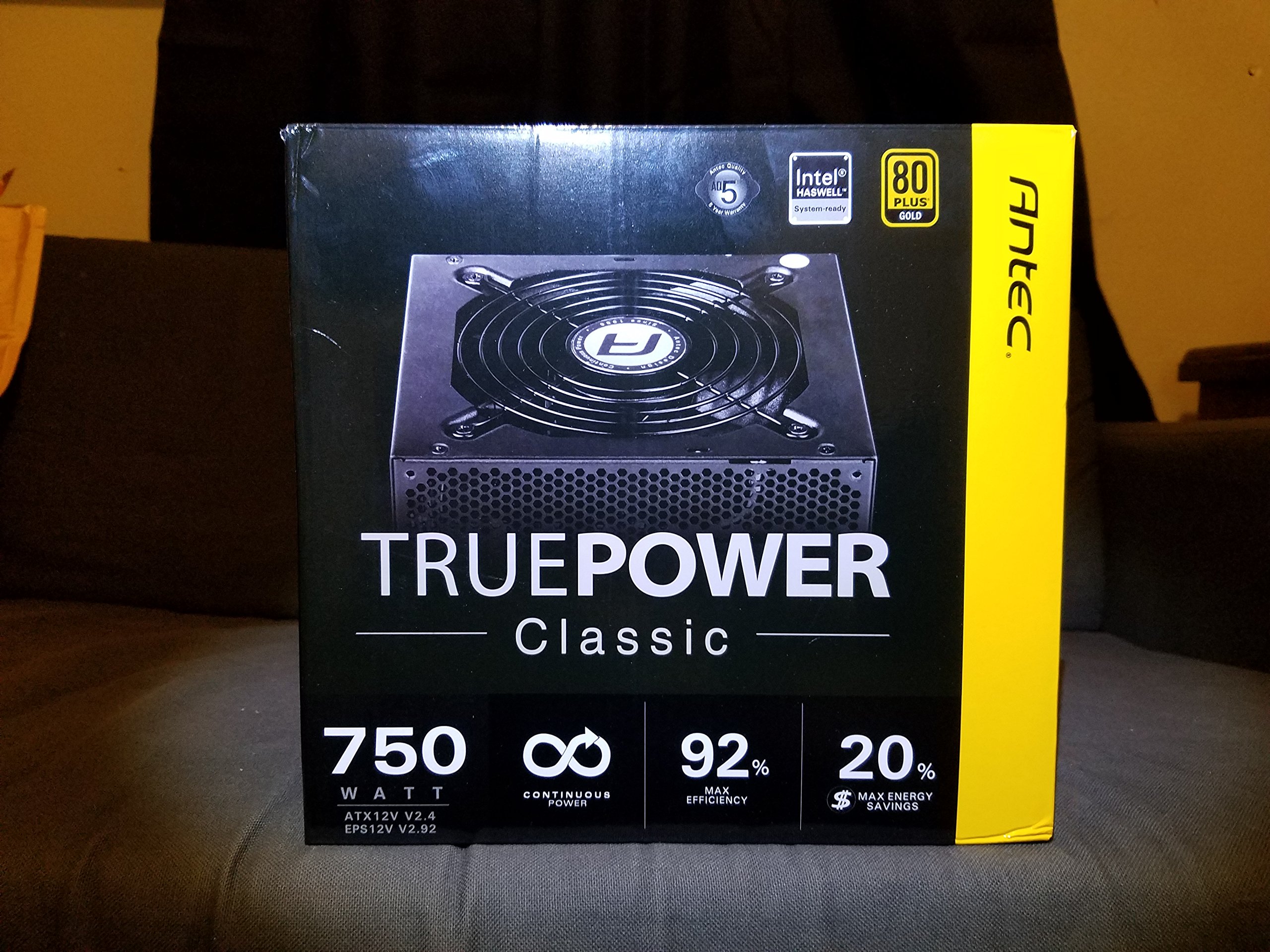
Image 1: Contents of the Antec TruePower Classic TP-750C package. The image displays the power supply unit, various power cables (including a main AC power cable), and user documentation neatly packed within a cardboard box.
- Antec TruePower Classic TP-750C Power Supply Unit
- Modular Cable Set (PCI-E, SATA, Molex, etc.)
- AC Agbara okun
- Iṣagbesori skru
- Ìwé Ìtọ́sọ́nà Olùlò / Ìwé Àkọsílẹ̀
4. Eto ati fifi sori
Follow these steps to properly install your power supply into your computer chassis.
- Ṣetan chassis naa: Ensure your computer chassis is powered off and disconnected from all power sources. Open the side panel of your computer case.
- Fi Ipese Agbara So: Carefully slide the Antec TP-750C power supply into the designated power supply bay in your chassis. Align the screw holes on the power supply with those on the chassis. Secure the power supply using the provided mounting screws.
- So Agbara Modabọdu pọ: Connect the 24-pin ATX main power connector from the power supply to the corresponding port on your motherboard. Ensure it clicks into place.
- So agbara Sipiyu pọ: Connect the 4+4-pin (or 8-pin) EPS12V CPU power connector to the CPU power socket on your motherboard.
- Connect Graphics Card Power (PCI-E): If your graphics card requires external power, connect the appropriate 6+2-pin PCI-E power cables from the power supply to your graphics card.
- Agbára Ayípo Sopọ̀ (SATA/Molex): Connect SATA power cables to your storage drives (SSDs, HDDs) and optical drives. Use Molex connectors for other peripherals as needed.
- Iṣakoso USB: Route cables neatly to improve airflow and aesthetics within your chassis.
- Awọn ayẹwo Ipari: Double-check all connections to ensure they are secure. Close the chassis side panel.
- Sopọ agbara AC: Connect the AC power cord to the power supply and then to a wall outlet or surge protector.
5. Awọn ilana Iṣiṣẹ
The Antec TP-750C power supply operates automatically once correctly installed and connected to an AC power source. It provides stable DC power to all connected components.
- Agbara Tan: After connecting the AC power cord, flip the power switch on the back of the power supply to the "ON" (I) position.
- Bata eto: Press the power button on your computer chassis to start your system.
- Agbara Pa: Shut down your computer through the operating system. For complete power disconnection, flip the power switch on the power supply to the "OFF" (O) position and unplug the AC power cord.
6. Itọju
Itọju to dara ṣe idaniloju gigun ati iṣẹ ti o dara julọ ti ipese agbara rẹ.
- Pipa eruku: Periodically clean dust from the power supply's fan and ventilation grilles using compressed air. Ensure the power supply is disconnected from AC power before cleaning.
- Afẹfẹ: Ensure adequate airflow around the power supply. Do not block the intake or exhaust vents.
- Iduroṣinṣin USB: Regularly check power cables for any signs of damage or fraying. Replace damaged cables immediately.
- Ayika Ṣiṣẹ: Ṣiṣẹ ipese agbara laarin iwọn otutu ati awọn iwọn otutu ti a ṣeduro.
7. Laasigbotitusita
If you encounter issues with your power supply, refer to the following common problems and solutions.
| Isoro | Owun to le Fa | Ojutu |
|---|---|---|
| System ko ni agbara lori. | AC power cord not connected, power switch off, loose internal connections, faulty components. |
|
| Eto naa n tan ṣugbọn o wa ni pipa lẹsẹkẹsẹ. | Overload, overheating, short circuit, faulty component. |
|
| Unusual noise from the power supply. | Fan obstruction, faulty fan bearing, coil whine. |
|
If troubleshooting steps do not resolve the issue, contact Antec customer support for further assistance.
8. Awọn pato
| Orukọ awoṣe | TruePower Classic TP-750C |
| Brand | Antec |
| Wattage | 750 Wattis |
| 80 PLUS Ijẹrisi | Wura |
| Fọọmù ifosiwewe | ATX |
| Asopọmọra Iru | ATX |
| Imuwọle ti o kere ju Voltage | 100 Volts |
| Awọn ẹrọ ibaramu | Kọmputa ti ara ẹni |
| Iwọn Nkan | 6.24 poun (2.83 kg) |
| Package Mefa | 9.7 x 9 x 5.5 inches (24.6 x 22.9 x 14 cm) |
| ASIN | B00JOFALL0 |
| UPC | 132018316306 |
9. Atilẹyin ọja ati Support
The Antec TruePower Classic TP-750C Power Supply comes with a 3-Odun olupese atilẹyin ọja. Atilẹyin ọja yi ni wiwa awọn abawọn ninu awọn ohun elo ati iṣẹ ṣiṣe labẹ lilo deede.
For technical support, warranty claims, or further inquiries, please visit the official Antec webojula tabi kan si wọn onibara iṣẹ Eka. Jeki ẹri rira rẹ fun ijẹrisi atilẹyin ọja.
Please note: Opening the power supply casing yoo sọ atilẹyin ọja di ofo.