
Ọrọ Iṣaaju
This instruction manual provides essential information for the proper use, programming, and maintenance of your KeylessOption 3-Button Key Fob Replacement. This product is designed to replace lost or damaged original key fobs for compatible Ford, Lincoln, Mazda, and Mercury vehicles, offering convenient remote access to your vehicle's locking system.
Ọja Pariview
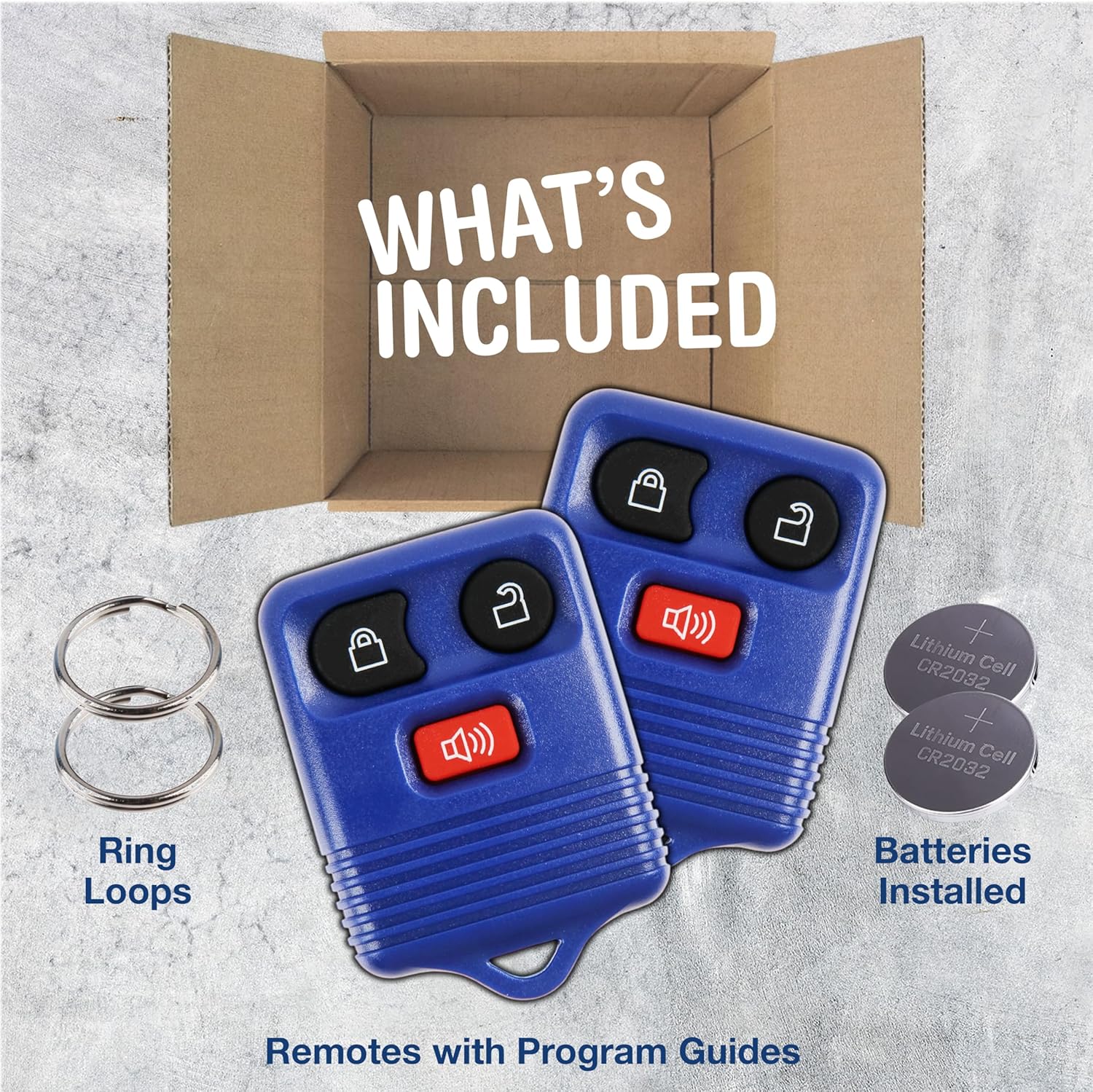
This image shows the typical contents of the KeylessOption key fob package: two complete key fob remotes, two metal key ring loops, and two CR2032 lithium cell batteries, which are installed.
The KeylessOption KPT1307 is a premium replacement key fob designed to match the specifications of original factory remotes. It features a durable construction and is equipped with three functional buttons for vehicle control. The package typically includes two key fob units, complete with pre-installed CR2032 batteries and key ring loops.
Ibamu Ọkọ
This key fob is compatible with specific Ford, Lincoln, Mazda, and Mercury vehicle models. To ensure compatibility, verify your vehicle's make, model, and year, and compare the FCC ID and OEM part numbers with those listed below. The FCC ID and part numbers can typically be found on the back of your original key fob.

This image shows the reverse side of a key fob, with an arrow pointing to an area labeled 'LOOK HERE' to indicate where to find the FCC ID and original equipment manufacturer (OEM) part numbers for compatibility verification.
Compatible FCC IDs:
- CWTWB1U345
- CWTWB1U331
- CWTWB1U212
- GQ43VT11T
Awọn Nọmba Apakan OEM ti o baamu:
- 8L3Z-15K601-AA
- 8L3T-15K601-AA
- F8DB-15K601-AA
- 2L3T-15K601-AA
- 2L3T-15K601-AB
Compatible Vehicle Models and Years:

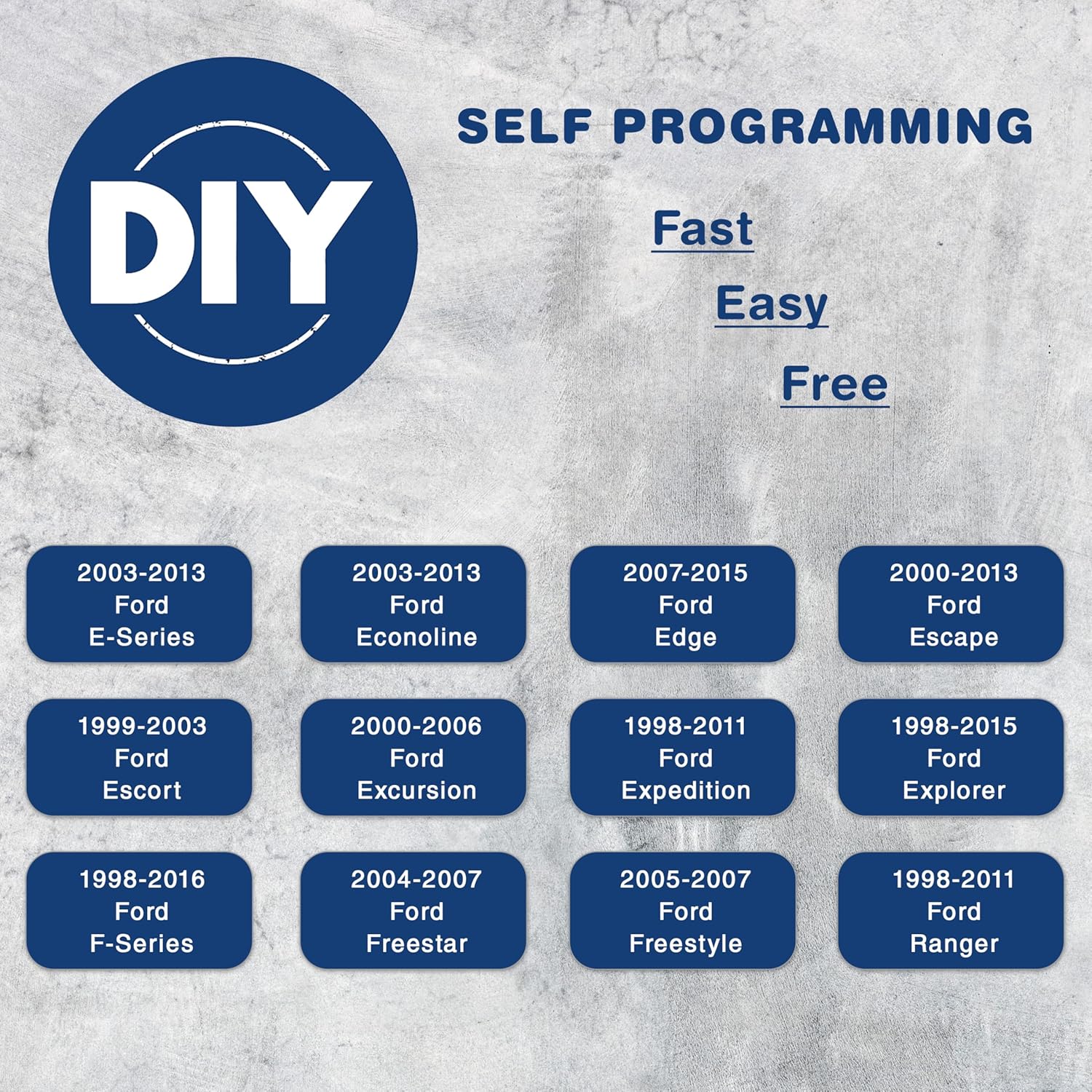
This image highlights the 'DIY Self Programming' feature, indicating it is fast, easy, and free. Below, it lists compatible Ford models and their respective year ranges, such as E-Series, Econoline, Edge, Escape, Escort, Excursion, Expedition, Explorer, F-Series, Freestar, and Ranger.

This image continues to illustrate the 'DIY Self Programming' feature. It lists additional compatible vehicle models and their year ranges, including Ford Windstar, Flex, Fusion, Taurus X, Lincoln Mark LT, Navigator, Mazda B-Series, Tribute, Mercury Mariner, Mountaineer, and Cougar.
- Ford: E-Series (2003-2013), Econoline (2003-2013), Edge (2007-2015), Escape (2000-2013), Escort (1999-2003), Excursion (2000-2006), Expedition (1998-2011), Explorer (1998-2015), F-Series (1998-2016), Freestar (2004-2007), Freestyle (2005-2007), Fusion (2006-2012), Ranger (1998-2011), Taurus X (2008-2009), Windstar (1998-2004), Flex (2009-2016)
- Lincoln: Mark LT (2006-2008), Navigator (1998-2002)
- Mazda: B-Series (1999-2009), Tribute (2001-2011)
- Makiuri: Cougar (2000-2002), Mariner (2005-2011), Monterey (2004-2007), Mountaineer (1998-2010)
Awọn ẹya ara ẹrọ
Aworan yii pese alaye kan view of the KeylessOption 3-button key fob, clearly labeling the 'Lock', 'Unlock', and 'Panic' buttons for easy identification of their functions.
The KeylessOption replacement remote features three distinct buttons for convenient vehicle access and security:
- Bọtini Titiipa: Tẹ lati ti gbogbo ilẹkun ọkọ ayọkẹlẹ.
- Ṣii Bọtini: Tẹ lati ṣii gbogbo ilẹkun ọkọ ayọkẹlẹ.
- Bọtini ijaaya: Press and hold to activate the vehicle's alarm system, providing an audible and visual alert in emergency situations.
Setup: Self-Programming Instructions
This key fob is designed for self-programming, allowing you to pair it with your vehicle without professional assistance. Refer to the specific programming guide included with your KeylessOption product for the most accurate and detailed steps for your vehicle. General programming procedures for compatible Ford, Lincoln, Mazda, and Mercury vehicles often involve the following steps:
- Gather All Keys: Collect all existing working key fobs and the new KeylessOption key fob(s) you wish to program.
- Tẹ Ipo Eto: Insert your ignition key into the ignition and turn it to the ON position (without starting the engine) and then quickly to the OFF position multiple times within a few seconds. The exact number of cycles varies by vehicle model (e.g., 8 times for many Ford models).
- Confirm Programming Mode: The vehicle's door locks should cycle (lock and unlock) to indicate that it has entered programming mode.
- Program Each Fob: Within a specified time (e.g., 20 seconds) after the locks cycle, press any button on each key fob you wish to program (including existing ones). The door locks should cycle again after each successful programming.
- Jade Ipo siseto: Turn the ignition key to the OFF position or remove it from the ignition. The door locks should cycle one final time to confirm exit from programming mode.
Akiyesi: If your vehicle does not enter programming mode or the fobs do not program successfully, consult your vehicle's owner's manual or contact KeylessOption customer support for model-specific instructions.
Awọn ilana Iṣiṣẹ
Once programmed, your KeylessOption key fob operates similarly to your original remote. Ensure you are within range of your vehicle for optimal performance.
- Àwọn Ìlẹ̀kùn Títìpa: Tẹ awọn Titiipa button once to lock all vehicle doors.
- Ṣíṣí ilẹ̀kùn: Tẹ awọn Ṣii silẹ button once to unlock the driver's door. Press it a second time within a few seconds to unlock all other doors. (Behavior may vary by vehicle settings).
- Activating Panic Alarm: Tẹ mọlẹ Ẹ̀rù button for approximately 2-3 seconds to activate the vehicle's alarm. Press any button again to deactivate the alarm.
Itoju
Batiri Rirọpo
The key fob is powered by a CR2032 lithium coin cell battery. If the remote's range decreases significantly or it stops responding, the battery may need replacement.

This image displays a key fob alongside a CR2032 lithium coin cell battery, clearly indicating the correct battery type for replacement.
- Open the Fob Casing: Carefully pry open the key fob casing using a small flat-head screwdriver or a coin at the designated notch.
- Yọ Batiri atijọ kuro: Note the orientation of the old CR2032 battery (typically positive side up) and gently remove it.
- Fi Batiri Tuntun sii: Insert a new CR2032 battery with the positive (+) side facing the same direction as the old one.
- Close the Fob Casing: Ṣe àtúnṣe àwọn ìdajì méjì ti casing kí o sì tẹ̀ wọ́n pọ̀ dáadáa títí tí wọ́n fi dì.
After battery replacement, the key fob should not require re-programming, but it is recommended to test its functionality.
Laasigbotitusita
| Isoro | Owun to le Fa | Ojutu |
|---|---|---|
| Fob does not work after programming. | Incorrect programming steps, dead battery, incompatible fob. | Review programming instructions carefully and re-attempt. Check battery. Verify compatibility with your vehicle. |
| Dinku ibiti o ṣiṣẹ. | Weak battery, environmental interference. | Replace the CR2032 battery. Avoid areas with strong radio interference. |
| Button is sticking or unresponsive. | Debris under button, manufacturing defect. | Carefully open the fob and clean around the button. If issue persists, contact customer support. |
| Vehicle does not enter programming mode. | Incorrect ignition cycle sequence, vehicle specific requirements. | Ensure the ignition key cycling is performed quickly and accurately. Consult your vehicle's owner's manual for exact steps. |
Awọn pato
- Nọmba awoṣe: KPT1307
- Brand: KeylessAṣayan
- Awọn iwọn ọja: 5.08 x 1.91 x 10.16 cm (2 x 0.75 x 4 inches)
- Ìwọ̀n Nkan: 18.14 g (0.04 iwon)
- Àwọ̀: Buluu
- Button Quantity: 3 (Titiipa, Ṣíṣí, Ìpayà)
- Imọ-ẹrọ Asopọmọra: Igbohunsafẹfẹ Redio
- Iru Batiri: CR2032 Litiumu owo Cell
- Ẹya Pataki: Self-Programming
- Maximum Number of Supported Devices: 1 (per programming session, refers to the number of fobs that can be programmed to a single vehicle at once, not the number of vehicles one fob can control)
Atilẹyin ọja ati Support
This KeylessOption product comes with a 90-ọjọ atilẹyin ọja from the date of purchase, covering manufacturing defects. If you experience any issues or require assistance, please contact KeylessOption customer support. Ensure you have your purchase details and product model number (KPT1307) available when contacting support.
For further assistance or to report a defect, please refer to the contact information provided with your product packaging or visit the official KeylessOption webojula.