
Alaye Aabo pataki
Please read these instructions carefully before using the shredder. Keep this manual for future reference.
- Pa awọn ọmọde ati awọn ohun ọsin kuro lati shredder.
- Jeki aṣọ alaimuṣinṣin, awọn ohun-ọṣọ, irun, ati awọn nkan ajeji miiran kuro ni ṣiṣi shredder.
- Ma ṣe fi ika tabi ọwọ sii sinu ṣiṣi shredder.
- Yọọ shredder kuro nigbati ko si ni lilo tabi ṣaaju ṣiṣe mimọ.
- Do not shred metal objects, large paper clips, or hard plastic (except credit cards as specified).
- Do not use aerosol products, petroleum-based lubricants, or other flammable products on or near the shredder.
- Ma ṣe ṣiṣẹ shredder ti okun agbara ba bajẹ.
- The shredder is equipped with overheat protection. If it overheats, it will automatically shut off. Allow it to cool down before resuming operation.
Package Awọn akoonu
Rii daju pe gbogbo awọn nkan wa:
- Amazon Basics AS665C Paper Shredder Unit
- Egbin Bin
- Ilana Afowoyi (iwe yii)
Ṣeto
- Yọ Shredder kuro: Ni ifarabalẹ yọ gbogbo awọn paati kuro ninu apoti.
-
Position the Waste Bin: Place the shredder head securely on top of the provided waste bin. Ensure it is properly seated.
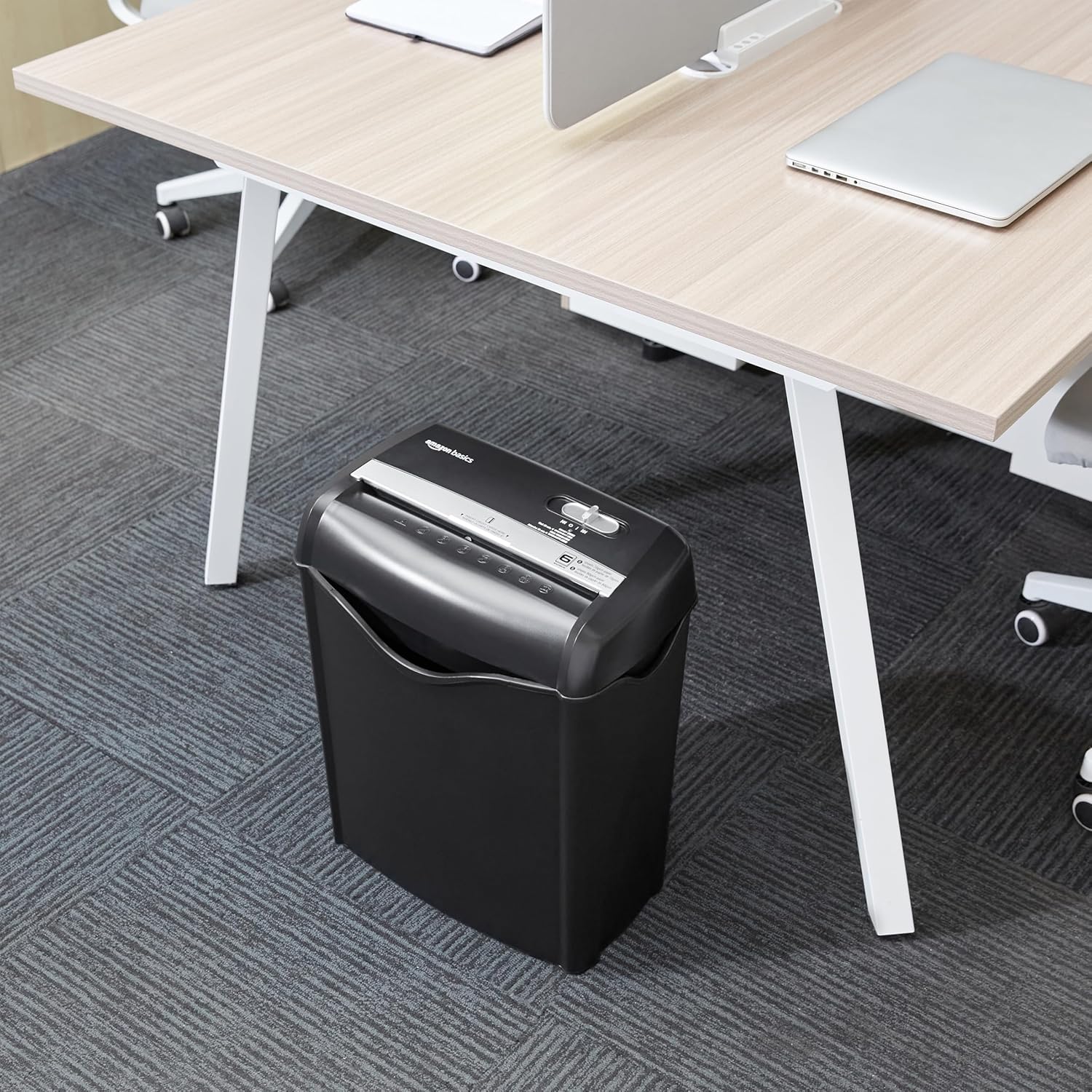
Image: The Amazon Basics AS665C Paper Shredder positioned under a desk, demonstrating its compact size and ease of placement in an office or home environment.
- So agbara: Pulọọgi okun agbara sinu kan boṣewa itanna iṣan.
Awọn ilana Iṣiṣẹ
Iṣakoso Yipada
The shredder features a slide switch with three positions:
- AUTO (I): Aṣọ ìfọ́ náà yóò bẹ̀rẹ̀ láìfọwọ́kan nígbà tí a bá fi ìwé sí i, yóò sì dáwọ́ dúró nígbà tí a bá parí fífọ́ rẹ̀.
- PA (O): Awọn shredder ti wa ni pipa.
- REV (<<): Activates the reverse function to clear paper jams.

Aworan: A alaye view of the shredder's control switch, showing the "AUTO", "OFF", and "REV" settings, along with the "READY" (green) and "OVERHEAT" (red) indicator lights.
Awọn iwe aṣẹ Shredding
- Yan Ipo: Ṣeto awọn iṣakoso yipada si awọn AUTO (I) position. The "READY" indicator light (green) will illuminate.
-
Fi Iwe sii: Insert up to 6 sheets of 70gsm paper (or 5 sheets of 80gsm paper) straight into the paper entry slot. The shredder will automatically start and stop.
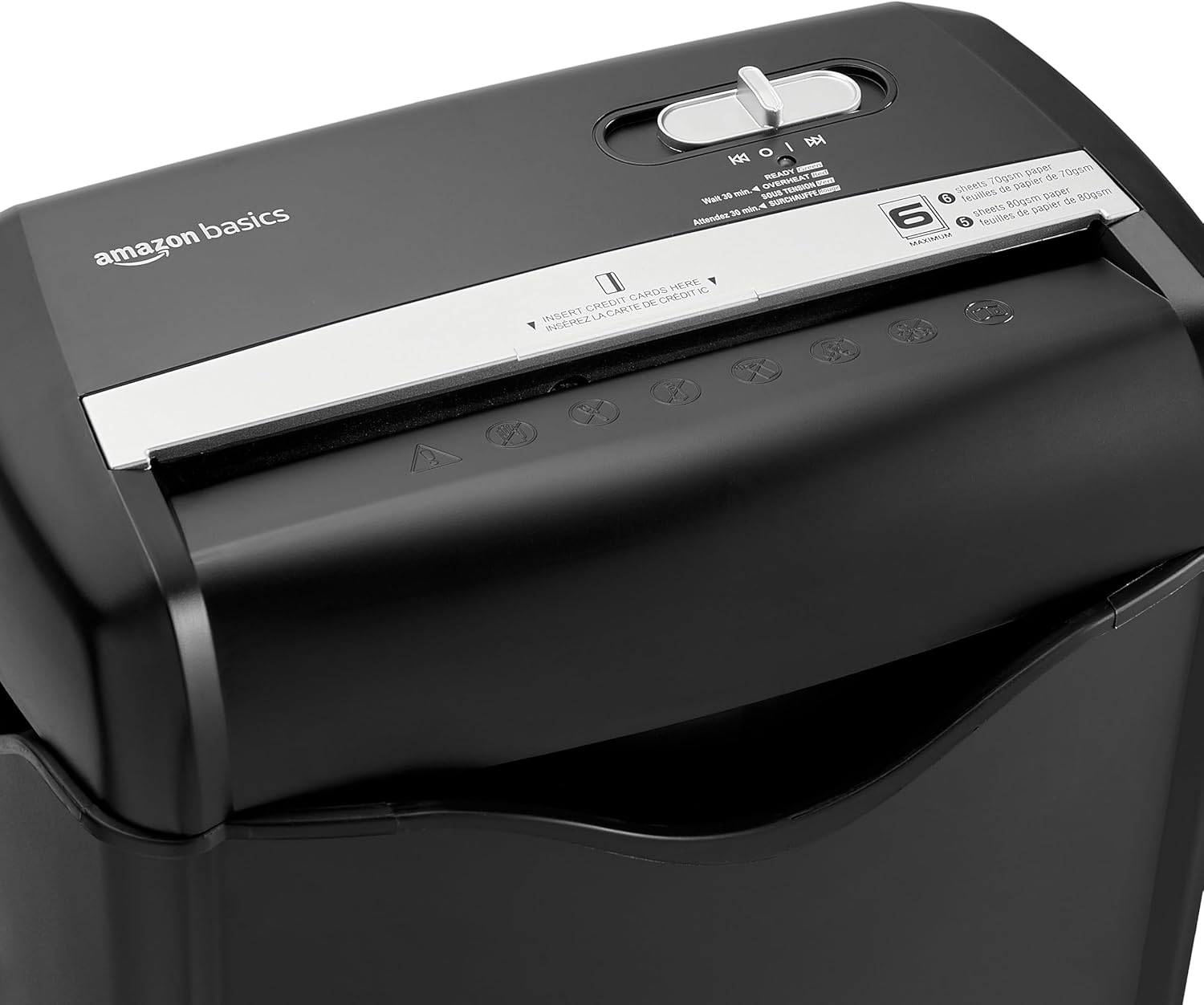
Aworan: Oke view of the shredder, highlighting the paper entry slot, the control switch, and the "MAXIMUM" sheet capacity label.

Image: A close-up of the shredder's label indicating the maximum sheet capacity: 6 sheets of 70gsm paper or 5 sheets of 80gsm paper.
-
Awọn kaadi Kirẹditi gige: Insert one credit card at a time into the dedicated credit card slot.

Aworan: A sunmọ-soke view of the shredder's dedicated slot for inserting credit cards, clearly labeled "INSERT CREDIT CARDS HERE".
- Idaabobo igbona ju: The shredder will automatically shut off if it runs continuously for too long or if the motor overheats. The "OVERHEAT" indicator light (red) will illuminate. Allow the shredder to cool down for approximately 30 minutes before resuming operation.

Image: A pile of cross-cut shredded paper, demonstrating the small particle size for enhanced security. A quarter coin is placed next to it for scale.
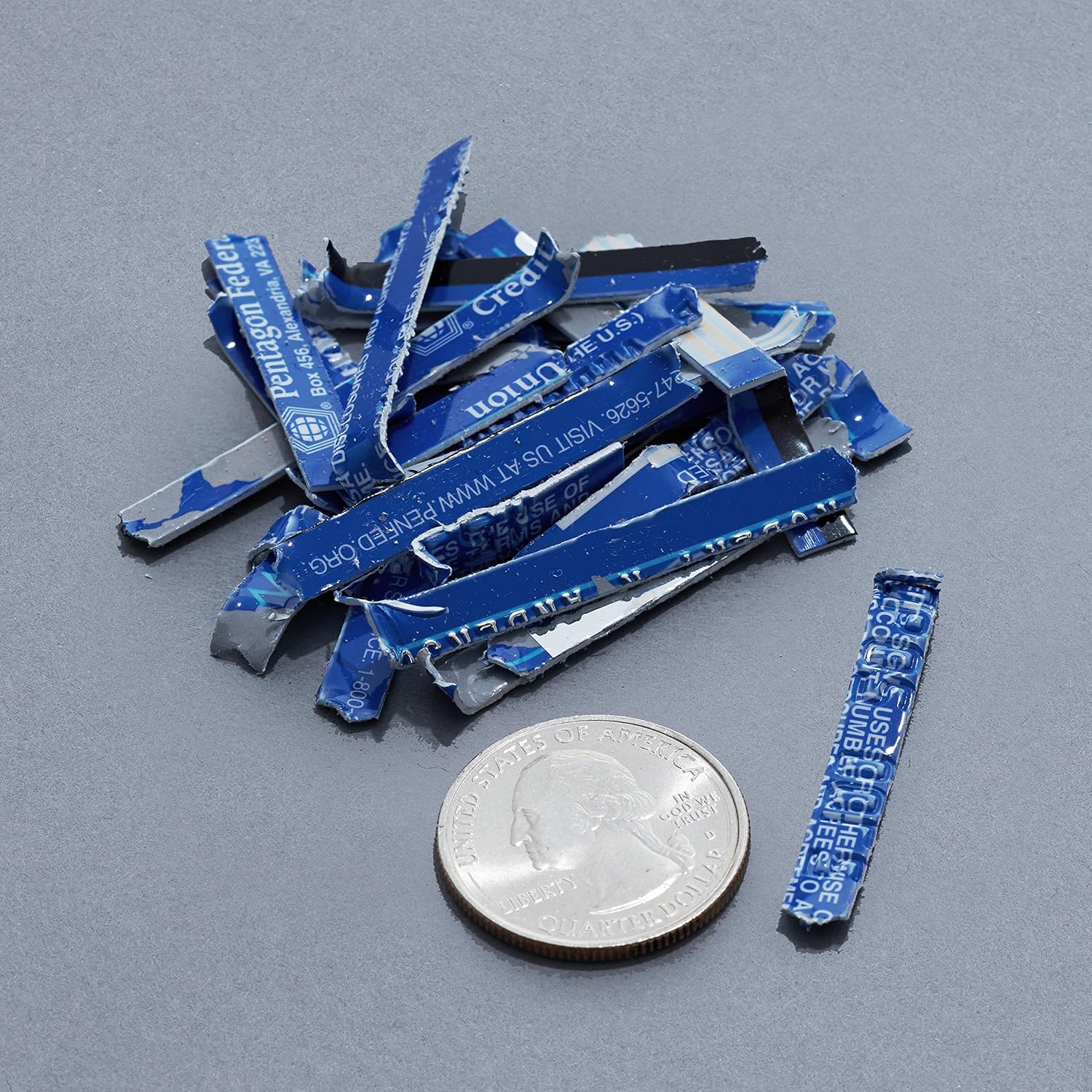
Image: A collection of shredded credit card pieces, illustrating the secure destruction of plastic cards. A quarter coin is included for size reference.
Itoju
Ṣofo awọn Egbin Bin
Regularly empty the waste bin to prevent paper jams and ensure optimal performance. Unplug the shredder before removing the head to empty the bin.
Ninu
- Yọọ shredder ṣaaju ki o to sọ di mimọ.
- Wipe the exterior of the shredder with a soft, dry cloth.
- Ma ṣe lo abrasive ose tabi epo.
- For optimal performance, periodically oil the shredder blades with shredder oil sheets or liquid shredder oil. Follow the oil product's instructions.
Laasigbotitusita
| Isoro | Owun to le Fa | Ojutu |
|---|---|---|
| Shredder ko bẹrẹ. |
|
|
| Jam iwe. |
|
|
| Shredder duro lakoko iṣẹ. |
|
|
Awọn pato
| Ẹya ara ẹrọ | Ẹ̀kúnrẹ́rẹ́ |
|---|---|
| Brand | Amazon Awọn ipilẹ |
| Nọmba awoṣe | AS665C (Manufacturer Model: AS662C-EU) |
| Shred Iru | Agbelebu-ge |
| Agbara dì | 6 sheets (70gsm paper) / 5 sheets (80gsm paper) |
| Awọn shred | Iwe, Awọn kaadi kirẹditi |
| Orisun agbara | Okun Itanna |
| Pataki Awọn ẹya ara ẹrọ | Portable, Overheat Protection, Manual Reverse |
| Awọn iwọn Ọja (L x W x H) | 30.7 x 19.6 x 38.1 cm (12.1 x 7.7 x 15 inches) |
| Iwọn Ọja | 3.72 kg (8.2 lbs) |
| Ohun elo | Ṣiṣu ati Irin |
Atilẹyin ọja ati Support
For warranty information and customer support, please refer to the Amazon Basics webojula tabi kan si Amazon onibara iṣẹ taara. Tọju iwe-ẹri rira rẹ fun awọn ẹtọ atilẹyin ọja.