
1. Ifihan
This manual provides instructions for the proper setup, operation, and maintenance of your Amazon Basics Large Portable Bluetooth Speaker (Model BTV3_2). Please read this manual thoroughly before using the product to ensure optimal performance and safety.
2. Alaye Aabo
- Ma ṣe fi agbọrọsọ si omi tabi ọrinrin ti o pọ ju.
- Yago fun gbigbe agbọrọsọ nitosi awọn orisun ooru tabi ni imọlẹ orun taara.
- Má ṣe gbìyànjú láti tú tàbí yí agbọ́hùnsọ náà padà. Èyí yóò sọ àtìlẹ́yìn náà di òfo.
- Use only the provided AC power adapter for charging.
- Jeki agbọrọsọ kuro lọdọ awọn ọmọde.
3. Package Awọn akoonu
Jẹrisi pe gbogbo awọn ohun kan wa ninu package:
- Amazon Basics Large Portable Bluetooth Speaker
- Adaparọ Agbara AC

Apejuwe: This image shows the Amazon Basics Large Portable Bluetooth Speaker securely placed within its brown cardboard packaging, indicating how the product is received.
4. Ọja Ipariview
4.1. Iwaju View

Apejuwe: This image displays the front of the Amazon Basics Large Portable Bluetooth Speaker, featuring a black mesh grille that covers the speaker drivers.
4.2. Top Panel idari

Apejuwe: This image shows the top panel of the speaker with four circular buttons and a small LED indicator. From left to right, the buttons are: Volume Down (-), Play/Pause, Volume Up (+), and Bluetooth Pairing/Call Answer. Below the buttons, a small Bluetooth logo and an LED indicator are visible.
- - (Volume Down): Din iwọn didun ohun silẹ.
- Ṣiṣẹ/Daduro: Ṣiṣẹ tabi daduro ṣiṣiṣẹsẹhin ohun.
- + (Volume Up): Ṣe alekun iwọn didun ohun.
- Bluetooth/Call: Initiates Bluetooth pairing mode or answers/ends phone calls.
- Atọka LED: Displays power and Bluetooth status.
4.3. Side Panel Ports

Apejuwe: This image shows the right side panel of the speaker, featuring a power switch, a DC input port for charging, and an AUX input port for wired audio connections.
- ON/PA Yipada: Ó ń tan tàbí pa agbọ́hùnsọ̀.
- DC NI Port: Connects to the AC power adapter for charging.
- Ibudo AUX: Connects to audio devices using a 3.5mm stereo cable (not included).
5. Eto
5.1. Gbigba agbara Agbọrọsọ
- Connect the provided AC power adapter to the DC IN port on the side of the speaker.
- Pulọọgi ohun ti nmu badọgba agbara AC sinu iṣan ogiri kan.
- The LED indicator will illuminate to show charging status. A full charge provides up to 8 hours of playback.
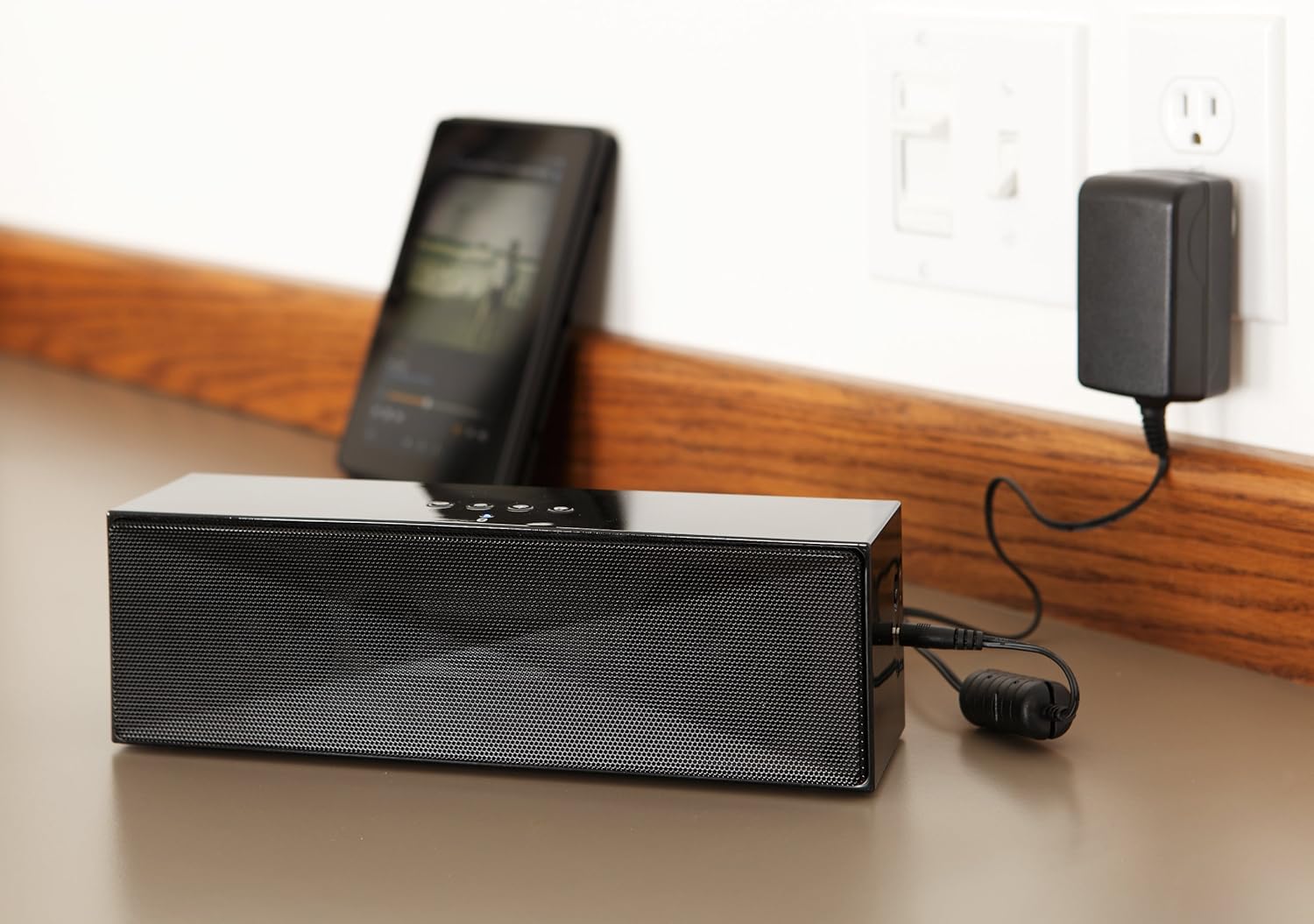
Apejuwe: This image shows the speaker placed on a surface, with its AC power adapter plugged into a wall outlet, illustrating the charging process.
5.2. Agbara lori / Paa
Slide the ON/OFF switch located on the side panel to the "ON" position to power on the speaker. Slide it to the "OFF" position to power off.
6. Awọn ilana Iṣiṣẹ
6.1. Sisopọ Bluetooth
- Ensure the speaker is powered on. The LED indicator will flash, indicating it is in pairing mode.
- Lori ẹrọ Bluetooth ti o ṣiṣẹ (foonuiyara, tabulẹti, kọǹpútà alágbèéká), mu Bluetooth ṣiṣẹ ki o wa awọn ẹrọ to wa.
- Select "Amazon Basics BTV3_2" from the list of devices.
- Once paired, the LED indicator on the speaker will glow solid blue.
- The speaker can connect to devices up to 30 feet (10 meters) away.

Apejuwe: This image shows the speaker positioned next to a tablet displaying a music playback interface, demonstrating a typical Bluetooth connection scenario.
6.2. Connecting via AUX Cable
- Connect one end of a 3.5mm stereo audio cable (not included) to the AUX port on the speaker.
- So ìpẹ̀kun kejì okùn náà mọ́ ibi tí ohùn ti ń jáde nínú ẹ̀rọ rẹ.
- Agbọrọsọ yoo yipada laifọwọyi si ipo titẹ sii AUX.
6.3. Ọwọ-Ọfẹ Npe
The speaker features a built-in microphone for hands-free calls when connected via Bluetooth.
- Ndahun ipe kan: Press the Bluetooth/Call button once.
- Pari ipe kan: Press the Bluetooth/Call button once during a call.
- Kiko Ipe kan: Press and hold the Bluetooth/Call button.
7. Itọju
- Fi aṣọ rírọrùn tó gbẹ nu agbọ́rọ̀sọ náà. Má ṣe lo àwọn ohun ìfọṣọ omi tàbí aerosol.
- Tọju agbohunsoke ni itura, ibi gbigbẹ nigbati o ko ba lo fun awọn akoko gigun.
- Yẹra fún fífi ohùn sílẹ̀ tàbí kí o fi agbára mú un.
8. Laasigbotitusita
| Isoro | Owun to le Fa | Ojutu |
|---|---|---|
| Agbọrọsọ ko ni agbara lori. | Batiri ti dinku. | Connect the speaker to the AC power adapter and charge it. |
| Ko le so pọ nipasẹ Bluetooth. | Speaker is not in pairing mode; device Bluetooth is off; device is out of range. | Ensure speaker LED is flashing; enable Bluetooth on your device; move device closer to the speaker (within 30 feet/10 meters). |
| Ko si ohun tabi iwọn kekere. | Volume on speaker or connected device is too low; incorrect input source. | Increase volume on both the speaker and your connected device. Ensure correct connection (Bluetooth or AUX). |
| Speaker turns off automatically when using AUX. | Automatic power-off feature activated due to prolonged silence. | This model may have an automatic power-off feature after a period of inactivity or silence, even when connected via AUX. To resume playback, power the speaker off and then on again using the side switch. |
| Iparun ohun. | Volume too high; weak battery; interference. | Reduce volume; charge the speaker; move away from other electronic devices. |
9. Awọn pato
| Ẹya ara ẹrọ | Ẹ̀kúnrẹ́rẹ́ |
|---|---|
| Nọmba awoṣe | BTV3_2 |
| Awọn iwọn (L x W x H) | 10.2 x 2.9 x 3.1 inches (25.9 x 7.4 x 7.9 cm) |
| Iwọn | 1.61 poun (0.73 kg) |
| Ijade Agbọrọsọ | 2 x 5W (lapapọ 10W) |
| Asopọmọra | Bluetooth, 3.5mm AUX |
| Bluetooth Ibiti | Titi de 30 ẹsẹ (10 mita) |
| Igbesi aye batiri | Titi di wakati 8 |
| Agbara Batiri | 8000 mAh |
| Gbohungbohun ti a ṣe sinu | Bẹẹni |
| Orisun agbara | Battery Powered, AC Adapter |
| Ohun elo | Ṣiṣu |

Apejuwe: This image provides a visual representation of the speaker's dimensions, showing its length (10.2"), width (2.9"), and height (3.1").
10. Atilẹyin ọja ati Support
Fun alaye atilẹyin ọja ati atilẹyin alabara, jọwọ tọka si iwe ti o wa pẹlu rira rẹ tabi ṣabẹwo si Awọn ipilẹ Amazon osise webojula. Jeki ẹri rira rẹ fun awọn iṣeduro atilẹyin ọja.
Atilẹyin Ayelujara: Amazon Ipilẹ itaja