
1. Ifihan
This manual provides essential information for the safe and effective use of your Kungfuking Pop Up Outlet Socket. Please read these instructions thoroughly before installation and operation, and retain them for future reference.
The Kungfuking Pop Up Outlet Socket is designed to provide convenient power access on tabletops, helping to maintain a clean and efficient workspace or living area. Its retractable design allows it to be hidden when not in use, reducing clutter.
2. Ọja Ipariview
The Pop Up Outlet Socket features multiple power and charging ports in a compact, retractable design. It is suitable for various environments including kitchens, offices, conference rooms, and RVs.
Awọn ẹya pataki:
- 3 US Standard AC Outlets: Provides power for various appliances.
- 2 Awọn ibudo gbigba agbara USB-A: For charging mobile devices.
- Apẹrẹ Aṣeyọri: Easily extends for use and retracts for storage.
- Oludaabobo Iṣẹ abẹ ti a ṣe sinu: Offers protection for connected electronics.
- Ikole ti o tọ: Features a superior metal housing and ABS+PC flame-resistant material.
- Idaabobo Ilẹ: Imudara ailewu ẹya-ara.


3. Alaye Aabo
Jọwọ ṣe akiyesi awọn iṣọra ailewu wọnyi lati yago fun ipalara tabi ibajẹ ọja naa:
- Do not exceed the maximum power rating of 15A / 125V.
- Rii daju pe ilẹ ti o yẹ nigba fifi sori ẹrọ.
- Ma ṣe tuka tabi yi ẹyọ naa pada.
- Jeki kuro lati omi ati ọrinrin pupọ.
- Ọja yii jẹ ipinnu fun lilo inu ile nikan.
- Ensure the installation surface is stable and can support the unit.
- Pa awọn ọmọde mọ kuro ninu ẹrọ naa lakoko iṣẹ-ṣiṣe.
4. Package Awọn akoonu
Jẹrisi pe gbogbo awọn ohun kan wa ninu package:
- 1 x Kungfuking Pop Up Outlet Socket
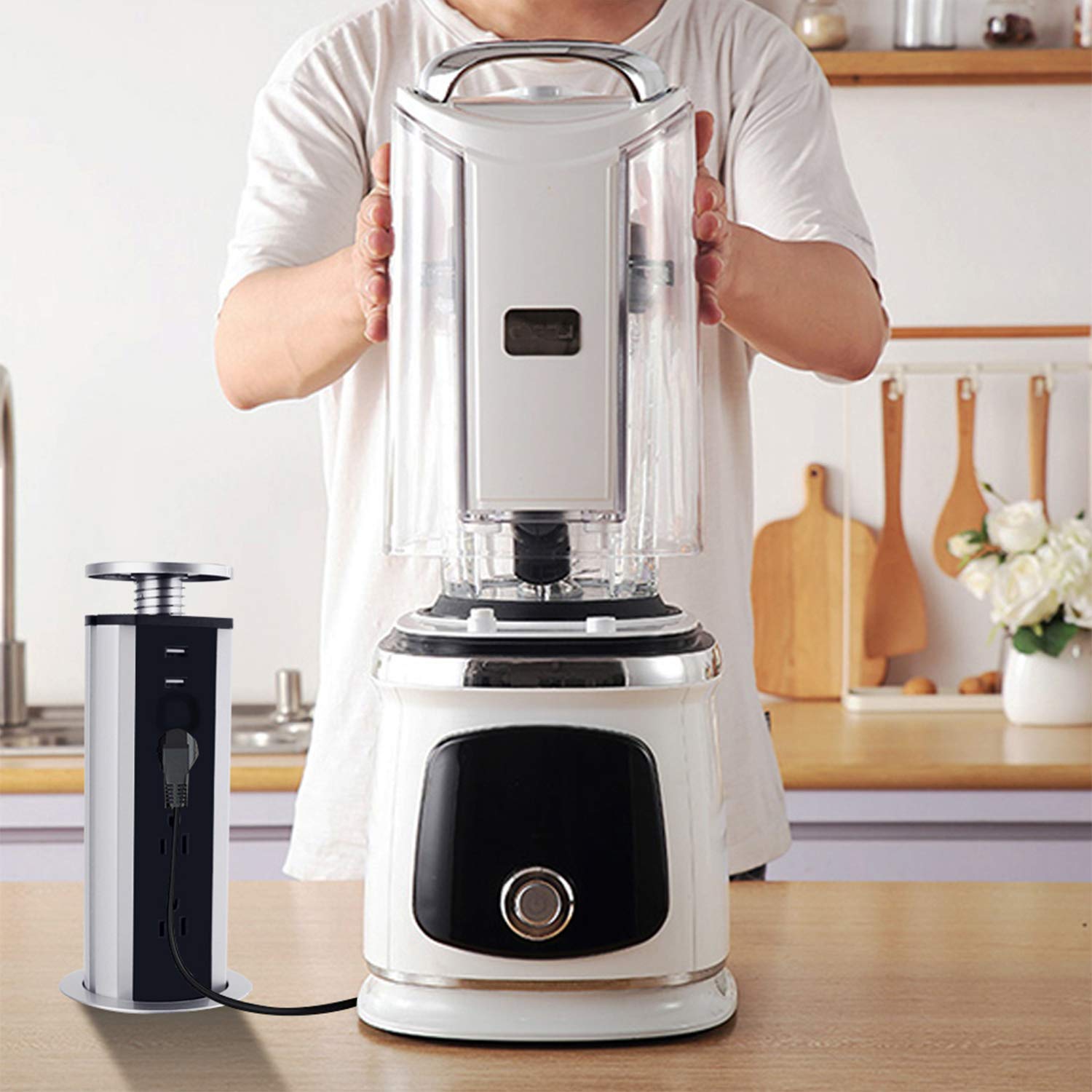
5. Fifi sori (Eto)
Follow these steps to install your Pop Up Outlet Socket:
- Ṣetan Ilẹ: Ensure the installation surface (e.g., countertop, desk) is clean and clear. Verify there is at least 11.4 inches of clear space underneath the table for the unit to retract fully.
- Mark the Cutout: Use the provided ring lock as a template to mark the exact location for the hole. The required hole size is approximately 3.15 inches (80mm) in diameter.
- Ge Iho: Carefully cut a 3.15 inch (80mm) diameter hole in the marked location.
- Fi Ẹka sii: Place the pop-up outlet vertically into the cut hole.
- Ṣe aabo Ẹka naa: From underneath the surface, tighten the locking ring along the thread until the unit is securely fastened.

6. Awọn ilana Iṣiṣẹ
Extending the Outlet:
To extend the outlet, gently press down on the top cap. The unit will pop up, revealing the AC outlets and USB ports.
Retracting the Outlet:
To retract the outlet, push down on the top cap until it locks into its recessed position, flush with the surface.
Lilo awọn ibudo:
- Plug your devices into the 3 US standard AC outlets.
- Connect your USB-compatible devices to the 2 USB-A ports for charging.

7. Itọju
- Ninu: Wipe the exterior with a soft, dry cloth. Do not use abrasive cleaners or solvents. Ensure the unit is unplugged before cleaning.
- Ayewo: Periodically check the power cord and the unit for any signs of damage. If damage is found, discontinue use and contact support.
- Itọju Ẹrọ: Keep the pop-up mechanism free from debris to ensure smooth operation.
8. Laasigbotitusita
| Isoro | Owun to le Fa | Ojutu |
|---|---|---|
| Ko si agbara lati awọn ibudo/awọn ibudo USB | Unit not plugged in; circuit breaker tripped; internal fault. | Ensure the unit's power cord is securely plugged into a live wall outlet. Check your home's circuit breaker. If the issue persists, contact support. |
| Unit does not pop up/retract smoothly | Obstruction in mechanism; debris in the hole; improper installation. | Check for any obstructions around or within the mechanism. Ensure the installation hole is clear. Verify the locking ring is not overtightened or misaligned. |
| Devices not charging via USB | USB cable faulty; device not compatible; device requires more power than available. | Try a different USB cable or device. Ensure the device's power requirements are within the USB port's specifications (5V/2.1A). |
9. Awọn pato
- Brand: Kungfuking
- Nọmba awoṣe: Socket agbara
- ASIN: B010EY1O88
- Awọn iṣan AC: 3 US Standard
- Awọn ibudo USB: 2 x USB-A (5V/2.1A)
- Ijade agbara: 15A / 125V / 1875W
- Gigun USB: 6 Feet (16AWG)
- Awọn iwọn ọja: 13.7 x 4.8 x 4.3 inches (Tí a fẹ̀ sí i)
- Ìwúwo: 1.55 iwon
- Required Hole Size: 3.15 inches ± 0.1 inches (80mm ± 0.3cm)
- Àwọ̀: Dudu
- Olupese: Kungfuking
- Ọjọ akọkọ ti o wa: Oṣu Kẹfa Ọjọ 26, Ọdun 2015

10. Atilẹyin ọja ati Support
For warranty information or technical support, please refer to the product packaging or contact Kungfuking customer service directly. Contact details are typically available on the manufacturer's official webojula tabi nipasẹ rẹ ra Syeed.
Please have your product model number (Power Socket) and ASIN (B010EY1O88) ready when contacting support.