
Ọrọ Iṣaaju
This manual provides instructions for the safe and efficient use of your TRIPP LITE PV200CUSB 200W Car Power Inverter. This device converts 12V DC power from your vehicle into standard 120V AC power and includes USB charging ports, designed for convenience and portability.
Ọja Awọn ẹya ara ẹrọ
- Converts 12V DC to 120V AC power, providing 200 watts continuous and 400 watts peak power.
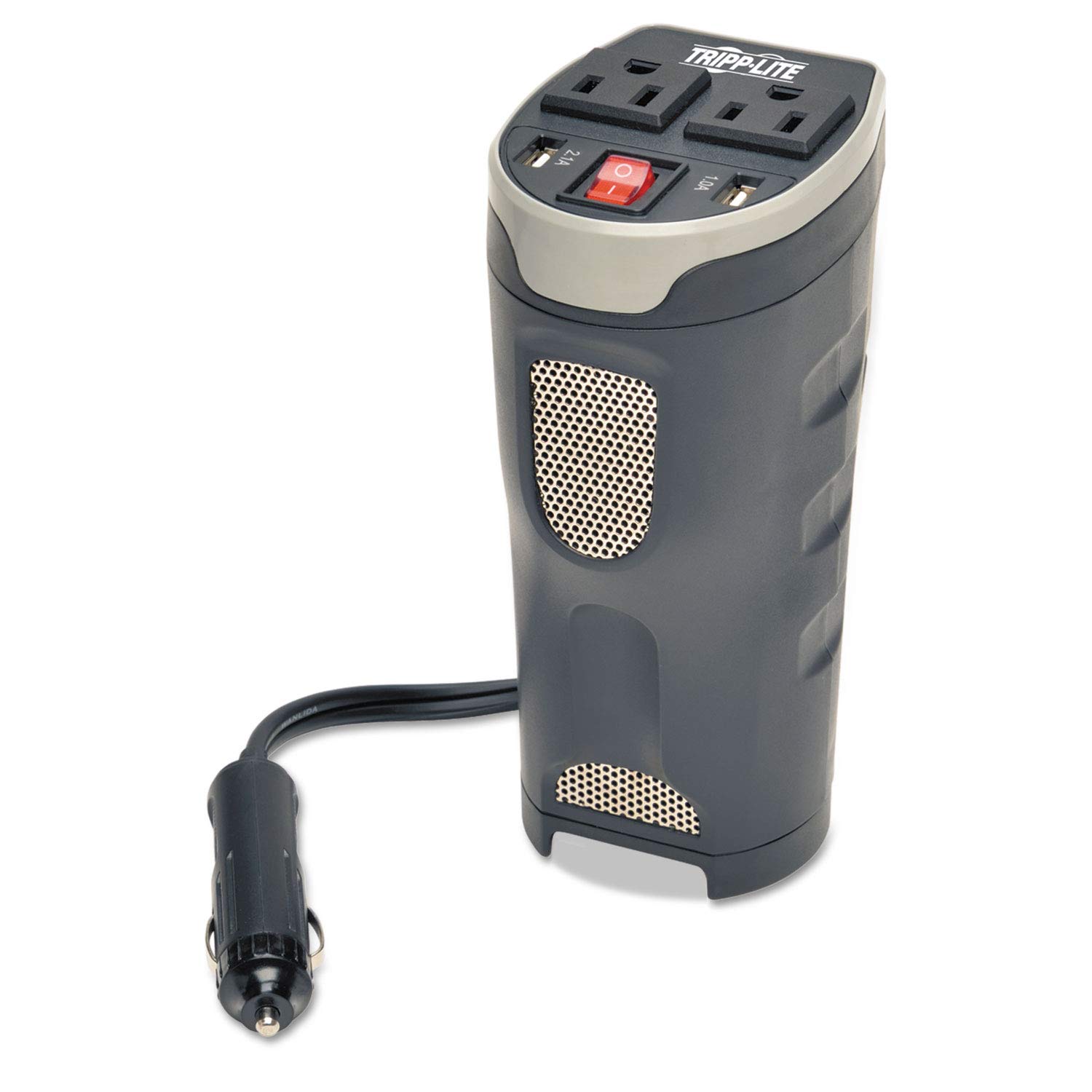
- Equipped with two standard AC outlets and two USB charging ports (2.1A and 1.0A).
- Designed to fit securely into a vehicle's cup holder for stability during travel.
- Plugs directly into any 12V cigarette lighter socket.
- Features built-in safety mechanisms including a 20 amp fuse, protection against overheating, under/over voltage, short circuits, overloads, and overcharging.
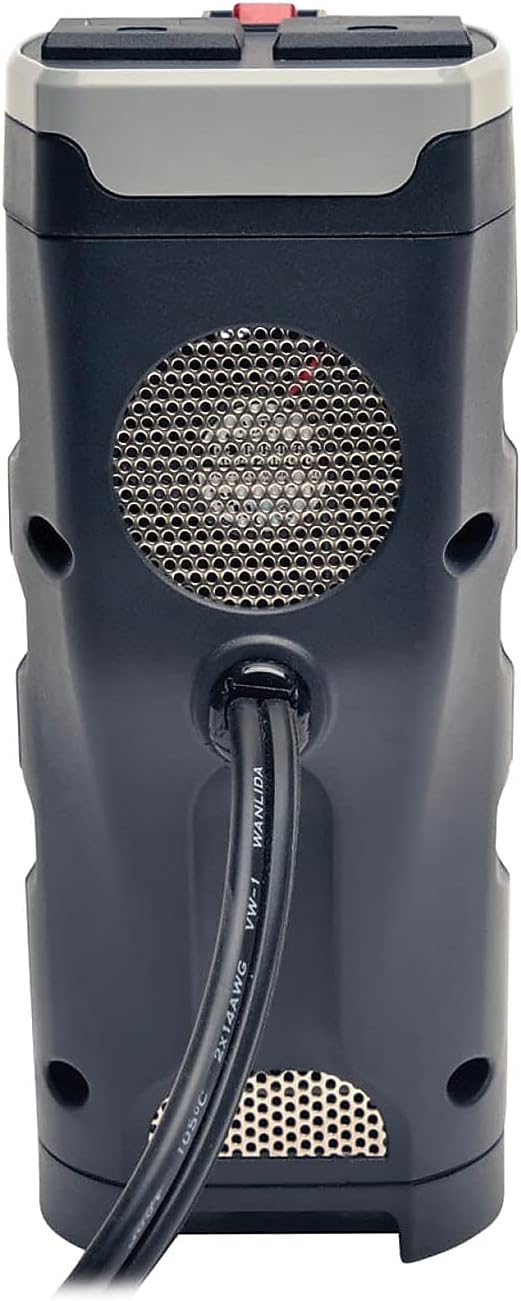
- Durable housing and integrated cooling fan for heat reduction and longevity.
Package Awọn akoonu
- TRIPP LITE PV200CUSB 200W Car Power Inverter
- Owner's Manual (This document)
Awọn ilana iṣeto
- Igbesẹ 1: Gbe
Place the inverter securely into an available cup holder in your vehicle. Ensure it is stable and will not tip over during driving. - Igbesẹ 2: Sopọ si Orisun Agbara
Insert the inverter's DC input plug (with the attached 3-foot cord) firmly into your vehicle's 12V cigarette lighter socket. - Igbesẹ 3: Tan-an
Press the on/off switch located on the inverter. An illuminated switch indicates the inverter is receiving power. - Igbesẹ 4: So awọn ẹrọ pọ
Plug your AC-powered devices into the two standard AC outlets or your USB-powered devices into the 2.1A or 1.0A USB ports.

Awọn ilana Iṣiṣẹ
The PV200CUSB inverter is designed for ease of use. Once connected and powered on, you can use its outlets and ports to power and charge your electronic devices.
AC iletslets
The inverter provides two 120V AC outlets. These are suitable for devices requiring up to 200 watts of continuous power, such as laptops, portable DVD players, and small lights.
Awọn ibudo gbigba agbara USB
Two USB ports are available: one 2.1A port for faster charging of tablets and smartphones, and one 1.0A port for standard charging.
Atọka agbara
The illuminated on/off switch serves as a power indicator. If the light is off, the inverter is either switched off or not receiving power.

Itoju
The TRIPP LITE PV200CUSB inverter requires minimal maintenance.
- Ninu: Periodically wipe the exterior with a dry cloth to remove dust. Ensure the ventilation openings are clear of obstructions.
- Afẹfẹ: The built-in ventilation fan helps keep the interior cool during extended use. Do not block the fan or air vents.
- Ibi ipamọ: When not in use, store the inverter in a cool, dry place away from direct sunlight and extreme temperatures.

Laasigbotitusita
| Isoro | Owun to le Fa | Ojutu |
|---|---|---|
| Inverter ko ni agbara lori | Ko edidi ni deede | Ensure the DC input plug is fully inserted into the 12V socket. |
| Inverter ko ni agbara lori | Vehicle's 12V socket is not active | Check if the vehicle's ignition needs to be on for the 12V socket to function. |
| Inverter shuts down during use | Apọju | The connected devices exceed the inverter's 200W continuous power rating. Reduce the load by unplugging some devices. |
| Inverter shuts down during use | Gbigbona pupọ | Ensure ventilation fan and vents are not blocked. Allow the unit to cool down. |
| Inverter shuts down during use | Kekere ti nše ọkọ batiri voltage | The inverter automatically shuts off if the input voltage falls to 10V to prevent draining your car battery. Start your vehicle to recharge the battery. |
| Inverter shuts down during use | Ayika kukuru | Disconnect all devices and the inverter from the 12V socket. Check for any damaged cables or devices. |
Awọn pato
| Ẹya ara ẹrọ | Ẹ̀kúnrẹ́rẹ́ |
|---|---|
| Brand | TRIPP LITE |
| Nọmba awoṣe | PV200CUSB |
| Iṣagbewọle Voltage | 12 Volts DC |
| O wujade Voltage | 120 folti AC |
| Lemọlemọfún wu Power | 200 Wattis |
| Peak o wu Power | 400 Wattis |
| Nọmba ti AC iÿë | 2 |
| Awọn ibudo gbigba agbara USB | 1 x 2.1A, 1 x 1.0A |
| Electrical Output Waveform | Wave Sine Sure |
| Igbohunsafẹfẹ | 60 Hz |
| Awọn Iwọn Nkan (L x W x H) | 5"L x 3.2"W x 7.3"H |
| Iwọn Nkan | 14.05 iwon |
| Aabo Awọn ẹya ara ẹrọ | Overheating, under/over voltage, short circuit, overload, overcharging protection, 20 amp dapọ. |
Atilẹyin ọja ati Support
This TRIPP LITE PV200CUSB Car Power Inverter comes with a 1-year limited warranty.
For technical support or warranty inquiries, please contact TRIPP LITE customer service. Free Chicago-Based Technical Support is available.
For more information, visit the official TRIPP LITE webojula.