
Ọrọ Iṣaaju
Thank you for choosing the Altec Lansing iMW475 Mini Life Jacket Bluetooth Speaker. This speaker is designed for portability and durability, featuring a rugged, compact, waterproof, dustproof, and shockproof design. It also floats, making it ideal for outdoor and water-related activities. This manual provides essential information for setting up, operating, and maintaining your speaker.
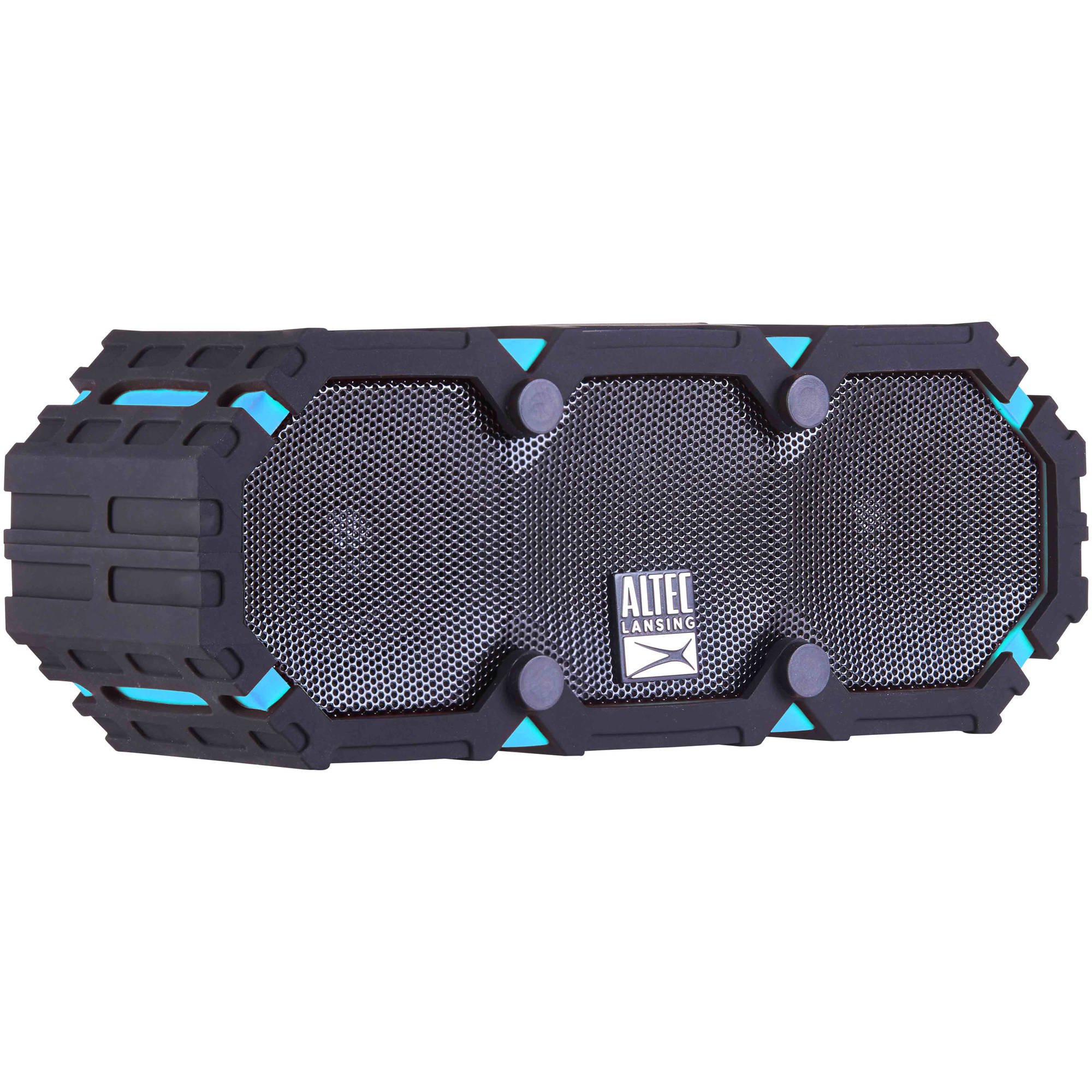
Image: The Altec Lansing iMW475 Mini Life Jacket Bluetooth Speaker, showcasing its compact, rugged design in black and blue.
Package Awọn akoonu
- Altec Lansing iMW475 Mini Life Jacket Bluetooth Speaker
- Oke Atẹgun
- Okun gbigba agbara USB (Note: Specific cable type not detailed in product data, typically Micro-USB or USB-C)
- Auxiliary Cable (Note: Not explicitly listed but common for such speakers)
- Itọsọna Ibẹrẹ kiakia (Not explicitly listed but common)
Jọwọ rii daju pe gbogbo awọn ohun kan wa ṣaaju ki o to tẹsiwaju pẹlu iṣeto.
Awọn iṣakoso ati Awọn Atọka
The speaker features intuitive controls for power, volume, and Bluetooth pairing. Specific button layouts may vary slightly, but common functions include:
- Bọtini agbara: Tẹ mọlẹ lati tan tabi paa agbohunsoke.
- Iwọn didun Soke/Bọtini orin atẹle: Press to increase volume. Hold to skip to the next track.
- Iwọn didun isalẹ/Bọtini orin ti iṣaaju: Press to decrease volume. Hold to go to the previous track.
- Ṣiṣẹ/Duro/Bọtini ipe: Press to play or pause audio. Press to answer or end a phone call. Hold to activate voice assistant (if supported by your device).
- Bọtini Pipọpọ Bluetooth: Tẹ mọlẹ lati tẹ ipo sisopọ Bluetooth sii.
- Atọka LED: Displays power status, charging status, and Bluetooth connection status.
Refer to the quick start guide included with your product for a detailed diagram of button placement.
Ṣeto
1. Gbigba agbara Agbọrọsọ
Before first use, fully charge your Altec Lansing iMW475 speaker. A full charge provides approximately 10 hours of battery life.
- Locate the charging port, usually protected by a waterproof flap.
- So okun gbigba agbara USB ti a pese si ibudo gbigba agbara ti agbọrọsọ.
- So opin okun USB pọ si ohun ti nmu badọgba agbara USB (kii ṣe pẹlu) tabi ibudo USB ti kọnputa kan.
- The LED indicator will show the charging status (e.g., solid red while charging, off or green when fully charged).
- Once fully charged, disconnect the cable and ensure the waterproof flap is securely closed.
2. Sisopọ Bluetooth
Láti so agbọ́hùnsọ rẹ pọ̀ mọ́ ẹ̀rọ tí ó ní Bluetooth:
- Ensure the speaker is charged and turned off.
- Tẹ mọlẹ bọtini Agbara lati tan agbohunsoke. Atọka LED yoo filasi, nfihan pe o wa ni ipo sisopọ.
- On your mobile device (smartphone, tablet, laptop), go to the Bluetooth settings.
- Wa fun available devices. You should see "iMW475" or a similar name in the list.
- Select "iMW475" to connect. The LED indicator will turn solid when successfully paired.
- A voice prompt may confirm "You are now connected."
- Once paired, the speaker will automatically connect to the last paired device when turned on, if the device is within range (up to 30 feet or 9.14 meters).
Awọn ilana Iṣiṣẹ
Ti ndun Audio
- After successful Bluetooth pairing, open your preferred music application on your connected device.
- Start playing audio. The sound will be routed through your Altec Lansing iMW475 speaker.
- Use the Volume Up/Down buttons on the speaker or your connected device to adjust the audio level.
- Tẹ bọtini Play/Sinmi lati sinmi tabi bẹrẹ ṣiṣiṣẹsẹhin pada.
- Hold the Volume Up/Down buttons to skip tracks forward or backward.
Ọwọ-Free Ipe
The speaker features an onboard microphone for hands-free communication.
- When a call comes in, the music will pause, and you will hear a ringtone through the speaker.
- Press the Play/Pause/Call button once to answer the incoming call.
- Speak clearly into the speaker's microphone.
- To end the call, press the Play/Pause/Call button once again.
- To reject an incoming call, press and hold the Play/Pause/Call button.
Lilo Input Iranlọwọ
For devices without Bluetooth, you can connect via the auxiliary input.
- Locate the auxiliary input port, usually protected by a waterproof flap.
- Connect one end of a 3.5mm auxiliary cable (not included) to the speaker's AUX port.
- So opin miiran pọ si ori agbekọri ti ẹrọ ohun rẹ.
- The speaker will automatically switch to AUX mode, or you may need to press the Mode button (if available).
- Ṣàkóso ìṣiṣẹ́ àti ìró ohùn láti inú ẹ̀rọ ohùn tí o so pọ̀.
Itoju
- Ninu: Nu agbọrọsọ nu pẹlu asọ, damp asọ. Ma ṣe lo abrasive ose tabi epo.
- Itọju Ailokun: Ensure all port covers are securely closed before exposing the speaker to water to maintain its waterproof integrity. After exposure to saltwater or chlorinated water, rinse the speaker with fresh water and allow it to air dry completely.
- Ibi ipamọ: Tọju agbohunsoke ni itura, aye gbigbẹ kuro lati orun taara ati awọn iwọn otutu to gaju.
- Itọju Batiri: Lati pẹ aye batiri, yago fun gbigba agbara si batiri ni kikun nigbagbogbo. Gba agbara si agbọrọsọ nigbagbogbo, paapaa ti ko ba wa ni lilo fun awọn akoko gigun.
Laasigbotitusita
| Isoro | Ojutu |
|---|---|
| Agbọrọsọ ko ni tan. | Rí i dájú pé batiri náà ti gba agbára. So agbọrọsọ náà mọ́ orísun agbára nípa lílo okùn gbigba agbara USB. |
| Ko si ohun lati agbọrọsọ. |
|
| Asopọ Bluetooth kuna. |
|
| Poor audio quality or distortion. |
|
Awọn pato
- Orukọ awoṣe: iMW475 Mini Life Jacket
- Irú Agbọrọsọ: Ita gbangba
- Awọn ẹya pataki: Waterproof, Dustproof, Shockproof, Floats
- Asopọmọra: Bluetooth
- Ibiti Bluetooth: Titi de 30 ẹsẹ (9.14 mita)
- Igbesi aye batiri: Titi di wakati 10
- Orisun Agbara: Battery and AC (via USB charging)
- Ipo Ijade Ohun: Sitẹrio
- Agbara Ijade ti o pọju Agbọrọsọ: 10 Wattis
- Ọna Iṣakoso: Ohùn, Àwọn Bọ́tìnì
- Awọn eroja to wa: Oke Atẹgun
- Awọn iwọn ọja: 7 x 3 x 4.5 inches
- Ìwọ̀n Nkan: iwon 1 (ounje 16)
- Ipele Resistance Omi: Mabomire
- UPC: 021331205841
Atilẹyin ọja ati Support
Altec Lansing products are designed for reliability and performance. For specific warranty information regarding your iMW475 Mini Life Jacket Bluetooth Speaker, please refer to the warranty card included with your purchase or visit the official Altec Lansing webojula.
For technical support, frequently asked questions, or to register your product, please visit the Altec Lansing support page or contact their customer service directly. Contact details are typically available on the manufacturer's webojula.
Note: Warranty terms and conditions may vary by region and retailer. Keep your proof of purchase for warranty claims.