
Supersonic IQ3710DJBT
Supersonic IQ Sound IQ-3710DJBT Portable DJ Speaker User Manual
Awoṣe: IQ-3710DJBT
Awọn Itọsọna Aabo pataki
Jọ̀wọ́ ka gbogbo ìtọ́ni kí o tó lo ẹ̀rọ yìí dáadáa. Pa ìwé ìtọ́ni yìí mọ́ fún ìtọ́kasí ọjọ́ iwájú.
- Ma ṣe fi ohun elo yii han si ojo tabi ọrinrin.
- Ma ṣe dina eyikeyi awọn ṣiṣi atẹgun.
- Maṣe fi sori ẹrọ nitosi awọn orisun ooru gẹgẹbi awọn imooru, awọn iforukọsilẹ ooru, awọn adiro, tabi awọn ohun elo miiran (pẹlu ampliifiers) ti o gbe ooru jade.
- Dabobo okun agbara lati ma rin tabi fun pọ, ni pataki ni awọn ifibọ, awọn apo itọju, ati aaye ti wọn jade kuro ninu ohun elo.
- Lo awọn asomọ/awọn ẹya ara ẹrọ ti olupese pato.
- Yọọ ohun elo yi nigba iji manamana tabi nigba lilo fun igba pipẹ.
- Tọkasi gbogbo iṣẹ si awọn oṣiṣẹ iṣẹ ti o peye. Iṣẹ iṣẹ nilo nigbati ohun elo ba ti bajẹ ni ọna eyikeyi.
Ọja Pariview
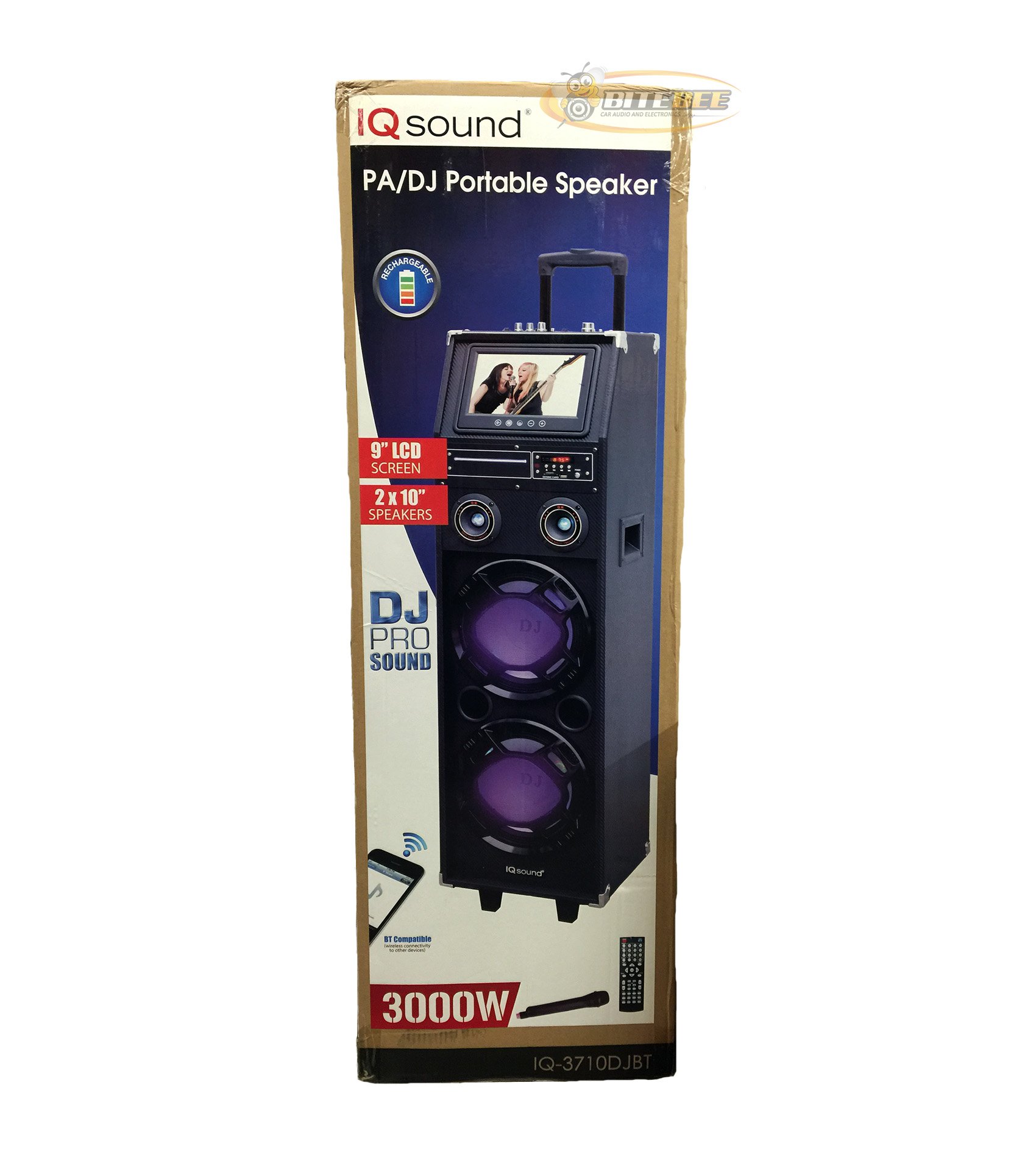
Aworan: Iwaju view of the Supersonic IQ Sound IQ-3710DJBT Portable DJ Speaker, showcasing its dual speakers, 9-inch LCD screen, and control panel.
Awọn ẹya ara ẹrọ
- Dual 10-inch Full Range Speakers
- Built-in Bluetooth for wireless audio streaming
- FM Radio tuner
- 5-Band Equalizer for audio customization
- 9-inch LCD Display for video and menu navigation
- Built-in Rechargeable Battery for portability
- Integrated LED Lights for visual effects
- Multimedia Compatible (supports various video and music formats)
- USB Input for external audio devices
- SD Card Slot for media playback
- 1 Gita Input
- 1 Microphone Jack (includes 1 microphone)
- Isakoṣo latọna jijin pẹlu
- Built-in Handle and Wheels for easy transport
Package Awọn akoonu
- IQ-3710DJBT Portable DJ Speaker
- Adapter agbara
- Gbohungbohun
- Isakoṣo latọna jijin
- Afowoyi Olumulo (iwe-ipamọ yii)
Controls and Connections (General)
The main control panel is located on the top or rear of the speaker, featuring buttons for power, mode selection, playback controls (play/pause, skip), volume adjustment, EQ settings, and light controls. Input ports for USB, SD card, microphone, and guitar are also present. The 9-inch LCD display provides visual feedback for media playback, FM radio tuning, and menu navigation.
Ṣeto
1. Ngba agbara si Batiri naa
- Connect the included power adapter to the speaker's DC input port.
- Plug the power adapter into a standard wall outlet (AC 100-240V, 50/60Hz).
- The charging indicator light (if present) will illuminate. Allow approximately 6-8 hours for a full charge before first use.
- The speaker can be used while charging.
2. Agbara akọkọ Lori
- Ensure the speaker is fully charged or connected to a power source.
- Locate the Power button (usually on the control panel) and press it to turn on the speaker.
- The LCD display will illuminate, and the speaker will enter the default mode.
3. Asopọmọra Agbeegbe
Gbohungbohun: Insert the included microphone's cable into the Microphone Jack.
Gita: Insert your guitar's cable into the Guitar Input.
Awọn ilana Iṣiṣẹ
Aṣayan Ipo
Tẹ awọn MODE button on the control panel or remote control to switch between available modes: Bluetooth, FM Radio, USB, SD, and AUX (if applicable). The current mode will be displayed on the LCD screen.
Bluetooth Isẹ
- Turn on the speaker and switch to Ipo Bluetooth using the MODE button. The LCD will display "Bluetooth" or a similar indicator.
- Lori ẹrọ Bluetooth ti o ṣiṣẹ (fun apẹẹrẹ, foonuiyara, tabulẹti), mu Bluetooth ṣiṣẹ ki o wa awọn ẹrọ to wa.
- Yan"IQ-3710DJBT"lati inu akojọ awọn ẹrọ".
- Once paired, the speaker will emit a confirmation sound, and you can now play audio wirelessly from your device.
- Use your device or the speaker's controls for playback (play/pause, skip tracks, volume).
FM Radio isẹ
- Yipada si Ipo Redio FM using the MODE button.
- Tẹ awọn ERE/SINMI button (or a dedicated scan button) to automatically scan and save available FM stations.
- Lo awọn Ṣaaju / IWỌ awọn bọtini lati lọ kiri nipasẹ awọn ibudo ti a fipamọ.
- Adjust the volume using the main volume knob or remote control.
USB / SD Kaadi Sisisẹsẹhin
- Fi okun filasi USB sinu USB ibudo tabi kaadi SD kan sinu Iho kaadi SD.
- The speaker should automatically switch to USB or SD mode and begin playing media. If not, press the MODE bọtini lati yan titẹ sii to tọ.
- Use the playback controls (play/pause, previous/next) on the speaker or remote to manage your media.
- The 9-inch LCD display will show file information and video playback (if applicable).
Equalizer (EQ) Atunse
The 5-band EQ allows you to fine-tune the audio output. Locate the EQ controls on the speaker's panel. Adjust the sliders or knobs for different frequency bands (e.g., bass, mid-range, treble) to achieve your desired sound profile.
Microphone and Guitar Use
Once connected, adjust the individual volume controls for the microphone and guitar (if available) on the speaker's control panel. The main volume knob controls the overall output.
LED imole Iṣakoso
Tẹ awọn Imọlẹ button (or similar) on the control panel or remote to cycle through different light modes or to turn the lights on/off.
Ifihan LCD
The 9-inch LCD display shows current mode, track information, FM frequency, and can play video files from USB or SD card. Navigate menus using the dedicated navigation buttons or remote control.
Itoju
- Ninu: Use a soft, dry cloth to clean the exterior of the speaker. Do not use abrasive cleaners or solvents. For the LCD screen, use a screen-specific cleaning solution and a microfiber cloth.
- Itọju Batiri: To prolong battery life, fully charge the speaker before first use and recharge it regularly, even if not in frequent use. Avoid completely draining the battery. Store in a cool, dry place.
- Ibi ipamọ: When not in use for extended periods, store the speaker in a cool, dry environment, away from direct sunlight and extreme temperatures.
- Ọkọ: Utilize the built-in handle and wheels for easy and safe transport of the speaker.
Laasigbotitusita
| Isoro | Owun to le Fa | Ojutu |
|---|---|---|
| Agbọrọsọ ko ni agbara lori. | Battery is drained or power adapter is not connected. | Connect the power adapter and charge the speaker. Ensure the power outlet is functional. |
| Ko si ohun jade. | Volume is too low, incorrect mode selected, or device not properly connected. | Increase volume. Verify correct mode (Bluetooth, USB, FM). Reconnect Bluetooth device or reinsert USB/SD card. Check microphone/guitar connections. |
| Asopọ Bluetooth kuna. | Speaker not in Bluetooth mode, device too far, or interference. | Ensure speaker is in Bluetooth mode. Move device closer to speaker. Turn off and on Bluetooth on your device. Try pairing again. |
| Gbigba redio FM ko dara. | Ifihan agbara tabi kikọlu. | Gbe agbọrọsọ naa lọ si agbegbe ti o ni gbigba ti o dara julọ. Ṣe ayẹwo laifọwọyi lẹẹkansi. |
| USB/SD media not playing. | Ti ko ni atilẹyin file format, corrupted media, or improper insertion. | Ensure media is inserted correctly. Check file formats (refer to specifications for supported types). Try a different USB drive or SD card. |
Awọn pato
- Awoṣe: IQ-3710DJBT
- Brand: Supersonic
- Irú Agbọrọsọ: Portable DJ Agbọrọsọ
- Awọn agbọrọsọ: 2 x 10-inch Full Range
- Ifihan: 9-inch LCD
- Asopọmọra: Bluetooth, USB
- Awọn igbewọle: USB, SD Card, Microphone (1), Guitar (1)
- Redio: Tuner FM
- Agbẹgbẹ: 5-Band EQ
- Orisun Agbara: Built-in Rechargeable Battery, AC Power Adapter
- Awọn iwọn (L x W x H): 15 x 14 x 45 inches (isunmọ.)
- Ìwúwo: 54 iwon (isunmọ.)
- Awọn ẹya ara ẹrọ to wa: Microphone, Remote Control, Power Adapter
Atilẹyin ọja ati Support
This product comes with a standard manufacturer's warranty. For specific warranty terms and conditions, please refer to the warranty card included in your package or visit the official Supersonic webojula.
For technical support, service inquiries, or to purchase replacement parts, please contact Supersonic customer service. Contact information can typically be found on the product packaging or the official brand webojula.
Atilẹyin Ayelujara: www.supersoniccinc.com (This is a placeholder link, please verify the actual support URL.)
Ask a question about this manual
Ask about setup, troubleshooting, compatibility, parts, safety, or missing instructions. Manuals+ will review the question and use this page’s manual context to help answer it.