
1. Ifihan
The ProForm Hybrid Trainer is a versatile fitness machine designed to provide the benefits of both an elliptical and a recumbent exercise bike. This innovative equipment offers a low-impact workout experience in the comfort of your home, allowing for varied training routines. It is compatible with iFIT personal training, offering access to a library of on-demand video workouts.
Awọn ẹya pataki pẹlu:
- Iṣẹ ṣiṣe meji: Seamlessly switch between elliptical and recumbent bike modes.
- iFIT Compatibility: Stream live and on-demand workouts with trainers who can auto-adjust resistance.
- Ifihan Fèrèsé LCD: Track essential workout metrics such as distance, cadence, and estimated calorie burn.
- 16 Awọn ipele Resistance Digital: Utilize SMR Silent Magnetic Resistance for smooth adjustments.
- Ohun tí a fi pamọ́ sínú Táblẹ́ẹ̀tì: Securely place your smart device for iFIT workouts or entertainment.
- Oversized Pedals: Designed for comfort and stability during workouts.
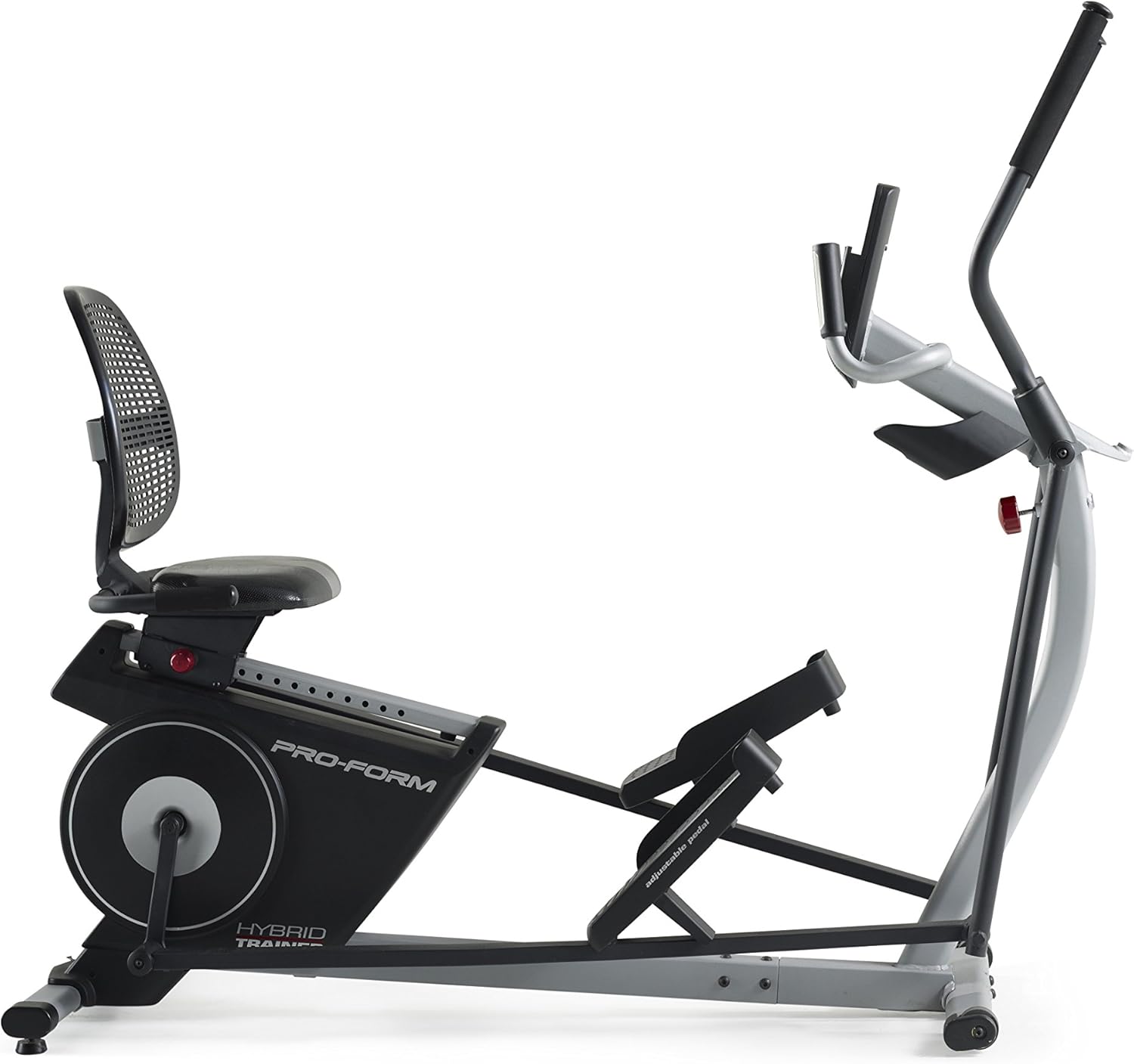
Figure 1: The ProForm Hybrid Trainer, showcasing its dual design.
2. Alaye Aabo
Before using this equipment, please read all instructions carefully. ProForm assumes no responsibility for personal injury or property damage sustained by or through the use of this product.
- Kan si alagbawo kan ṣaaju ki o to bẹrẹ eyikeyi eto idaraya.
- Jeki awọn ọmọde ati awọn ohun ọsin kuro ninu ẹrọ nigba lilo.
- Place the equipment on a level surface with at least 2 feet (0.6 m) of clearance around it.
- Wọ aṣọ ìdánrawò àti bàtà ìdánrawò tó yẹ.
- Do not use the equipment if you feel pain or dizziness.
- Rii daju pe gbogbo awọn ẹya ti wa ni wiwọ daradara ṣaaju lilo kọọkan.
- The maximum user weight capacity for this machine is 350 pounds (158 kg).
3. Eto ati Apejọ
Assembly of the ProForm Hybrid Trainer typically requires 1 to 2 people and can take approximately 1.5 to 4 hours. Follow the detailed instructions provided in the separate assembly guide that accompanies your product. Ensure all components are present before beginning assembly.
Awọn imọran apejọ pataki:
- Ohun elo girisi: Apply grease to all indicated moving parts during assembly. A packet of white grease is typically included. Proper lubrication ensures smooth operation and reduces noise.
- Fifi sori batiri: The console requires four (4) D-cell batteries (not included). Install these batteries into the console compartment as directed in the assembly guide.
- Asopọmọra: Exercise caution when connecting wires to avoid damage.
Gbigbe Ohun elo:
The Hybrid Trainer is equipped with transport wheels for easier relocation. To move the machine, carefully lift the rear end by the frame until the transport wheels engage the floor, then push or pull it to the desired location.

Figure 2: Moving the Hybrid Trainer using its transport wheels.
4. Awọn ilana Iṣiṣẹ
4.1 Switching Between Elliptical and Recumbent Bike Modes
The ProForm Hybrid Trainer allows for quick conversion between its two primary modes:
- Elliptical Mode: Stand on the oversized pedals and grasp the moving handlebars. This mode provides a full-body, low-impact cardio workout.
- Recumbent Bike Mode: Adjust the seat to your desired position. Sit on the seat and place your feet on the pedals. The console can be tilted forward for optimal viewing in this mode. This mode focuses on lower body cardio with back support.
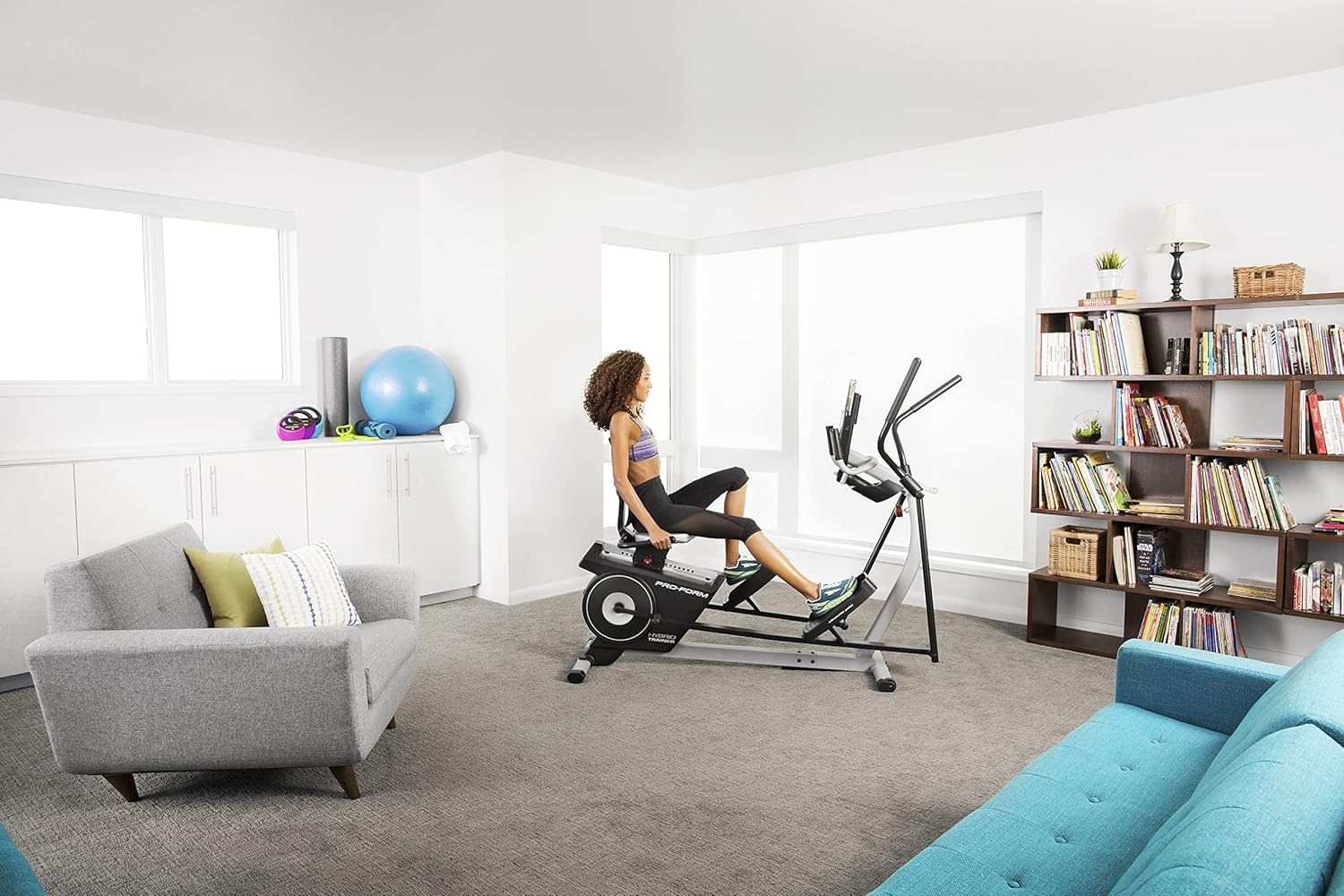
Figure 3: User operating the Hybrid Trainer in recumbent bike mode.
4.2 console Awọn iṣẹ
The console provides essential workout feedback and control over your training session.

Figure 4: Console with integrated tablet holder.
- Ifihan LCD: Shows workout data such as time, distance, speed (cadence), resistance level, and estimated calorie burn.
- Resistance Controls: Use the '+' and '-' buttons to manually adjust the 16 digital resistance levels.
- Awọn bọtini eto: Select from pre-programmed workouts designed for various fitness goals.
- Ohun tí a fi pamọ́ sínú Táblẹ́ẹ̀tì: Securely holds your personal tablet or smartphone, allowing you to follow iFIT workouts or enjoy media.
- Heart Rate Grips: Hold the metal sensors on the stationary handlebars to display your heart rate on the console.
- Ibudo Olohun Connect your audio device via the 3.5mm jack to play music through the console's speakers.
- Asopọmọra Bluetooth: Pair with compatible heart rate monitors or connect to the iFIT app on your smart device.
4.3 iFIT Personal Training
The ProForm Hybrid Trainer is iFIT compatible. An iFIT membership (sold separately) provides access to a vast library of interactive workouts. With iFIT, expert trainers can automatically adjust your machine's resistance in real-time during global workouts and studio classes, optimizing your training experience.
To activate manual mode without an iFIT account, press and hold the Bluetooth button on the console for approximately 20 seconds during initial setup or if prompted to activate iFIT.
5. Itọju
Regular maintenance ensures the longevity and optimal performance of your ProForm Hybrid Trainer.
- Ninu: Wipe down the equipment after each use with a damp aṣọ láti mú òógùn àti eruku kúrò. Yẹra fún àwọn ohun ìfọmọ́ tí a fi ń pa ara.
- Lubrication: Periodically check and re-apply grease to all moving pivot points and joints as indicated in the assembly guide. This helps maintain smooth operation and prevents squeaking.
- Boluti Mu: Regularly inspect all bolts, nuts, and screws to ensure they are securely tightened. Loose fasteners can lead to instability and noise.
- Rirọpo Batiri: Replace the D-cell batteries in the console when the display becomes dim or unresponsive.
6. Laasigbotitusita
If you encounter issues with your ProForm Hybrid Trainer, refer to the following common solutions:
- Ifihan Ko Ṣiṣẹ:
- Check if the four (4) D-cell batteries are correctly installed and have sufficient charge. Replace if necessary.
- Ensure all console cables are securely connected.
- If prompted for iFIT activation, hold the Bluetooth button for approximately 20 seconds to bypass and enter manual mode.
- Squeaking or Noise During Use:
- Inspect all assembly bolts and tighten any that are loose.
- Apply grease to all pivot points and moving parts, especially where metal components rub together.
- Àtakò tí kò yípadà:
- Ensure the console is powered on and functioning correctly.
- Check for any obstructions around the flywheel or resistance mechanism.
- Heart Rate Monitor Inaccurate:
- Ensure your hands are firmly and completely gripping both metal sensors on the handlebars.
- Moisture on hands can improve conductivity.
7. Awọn pato
| Ẹya ara ẹrọ | Ẹ̀kúnrẹ́rẹ́ |
|---|---|
| Orukọ awoṣe | ProForm Hybrid Trainer Recumbent Bike and Rear Drive Elliptical |
| Nọmba awoṣe | PFEL03815K |
| Brand | ProForm |
| Awọn iwọn Ọja (L x W x H) | 70.5" x 24.5" x 60.5" (179 cm x 62 cm x 154 cm) |
| Iwọn Nkan | 135 iwon (61.24 kg) |
| Ohun elo | Alloy Irin |
| Resistance Mechanism | Oofa |
| Nọmba awọn ipele Resistance | 16 |
| Maximum User Weight Recommendation | 350 iwon (158 kg) |
| Orisun agbara | 4 D-cell batteries (not included) or optional AC adapter |
8. Atilẹyin ọja ati Support
Alaye Atilẹyin ọja:
The ProForm Hybrid Trainer PFEL03815K is protected by the following warranty:
- Férémù: 5-odun atilẹyin ọja
- Awọn ẹya & Iṣẹ: 90-Day atilẹyin ọja
Please retain your proof of purchase for warranty claims. The warranty period begins from the date of purchase.
Atilẹyin Onibara:
For technical assistance, parts replacement, or warranty inquiries, please contact ProForm customer support. Refer to the contact information provided in your product packaging or visit the official ProForm webaaye fun awọn alaye atilẹyin ti ode-ọjọ julọ.