
1. Ifihan
The HoldPeak HP-320 is a non-contact infrared thermometer designed for safe and accurate temperature measurement from a distance. It features a laser pointer for precise targeting, a backlit LCD display for easy reading, and a wide temperature range suitable for various applications. This manual provides detailed instructions for the proper use and maintenance of your device.
Alaye Aabo
- Aabo lesa: Do not stare directly into the laser beam or point it at people or animals. The laser is used for aiming only.
- Iwọn otutu: Do not attempt to measure temperatures outside the specified range of -30°C to 320°C (-22°F to 608°F).
- Aabo Itanna: Do not immerse the device in water or expose it to extreme humidity. Do not use if the device is damaged.
- Aabo Batiri: Use only the specified 9V battery. Ensure correct polarity when installing. Remove the battery if the device will not be used for an extended period.
- Itọju: Refer to the maintenance section for cleaning instructions. Do not attempt to disassemble or modify the device.
2. Eto
Fifi sori batiri
The HoldPeak HP-320 requires one 9V battery for operation. Follow these steps to install the battery:
- Locate the battery compartment door at the bottom of the handle.
- Gently pull the battery compartment door downwards to open it.
- Connect a 9V battery to the battery connector, ensuring correct polarity (+ to + and - to -).
- Fi batiri sii sinu yara.
- Pa ẹnu-ọna iyẹwu batiri naa ni aabo titi ti yoo fi tẹ sinu aaye.
This image series demonstrates the simple process of replacing the 9V battery in the HoldPeak HP-320 thermometer, showing how to open the battery compartment and insert the new battery.

The HoldPeak HP-320 infrared thermometer, shown alongside a 9V battery, which powers the device.
3. Awọn ilana Iṣiṣẹ
Isẹ ipilẹ
Lati ṣe wiwọn iwọn otutu:
- Point the thermometer at the object you wish to measure. Ensure the target is within the device's field of view.
- Press and hold the measurement trigger. The laser pointer will activate (if enabled) to help you aim.
- The temperature reading will be displayed on the LCD screen. Release the trigger to hold the reading.
Ifihan ati awọn bọtini
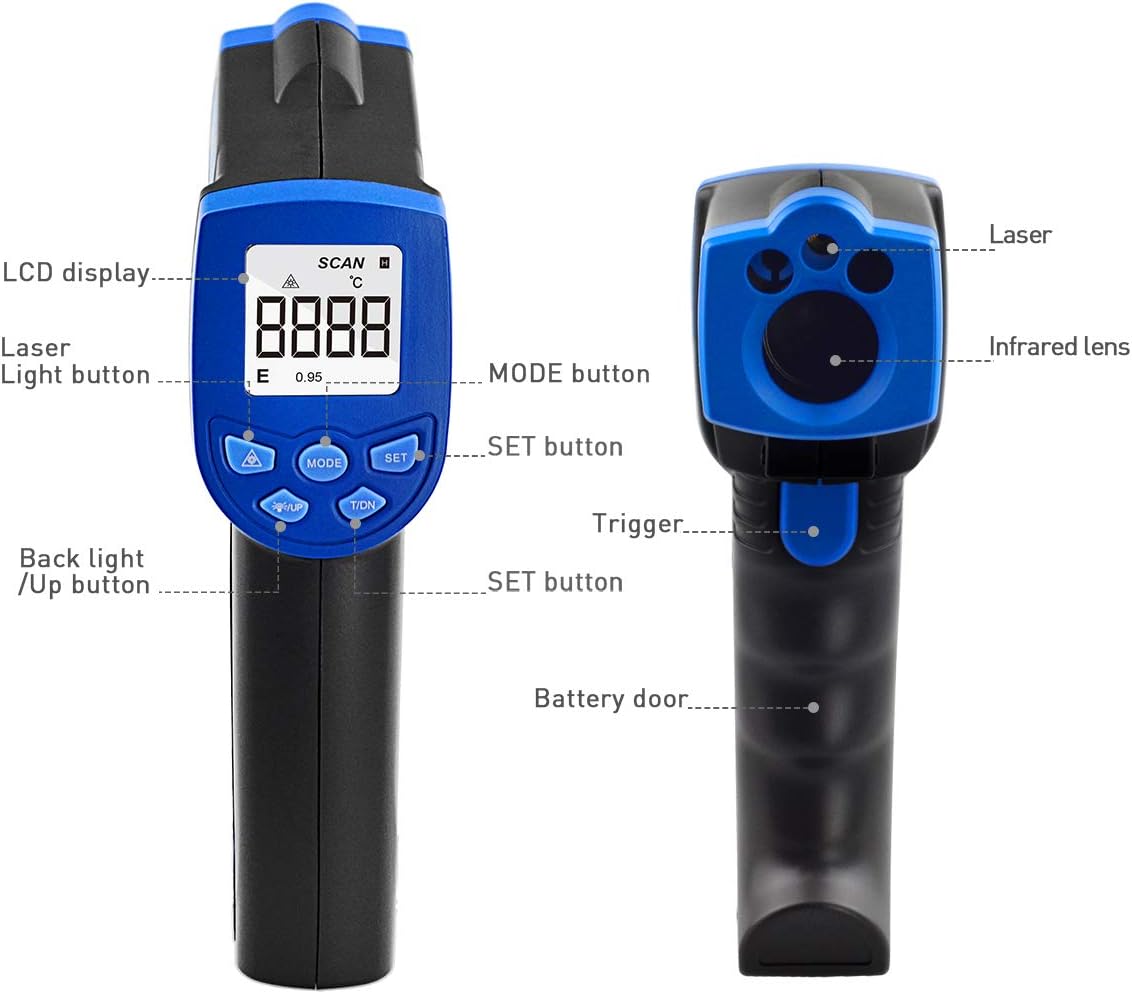
This diagram illustrates the key components of the HoldPeak HP-320, pointing out the LCD display, laser light button, mode button, set button, backlight/up button, trigger, and battery door.
- Ifihan LCD: Shows temperature readings, unit indicators, and other relevant information.
- Laser Light Button (▲): Toggles the laser pointer on/off.
- Bọtini MODE: Cycles through different measurement modes or settings (if applicable).
- Ṣeto Bọtini: Ó ń jẹ́rìí sí àwọn àṣàyàn tàbí ó ń tẹ àwọn àkójọ ètò.
- Backlight / Up Button (▼): Toggles the LCD backlight on/off. Also used for navigating menus or adjusting values.
- Nfa: Ó ń mú ìwọ̀n àti lésà ṣiṣẹ́.
Temperature Unit Conversion (°C/°F)
Láti yípadà láàrín Celsius (°C) àti Fahrenheit (°F):
- With the device powered on, press the 'MODE' button until the temperature unit setting is displayed.
- Use the '▲' or '▼' buttons to select your desired unit.
- Press the 'SET' button to confirm your selection.

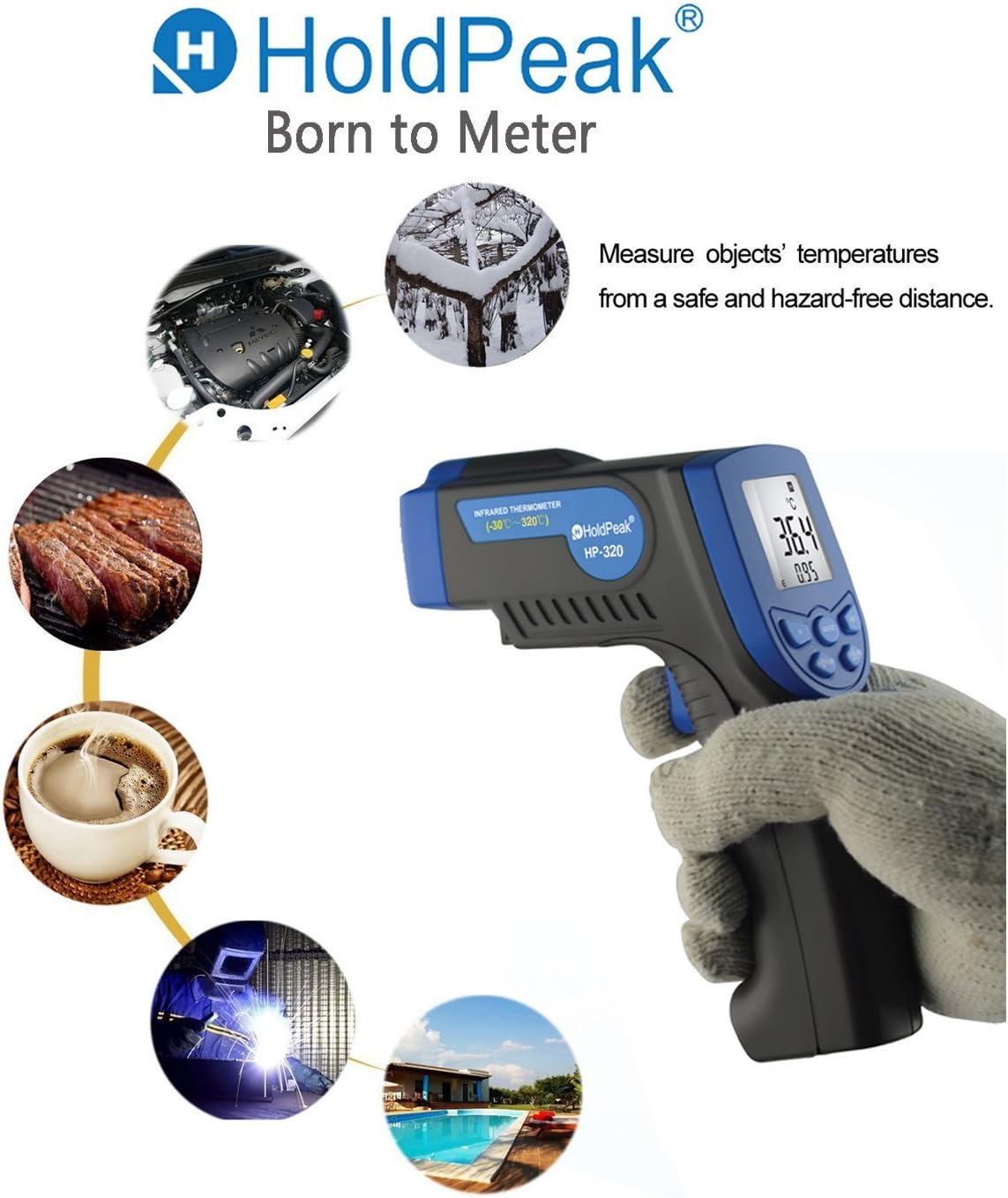
This image highlights the versatility of the HoldPeak HP-320 infrared thermometer, showing its use in diverse scenarios such as automotive maintenance, cooking, and industrial temperature monitoring.
4. Itọju
Ninu
Láti rí i dájú pé àwọn ìkà tó péye àti láti mú kí ìwọ̀n thermometer rẹ pẹ́ sí i:
- Mọ awọn lẹnsi pẹlu asọ, damp cloth or cotton swab. Do not use abrasive cleaners or solvents.
- Wipe the device body with a soft, dry cloth.
- Rí i dájú pé ẹ̀rọ náà gbẹ kí o tó fi pamọ́.
Ibi ipamọ
When not in use, store the thermometer in a cool, dry place, away from direct sunlight and extreme temperatures. Remove the battery if storing for extended periods to prevent leakage.
5. Laasigbotitusita
If you encounter issues with your HoldPeak HP-320, refer to the table below for common problems and solutions:
| Isoro | Owun to le Fa | Ojutu |
|---|---|---|
| Ẹrọ ko ni tan-an | Batiri kekere tabi ti o ti ku; Fifi batiri ti ko tọ sori ẹrọ | Replace the 9V battery; Ensure battery is installed with correct polarity. |
| Awọn kika ti ko pe | Dirty lens; Object too far or too close; Emissivity setting (if applicable) | Clean the lens; Ensure proper distance to target; Refer to advanced settings for emissivity adjustment if available. |
| Lesa ko ṣiṣẹ | Laser disabled; Device malfunction | Press the laser button to enable; If issue persists, contact customer support. |
| LCD display is dim | Low battery; Backlight off | Replace the 9V battery; Press the backlight button to turn on. |
6. Awọn pato
Key technical specifications for the HoldPeak HP-320 Infrared Laser Thermometer:
| Ẹya ara ẹrọ | Sipesifikesonu |
|---|---|
| Nọmba awoṣe | HP-320-01 |
| Iwọn otutu | -30°C si 320°C (-22°F si 608°F) |
| Yiye | ±2% or ±2°C (±3.6°F) (whichever is greater) |
| Akoko Idahun | Kere ju awọn aaya 0.5 lọ |
| Idahun Spectral | 8-14 µm |
| Distance Spot Ratio (D:S) | 12:1 |
| Emissivity | 0.95 (ti o wa titi) |
| Ibi ti ina elekitiriki ti nwa | Batiri 1 x 9V (pẹlu) |
| Agbara Aifọwọyi Pa a | Bẹ́ẹ̀ni (lẹ́yìn ìṣẹ́jú-àáyá 7 ti àìṣiṣẹ́) |
| Awọn iwọn | 14.61 x 8 x 3.81 cm (5.75 x 3.15 x 1.5 inches) |
| Iwọn | 132 g (0.29 lbs) |
| Olupese | ZhuHai JiDa HuaPu Instrument Co.,Ltd |
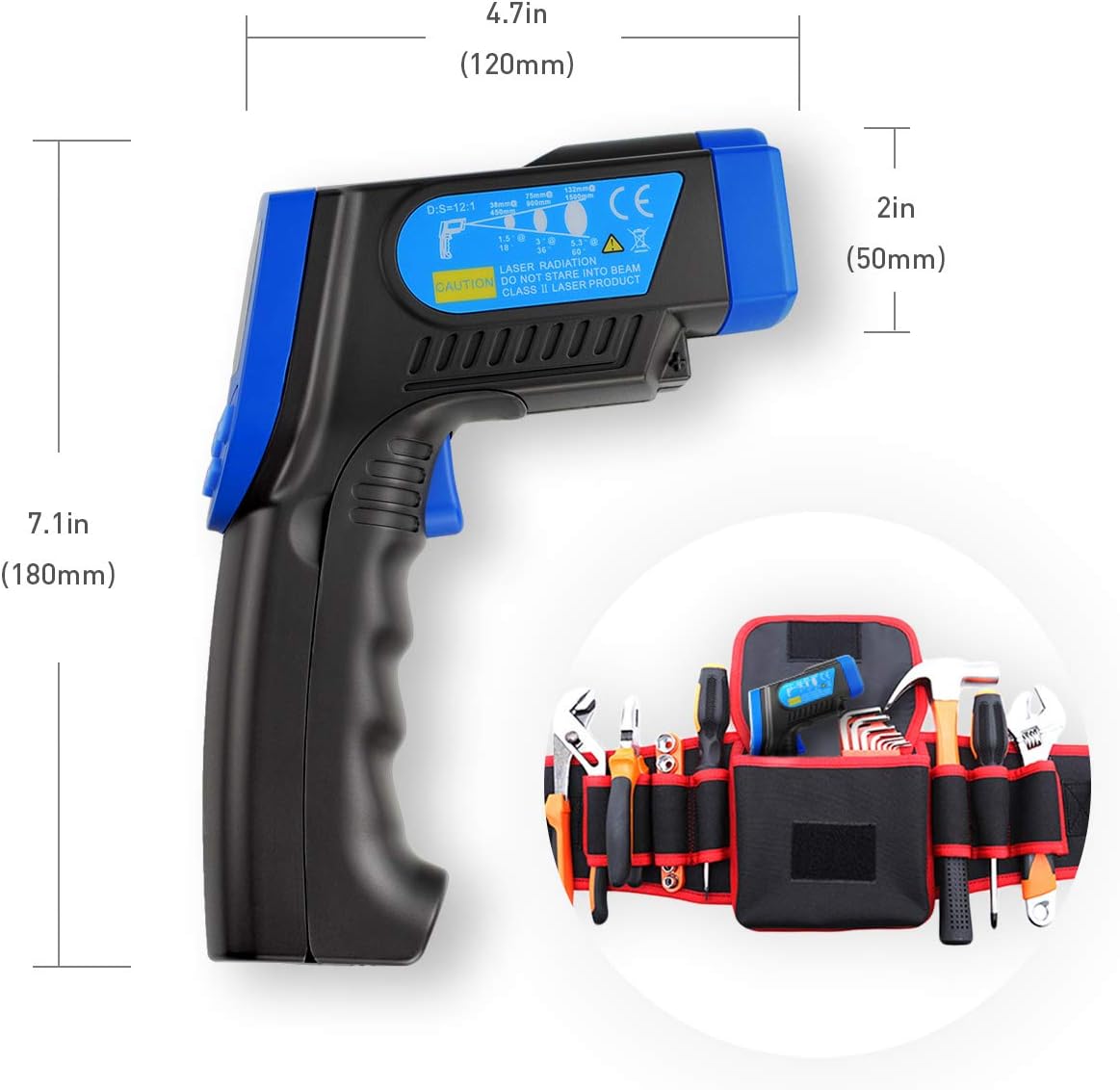
A visual representation of the HoldPeak HP-320 infrared thermometer's dimensions, indicating its length of 7.1 inches (180mm), height of 4.7 inches (120mm), and width of 2 inches (50mm).
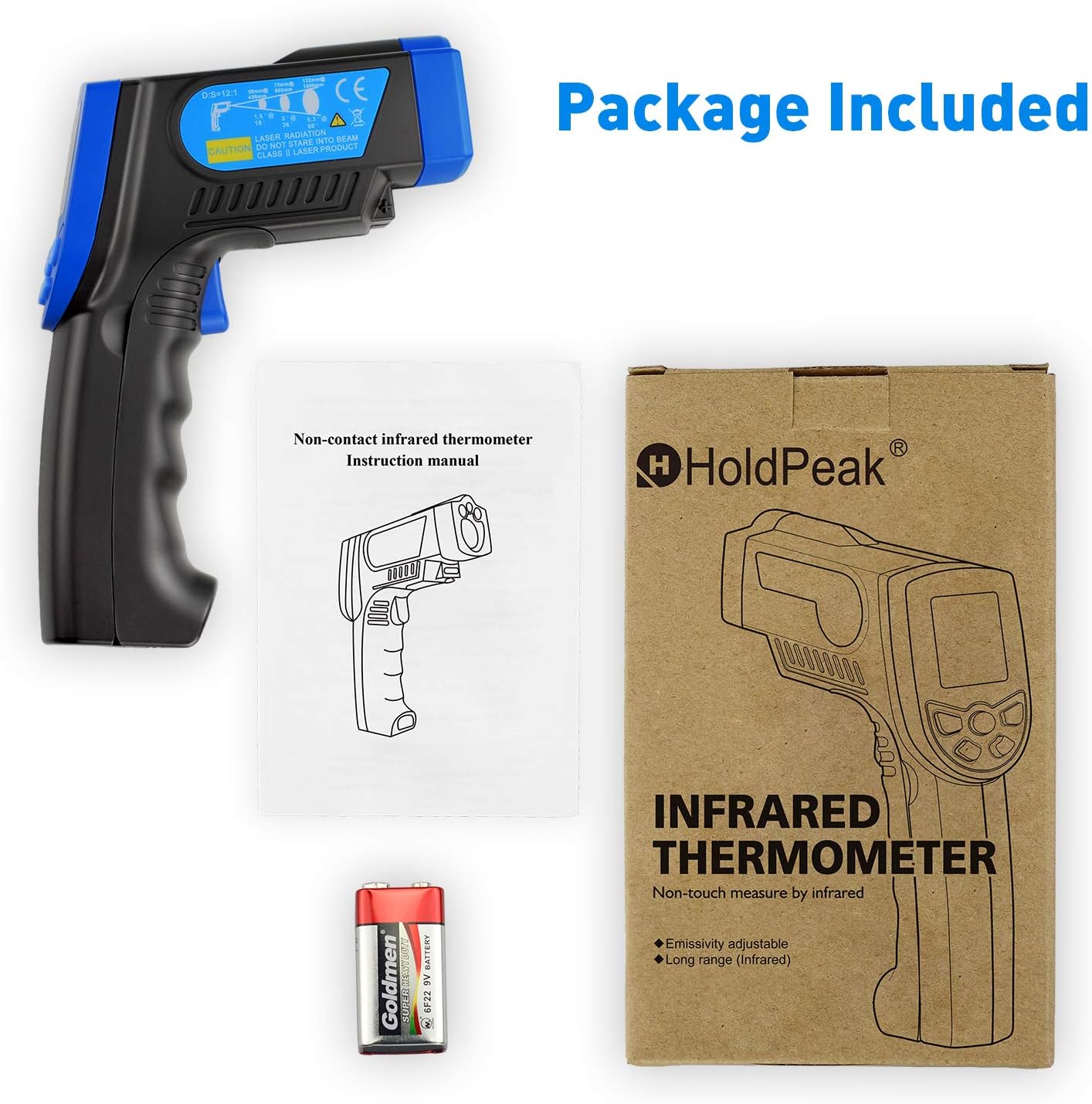
This image displays the complete package contents for the HoldPeak HP-320 infrared thermometer, including the device itself, the user instruction manual, and a 9V battery.
7. Atilẹyin ọja ati Support
Alaye atilẹyin ọja
HoldPeak products are manufactured to high-quality standards. For specific warranty terms and conditions, please refer to the warranty card included with your product or contact HoldPeak customer support.
Onibara Support
If you have any questions, require technical assistance, or need to report an issue with your HoldPeak HP-320 thermometer, please contact our customer support team. Contact information can typically be found on the product packaging or the official HoldPeak webojula.