
1. Ifihan
O ṣeun fun riraasing the Cheerlux C6 Mini Portable LED Home Cinema Projector. This manual provides essential information for the safe and efficient operation of your projector. Please read it thoroughly before use and retain it for future reference.
2. Ọja Ipariview
The Cheerlux C6 is a compact and portable LED projector designed for home cinema use. It features an integrated speaker and multiple connectivity options.
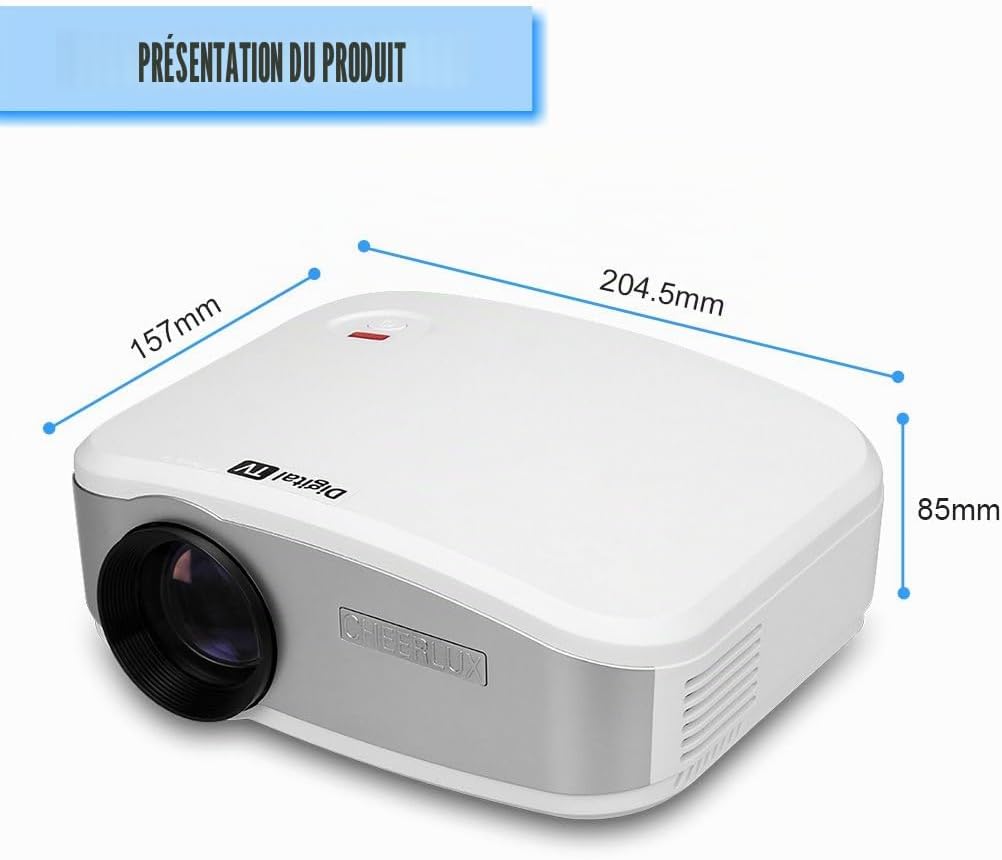
Nọmba 2.1: Iwaju view of the Cheerlux C6 projector with its dimensions (204.5mm x 157mm x 85mm).
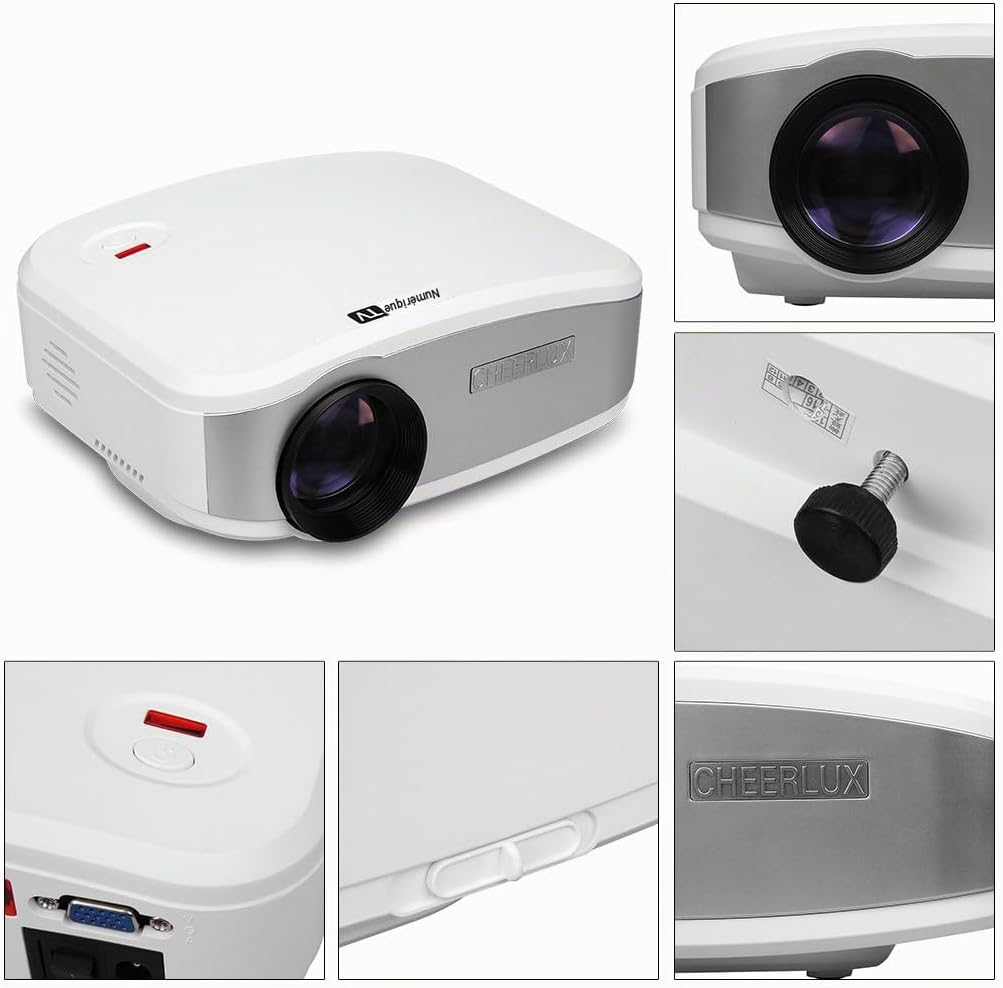
Nọmba 2.2: Alaye views highlighting the projector's design, lens, power button, and branding.
2.1 Package Awọn akoonu
Jẹrisi pe gbogbo awọn ohun kan wa ninu package:
- Cheerlux C6 pirojekito
- Adapter agbara
- Video Cable (AV cable)
- Isakoṣo latọna jijin
- Afowoyi Olumulo (iwe-ipamọ yii)

Nọmba 2.3: Standard accessories included with the Cheerlux C6 projector.
2.2 Àwọn Ibudo àti Àwọn Ìṣàkóso Àwòrán

Nọmba 2.4: Rear panel connections and controls.
- Iṣawọle TV: For connecting to an antenna or cable TV source.
- Ibudo USB: For connecting USB storage devices (e.g., flash drives) to play media files.
- Ibudo HDMI: For connecting high-definition devices such as laptops, game consoles, or Blu-ray players.
- 3.5mm Ijade ohun: Fun sisopọ awọn agbohunsoke ita tabi agbekọri.
- Olugba IR: Olugba infurarẹẹdi fun isakoṣo latọna jijin.
- Iṣawọle AV: For connecting devices using a composite video and stereo audio cable.
- Ibudo VGA: For connecting computers or laptops with a VGA output.
- Agbara Yi pada: Agbára tí a fi ń tan/pa agbára àkọ́kọ́.
- Atunse okuta bọtini: Manual adjustment for image distortion.
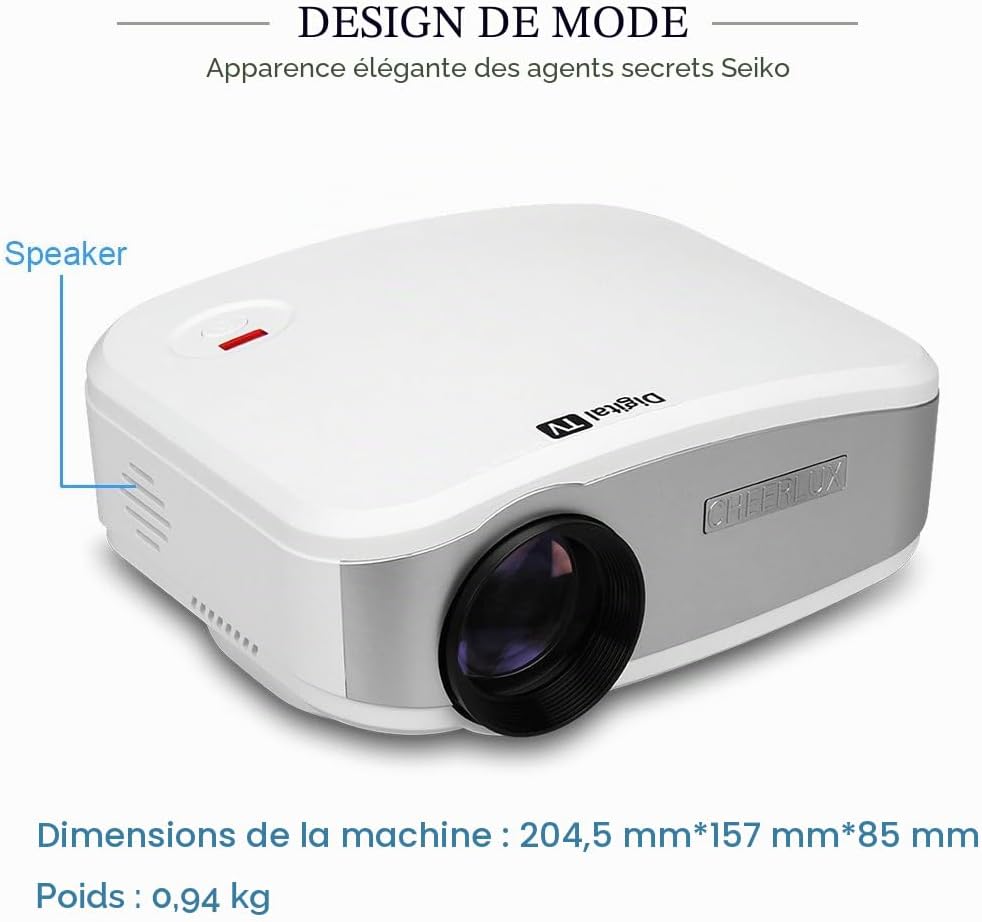
Nọmba 2.5: Apa view indicating the location of the integrated speaker.
3. Eto
3.1 Ibi
Place the projector on a stable, flat surface. Ensure there is adequate ventilation around the projector to prevent overheating. The projection distance will determine the image size. Adjust the distance to achieve your desired screen size.
3.2 Asopọ agbara
- Connect the power adapter to the projector's power input.
- Pulọọgi ohun ti nmu badọgba agbara sinu iṣan itanna to dara.
- Flip the main power switch (located on the rear panel) to the "ON" position. The power indicator light should illuminate.
3.3 Agbara akọkọ Lori ati Idojukọ Idojukọ
- Tẹ bọtini agbara lori pirojekito tabi isakoṣo latọna jijin lati tan ẹrọ naa.
- Project an image onto a screen or wall.
- Yi òrùka ìfọjúsí lórí lẹ́ńsì projektor náà títí tí àwòrán náà yóò fi hàn kedere tí yóò sì hàn kedere.
- If the image appears trapezoidal, use the keystone correction knob (located on the rear panel) to adjust the image geometry until it is rectangular.
4. Awọn ilana Iṣiṣẹ
4.1 Iṣẹ iṣakoso latọna jijin
The included remote control allows for convenient operation of the projector from a distance. Ensure the remote is pointed towards the IR receiver on the projector's rear panel.
Nọmba 4.1: The remote control for navigating menus and functions.
- Bọtini agbara: Yi pirojekito tan tabi pa.
- Bọtini Orisun: Selects the input source (HDMI, VGA, USB, AV, TV).
- Awọn bọtini itọka: Lilö kiri nipasẹ awọn akojọ aṣayan ati awọn aṣayan.
- O dara/Bọtini Tẹ sii: Jẹrisi awọn aṣayan.
- Bọtini Akojọ: Wọle si akojọ aṣayan eto akọkọ.
- Awọn bọtini iwọn didun: Ṣe atunṣe iwọn didun ohun.
- Bọtini Mute: Mu ohun naa mu tabi mu ohun kuro.
4.2 Aṣayan Orisun Input
After connecting your desired device, press the "Source" button on the remote control or the projector's control panel to cycle through available input sources (HDMI, VGA, USB, AV, TV) until your device's signal is displayed.
4.3 Akojọ Lilọ kiri ati Eto
Press the "Menu" button to access the projector's settings. Use the arrow keys to navigate and the "OK" button to select. Common settings include:
- Eto aworan: Adjust brightness, contrast, color, sharpness, and aspect ratio.
- Eto Ohun: Adjust volume, sound mode, and balance.
- Eto akoko: Set sleep timer or clock.
- Awọn Eto Aṣayan: Language, factory reset, software update.
5. Asopọmọra
The Cheerlux C6 projector offers various connection options to suit different devices.

Nọmba 5.1: Examples of compatible devices for the Cheerlux C6 projector.
- HDMI: Connect to laptops, desktop computers, game consoles (e.g., PS3), Blu-ray players, and TV decoders for high-quality digital video and audio.
- VGA: Connect to older desktop computers or laptops for analog video signals.
- USB: Insert a USB flash drive to play supported media files (videos, photos, music, text documents) directly from the drive.
- AV (Composite Video): Connect to DVD players, VCRs, older game consoles, or cameras using the included AV cable for standard definition video and stereo audio.
- TV: Connect an antenna or cable TV source to watch broadcast television channels.
- 3.5mm Audio Jade: Connect external speakers or headphones for enhanced audio experience. The projector has an integrated speaker, but external audio devices can be used for louder or higher quality sound.
6. Itọju
6.1 Ninu awọn lẹnsi
Lo aṣọ rirọ, ti ko ni lint ti a ṣe apẹrẹ pataki fun awọn lẹnsi opitika lati nu lẹnsi projector naa ni rọra. Maṣe lo awọn ohun elo afọmọ tabi agbara pupọ, nitori eyi le fa lẹnsi naa.
6.2 Fentilesonu
Ensure the projector's ventilation vents are clear and unobstructed. Blocked vents can lead to overheating and damage the projector. Periodically clean dust from the vents using a soft brush or compressed air.
6.3 Ibi ipamọ
When not in use for extended periods, store the projector in a cool, dry place, away from direct sunlight and extreme temperatures. Cover the lens with its cap to protect it from dust.
7. Laasigbotitusita
Ti o ba pade awọn ọran pẹlu pirojekito rẹ, tọka si awọn iṣoro ti o wọpọ ati awọn ojutu wọnyi:
| Isoro | Owun to le Fa / Solusan |
|---|---|
| Ko si aworan han |
|
| Aworan jẹ blurry |
|
| Aworan ti daru (trapezoidal) |
|
| Ko si ohun |
|
| Isakoṣo latọna jijin ko ṣiṣẹ |
|
8. Awọn pato
| Ẹya ara ẹrọ | Ẹ̀kúnrẹ́rẹ́ |
|---|---|
| Brand | Cheerlux |
| Nọmba awoṣe | C6 |
| Iṣeduro Lilo | Ile sinima ile |
| Pataki Ẹya | Portable, Integrated Speaker |
| Asopọmọra Technology | USB, VGA, HDMI, AV, TV |
| Ipinnu Ifihan | 800 x 480 awọn piksẹli |
| Ipinnu Ifihan ti o pọju | 800 x 480 awọn piksẹli |
| Ifihan Iru | LED |
| Fọọmù ifosiwewe | Gbigbe |
| Imọlẹ | 3000 Lumens |
| Ipin Itansan | 1000:1 |
| Awọn ẹrọ ibaramu | Laptop, Tablet, Game Console, Smartphone, Speaker, Television |
| Ọna Iṣakoso | Isakoṣo latọna jijin |
| Fidio fifi koodu | H.264, H.265 |
| Iwọn Nkan | 2.07 Poun (iwọn 0.94 kg) |
| Àwọ̀ | Funfun |
9. Atilẹyin ọja ati Support
For warranty information or technical support, please refer to the documentation provided at the time of purchase or contact Cheerlux customer service. Keep your purchase receipt as proof of purchase.