
1. Ifihan
This manual provides essential instructions for the safe and efficient operation of your COMISO Portable Wireless Bluetooth Speaker U832. Please read this manual thoroughly before using the product and retain it for future reference.
2. Ọja Ipariview
The COMISO U832 is a compact and portable wireless Bluetooth speaker designed for high-definition audio playback and hands-free calling. It features a durable construction and versatile connectivity options.

olusin 2.1: Iwaju view of the COMISO U832 Portable Wireless Bluetooth Speaker.

Olusin 2.2: Pariview of the COMISO U832 speaker, highlighting its compact dimensions (60.4mm x 90mm x 31.1mm) and key features such as CSR 4.0 Bluetooth, 5W driver, built-in microphone, 5-hour playing time, A2DP support, 33-feet range, IP67 waterproof rating, and dustproof design.
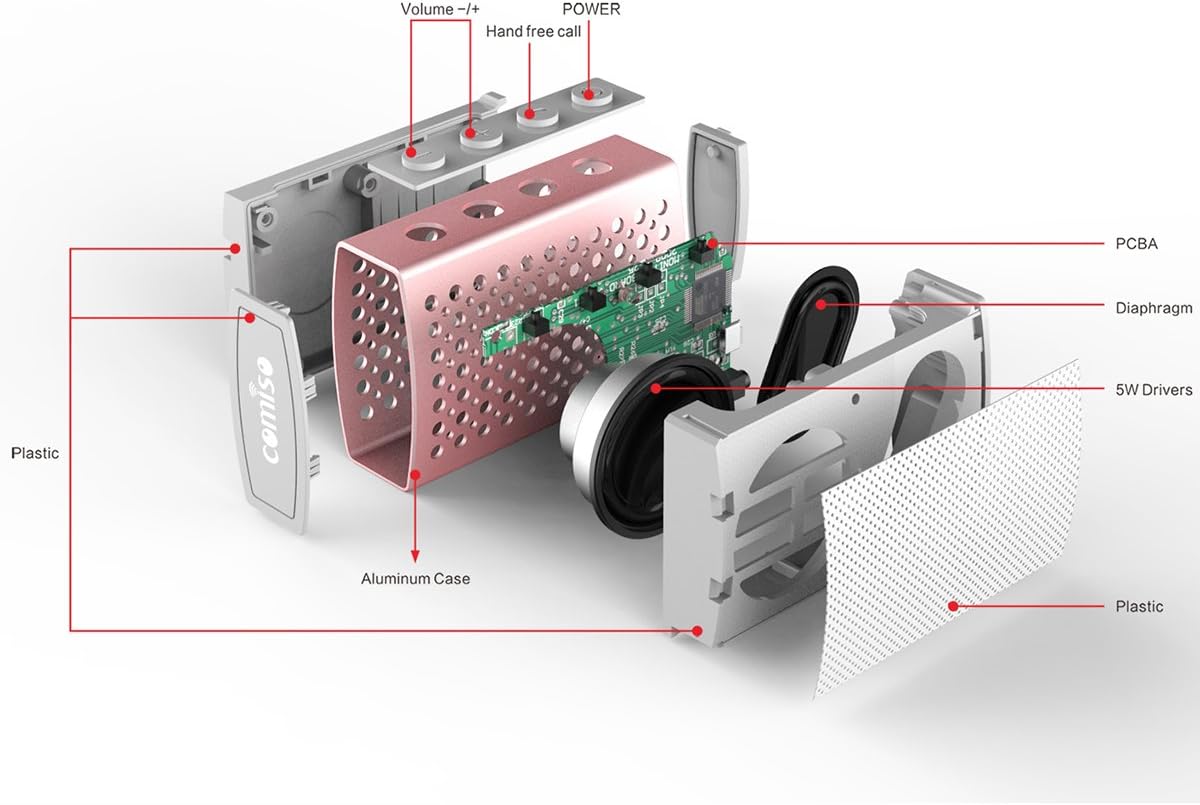
olusin 2.3: exploded view illustrating the internal components of the COMISO U832 speaker, including the aluminum case, PCBA (Printed Circuit Board Assembly), diaphragm, 5W drivers, and plastic housing. Control buttons for Volume -/+, Hand-free call, and Power are also visible.
3. Awọn ẹya ara ẹrọ
- Apẹrẹ to gbe: Iwapọ ati iwuwo fẹẹrẹ fun gbigbe irọrun.
- Asopọmọra Bluetooth Alailowaya: Seamless audio streaming from compatible devices.
- Gbohungbohun ti a ṣe sinu: Nṣiṣẹ ipe ti ko ni ọwọ.
- Laini AUX: Fun awọn asopọ ohun onirin.
- HD Sound and Bass: Optimized audio performance.
- IP67 Mabomire ati eruku: Provides protection against water immersion and dust ingress.
- 5W Speaker Output: Ó fúnni ní ohùn tó ṣe kedere tó sì lágbára.
- Igbesi aye batiri gigun: Titi di wakati 5 ti ṣiṣiṣẹsẹhin lori idiyele ẹyọkan.
4. Eto
4.1 Gbigba agbara si Agbọrọsọ
Before initial use, fully charge the speaker. Connect the provided USB charging cable to the speaker's charging port and the other end to a USB power adapter (not included) or a computer's USB port. The charging indicator light will illuminate during charging and turn off when fully charged.

Figure 4.1: The COMISO U832 speaker connected for charging and AUX audio input.
4.2 Sisopọ Bluetooth
- Rii daju pe agbọrọsọ ti gba agbara ni kikun.
- Press and hold the Power button on the speaker until you hear an audible prompt and the Bluetooth indicator light begins to flash, indicating it is in pairing mode.
- On your mobile device, navigate to the Bluetooth settings and enable Bluetooth.
- Wa fun available devices. Select "COMISO U832" from the list.
- Once paired, the speaker will emit an audible confirmation, and the Bluetooth indicator light will stop flashing and remain solid.
The speaker will automatically attempt to reconnect to the last paired device when powered on, if the device is within range and has Bluetooth enabled.
4.3 AUX Asopọ
To connect a device without Bluetooth, use a 3.5mm audio cable (not included). Insert one end of the cable into the speaker's AUX input port and the other end into the audio output jack of your device. The speaker will automatically switch to AUX mode.
5. Awọn ilana Iṣiṣẹ
5.1 Agbara Tan / Pa
- Agbara Tan: Tẹ mọlẹ bọtini agbara fun isunmọ awọn aaya 3.
- Agbara Pa: Tẹ mọlẹ bọtini agbara fun isunmọ awọn aaya 3.
5.2 Iṣakoso iwọn didun
- Mu iwọn didun pọ si: Tẹ bọtini '+'.
- Din iwọn didun silẹ: Tẹ bọtini '-'.
5.3 Iṣakoso Sisisẹsẹhin (Ipo Bluetooth)
- Ṣiṣẹ/Daduro: Press the Play/Pause button (often integrated with the hands-free call button).
- Orin t’okan: Tẹ mọlẹ bọtini '+'.
- Tẹlẹ Orin: Tẹ mọlẹ bọtini '-'.
5.4 Ipe laisi ọwọ
Nígbà tí a bá so pọ̀ nípasẹ̀ Bluetooth, gbohùngbohùn inú agbọ́hùnsọ̀ náà máa ń gba àwọn ìpè láìsí ọwọ́.
- Idahun Ipe: Press the Hands-free Call button once.
- Ipe Ipari: Press the Hands-free Call button once during a call.
- Kọ Ipe: Press and hold the Hands-free Call button for approximately 2 seconds.
6. Itọju
- Sọ agbọrọsọ mọ pẹlu asọ asọ ti o gbẹ. Ma ṣe lo abrasive ose tabi epo.
- Yago fun ṣiṣafihan agbọrọsọ si awọn iwọn otutu to gaju tabi imọlẹ orun taara fun awọn akoko gigun.
- Tọju agbohunsoke ni itura, ibi gbigbẹ nigbati o ko ba lo.
- Ensure the charging port cover is securely closed to maintain IP67 water and dust resistance.
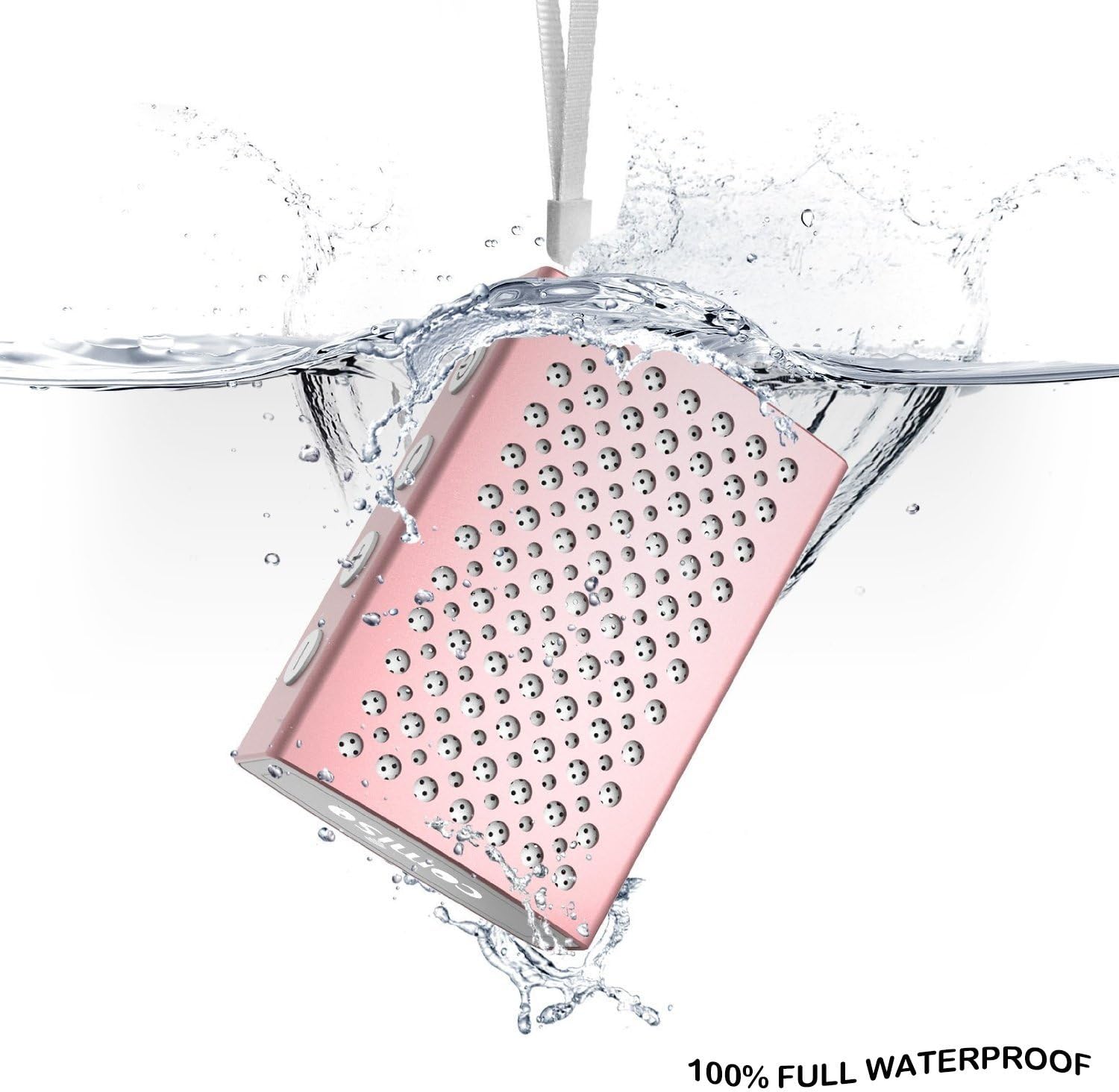
Figure 6.1: The COMISO U832 speaker demonstrating its 100% full waterproof capability, suitable for use in wet environments.
7. Laasigbotitusita
| Isoro | Owun to le Fa | Ojutu |
|---|---|---|
| Agbọrọsọ ko ni agbara lori. | Batiri kekere. | Gba agbara si agbọrọsọ ni kikun. |
| Ko le so pọ nipasẹ Bluetooth. | Agbọrọsọ kii ṣe ni ipo sisopọ; Bluetooth ẹrọ pa; ju jina lati agbọrọsọ. | Ensure speaker is in pairing mode (flashing light). Turn on Bluetooth on your device. Move device closer to speaker (within 33 feet). |
| Ko si ohun. | Iwọn didun kere ju; ipo titẹ sii ti ko tọ; ẹrọ ko dun ohun. | Increase speaker and device volume. Check if speaker is in correct mode (Bluetooth/AUX). Ensure audio is playing on your device. |
| Didara ohun ti ko dara tabi awọn asopọ. | kikọlu; ẹrọ jina ju; kekere batiri. | Move speaker closer to device. Avoid obstacles. Charge speaker. |
8. Awọn pato
| Ẹya ara ẹrọ | Ẹ̀kúnrẹ́rẹ́ |
|---|---|
| Brand | COMISO |
| Nọmba awoṣe | U832 |
| Asopọmọra Technology | Bluetooth, Iranlọwọ |
| Agbọrọsọ Agbara Ijade ti o pọju | 5 Wattis |
| Orisun agbara | Agbara Batiri |
| Ọna Iṣakoso | Fọwọkan |
| Ọja Mefa | 4.9 x 3.9 x 2.1 inches |
| Iwọn Nkan | 0.8 iwon (isunmọ 22.68 g) |
| Pataki Awọn ẹya ara ẹrọ | Built-in Microphone, Portable, IP67 Waterproof |
| UPC | 742920066987 |
9. Atilẹyin ọja ati Support
For warranty information or technical support, please refer to the documentation included with your purchase or visit the official COMISO webojula. Jeki ẹri rira rẹ fun awọn iṣeduro atilẹyin ọja.
10. Alaye Aabo
- Ma ṣe tuka, tun, tabi tun agbọrọsọ.
- Keep the speaker away from heat sources, direct sunlight, and sharp objects.
- Do not expose the speaker to fire or extreme temperatures.
- Lo gbigba agbara pàtó kan voltage ati lọwọlọwọ.
- Jeki kuro ni arọwọto awọn ọmọde.