
1. Ifihan
This manual provides detailed instructions for the installation, operation, and maintenance of the NVIDIA E220370 Video Card. This graphics card is designed to enhance the visual performance of your desktop computer, supporting various display outputs and applications.
Please read this manual thoroughly before attempting installation or operation to ensure proper usage and to prevent damage to the product or your system.
2. Alaye Aabo
Observe the following safety precautions to prevent injury and damage to your equipment:
- Máa yọ agbára kúrò lórí kọ̀ǹpútà rẹ kí o tó fi àwọn èròjà tàbí àwọn ohun èlò mìíràn sí i.
- Wear an anti-static wrist strap or frequently touch a grounded metal object to discharge static electricity before handling the video card. Static discharge can damage electronic components.
- Handle the video card by its edges. Avoid touching the gold connector pins or other components on the board.
- Rii daju pe fentilesonu to dara laarin ọran kọnputa rẹ lati ṣe idiwọ igbona pupọ.
- Keep the video card away from liquids and excessive moisture.
3. Eto ati fifi sori
Follow these steps to install the NVIDIA E220370 Video Card into your desktop computer.
3.1. Igbaradi
- Pa kọ̀ǹpútà rẹ kí o sì yọ okùn agbára kúrò nínú ihò ìtajà ògiri.
- Open your computer case. Refer to your computer's manual for specific instructions on how to open the case.
- Locate an available PCI Express x16 slot on your motherboard. This card requires a PCI Express x16 slot for optimal performance.
- Remove the metal bracket cover from the back of the computer case corresponding to the chosen PCI Express slot.
3.2. Card Installation
- Carefully align the video card with the PCI Express x16 slot.
- Press down firmly and evenly on both ends of the card until it is fully seated in the slot. You should hear a click as the retention clip engages.
- Secure the video card to the computer case with a screw or the case's retention mechanism.
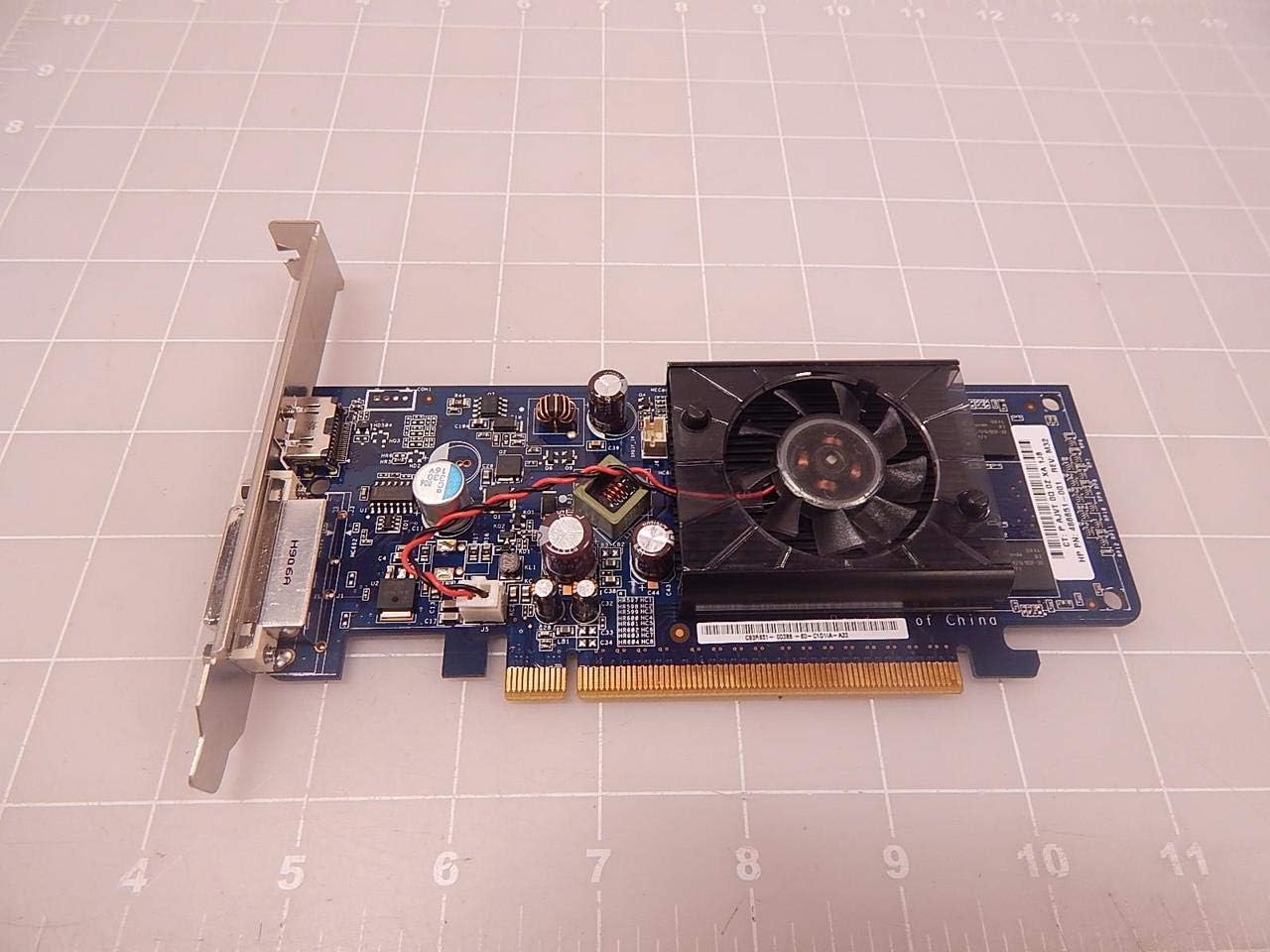
olusin 3.2.1: Top view of the NVIDIA E220370 Video Card, showing the cooling fan and general layout. This view helps in identifying the card for installation.
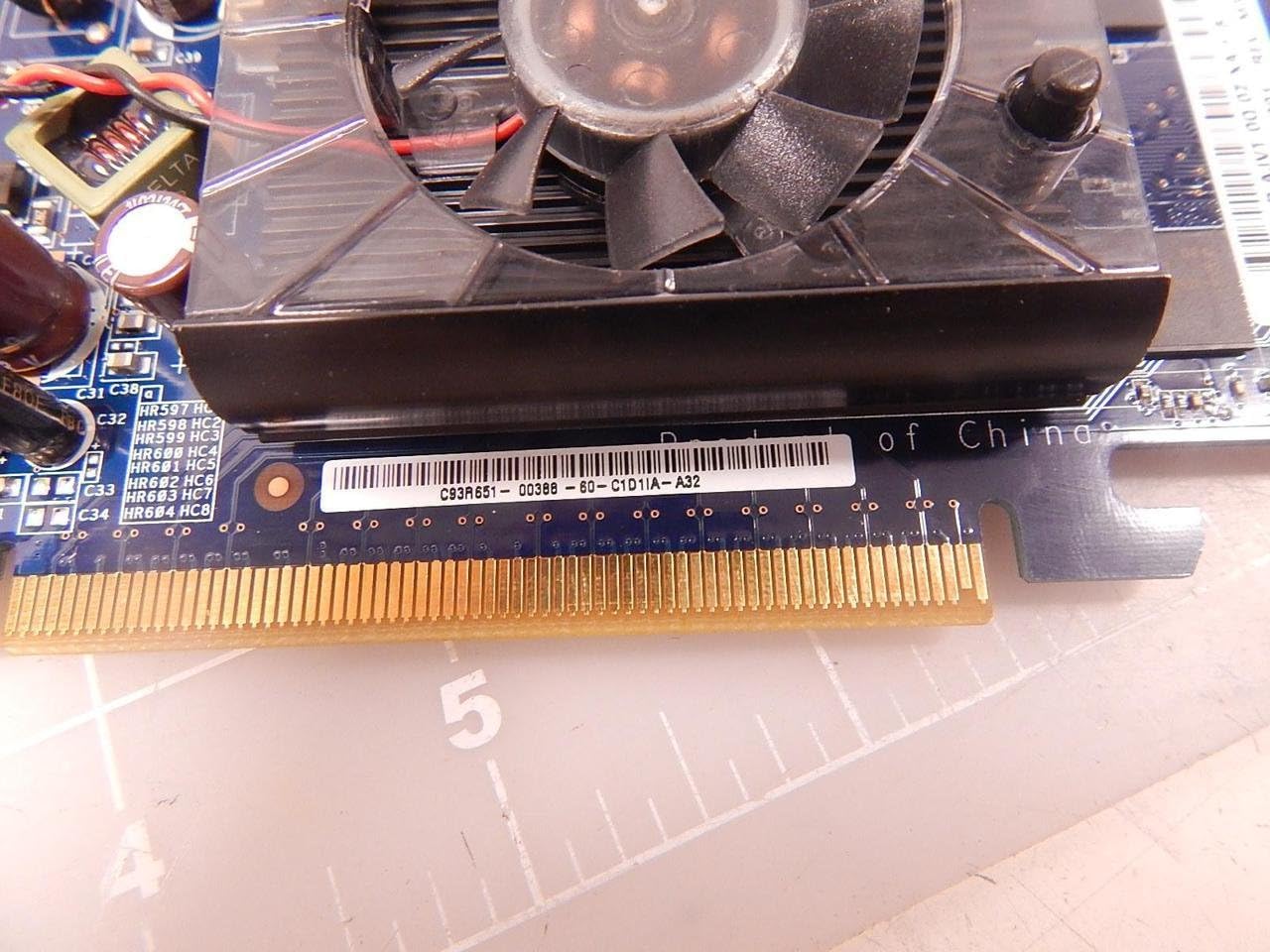
Figure 3.2.2: Close-up of the PCI Express connector (gold pins) on the NVIDIA E220370 Video Card. This connector must be fully seated into the motherboard's PCI Express slot.
3.3. Fifi sori awakọ
- Pa apoti kọnputa rẹ ki o tun okun agbara pọ.
- Connect your monitor to one of the video card's output ports (HDMI or DVI).
- Agbara lori kọmputa rẹ.
- Once the operating system loads, download the latest drivers for the NVIDIA E220370 from the official NVIDIA webAaye (www.nvidia.com/drivers).
- Tẹle awọn ilana loju iboju lati pari fifi sori awakọ. Atunbere eto le nilo.
4. Operating the Video Card
Once installed and drivers are updated, your NVIDIA E220370 Video Card will automatically handle graphics processing for your system.
4.1. Nsopọ Awọn ifihan
The video card supports multiple display outputs. You can connect your monitor(s) to the available ports:
- HDMI: Fun fidio oni-nọmba giga-giga ati ohun.
- DVI: Fun ifihan fidio oni-nọmba.
- Ibudo Ifihan: For high-resolution digital video and audio (if available on your specific model variant).
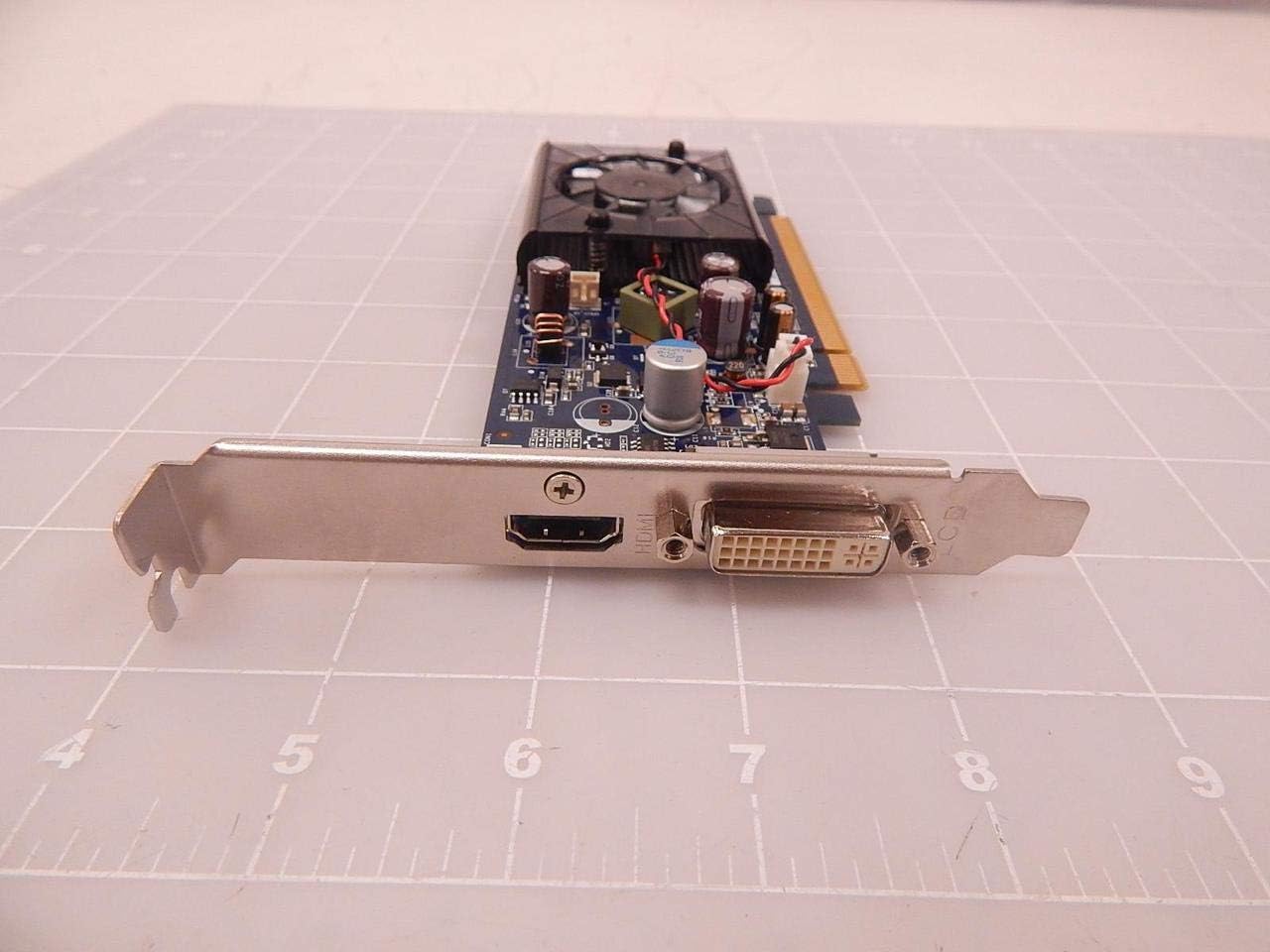
Figure 4.1.1: The output panel of the NVIDIA E220370 Video Card, showing the HDMI and DVI ports for connecting displays.
4.2. Graphics Settings
You can adjust graphics settings through the NVIDIA Control Panel (usually accessible via your desktop's right-click context menu or Windows Control Panel). This allows you to:
- Configure display resolution and refresh rates.
- Manage multiple displays.
- Optimize 3D settings for games and applications.
- Ṣe imudojuiwọn awọn awakọ.
5. Itọju
Regular maintenance helps ensure the longevity and optimal performance of your video card.
- Yiyọ eruku kuro: Periodically clean the cooling fan and heatsink to prevent dust buildup, which can impede airflow and lead to overheating. Use compressed air to gently blow dust away from the fan blades and heatsink fins. Ensure the fan is held stationary while cleaning to prevent damage.
- Fife ategun: Ensure your computer case has adequate airflow. Keep vents clear and consider additional case fans if temperatures are consistently high.
- Awọn imudojuiwọn Awakọ: Keep your graphics drivers updated. NVIDIA regularly releases new drivers that include performance improvements, bug fixes, and compatibility updates.
6. Laasigbotitusita
If you encounter issues with your NVIDIA E220370 Video Card, refer to the following troubleshooting steps:
6.1. Ko si Abajade Ifihan
- Ṣayẹwo Awọn isopọ: Ensure the monitor cable is securely connected to both the video card and the monitor. Try a different cable or monitor if possible.
- Card Seating: Power off the computer, unplug it, and re-seat the video card firmly into its PCI Express slot.
- Ibi ti ina elekitiriki ti nwa: Verify that your power supply unit (PSU) meets the minimum wattage requirements for your system, including the video card.
- Eto BIOS/UEFI: Check your motherboard's BIOS/UEFI settings to ensure the primary display output is set to PCI Express (PEG) if applicable.
6.2. Display Artifacts or Glitches
- Awọn ọran Awakọ: Uninstall current drivers using Display Driver Uninstaller (DDU) in Safe Mode, then install the latest drivers from NVIDIA's webojula.
- Igbóná púpọ̀: Monitor the GPU temperature using third-party software. If temperatures are high, clean the heatsink and fan, and ensure proper case airflow.
- Card Fault: If issues persist after driver and temperature checks, the card itself might be faulty.
6.3. System aisedeede tabi ipadanu
- Awọn Rogbodiyan Awakọ: Ensure all other system drivers are up to date.
- Ibi ti ina elekitiriki ti nwa: An insufficient or failing power supply can cause instability.
- Igbóná púpọ̀: As mentioned, high temperatures can lead to system crashes.
7. Awọn pato
The following are key specifications for the NVIDIA E220370 Video Card:
| Ẹya ara ẹrọ | Sipesifikesonu |
|---|---|
| Brand | NVIDIA |
| Orukọ awoṣe | E220370 |
| Awọn nọmba apakan | E220370, BTC-202B, 466851-001 |
| Graphics Co-processor | NVIDIA |
| Eya Ramu Iru | GDDR5 |
| Video o wu Interface | DisplayPort, HDMI |
| Graphics Card Interface | PCI Express |
| Niyanju ọja Lilo | Gaming, Professional Use |
| Awọn ẹrọ ibaramu | Ojú-iṣẹ |
| Wattage | 2.16 watt |
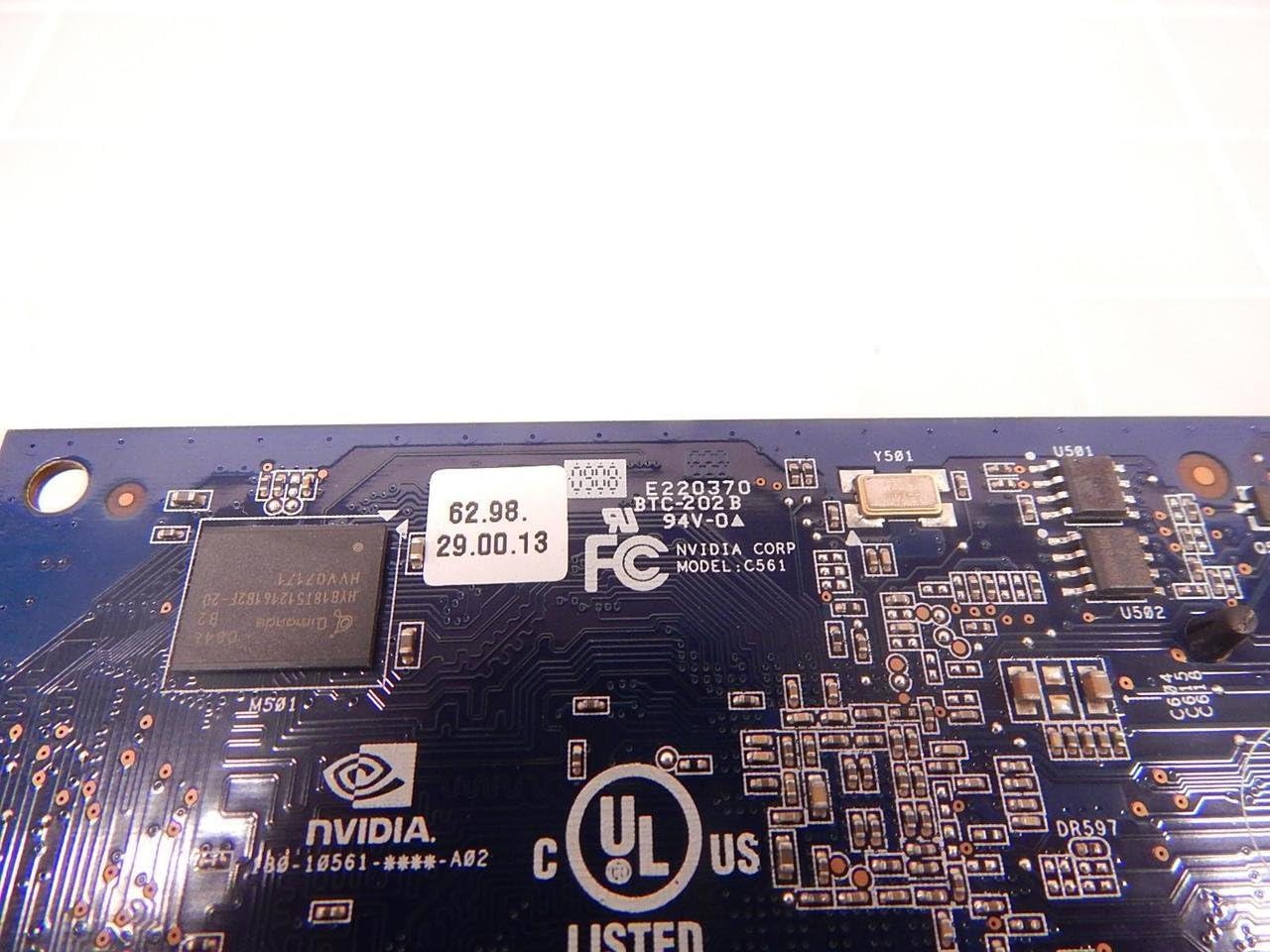
Nọmba 7.1: Alaye view of the NVIDIA E220370 PCB, showing the model number E220370 and BTC-202B, along with other manufacturing details.
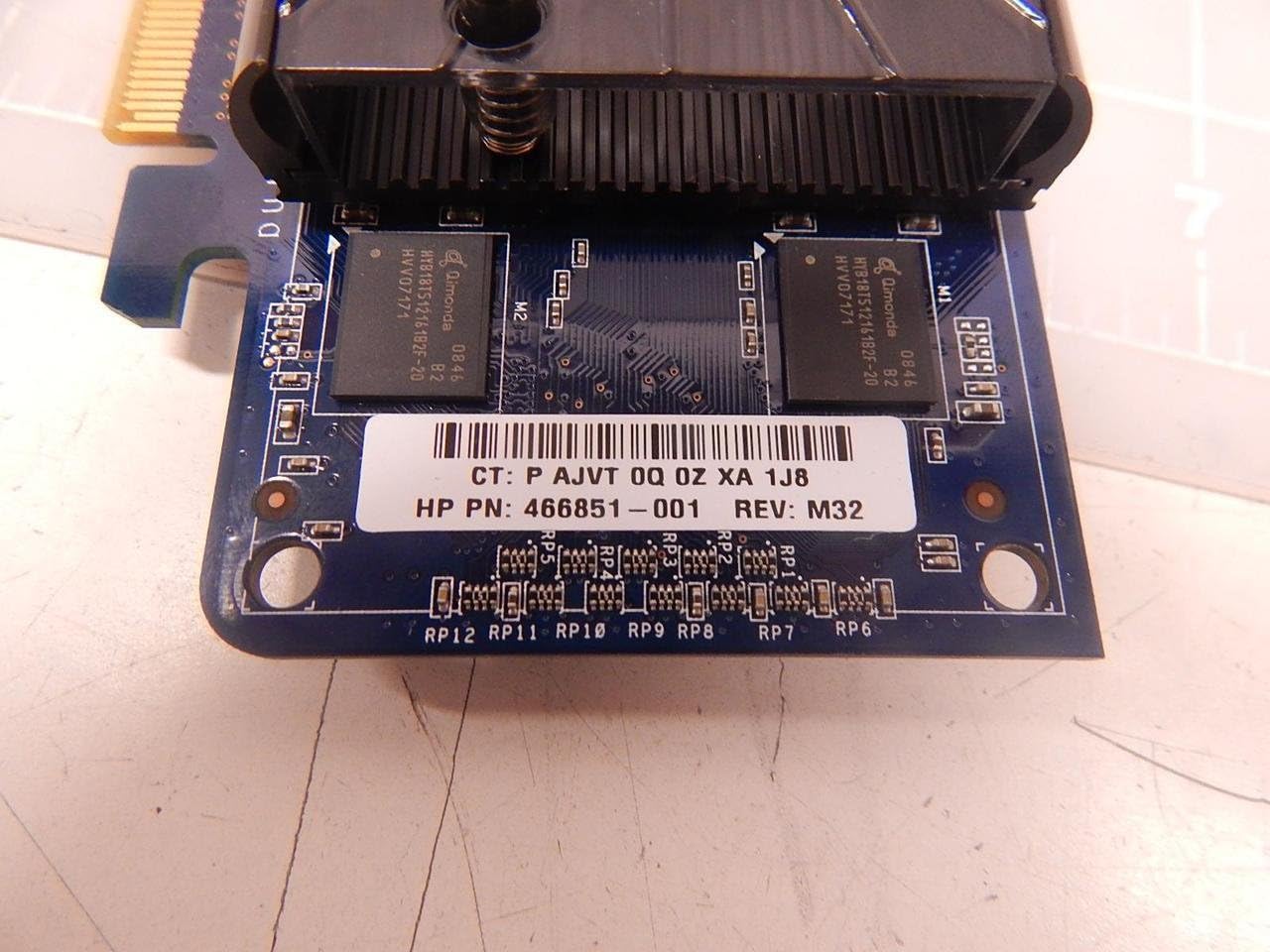
Figure 7.2: Close-up showing the HP Part Number 466851-001, which is associated with this NVIDIA E220370 video card.
8. Atilẹyin ọja ati Support
For warranty information and technical support, please refer to the documentation provided with your original purchase or visit the official NVIDIA support webojula.
- NVIDIA atilẹyin: www.nvidia.com/support
- Iforukọsilẹ Ọja: Registering your product may be required for warranty claims.
- Ẹri ti rira: Pa ẹri rira rẹ mọ fun idaniloju atilẹyin ọja.