
Ọrọ Iṣaaju
The HyperGear Rave Wireless Stereo Speaker delivers high-fidelity sound with an interactive multi-colored LED light show. It features Bluetooth connectivity, a built-in speakerphone, and an FM radio, making it suitable for various audio needs.
Package Awọn akoonu
- Rave Wireless Speaker
- Okùn Ìrànlọ́wọ́ Sitẹrio 3.5mm
- Micro USB Ngba agbara USB
- Afowoyi Olumulo (iwe-ipamọ yii)

Ọja Pariview
Mọ ara rẹ pẹlu awọn iṣakoso agbọrọsọ ati awọn ebute oko oju omi.

Awọn bọtini Iṣakoso
- Bọtini agbara: Tẹ mọlẹ lati tan tabi paa agbohunsoke.
- Bọtini Ipo (M): Tẹ lati yipada laarin awọn ipo Bluetooth, Redio FM, ati AUX.
- Play/Pause Button (►/∕): Press to play or pause audio. In call mode, press to answer/end calls.
- Volume Down / Previous Track (-/◀◀): Tẹ lati dinku iwọn didun. Tẹ mọlẹ lati lọ si orin ti tẹlẹ.
- Volume Up / Next Track (+/►►): Tẹ lati mu iwọn didun pọ si. Tẹ ki o si dimu lati lọ si orin ti o tẹle.
- Light Mode Button (*): Press to cycle through different LED light patterns or turn off the light show.
Awọn ibudo
- Ibudo gbigba agbara USB Micro: Fun gbigba agbara ti abẹnu agbohunsoke.
- Iṣawọle AUX 3.5mm: For connecting external audio devices via the auxiliary cable.
Ṣeto
Gbigba agbara si Agbọrọsọ
Before first use, fully charge the speaker. Connect the Micro USB charging cable to the speaker's charging port and the other end to a USB power adapter (not included) or a computer's USB port. The charging indicator light will illuminate during charging and turn off when fully charged. A full charge takes approximately 3-4 hours and provides up to 8 hours of playback.
Titan / Pipa agbara
Tẹ mọlẹ Bọtini agbara for approximately 3 seconds to turn the speaker on or off. A voice prompt will indicate the power status.
Awọn ilana Iṣiṣẹ
Asopọ Bluetooth
- Rí i dájú pé a ti tan agbọrọsọ naa ati pe o wa ni ipo Bluetooth. Ti ko ba ri bẹẹ, tẹ bọtini naa. Bọtini Ipo (M) until you hear the Bluetooth pairing prompt. The LED indicator will flash, indicating it is ready to pair.
- Lori ẹrọ alagbeka rẹ, mu Bluetooth ṣiṣẹ ki o wa awọn ẹrọ to wa.
- Select "HyperGear Rave" from the list of devices.
- Once paired, the speaker will emit a confirmation tone, and the LED indicator will stop flashing.

Ti ndun Orin
Ipo Bluetooth
After successful pairing, you can play music from your connected device. Use the speaker's Ṣiṣẹ / Sinmi, Iwọn didun soke/Orin atẹle, ati Iwọn didun isalẹ/Orin Tẹlẹ buttons to control playback, or control directly from your device.
Ipo AUX
Connect one end of the 3.5mm auxiliary cable to the speaker's AUX input and the other end to the audio output of your external device. Press the Bọtini Ipo (M) to switch to AUX mode. Audio will play directly from your connected device.
Ọwọ-Free Ipe
When connected via Bluetooth, the speaker can be used as a speakerphone. When a call comes in, the music will pause. Press the Bọtini Muu ṣiṣẹ/Daduro to answer an incoming call. Press it again to end the call. Press and hold the Bọtini Muu ṣiṣẹ/Daduro lati kọ ipe ti nwọle.
FM Radio isẹ
Tẹ awọn Bọtini Ipo (M) to switch to FM Radio mode. The speaker will automatically scan and save available stations. Use the Iwọn didun soke/Orin atẹle ati Iwọn didun isalẹ/Orin Tẹlẹ buttons to navigate between saved stations. Press and hold these buttons to fine-tune the frequency.
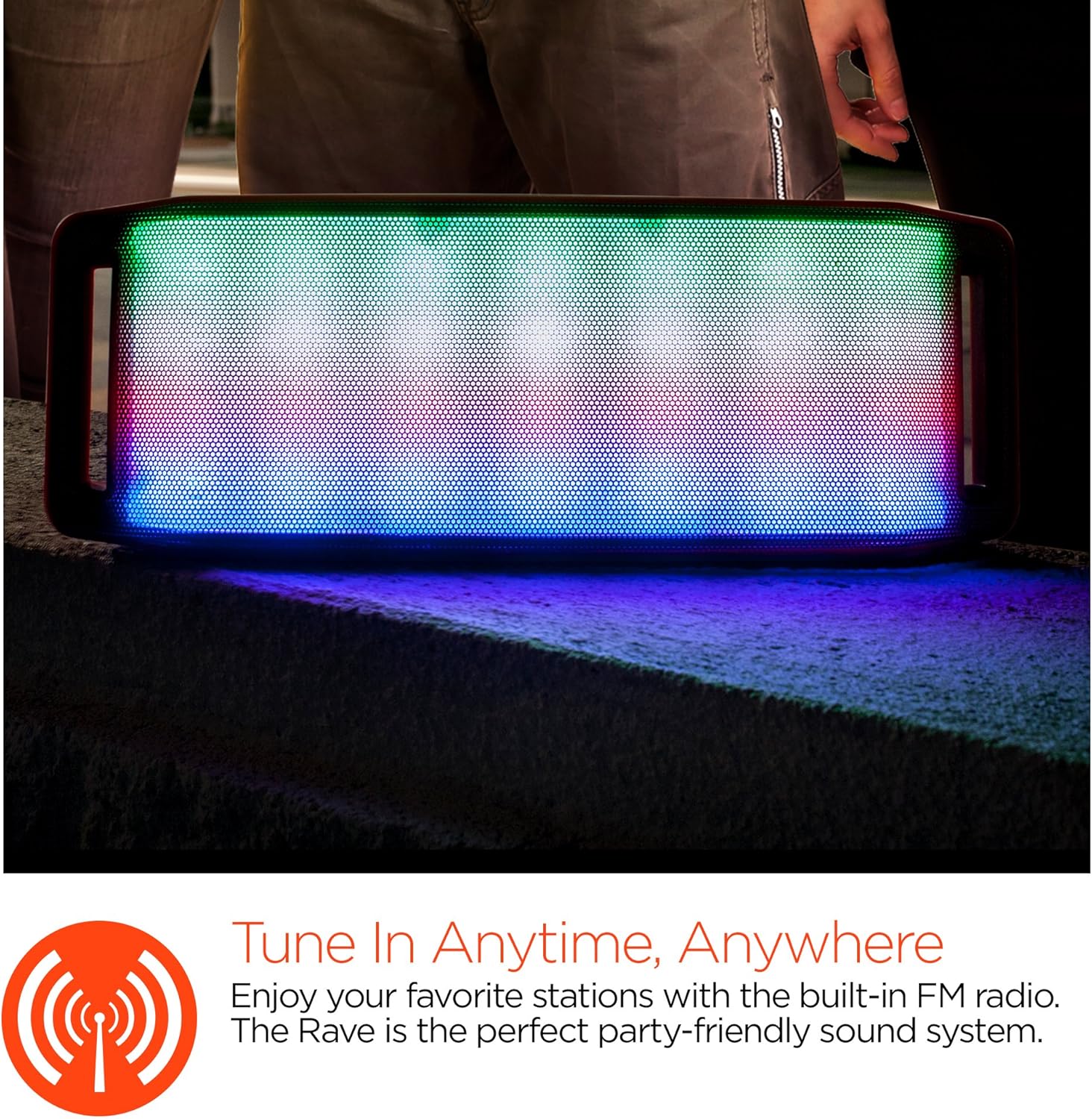
Imọlẹ Imọlẹ LED
The speaker features an interactive multi-colored LED light show. Press the Light Mode Button (*) to cycle through different light patterns or to turn the light show off.

Itoju
Ninu
Wipe the speaker with a soft, dry cloth. Do not use abrasive cleaners or solvents. Avoid exposing the speaker to excessive moisture.
Ibi ipamọ
Tọju agbohunsoke ni itura, aye gbigbẹ kuro lati orun taara ati awọn iwọn otutu to gaju. Ti o ba tọju fun akoko ti o gbooro sii, gba agbara si batiri lorekore lati ṣetọju iye akoko rẹ.
Itọju Batiri
To prolong battery life, avoid fully discharging the speaker frequently. Charge the speaker regularly, even if not in use, to prevent deep discharge.
Laasigbotitusita
| Isoro | Owun to le Fa | Ojutu |
|---|---|---|
| Agbọrọsọ ko ni tan. | Batiri ti dinku. | Gba agbara si agbọrọsọ naa nipa lilo okun USB Micro. |
| Ko le so pọ nipasẹ Bluetooth. | Agbọrọsọ ko si ni ipo sisopọ; Bluetooth wa ni pipa lori ẹrọ; ẹrọ jẹ ju jina. | Ensure speaker is in Bluetooth pairing mode (flashing LED). Turn on Bluetooth on your device. Move device closer to speaker (within 10 meters). |
| Ko si ohun. | Volume is too low; incorrect mode selected; device not playing. | Increase volume on both speaker and connected device. Ensure correct mode (Bluetooth/AUX/FM) is selected. Verify audio is playing on the source device. |
| Iparun ohun. | Iwọn didun ga ju; kekere batiri; kikọlu. | Dín ohùn kù. Gba agbara sí agbọ́hùnsọ̀. Gbé agbọ́hùnsọ̀ kúrò lọ́dọ̀ àwọn ẹ̀rọ itanna mìíràn. |
| Gbigba redio FM ko dara. | Ifihan agbara; kikọlu ayika. | Relocate the speaker to an area with better reception. Extend the charging cable (if connected) as it can act as an antenna. |
Awọn pato
| Ẹya ara ẹrọ | Ẹ̀kúnrẹ́rẹ́ |
|---|---|
| Nọmba awoṣe | 13604 |
| Ẹya Bluetooth | 3.0 ± EDR |
| Agbọrọsọ o wu Power | 2 x 5W (Àròpọ̀ 10W) |
| Iwọn ifihan agbara-si-Ariwo (S/N) | 80dB |
| Agbara Batiri | 1500mAh |
| Play Time | Titi di awọn wakati 8 |
| Bluetooth Ibiti | Titi di 33ft / 10m |
| Asopọmọra Technology | Bluetooth, Alailowaya |
| Ipo Ijade Ohun | Sitẹrio |
| Ọna Iṣakoso | Fọwọkan |
| Iwọn | 2.25 iwon |
| Pataki Awọn ẹya ara ẹrọ | Bass Boost, Display, Multi-colored LED Light Show, Built-in Speakerphone, FM Radio |
Atilẹyin ọja ati Support
For warranty information or technical support, please refer to the contact details provided on the product packaging or visit the official HYPERGEAR webojula. Tọju iwe-ẹri rira rẹ bi ẹri rira.