
Ọja Pariview
The Hardware Resources BPO2-11SC is an 11-inch base cabinet pullout designed to maximize storage and organization within your kitchen or utility cabinets. This unit features a 'No Wiggle' design for stability and soft-close undermount slides for smooth operation. It is constructed from white birch with a UV-coated finish for durability.
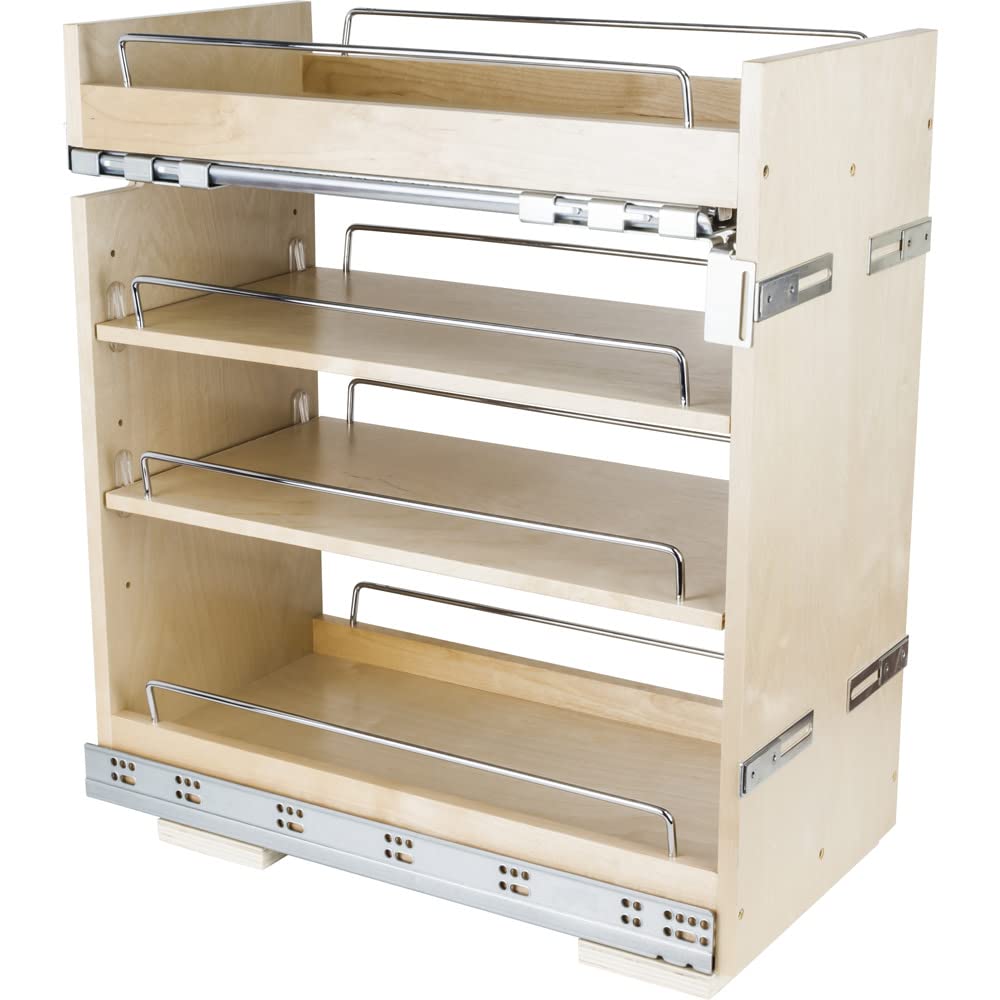
Image: The BPO2-11SC pullout installed in a base cabinet, showcasing its storage capacity for pantry items.
Awọn ẹya pataki:
- Ìbú: 11-1/2 inches (292mm)
- Giga: 24 inches (610mm)
- Ijinle: 22 inches (559mm)
- Pari: UV Coated for enhanced durability and protection.
- Ohun elo: High-quality White Birch.
- Awọn ifaworanhan: Premium Soft-close undermount slides for quiet and smooth operation.
- Iduroṣinṣin: 'No Wiggle' technology prevents rocking and ensures product stability.
- Agbara iwuwo: 100 lbs.
Mefa ati irinše

Image: Detailed dimension diagram of the pullout unit, indicating its width, depth, and height.
Awọn iwọn ọja:
- Overall Product Dimensions (W x D x H): 11.5 x 22 x 24 inches
- Ìwọ̀n Nkan: 33 iwon
Awọn eroja to wa:
- Base Cabinet Pullout Unit (fully assembled)
- Shelves (4 total, including two adjustable and two fixed)
- Integrated 6-way adjustable door-mounting brackets
- Undermount slides (pre-attached)
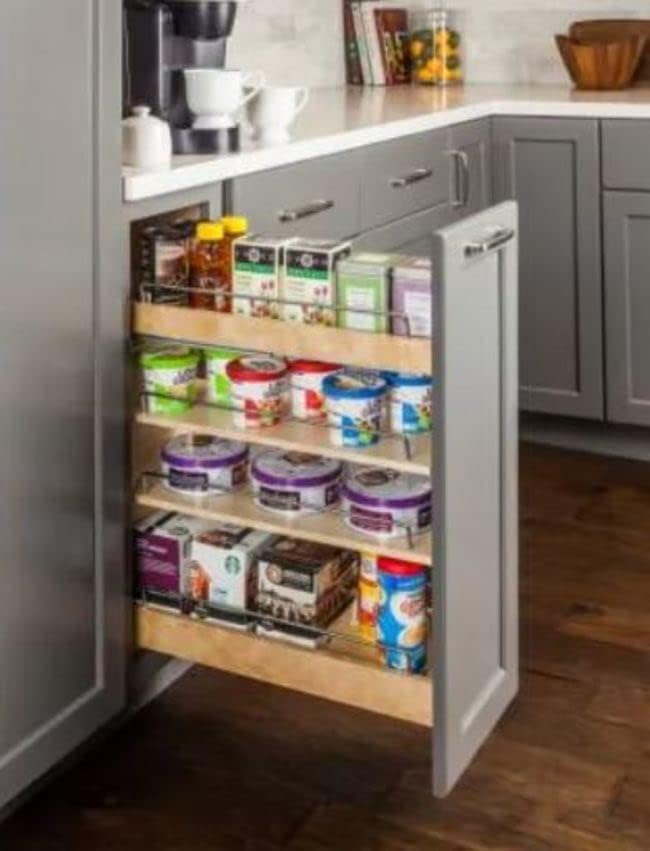
Image: The complete pullout unit, ready for installation.
Eto ati fifi sori
The Hardware Resources BPO2-11SC pullout ships fully assembled with slides attached, simplifying the installation process. It is designed for installation in a full door cabinet and is compatible with both face frame and frameless cabinet applications.
Ṣaaju fifi sori:
- Verify Cabinet Opening: Ensure your cabinet opening is appropriate for the 11-1/2 inch wide pullout.
- Ko Agbegbe kuro: Clear the cabinet interior of any obstructions.
- Awọn irinṣẹ ti a beere: Basic tools such as a drill, screwdriver, and measuring tape may be needed.
Awọn igbesẹ fifi sori ẹrọ:
- Gbe Ẹka naa si: Place the pullout unit inside the cabinet opening. Ensure it is centered and flush with the cabinet face.
- Secure to Cabinet Floor: Use appropriate screws (not included, typically) to secure the base of the pullout unit to the cabinet floor. Ensure it is firmly attached to prevent movement.
- So Ilẹkun Kabinet pọ mọ: The pullout features patented integrated 6-way adjustable door-mounting brackets. Align your cabinet door with the pullout unit. Attach the door to these brackets using screws.
- Ṣàtúnṣe Ìtòlẹ́sẹẹsẹ Ilẹ̀kùn: Utilize the 6-way adjustment feature on the brackets to precisely align the cabinet door with adjacent cabinet doors, ensuring even gaps and a professional finish.
- Iṣiṣẹ Idanwo: Gently pull out and push in the unit to ensure smooth operation and proper soft-close functionality.
For detailed visual instructions, refer to the manufacturer's installation guide typically included with the product packaging or available on their webojula.
Awọn ilana Iṣiṣẹ
The BPO2-11SC pullout is designed for simple and reliable operation, providing easy access to your stored items.

Image: A user demonstrating the ease of access provided by the pullout unit.
Using Your Pullout:
- Nsii: Gently pull the cabinet door attached to the pullout unit. The soft-close undermount slides will allow the unit to extend smoothly and fully from the cabinet.
- Wọle si Awọn nkan: Once extended, you have full visibility and access to all items stored on the shelves. The 'No Wiggle' technology ensures the unit remains stable while open.
- Pipade: Push the unit back into the cabinet. The soft-close mechanism will engage, slowly and quietly drawing the unit back into its closed position without slamming.
Atunse selifu:
The unit includes two adjustable shelves. To adjust their height:
- Sofo selifu ti gbogbo awọn akoonu.
- Farabalẹ gbe selifu lati ipo lọwọlọwọ.
- Reposition the shelf at the desired height, ensuring it is securely seated on the shelf pins or supports.
Itoju
Proper maintenance will ensure the longevity and continued smooth operation of your Hardware Resources cabinet pullout.
Ninu:
- Wood Surfaces (White Birch, UV Coated): Mu ese pẹlu asọ, damp cloth. For stubborn spots, use a mild, non-abrasive cleaner. Avoid harsh chemicals, abrasive pads, or excessive moisture, as these can damage the UV coating and wood.
- Metal Components (Slides, Rails): Mu ese pẹlu kan gbẹ tabi die-die damp cloth. Do not use abrasive cleaners. Periodically check for any debris that might hinder slide movement and remove it.
Gbogbogbo Itọju:
- Pipin iwuwo: Distribute items evenly across the shelves and avoid exceeding the 100 lbs weight capacity to prevent strain on the slides and unit structure.
- Slide Lubrication: The undermount slides are designed for maintenance-free operation. Avoid applying lubricants unless specifically recommended by the manufacturer, as this can attract dust and debris.
- Ayẹwo igbagbogbo: Periodically check all mounting screws and connections to ensure they remain tight. Tighten any loose screws as needed.
Laasigbotitusita
If you encounter any issues with your cabinet pullout, refer to the following common troubleshooting tips:
| Isoro | Owun to le Fa | Ojutu |
|---|---|---|
| Pullout does not slide smoothly. | Debris in slides, overloaded, or misaligned. | Clear debris from slides. Reduce load. Check for proper alignment and re-adjust if necessary. |
| Soft-close mechanism not engaging. | Overloaded or mechanism obstructed. | Ensure unit is not overloaded. Check for any items obstructing the soft-close mechanism at the back of the slides. |
| Unit kan lara riru tabi riru. | Loose mounting screws or uneven installation. | Tighten all screws securing the unit to the cabinet floor. Verify the unit is installed on a level surface. |
| Cabinet door is misaligned. | Door mounting brackets need adjustment. | Use the 6-way adjustable door-mounting brackets to fine-tune the door's position. |
If these steps do not resolve the issue, please contact Hardware Resources customer support for further assistance.
Awọn pato
| Sipesifikesonu | Ẹ̀kúnrẹ́rẹ́ |
|---|---|
| Awọn iwọn Ọja (W x D x H) | 11.5 x 22 x 24 inches |
| Iwọn Nkan | 33 iwon |
| Olupese | Hardware Resources |
| Nọmba awoṣe | BPO2-SC |
| Pari Iru | UV Ti a bo |
| Ohun elo | Birch funfun |
| Nọmba ti selifu | 4 (two adjustable, two fixed) |
| Apejọ ti a beere | No (ships fully assembled) |
| Agbara iwuwo | 100 lbs |
Atilẹyin ọja ati Support
Hardware Resources products are manufactured to high-quality standards. For specific warranty information regarding your BPO2-11SC cabinet pullout, please refer to the documentation included with your purchase or visit the official Hardware Resources webojula.
For technical support, replacement parts, or any inquiries not covered in this manual, please contact Hardware Resources customer service directly.
Hardware Resources Official Webojula: www.hardwareresources.com