
1. Ti pariview
The JJC S-PK1 Shutter Release Cable is designed to prevent camera shake for sharper images, especially during long exposures or macro photography. It functions identically to your camera's built-in shutter release button, offering both focus and shutter activation. This cable is powered by your camera, requiring no external batteries.
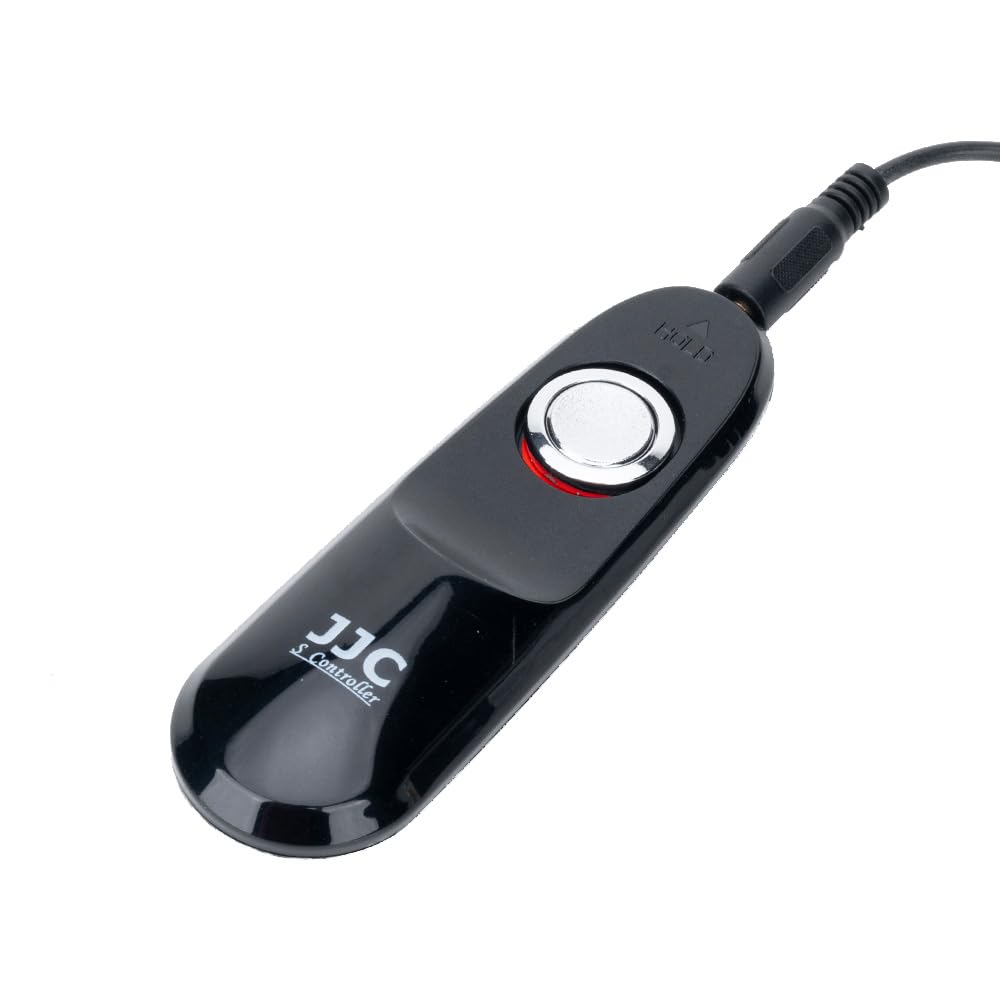
olusin 1: Iwaju view of the JJC S-PK1 Shutter Release Cable.
2. Awọn ẹya Ọja
- Ibamu: Designed for Nikon ZR Z5II Z50II, Fujifilm X-E4 X-T200 X-S20 X-S10, Pentax K-70, KP cameras.
- Rọpo: Replaces original Nikon MC-DC3 and Pentax CS-310 remote cords.
- Orisun Agbara: No battery required; powered directly by the camera.
- Meji-Stage Bọtini: Functions like the camera's shutter button: half-press to focus, full-press to take a photo.
- Bulb Mode Lock: Features a slide lock for extended exposures in 'Bulb' mode, preventing camera shake.

olusin 2: Pada view of the remote control, showing the JJC branding and manufacturing details.
3. Eto
- Locate Camera Port: Identify the remote control terminal on your compatible camera. Refer to your camera's manual for the exact location.
- Okun So pọ: Insert the plug of the JJC S-PK1 Shutter Release Cable firmly into the camera's remote control terminal. Ensure a secure connection.
- Jẹrisi Asopọmọra: Once connected, the cable is ready for use. No additional setup or battery installation is required.

Figure 3: The shutter release cable connected to a camera, ready for operation.
4. Awọn ilana Iṣiṣẹ
4.1 Basic Shutter Release
- Idojukọ: Gently press the shutter button on the remote halfway down. This will activate your camera's autofocus system.
- Ya aworan: Tẹ bọtini titiipa ni kikun si isalẹ lati ya aworan naa.
4.2 Long Exposure (Bulb Mode)
For long exposures, such as star trails or low-light scenes, use the bulb mode lock feature:
- Set Camera to Bulb Mode: Configure your camera to 'Bulb' exposure mode.
- Activate Shutter: Press the shutter button on the remote fully down.
- Lock Shutter: While holding the button down, slide the button forward (towards the cable end) to lock it in the depressed position. The shutter will remain open for the duration.
- Release Shutter: To end the exposure, slide the button backward to unlock it. The shutter will close, and the photo will be recorded.
4.3 Tesiwaju ibon
If your camera is set to continuous shooting mode, pressing and holding the shutter button fully down on the remote will trigger a series of shots until the button is released.
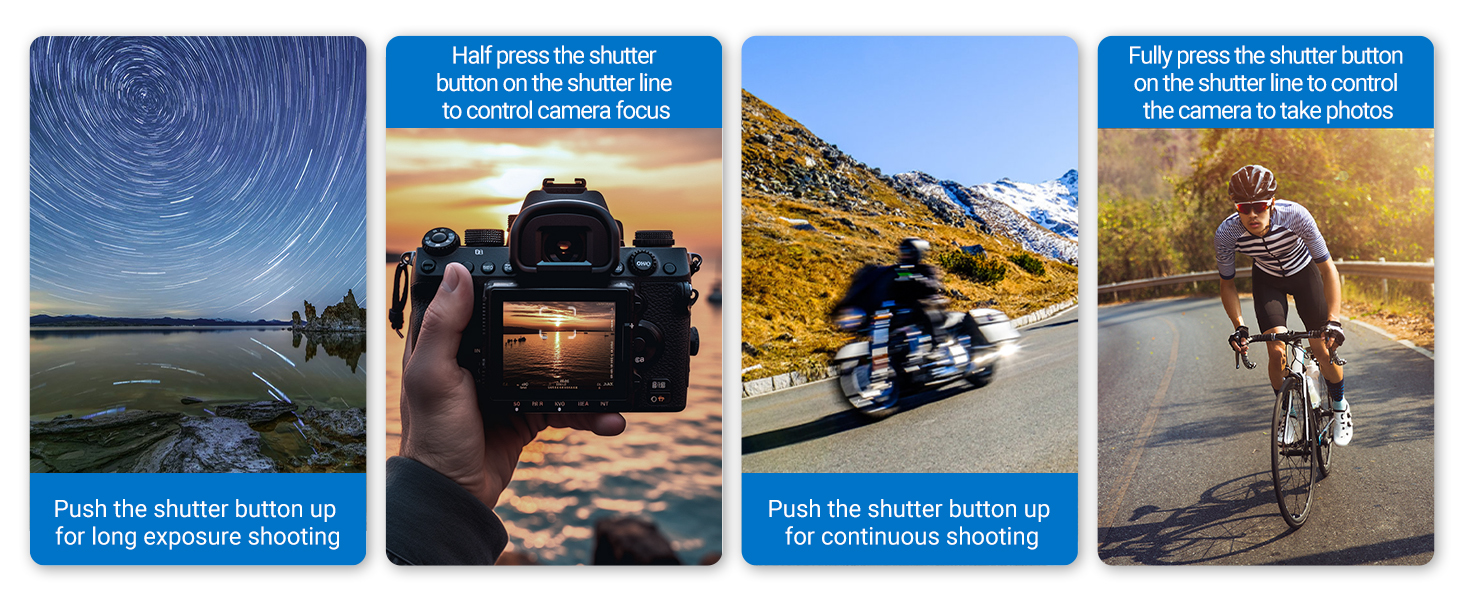
Figure 4: Visual guide to using the shutter release cable for various shooting modes.
Video 1: Demonstration of the JJC S-PK1 Shutter Release Cable's functions, including half-press for focus, full-press for photo, and the bulb mode lock feature.
5. Itọju
- Ninu: Use a soft, dry cloth to clean the remote control. Avoid using harsh chemicals or abrasive materials.
- Ibi ipamọ: Tọ́jú okùn náà sí ibi tí ó tutù tí ó sì gbẹ, tí kò sí ìmọ́lẹ̀ oòrùn tààrà àti àwọn igbóná tí ó le koko.
- Itọju USB: Yẹra fún títẹ̀ tàbí yíyí okùn náà pọ̀ jù láti dènà ìbàjẹ́ inú.
6. Laasigbotitusita
- Remote Not Functioning: Ensure the cable is securely plugged into the camera's remote control terminal. Check your camera's settings to confirm it is ready to accept remote input.
- Asopọmọra Laarin: Disconnect and reconnect the cable. Inspect the cable and connectors for any visible damage.
- Camera Not Focusing: Ensure the remote button is pressed halfway down. Verify your camera's autofocus system is enabled and functioning correctly.
7. Awọn pato
| Ẹya ara ẹrọ | Ẹ̀kúnrẹ́rẹ́ |
|---|---|
| Brand | JJC |
| Orukọ awoṣe | S-PK1 |
| Awọn ẹrọ ibaramu | Nikon ZR Z5II Z50II, Fujifilm X-E4 X-T200 X-S10 X-S20, Pentax K-70 KP |
| Asopọmọra Technology | USB |
| Nọmba ti Awọn bọtini | 1 |
| Adarí Iru | USB Iṣakoso |
| Ibiti o pọju | 10 Metres (cable length approx. 90cm) |
| Awọn oriṣi batiri | Ko si batiri ti o beere |
| Iwọn Nkan | 59 g |
| Awọn Iwọn Nkan (L x W x H) | 10.5L x 3.4W x 2.3H sẹntimita |

Figure 5: Detailed dimensions of the JJC S-PK1 Shutter Release Cable and its coiled cable.
8. Atilẹyin ọja ati Support
For warranty information or technical support, please refer to the official JJC webAaye ayelujara tabi kan si alagbata rẹ. Pa iwe-ẹri rira rẹ mọ fun eyikeyi awọn ibeere atilẹyin ọja.