
Ọrọ Iṣaaju
This manual provides detailed instructions for the setup, operation, maintenance, and troubleshooting of your Pabobo Kid Sleep Alarm Clock, model KS0031. Please read this manual thoroughly before using the product to ensure proper function and safety.
The Pabobo Kid Sleep Alarm Clock is designed to help children learn to tell time and establish healthy sleep routines. It features both digital and analog time displays, a visual sleep/wake indicator, and customizable alarm sounds.
Alaye Aabo
- Pa ẹrọ naa kuro ninu omi ati ọrinrin.
- Ma ṣe ṣipaya si awọn iwọn otutu to gaju tabi oorun taara.
- Lo iru batiri ti a ti sọ tẹlẹ. Rii daju polarity ti o pe nigbati o ba nfi awọn batiri sii.
- Jeki awọn batiri kuro ni arọwọto awọn ọmọde kekere.
- Ma ṣe gbiyanju lati tunto tabi tun ẹrọ naa funrararẹ. Kan si atilẹyin ti awọn ọran ba dide.
- Ọja yii jẹ ipinnu fun lilo inu ile nikan.
Ọja Pariview
The Pabobo Kid Sleep Alarm Clock combines an analog clock, a digital display, and a visual sleep/wake indicator to assist children in understanding time and sleep cycles.

Nọmba 1: Iwaju view of the Pabobo Kid Sleep Alarm Clock.
Awọn ẹya pataki:
- Ifihan Aago Meji: Features both an analog clock face and a digital time display for easy learning.
- Sleep Trainer: A visual indicator (sleeping child / awake child) helps children understand when it's time to sleep and when it's okay to wake up.
- Itaniji Onitẹsiwaju: Three selectable alarm sounds (chirping birds, cuckoo, train) that increase in volume.
- Iṣẹ́ lẹ́ẹ̀kọ̀ọ̀kan: Press the large button on the top for a two-minute snooze and a temporary backlight.
- Imọlẹ alẹ: A mini night light emits a reassuring glow.
Ṣeto
1. Fifi sori batiri
The clock operates on one battery, which is included. To install or replace the battery:
- Wa yara batiri ni ẹhin aago naa.
- Ṣii ideri iyẹwu batiri naa.
- Fi batiri sii, ki o rii daju pe polarity to tọ (+/-).
- Pa ideri batiri naa ni aabo.

Nọmba 2: Ẹyìn view pẹlu yara batiri ati idari.
2. Ṣiṣeto Akoko naa
To set the current time on your alarm clock:
- Use the time setting knob (usually located on the back) to adjust the analog hands to the correct time.
- The digital display will synchronize or can be set separately using dedicated buttons (refer to specific button labels on the back, e.g., "SET" buttons).
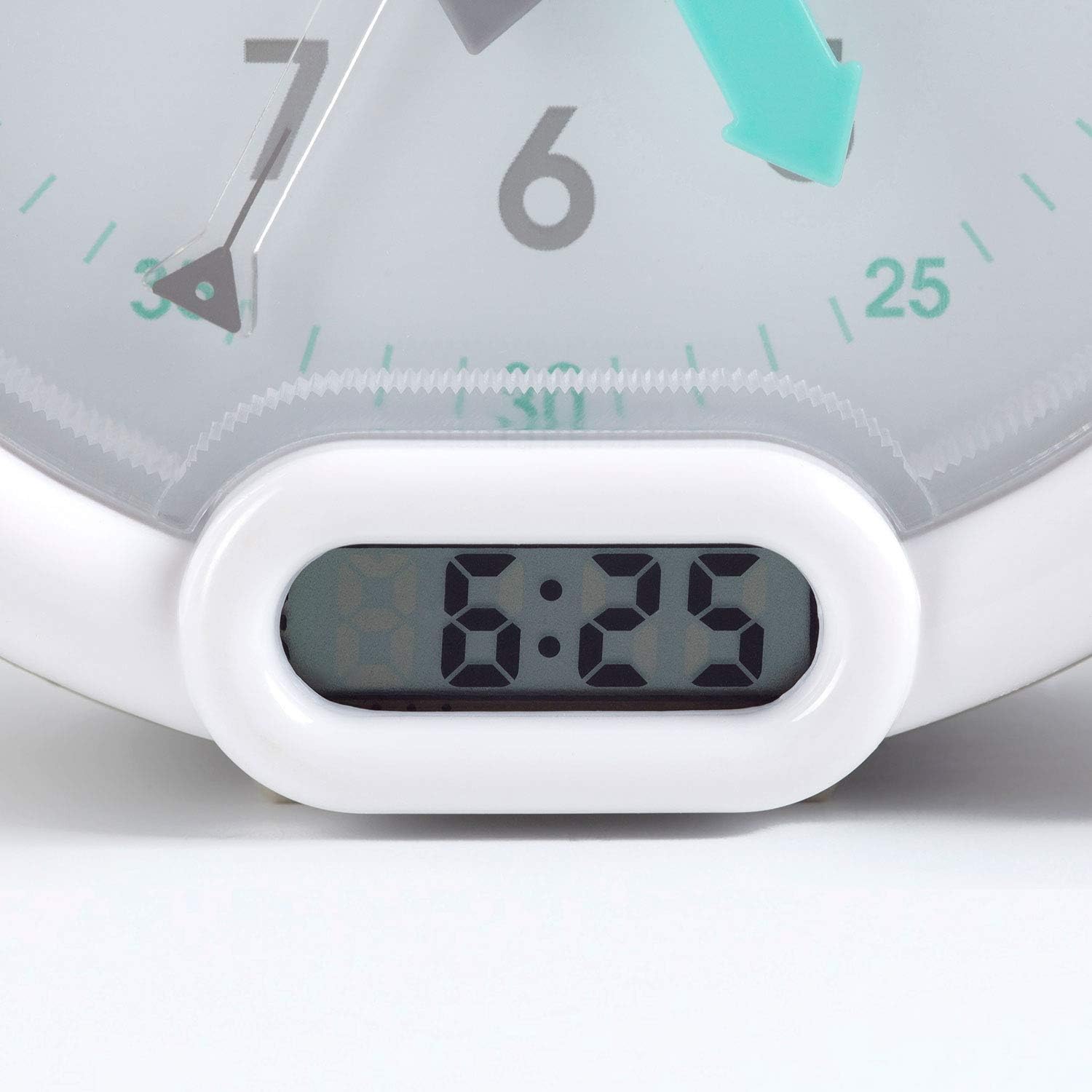
Nọmba 3: Digital akoko àpapọ.
Awọn ilana Iṣiṣẹ
1. Ṣiṣeto Itaniji
The alarm can be set to one of three sounds: chirping birds, cuckoo, or train. The alarm volume increases progressively.
- Locate the alarm setting controls on the back of the clock.
- Adjust the alarm time using the designated knob or buttons.
- Select your preferred alarm sound using the sound selection switch.
- Ensure the alarm is activated (ON position).
2. Using the Sleep Trainer
The sleep trainer feature visually indicates when it's time to sleep and when it's time to wake up.
- Sleeping Child Lit: When the image of the sleeping child is lit, it indicates that children should remain in bed and continue sleeping.
- Awake Child Lit: When the image of the awake child is lit, it signals that it is time to wake up.

Nọmba 4: Sleep indicator (sleeping child).

Nọmba 5: Awake indicator (awake child).
The sleep/wake times for this indicator are typically set independently from the alarm time, using specific controls on the back of the clock.
3. Iṣẹ́ Ìsùn àti Ìmọ́lẹ̀ Ẹ̀yìn
Press the large button on the top of the clock to activate the snooze function for two minutes. This button also provides a short glowing light, allowing the child to see the time during the night.

Nọmba 6: Clock with backlight activated.
Itoju
- Ninu: Mu aago naa nu pẹlu asọ ti o tutu, ti o gbẹ. Ma ṣe lo abrasive ose tabi epo.
- Rirọpo Batiri: Replace the battery when the display dims or the alarm function becomes unreliable. Dispose of used batteries responsibly.
- Ibi ipamọ: Ti aago ba tọju fun akoko ti o gbooro sii, yọ batiri kuro lati yago fun jijo.
Laasigbotitusita
| Isoro | Owun to le Fa | Ojutu |
|---|---|---|
| Clock not turning on / display blank. | Batiri ti ku tabi ti ko tọ. | Check battery polarity. Replace battery. |
| Itaniji ko dun. | Alarm not set or turned off. Low battery. | Ensure alarm is set and activated. Replace battery. |
| Sleep/wake indicator not changing. | Incorrect sleep/wake time settings. | Verify and adjust the sleep/wake indicator settings. |
| Clock makes clicking noise. | Mechanical movement noise (common for analog clocks). | This may be normal for the analog mechanism. If excessively loud or new, contact support. |
Awọn pato
| Brand: | Pabobo |
| Nọmba awoṣe: | KS0031 |
| Àwọ̀: | Grẹy |
| Iru ifihan: | Analog, Digital |
| Awọn iwọn ọja: | 6.3"W x 5.12"H |
| Orisun Agbara: | Battery Powered (1 battery included) |
| Ohun elo: | Ṣiṣu |
| Iru fifi sori: | Ojú-iṣẹ Oke |
| Ìwọ̀n Nkan: | 14.1 iwon (0.88 iwon) |
| Ẹya Pataki: | Adjustable, Backlit, Sleep Trainer |
Alaye atilẹyin ọja
This Pabobo Kid Sleep Alarm Clock comes with a s'aiye atilẹyin ọja. For details regarding warranty claims and coverage, please refer to the official Pabobo webojula tabi kan si atilẹyin alabara.
Onibara Support
If you encounter any issues or have questions not covered in this manual, please contact Pabobo customer support for assistance.
- Atilẹyin Ayelujara: Visit the official Pabobo webAaye fun FAQs ati olubasọrọ awọn aṣayan.
- Imeeli: [Insert Pabobo Support Email Here, if available]
- Foonu: [Insert Pabobo Support Phone Number Here, if available]
Please have your model number (KS0031) and purchase information ready when contacting support.