
1. Ifihan
Thank you for choosing the Lenco PDR-030 DAB+/FM Portable Digital Radio. This manual provides essential information for setting up, operating, and maintaining your device. The PDR-030 offers high-quality digital radio reception (DAB+) and traditional FM radio, along with features such as an integrated rechargeable battery for portability, an RDS display, station memory, and an alarm clock function.
Awọn eroja to wa:
- Lenco PDR-030 Digital Radio
- AC Power Adapter (220 Volt)
- Itọsọna olumulo
2. Alaye Aabo pataki
- Má ṣe fi ẹ̀rọ náà sí ojú òjò tàbí ọrinrin láti dènà iná tàbí ìkọlù iná mànàmáná.
- Rii daju pe ohun ti nmu badọgba agbara pọ sitage ibaamu ti agbegbe rẹ ipese agbara.
- Maṣe ṣii casing. Tọkasi gbogbo iṣẹ si oṣiṣẹ oṣiṣẹ.
- Yago fun gbigbe ẹrọ naa si nitosi awọn orisun ooru tabi ni imọlẹ orun taara.
- Handle the integrated battery with care. Do not attempt to replace it yourself.
- Jeki ẹrọ naa kuro ni awọn aaye oofa ti o lagbara.
3. Ọja Ipariview
Familiarize yourself with the main components and controls of your Lenco PDR-030 radio.
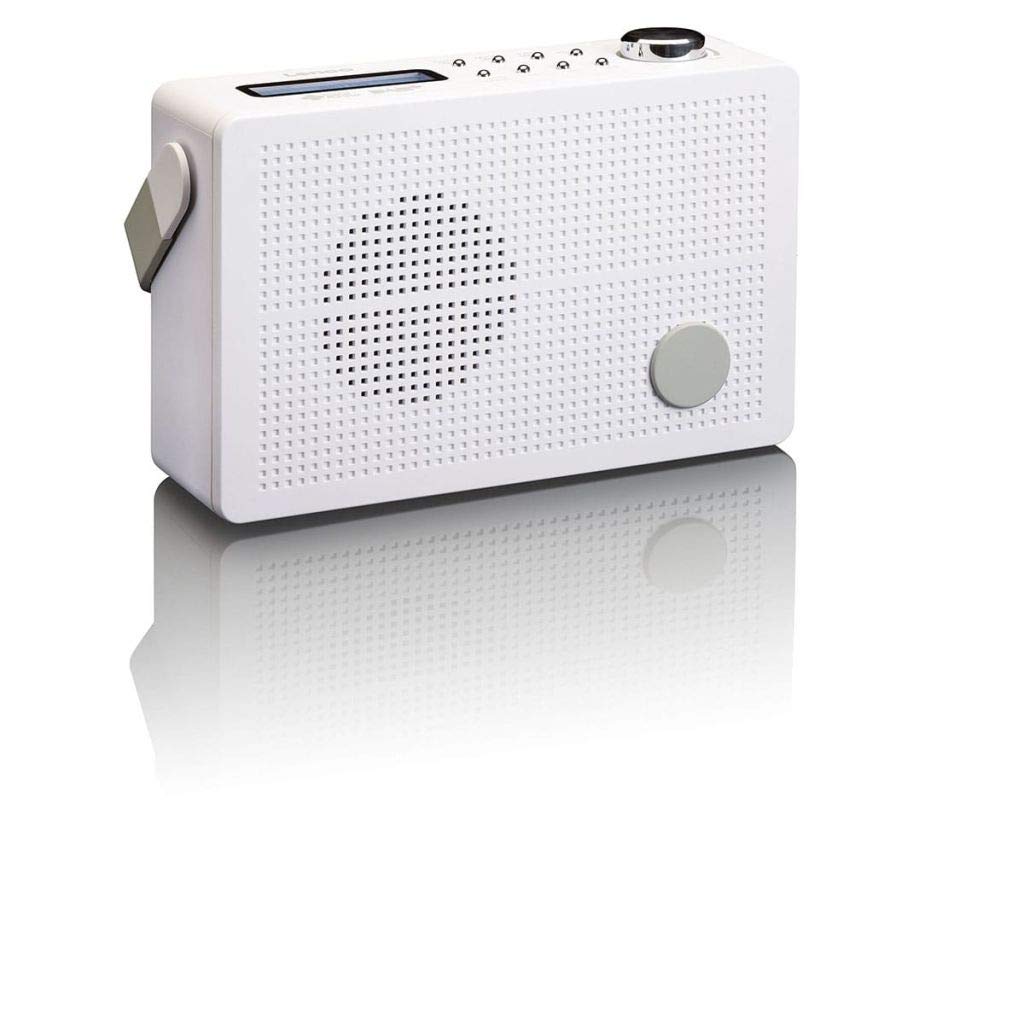
Nọmba 3.1: Front Panel of Lenco PDR-030 Radio. Features include a blue backlit LCD display, power/source button, alarm, sleep, info/menu, preset buttons, select/snooze, scan, previous, next buttons, and a rotary volume knob.
Key Controls and Features:
- Ifihan: Two-line illuminated LCD for time, date, station name, and information.
- Bọ́tìnì Agbára/Orísun: Turns the radio on/off and switches between DAB+ and FM modes.
- Bọtini Iwọn didun: Ṣe atunṣe ipele iṣelọpọ ohun.
- Eriali telescopic: For optimal radio signal reception.
- Jack agbekọri (3.5mm): Fun ikọkọ gbigbọ.
- Alarm/Sleep/Info/Menu/Preset Buttons: For various functions including setting alarms, sleep timer, accessing information, menu navigation, and managing station presets.
- Select/Snooze/Scan/Prev/Next Buttons: For station tuning, menu selection, and snooze function.
4. Eto
4.1 Agbara Redio
The PDR-030 can be powered by the included AC adapter or its integrated rechargeable battery.
- Agbara AC: Connect the supplied 220V AC power adapter to the DC input jack on the radio and then to a wall outlet. The radio will automatically begin charging the internal battery.
- Agbara Batiri: The integrated Lithium-ion battery allows for portable use. Ensure the battery is sufficiently charged before use without the AC adapter.
4.2 Eriali Oṣo
Extend the telescopic antenna fully for optimal reception of both DAB+ and FM signals. Adjust its position for the best signal quality.
4.3 Initial Power On and Station Scan
- Tẹ awọn Agbara / Orisun bọtini lati tan redio.
- Upon first use, the radio will automatically enter DAB+ mode and perform a full scan for available digital radio stations. This may take a few minutes.
- Ni kete ti ọlọjẹ ba ti pari, redio yoo tune si ibudo akọkọ ti o wa.
5. Awọn ilana Iṣiṣẹ
5.1 Agbara Tan / Pa
Tẹ awọn Agbara / Orisun bọtini lati tan redio tabi pa.
5.2 Yíyàn Ipò (DAB+/FM)
Tẹ awọn Orisun button repeatedly to switch between DAB+ and FM radio modes.
5.3 Tuning Stations
- DAB+ Mode:
- After the initial scan, use the Iṣaaju ati Itele awọn bọtini lati lilö kiri nipasẹ atokọ ti awọn ibudo DAB+ ti o wa.
- To perform a new full scan, press the Akojọ aṣyn button, navigate to "Full Scan" using Tẹlẹ/Itele, ki o si tẹ Yan.
- Ipo FM:
- Tẹ awọn Ṣayẹwo bọtini lati ṣe ọlọjẹ laifọwọyi fun ibudo FM atẹle ti o wa.
- For manual tuning, press and hold the Iṣaaju or Itele awọn bọtini lati itanran-tune awọn igbohunsafẹfẹ.
5.4 Saving and Recalling Preset Stations
Rédíò náà fún ọ láàyè láti tọ́jú tó àwọn ibùdó ìpamọ́ DAB+ 10 àti 10 FM tí a ti ṣètò tẹ́lẹ̀.
- Lati Ṣafipamọ Tito tẹlẹ:
- Tune si ibudo ti o fẹ.
- Tẹ mọlẹ Tito tẹlẹ bọtini titi "Ile-itaja Tito tẹlẹ" yoo han loju iboju.
- Lo awọn Tẹlẹ/Itele awọn bọtini lati yan nọmba tito tẹlẹ (1-10).
- Tẹ Yan láti jẹ́rìísí àti láti fi ibùdó náà pamọ́.
- Lati Ranti Tito tẹlẹ:
- Tẹ awọn Tito tẹlẹ bọtini ni soki.
- Lo awọn Tẹlẹ/Itele awọn bọtini lati yan nọmba ti a ti ṣeto tẹlẹ ti o fẹ.
- Tẹ Yan to tune to the preset station.
5.5 Iṣakoso iwọn didun
Yiyi awọn Iwọn didun Iwọn láti mú kí ìró ohùn pọ̀ sí i, kí o sì dín in kù ní ọ̀nà òdìkejì.
5.6 RDS Functionality (FM Mode)
In FM mode, the RDS (Radio Data System) function displays information such as station name, program type, and other broadcast data on the two-line LCD display.
5.7 Itaniji Aago Išė
The PDR-030 can be used as an alarm clock with two separate alarm times.
- Ṣiṣeto Itaniji kan:
- Tẹ awọn Itaniji bọtini.
- Lo Tẹlẹ/Itele to select Alarm 1 or Alarm 2, then press Yan.
- Follow the on-screen prompts to set the alarm time, duration, source (Buzzer or Radio), frequency (Daily, Once, Weekdays, Weekends), and volume.
- Ensure the alarm is set to "On" and press Yan lati fipamọ.
- Iṣẹ́ lẹ́ẹ̀kọ̀ọ̀kan: Nigbati itaniji ba dun, tẹ bọtini naa Didun bọ́tìnì láti pa á mọ́ fún ìgbà díẹ̀ fún àkókò kan pàtó.
- Akoko oorun: Tẹ awọn Orun button repeatedly to set a sleep timer (e.g., 15, 30, 45, 60 minutes) after which the radio will automatically turn off.
5.8 Headphone Connection
Connect 3.5mm stereo headphones to the headphone jack for private listening. The internal speaker will be muted automatically.
6. Itọju
6.1 Ninu
Wipe the radio's exterior with a soft, dry cloth. Do not use abrasive cleaners, waxes, or solvents as they may damage the finish. Ensure no liquids enter the device.
6.2 batiri Itọju
The integrated Lithium-ion battery is designed for long life. To maximize battery lifespan:
- Yago fun gbigba agbara si batiri ni kikun nigbagbogbo.
- If storing the radio for an extended period, charge the battery to approximately 50% and store in a cool, dry place.
- Do not attempt to replace the battery yourself. Contact qualified service personnel if battery issues arise.
7. Laasigbotitusita
| Isoro | Owun to le Fa | Ojutu |
|---|---|---|
| Ko si agbara | AC adapter not connected or faulty; battery discharged. | Check AC adapter connection. Charge the battery. |
| Gbigba DAB+/FM ti ko dara to | Eriali ko tesiwaju; agbegbe ifihan agbara; kikọlu. | Fully extend and adjust the telescopic antenna. Move the radio to a location with better signal. Avoid placing near other electronic devices. |
| Ko si ohun | Volume too low; headphones connected; mute activated. | Increase volume. Disconnect headphones. Check if mute is active (if applicable). |
| Itaniji ko dun | Alarm not activated; alarm volume too low; incorrect time setting. | Ensure alarm is set to "On". Check alarm volume. Verify current time and alarm time settings. |
8. Awọn pato
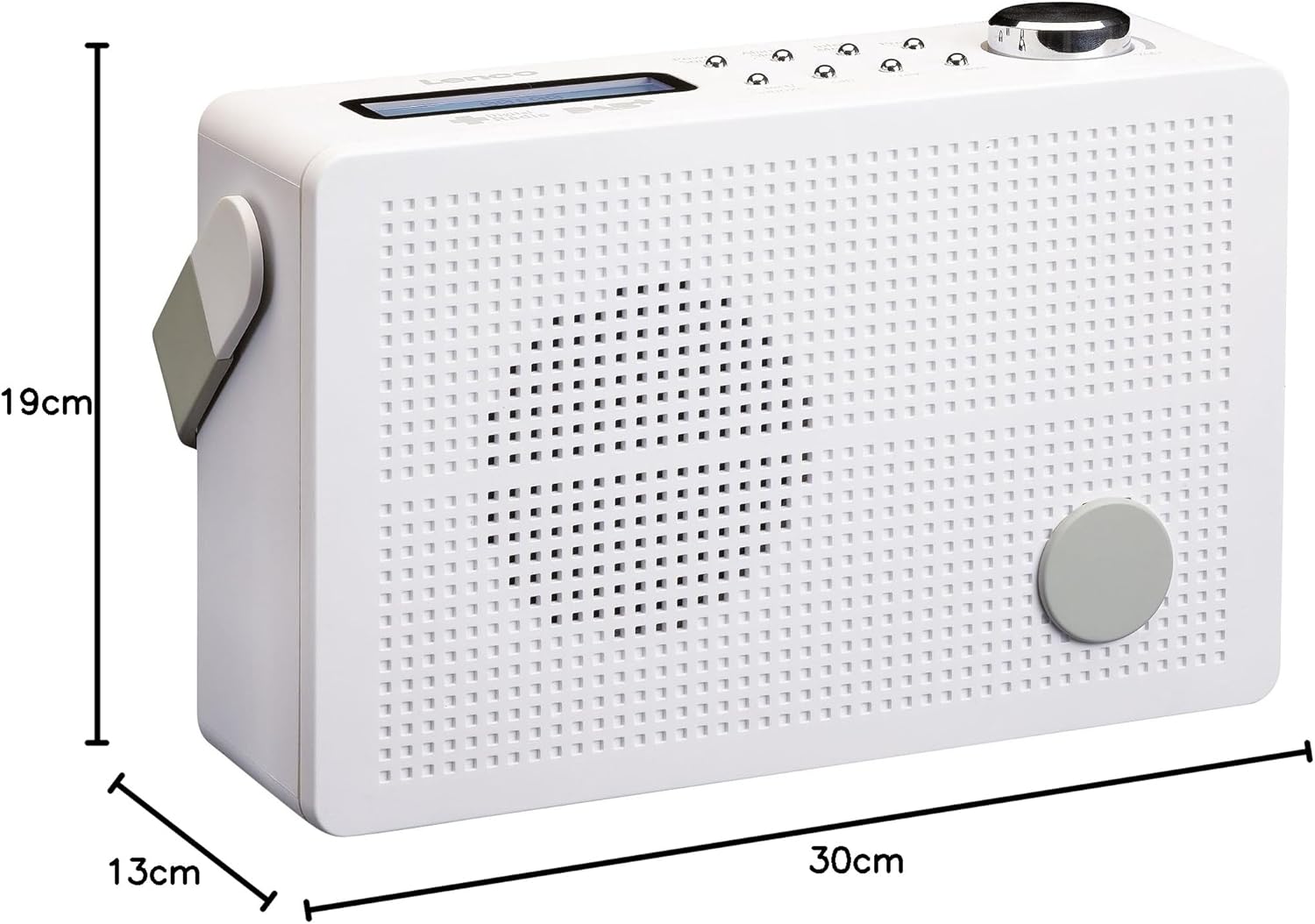
Nọmba 8.1: Lenco PDR-030 Dimensions.
| Ẹya ara ẹrọ | Ẹ̀kúnrẹ́rẹ́ |
|---|---|
| Nọmba awoṣe | PDR-030 |
| Tuner Technology | DAB+, FM (Ukw) |
| Orisun agbara | Battery-Powered (Integrated Lithium-ion), AC Adapter |
| AC Voltage | 220 folti |
| Awọn iwọn Ọja (W x D x H) | 21.4 x 6.5 x 13.8 cm (approx. 22.5 x 8.5 x 15 cm as per another spec) |
| Iwọn Nkan | 9 g (Note: This seems incorrect, likely 670g from description) |
| Ohun elo Iru | Ṣiṣu |
| Ni wiwo Hardware | 3.5 mm Audio (Headphone Jack) |
| Pataki Awọn ẹya ara ẹrọ | Portable, RDS Display, Alarm Clock, Station Memory (10 DAB+, 10 FM) |
Note: Some dimensions and weight specifications provided by the manufacturer may vary slightly. The description states 670 grams for weight, while specifications list 9g. Please refer to the product packaging for the most accurate information.
9. Atilẹyin ọja ati Support
Lenco products are designed for reliability and performance. This product typically comes with a 24-month manufacturer's warranty from the date of purchase, covering defects in materials and workmanship. Please retain your proof of purchase for warranty claims.
For technical support, service, or warranty inquiries, please refer to the contact information provided on the Lenco official website or your local retailer. Do not attempt to repair the device yourself.
Fun alaye siwaju sii, o le ṣàbẹwò awọn Lenco Store on Amazon.