
1. Ifihan
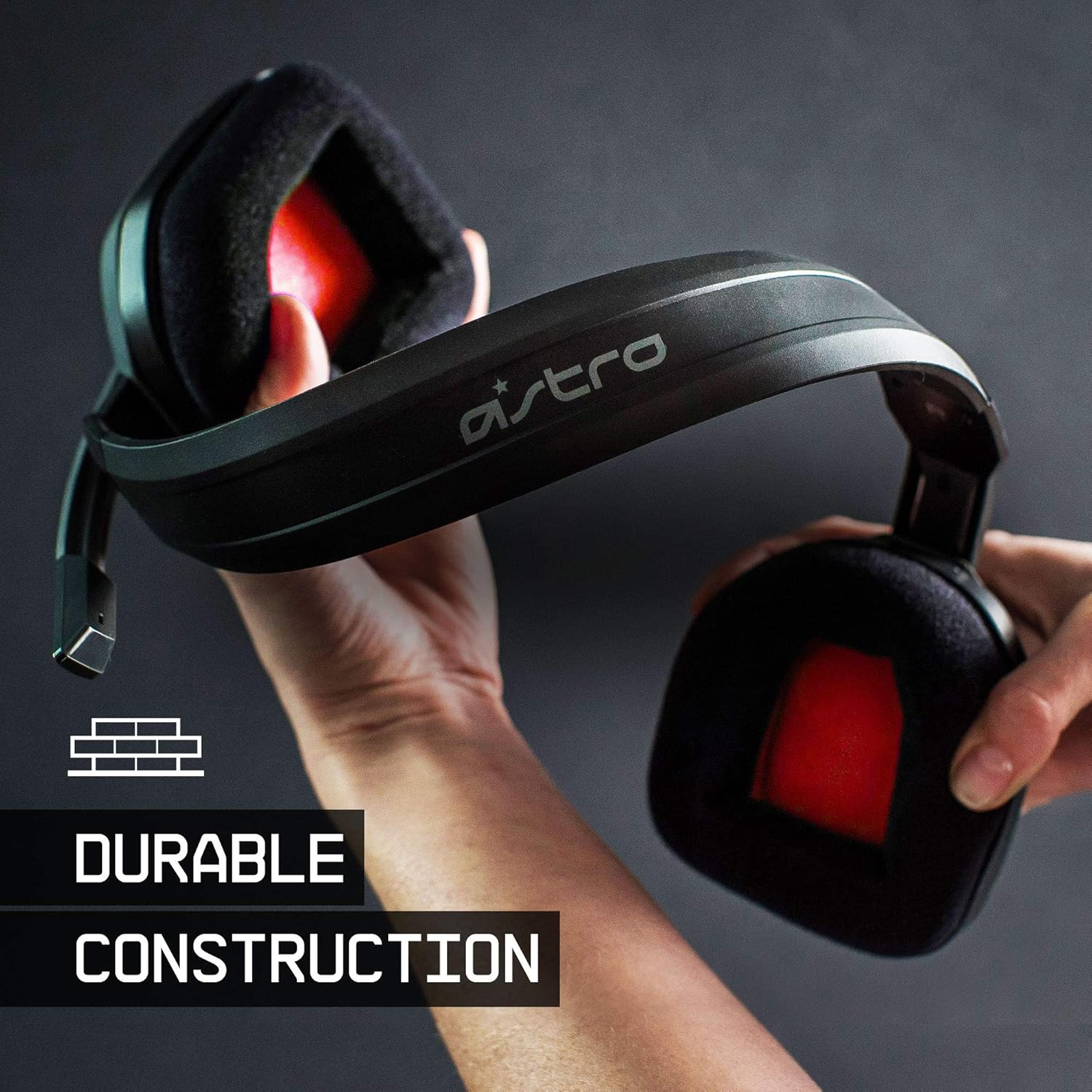
The ASTRO Gaming A10 Headset is engineered for gaming, offering durable construction and extended comfort for prolonged use. It features ASTRO Audio for clear and precise sound, an omnidirectional microphone with flip-up mute functionality, and in-line volume control for a comprehensive audio experience.
2. Ohun ti o wa ninu Apoti
Upon unboxing your ASTRO Gaming A10 Headset, you should find the following components:
- ASTRO Gaming A10 Headset
- A10 Volume Cable (3.5mm jack)

3. Awọn ẹya Ọja
- Iduroṣinṣin: The A10 Headset is constructed with a durable headband made of anodized aluminum and a damage-resistant polycarbonate blend, designed to withstand rigorous use.
- Itunu: Featuring extended comfort memory foam ear-cushions, the headset is designed to minimize fatigue during long gaming sessions.
- Ibaraẹnisọrọ: An omnidirectional microphone with flip-up mute functionality and in-line volume control ensures clear communication with teammates.
- Didara ohun: Tuned with ASTRO Audio, the A10 delivers immersive and accurate audio, providing low latency and precise voice communication.
- Ibamu: The headset is compatible with multiple platforms including PS5, PC/MAC, XBOX SERIES X|S, NINTENDO SWITCH, VR, and streaming devices.



4. Awọn ilana iṣeto
- Connect the A10 Volume Cable: Insert the smaller end of the A10 Volume Cable into the 3.5mm port located on the left earcup of the ASTRO A10 Headset. Ensure it is securely connected.
- Sopọ si Ẹrọ: Plug the larger end of the A10 Volume Cable into the 3.5mm headphone jack on your gaming controller (e.g., Xbox, PlayStation), PC, Mac, Nintendo Switch, or other compatible device.
- Ṣatunṣe Iwọn didun: Use the in-line volume control wheel on the A10 Volume Cable to adjust the audio level to your preference.
- Gbohungbohun ipo: Lower the microphone boom arm to activate the microphone. Position it appropriately for clear voice capture.

5. Awọn ilana Iṣiṣẹ
Lilo Gbohungbohun (Yi-si-Mu)
The ASTRO A10 Headset features a convenient flip-to-mute microphone. To activate the microphone, simply lower the boom arm into the speaking position. To mute the microphone, flip the boom arm upwards until it clicks into the vertical position. This action instantly mutes your voice input.
Iṣakoso iwọn didun
Adjust the audio volume using the in-line control wheel located on the A10 Volume Cable. Rotate the wheel upwards to increase volume and downwards to decrease volume.
6. Ibamu
The ASTRO Gaming A10 Headset is designed for broad compatibility across various gaming and media platforms:
- PLAYSTATION 5 (PS5)
- PLAYSTATION 4 (PS4)
- Xbox Series X|S
- Xbox Ọkan
- Nintendo Yipada
- PC
- Mac
- VR devices
- Awọn ẹrọ ṣiṣanwọle
- Most mobile phones and tablets with a 3.5mm jack

7. Itọju
- Ninu: Lo asọ ti o rọ, ti o gbẹ lati nu agbekari naa. Yago fun lilo awọn kẹmika lile tabi awọn ohun elo abrasive.
- Ibi ipamọ: Tọju agbekari naa ni itura, aye gbigbẹ kuro lati orun taara ati awọn iwọn otutu to gaju.
- Itọju USB: Yago fun didasilẹ didasilẹ tabi fifa pupọ lori okun lati yago fun ibajẹ.
- Awọn iṣu Eti: Máa ṣàyẹ̀wò ìrọ̀rí etí lẹ́ẹ̀kọ̀ọ̀kan bóyá ó ti bàjẹ́ tàbí ó ti bàjẹ́. Àwọn ìrọ̀rí tí a lè fi rọ́pò rẹ̀ lè wà lọ́wọ́ olùpèsè.
8. Laasigbotitusita
- No Audio / Low Audio:
- Ensure the 3.5mm cable is fully inserted into both the headset and the device.
- Check the in-line volume control and ensure it is turned up.
- Verify that the audio output settings on your device are correctly configured for the headset.
- Ṣe idanwo agbekari pẹlu ẹrọ miiran lati ṣe akoso ọran-ẹrọ kan pato.
- Gbohungbohun Ko Ṣiṣẹ:
- Ensure the microphone boom arm is fully lowered into the speaking position (not flipped up for mute).
- Check the microphone input settings on your device to ensure the headset microphone is selected and not muted.
- Ṣe idanwo gbohungbohun pẹlu ohun elo miiran tabi ẹrọ.
- Ohùn tí kò dúró tàbí tí kò yípadà:
- Ensure the 3.5mm cable connections are secure and free from debris.
- Try using a different 3.5mm cable if available, to rule out a faulty cable.
- Reduce the volume on your device or headset if the audio is clipping.
9. Awọn pato
| Ẹya ara ẹrọ | Ẹ̀kúnrẹ́rẹ́ |
|---|---|
| Brand | ASTRO Awọn ere Awọn |
| Orukọ awoṣe | ASTRO Awọn ere Awọn A10 |
| Nọmba awoṣe | 939-001508 |
| Asopọmọra Technology | Ti firanṣẹ |
| Jack agbekọri | 3.5 mm Jack |
| Iwọn Nkan | 12.35 iwon |
| Iwọn Igbohunsafẹfẹ | 20 Hz - 20 kHz |
| Audio Driver Type | Yiyi Awakọ |
| Ohun elo apade | Aluminiomu |
| Afikun Awọn ẹya ara ẹrọ | Microphone Included, Volume Control |
| Awọn ẹrọ ibaramu | PS5, PC/MAC, XBOX SERIES X|S, NINTENDO SWITCH, VR, STREAMING, most mobile phones, tablets |
10. Atilẹyin ọja ati Support
The ASTRO Gaming A10 Headset comes with a 2-odun olupese ká atilẹyin ọja. For warranty claims, technical support, or additional product information, please visit the official ASTRO Gaming webojula tabi kan si wọn onibara iṣẹ taara.
11. Awọn fidio ọja
ASTRO A10 Experience
Fídíò: Ìfihàn fídíò kan tí ìjọba ṣeasing the overall experience and key aspects of the ASTRO A10 Headset. This video provides a visual overview of the product's design and functionality.