
1. Ifihan
This manual provides detailed instructions for the Symcode MJ-2030-W Barcode Scanner. This device offers both 2.4GHz wireless and USB 2.0 wired connectivity, designed for efficient and reliable barcode scanning in various environments. Please read this manual thoroughly before operating the scanner to ensure proper use and to maximize its performance.
2. Ọja Ipariview
The Symcode MJ-2030-W is a versatile handheld laser barcode scanner. Key features include:
- Asopọmọra Meji: Supports both 2.4GHz wireless and USB 2.0 wired connections.
- Ibi ti o gbooro sii: Effective wireless communication up to 200 meters outdoors and 100 meters indoors.
- Igbesi aye batiri gigun: Equipped with a 2000mAh rechargeable battery, providing extended operation.
- Awọn ọna ṣiṣe meji: Instant upload and storage modes for flexible data handling.
- Customizable Scanning: Supports prefix/suffix settings and character manipulation.
- Apẹrẹ ti o tọ: Features a shock-resistant silicone casing (IP54 rated) for enhanced protection.
3. Eto
3.1 Package Awọn akoonu
Ṣaaju ki o to bẹrẹ, rii daju pe gbogbo awọn nkan wa ninu package:
- Symcode MJ-2030-W Barcode Scanner
- Mini USB Receiver (2.4GHz wireless dongle)
- Okun USB (fun gbigba agbara ati asopọ waya)
- Afowoyi Olumulo (iwe-ipamọ yii)
3.2 Nsopọ Scanner
The scanner offers two primary connection methods:
3.2.1 2.4GHz Asopọ Alailowaya
- Insert the mini USB receiver into an available USB 2.0 port on your computer.
- Turn on the barcode scanner. It will automatically pair with the receiver.
- A successful connection is indicated by a specific sound or LED indicator on the scanner.

Figure 1: The reliable mini USB receiver for wireless connection.

Figure 2: Scanner in use with 2.4GHz wireless connection.
3.2.2 USB ti firanṣẹ Asopọ
- Connect one end of the provided USB cable to the scanner's USB port.
- So opin keji okun USB pọ si ibudo USB 2.0 ti o wa lori kọnputa rẹ.
- The scanner will be recognized as a HID keyboard device, and no additional drivers are typically required.
4. Awọn ilana Iṣiṣẹ
4.1 Ṣíṣàyẹ̀wò Àkọ́kọ́
To scan a barcode, aim the laser beam at the center of the barcode and press the trigger button. A successful scan is usually indicated by a beep and/or a green LED light.
4.2 Data Upload Modes
The scanner supports two modes for uploading scanned data:
4.2.1 Instant Upload Mode
In this mode, scanned barcodes are immediately transmitted to the connected computer. This is suitable for real-time data entry.
4.2.2 Ipo ipamọ
When the scanner is out of range of the receiver or disconnected, it can store scanned barcodes internally. The scanner supports storing approximately 1000 barcodes in offline memory. To upload stored data, reconnect the scanner to your computer (either wirelessly or via USB) and scan the specific 'Upload Data' barcode (refer to the programming guide for this barcode, if provided). The stored data will then be transmitted to your computer.
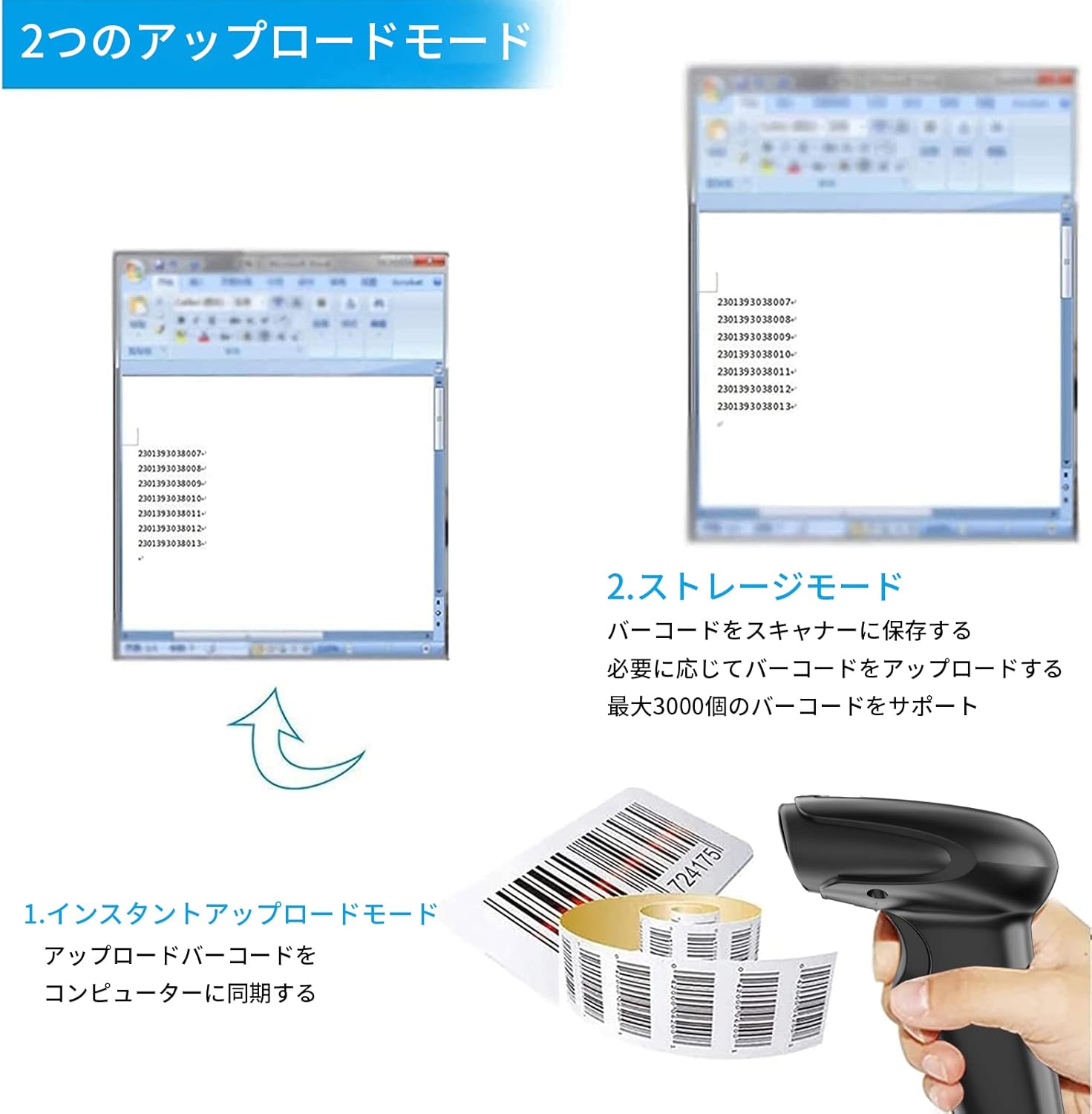
Figure 3: Illustration of Instant Upload and Storage Modes.
4.3 Programmable Barcodes
The Symcode MJ-2030-W scanner allows for customization of barcode data output:
- Ipilẹṣẹ ati Eto Suffix: You can configure the scanner to add a specific prefix or suffix to each scanned barcode data.
- Character Insertion/Deletion: Specific characters can be inserted or deleted from the scanned data.
Refer to the separate programming guide (if included) or the manufacturer's website for detailed instructions on how to program these settings by scanning specific configuration barcodes.

Figure 4: Scanner demonstrating programmable barcode features.
5. Batiri ati Ngba agbara
The scanner is equipped with a 2000mAh rechargeable battery. For optimal performance, ensure the battery is fully charged before first use.
- Akoko gbigba agbara: Ni isunmọ awọn wakati 3-4 fun idiyele ni kikun.
- Iye akoko iṣẹ: A full charge can provide up to 12,000 hours of standby time or approximately 74,000 scans.
- Ọna gbigba agbara: Connect the scanner to a computer or a USB power adapter using the provided USB cable.

Figure 5: Battery specifications and shock-resistant design.
6. Itọju
- Ninu: Use a soft, dry cloth to clean the scanner's exterior. For the scanning window, use a soft, lint-free cloth slightly dampened pẹlu omi tabi kan ìwọnba ninu ojutu. Yago fun abrasive ose tabi epo.
- Ibi ipamọ: Tọ́jú ẹ̀rọ ìwádìí náà sí ibi tí ó tutù tí ó sì gbẹ, tí kò sí ìmọ́lẹ̀ oòrùn tààrà àti igbóná tó le koko.
- Iduroṣinṣin: The scanner features a black silicone protective cover with IP54 rating, designed to protect the glass window from scratches and the unit from drops up to 6.56 feet (2 meters).
7. Laasigbotitusita
7.1 Scanner Kò Dáhùn
- Ensure the scanner is turned on and fully charged.
- For wireless connection, verify the mini USB receiver is securely plugged into the computer and the scanner is within range. Try re-pairing if necessary (refer to the programming guide for pairing instructions).
- For wired connection, ensure the USB cable is properly connected to both the scanner and the computer. Try a different USB port.
7.2 Barcodes Not Scanning
- Ensure the barcode is clear, undamaged, and well-lit.
- Adjust the distance and angle between the scanner and the barcode.
- Check if the scanner is in the correct operating mode (e.g., not in a configuration mode).
7.3 Unexpected Sound Volume
If the scanner's beep volume is too loud or too quiet, refer to the programming guide for specific barcodes that allow adjustment of the sound settings.
7.4 Àwọn Ẹ̀yà Tí Kò Sí
If any components, such as the receiver or a programming code sheet, are missing from your package, please contact customer support immediately.
8. Awọn pato
| Ẹya ara ẹrọ | Sipesifikesonu |
|---|---|
| Brand | symcode |
| Nọmba awoṣe | MJ-2030-W |
| Àwọ̀ | Funfun |
| Awọn iwọn | 17.53 x 8.38 x 11.43 cm |
| Iwọn | 280.66 g |
| Orisun agbara | Agbara Batiri |
| Asopọmọra Technology | 2.4GHz Wireless, USB Cable |
| Agbara Batiri | 2000mAh |
| Wireless Range (Outdoor) | Ti o de 200m |
| Wireless Range (Indoor) | Ti o de 100m |
| Agbara ipamọ | Approx. 1000 barcodes (offline mode) |
| Ju Resistance | Titi de 6.56 ẹsẹ (2 mita) |
| Idaabobo Rating | IP54 |

Figure 6: Wireless transmission distance capabilities.
9. Atilẹyin ọja ati Support
Symcode products are designed for reliability and performance. For warranty information, technical support, or service inquiries, please refer to the contact information provided with your purchase or visit the official Symcode website. Please have your product model number (MJ-2030-W) and purchase details ready when contacting support.