
Uncaged Ergonomics RUb
Itọsọna olumulo
Uncaged Ergonomics Dual Motor Electric Standing Desk Frame
Model: RUb
Ọrọ Iṣaaju
Thank you for choosing the Uncaged Ergonomics Dual Motor Electric Standing Desk Frame. This premium adjustable desk frame is designed to enhance your workspace by allowing seamless transitions between sitting and standing positions, promoting a healthier and more productive work environment. This manual provides detailed instructions for assembly, operation, maintenance, and troubleshooting to ensure optimal performance and longevity of your desk frame.

Image: The Uncaged Ergonomics Dual Motor Electric Standing Desk Frame with its control panel, showcasing the robust design and intuitive interface.
Alaye Aabo
Please read all safety instructions carefully before assembly and operation to prevent injury or damage to the product.
- Opin iwuwo: Do not exceed the maximum weight capacity of 113 kg (250 lbs) on the desk frame. Overloading can cause damage and pose a safety risk.
- Imọ-ẹrọ Anti-ijamba: The desk frame is equipped with anti-collision technology. This feature helps prevent the desk from lowering onto an object by stopping movement if an obstruction is detected. However, always ensure the path is clear during height adjustments.
- Aabo Itanna:
- Ensure the power cord is properly connected to a grounded outlet.
- Do not operate the desk with a damaged power cord or plug.
- Jeki awọn olomi kuro lati awọn paati itanna.
- Ge asopọ agbara ṣaaju ṣiṣe mimọ tabi itọju.
- Awọn ọmọde ati awọn ohun ọsin: Pa awọn ọmọde ati awọn ẹranko mọ kuro ni tabili lakoko iṣẹ-ṣiṣe lati yago fun ijamba.
- Apejọ: Ensure all components are securely fastened according to the assembly instructions. Loose parts can lead to instability.

Image: Illustration of the anti-collision safety feature, showing how the desk stops if an obstruction is detected during movement.
Package Awọn akoonu
Ṣaaju ki o to bẹrẹ apejọ, jọwọ rii daju pe gbogbo awọn paati wa ati pe ko bajẹ. Ti eyikeyi awọn ẹya ba sonu tabi bajẹ, jọwọ kan si atilẹyin alabara.
- 1 x Electric Desk Frame (includes legs, crossbar, and feet)
- 1 x Control Panel with LED Display
- 1 x Power Adapter and Cable
- Assembly Hardware (screws, bolts, washers)
- Allen Wrench (for assembly)
- USB Management seése
- Rubber Spacers (for tabletop mounting)
- Afowoyi Olumulo (iwe-ipamọ yii)
Awọn Itọsọna Apejọ (Ṣeto)
Follow these steps to assemble your Uncaged Ergonomics Electric Standing Desk Frame. It is recommended to have a second person assist with assembly, especially when handling larger components or the tabletop.
- Yọ awọn ohun elo kuro: Carefully remove all parts from the packaging. The packaging is designed to protect the components during transit.
- So awọn ẹsẹ mọ awọn ẹsẹ: Securely attach the feet to the bottom of each desk leg using the provided screws.
- So Crossbar: Connect the adjustable crossbar between the two desk legs. Ensure the crossbar is extended to the desired width for your tabletop.
- Apoti Iṣakoso Oke: Attach the control box to the designated area on the frame, typically under the crossbar, using the provided hardware.
- Connect Motors and Control Panel: Plug the motor cables from each leg into the control box. Connect the control panel cable to the control box.
- Prepare Tabletop: Place your chosen tabletop upside down on a soft, protected surface. Position the assembled desk frame onto the tabletop, ensuring it is centered and aligned.
- Gbé Tábìlì kalẹ̀: Use the provided screws and rubber spacers to securely attach the desk frame to the tabletop. Pre-drilling pilot holes in the tabletop may be necessary depending on its material.
- Iṣakoso USB: Use the included cable ties to neatly route and secure all cables, preventing them from dangling or getting caught during height adjustments.
- Agbara Tan: Carefully flip the desk upright. Plug the power cable into the control box and then into a grounded electrical outlet.
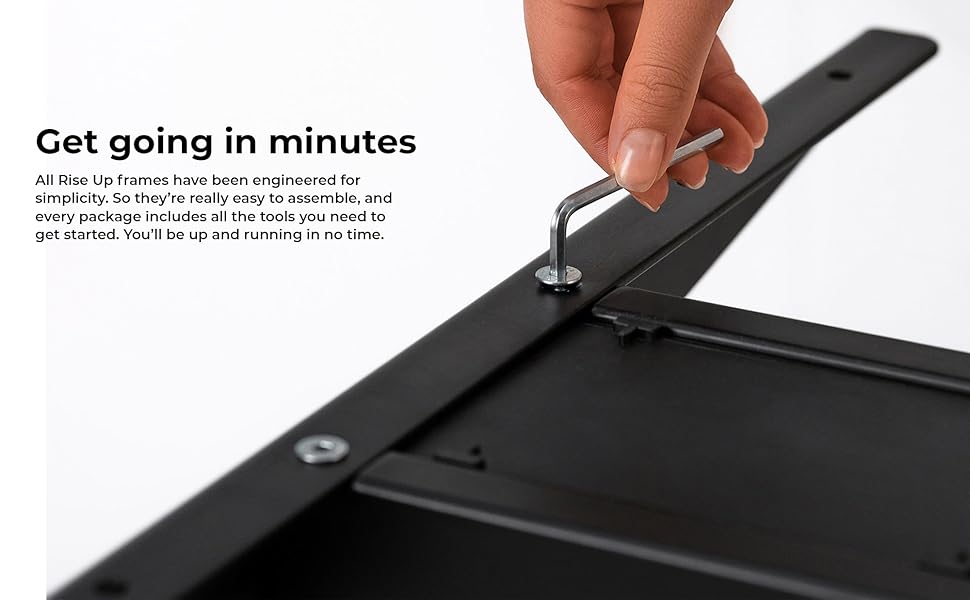
Aworan: A sunmọ-soke view of an assembly step, showing the use of an Allen wrench to secure a component of the desk frame.
Awọn ilana Iṣiṣẹ
The control panel allows for easy and precise height adjustments, along with convenient memory settings.
Ibi iwaju alabujutoview
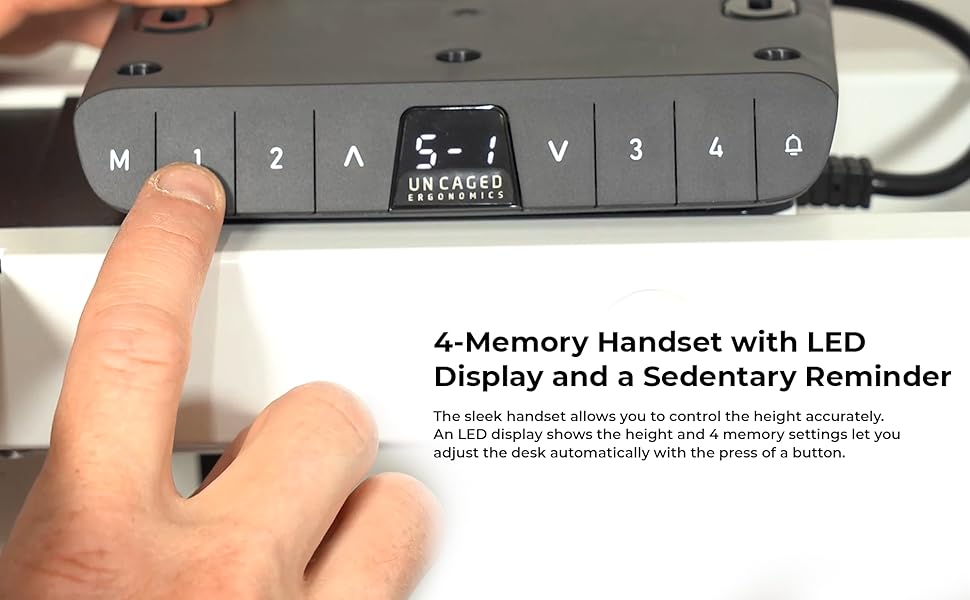
Image: The desk's control panel featuring an LED display for height readings and buttons for manual adjustment and memory presets.
- Awọn bọtini Soke/Isalẹ (▲ / ▼): Press and hold the Up or Down arrow buttons to manually adjust the desk height. Release the button to stop at the desired height. The LED display will show the current height.
- Memory Settings (1, 2, 3, 4): The desk frame features four programmable memory presets for quick height adjustments.
- Ṣatunṣe tabili si giga ti o fẹ nipa lilo awọn bọtini Soke / Isalẹ.
- Press the "M" button. The LED display will show "S-".
- Within 3 seconds, press the desired memory button (1, 2, 3, or 4). The display will show "S-1", "S-2", etc., indicating the height has been saved.
- To recall a saved height, simply press the corresponding memory button (1, 2, 3, or 4). The desk will automatically move to the saved position.
- Ẹya Atako-ijamba: During height adjustment, if the desk encounters an obstruction, it will automatically stop and reverse slightly to prevent damage.

Image: A user comfortably working at the desk in a standing position, demonstrating the ergonomic benefits of height adjustability.
Awọn ẹya ara ẹrọ
The Uncaged Ergonomics Electric Standing Desk Frame is engineered with advanced features for superior performance and user experience.
- Eto Mọto Meji: Equipped with two powerful motors for fast, smooth, and quiet height adjustments. Each motor is located in a leg, ensuring synchronized movement and stability.
- Ibiti Atunse Giga Gbigbe: Seamlessly adjust the desk height from 66 cm (26.1 inches) to 131 cm (51.6 inches), accommodating a wide range of user heights and preferences.
- Adjustable Width Frame: The frame's width can be adjusted from 107 cm (42.3 inches) to 152 cm (71 inches), allowing compatibility with various tabletop sizes.
- 3-Stage Lifting Columns: Awọn mẹta-stage leg design provides a greater height range and increased stability, even at maximum extension.
- Imọ-ẹrọ Anti-ijamba: Advanced sensors detect obstructions during movement, automatically stopping and reversing the desk to prevent damage.
- 4 Memory Presets: Save your preferred sitting and standing heights for quick, one-touch adjustments.
- LED Height Display: The integrated LED display on the control panel shows the precise current height of the desk.
- Ikole ti o lagbara: Made from high-strength, powder-coated steel for exceptional durability and a sleek finish.
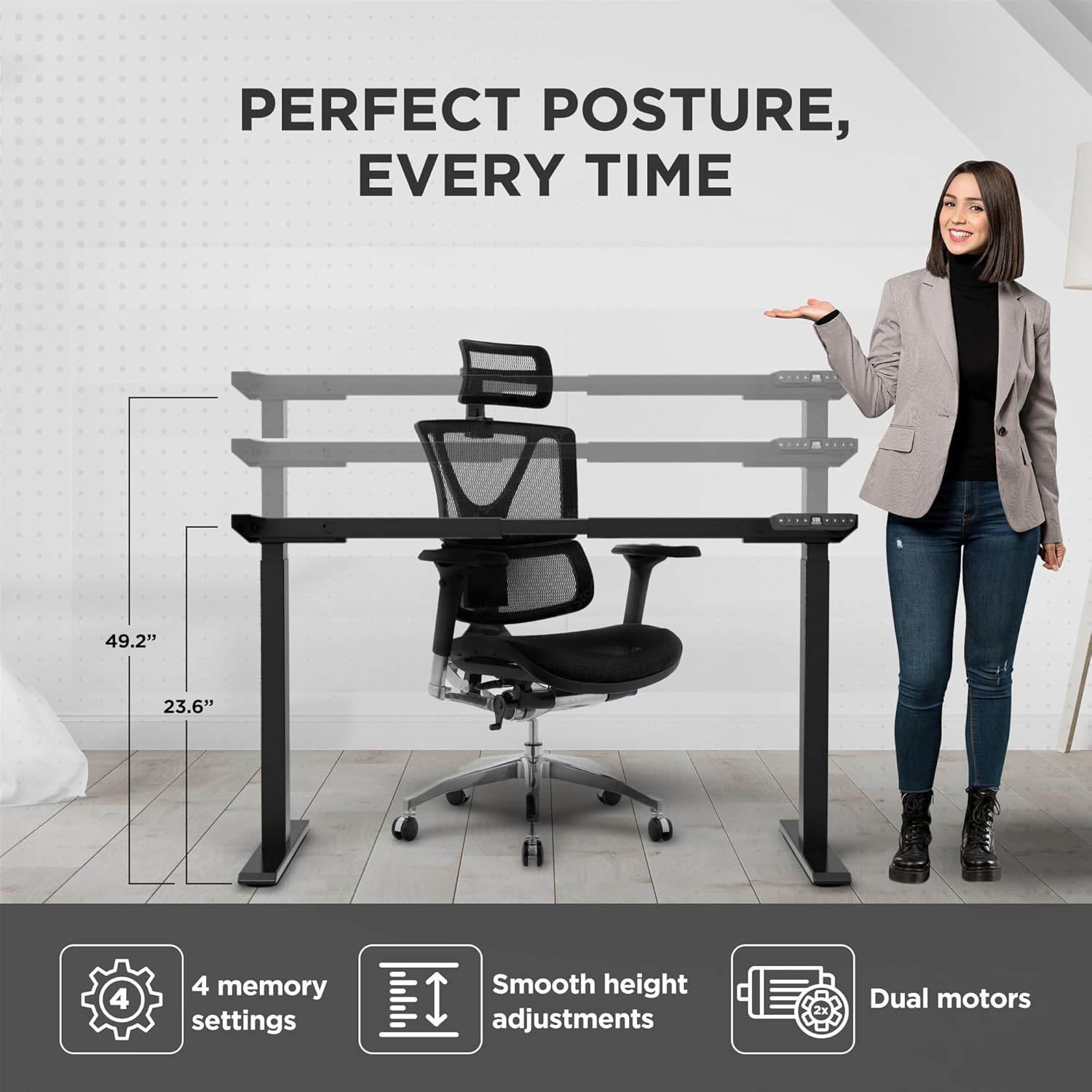
Image: Visual representation of the desk frame's adjustable height and key features, including 4 memory settings, smooth adjustments, and dual motors.

Image: Two individuals, one standing and one sitting, illustrating the wide range of height adjustability offered by the desk frame.
Awọn pato
| Nọmba awoṣe | RUb |
| Brand | Ergonomics ti ko ni idalẹnu |
| Àwọ̀ | Dudu |
| Giga tolesese Range | 66 - 131 cm (26.1 - 51.6 inches) |
| Ibiti Atunṣe Fífẹ̀ | 107 - 152 cm (42.3 - 71 inches) |
| O pọju iwuwo Agbara | 113 kg (250 lbs) |
| Ohun elo | Giga-agbara Irin |
| Pari | Ti a bo lulú |
| Awọn ọkọ ayọkẹlẹ | Meji Motors |
| Ẹsẹ Stages | 3-Stage |
| Awọn tito iranti | 4 |
| Pataki Awọn ẹya ara ẹrọ | Anti-collision technology, LED height display |
| Awọn iwọn Ọja (ti o ṣajọpọ) | 69.85 x 152.4 x 131.06 cm (27.5 x 60 x 51.6 inches) |
| Iwọn Nkan | 22.68 kg (50 lbs) |

Image: The desk frame illustrating its compatibility with various tabletop sizes, ranging from 42.3 to 71 inches in width.
Itoju
Regular maintenance will help ensure the long-term performance and appearance of your desk frame.
- Ninu: Pa fireemu tabili nu pẹlu asọ, damp asọ. Yẹra fun lilo awọn kẹmika lile tabi awọn afọmọ abrasive, nitori wọn le ba ipari jẹ.
- Ṣayẹwo Awọn isopọ: Lorekore ṣayẹwo gbogbo awọn skru ati awọn boluti lati rii daju pe wọn ṣinṣin. Tun-mu ti o ba wulo.
- Iṣakoso USB: Ensure cables remain neatly organized and are not pinched or tangled, which could affect movement or cause damage.
- Itọju mọto: The dual motors are designed for durability and require no special lubrication. Avoid exposing them to excessive dust or moisture.
Laasigbotitusita
If you encounter any issues with your desk frame, refer to the common problems and solutions below. If the problem persists, please contact customer support.
| Isoro | Owun to le Fa | Ojutu |
|---|---|---|
| Iduro ko gbe tabi dahun si awọn idari. | Power cable disconnected; control box not properly connected; system error. |
|
| Iduro n gbe lainidi tabi ṣe awọn ariwo dani. | Uneven load; loose connections; obstruction. |
|
| Memory settings are not saving or recalling correctly. | Incorrect saving procedure; temporary system glitch. |
|
| Anti-collision feature triggers too often or not at all. | Sensitivity setting; physical obstruction. |
|
Atilẹyin ọja ati Support
Uncaged Ergonomics is committed to providing high-quality products built for durability and longevity. Our desk frames are designed to meet commercial-grade standards, reflecting over a decade of proven experience in manufacturing ergonomic solutions.
While specific warranty details may vary by region or purchase point, Uncaged Ergonomics stands behind the quality of its products. For any questions, technical assistance, or support needs, please contact Uncaged Ergonomics customer service. Our team is dedicated to ensuring your satisfaction and assisting with any issues you may encounter.
Please visit the official Uncaged Ergonomics website or refer to your purchase documentation for the most up-to-date warranty information and contact details.
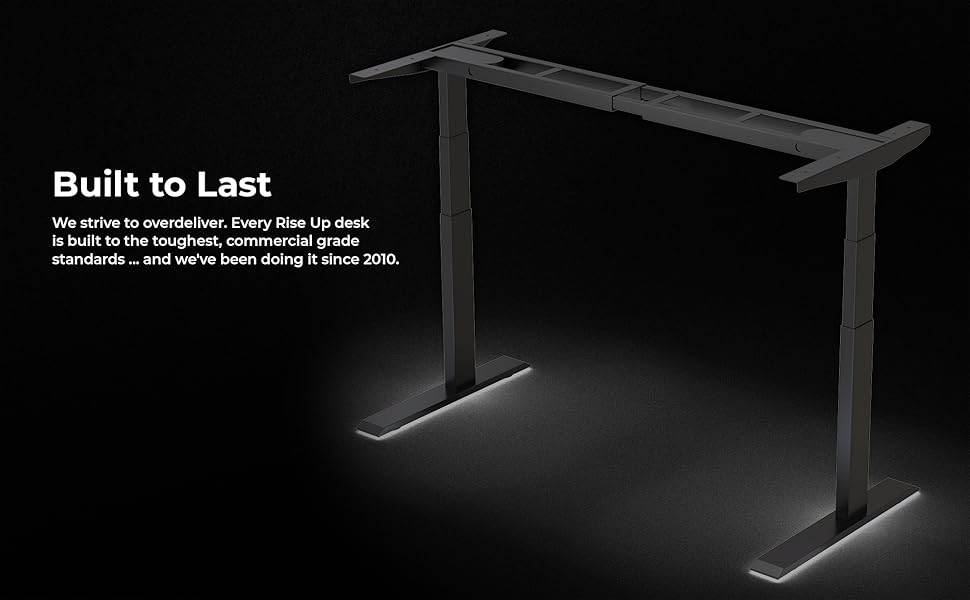
Image: The desk frame illuminated, emphasizing its robust construction and the brand's commitment to building products that are "Built to Last" since 2010.
Ask a question about this manual
Ask about setup, troubleshooting, compatibility, parts, safety, or missing instructions. Manuals+ will review the question and use this page’s manual context to help answer it.