
1. Ifihan
This manual provides essential information for the safe and efficient operation of your Amazon Basics 400VA Standby Uninterruptible Power Supply (UPS) with Battery Backup and Surge Protection. Please read these instructions thoroughly before use and retain them for future reference.
2. Alaye Aabo
- Ibi: Do not lie the UPS on its side. Ensure proper ventilation and avoid placing it near heat sources or in direct sunlight.
- Idiyele Ibẹrẹ: For optimal performance, plug in the UPS and allow it to charge for at least 8 hours before connecting devices.
- Agbara fifuye: Do not overload the UPS. For optimal system performance, keep the total load below 80% of the unit's rated capacity (255W).
- Batiri: Contains a sealed lead-acid battery. Do not attempt to disassemble or incinerate. Refer to local regulations for proper battery disposal.
- Opin Iyika monamona: The unit includes a circuit breaker to prevent overload. If it trips, reduce the load and press the breaker to reset.
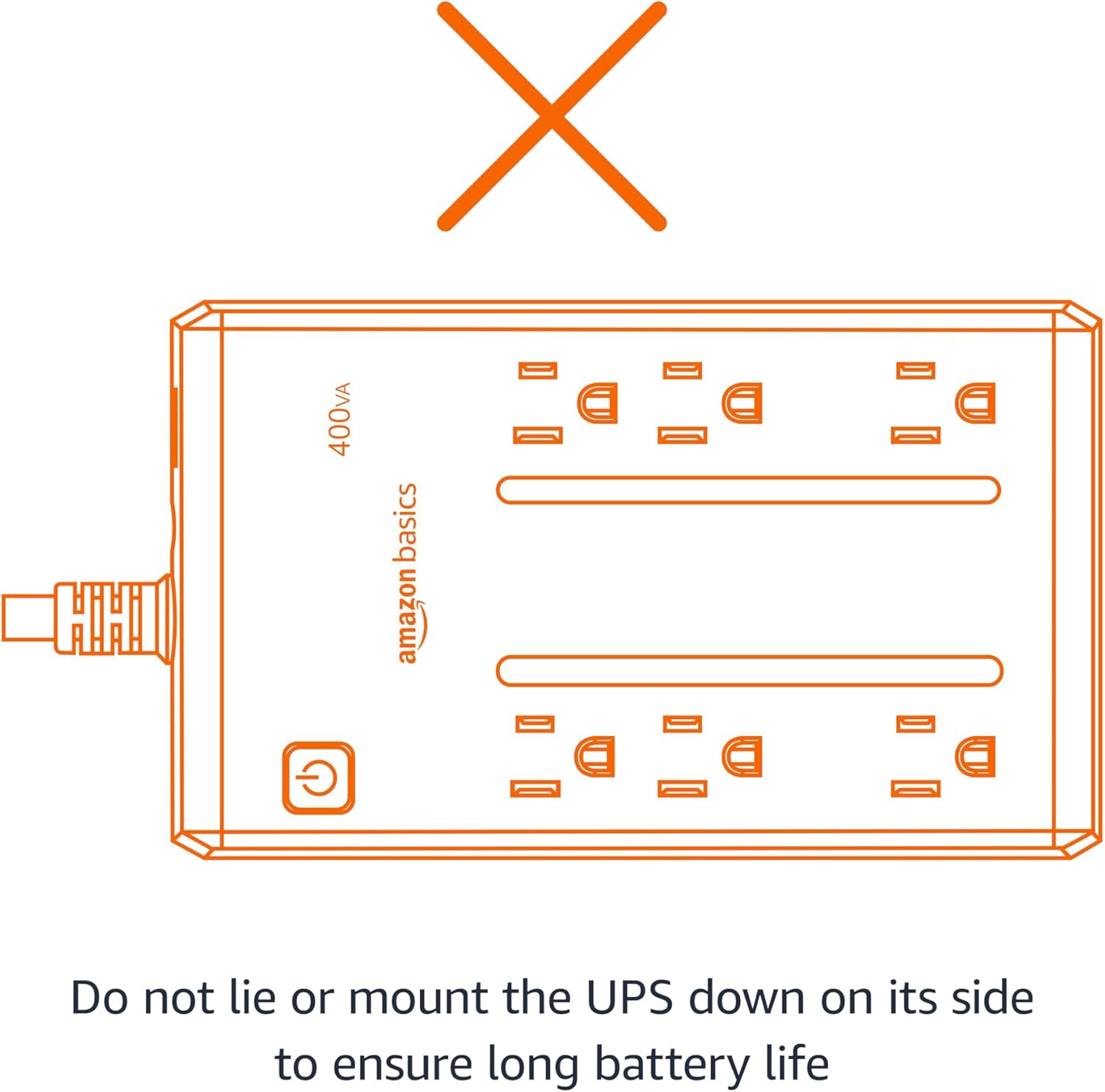
Figure 2.1: Proper orientation is crucial for battery life and unit performance. Avoid lying the UPS on its side.
3. Package Awọn akoonu
Jẹrisi pe gbogbo awọn ohun kan wa ninu package:
- Amazon Basics 400VA Standby UPS Unit
- Itọsọna olumulo

Figure 3.1: The Amazon Basics 400VA Standby UPS unit.
4. Ọja Ipariview
The Amazon Basics 400VA UPS features a compact design with multiple outlets for power protection.
- Lapapọ Awọn iÿë: 6 (NEMA 5-15R)
- Àwọn ibi ìtajà àtìlẹ́yìn àti ààbò agbára batiri: 3 outlets provide continuous power during outagati aabo lodi si awọn igbi omi.
- Awọn Isọjade Idaabobo Iyara Nikan: 3 outlets protect against surges but do not provide battery backup during power outages.
- Bọtini agbara: Controls the unit's power.
- Okun Agbara: 5-foot cord with NEMA 5-15P right-angle and 45-degree offset plug.

Figure 4.1: Key features and outlet types of the UPS.

Nọmba 4.2: Alaye view of the UPS outlets, distinguishing between battery-backed and surge-only ports.
5. Eto
- Yọọ kuro: Carefully remove the UPS unit from its packaging.
- Idiyele Ibẹrẹ: Plug the UPS into a standard wall outlet. Press and hold the power button for 2 seconds to turn the unit on. The green LED indicator will illuminate. Allow the unit to charge for a minimum of 8 hours before connecting any critical devices.
- Awọn ẹrọ Sopọ: Plug your electronic devices into the appropriate outlets. For devices requiring continuous power during outages (e.g., routers, modems, computers), use the Battery Backup & Surge Protection outlets. For devices needing only surge protection, use the Aabo Idaabobo iÿë.
Video 5.1: Demonstrates connecting devices to the UPS, highlighting the distinction between battery-backed and surge-only outlets.
6. Ṣiṣẹ awọn Soke
Once fully charged and devices are connected, your UPS is ready for operation.
- Titan/Apapa: Press and hold the power button for approximately 2 seconds to turn the UPS on or off. The green LED indicates power status.
- Agbara Outage: Ni iṣẹlẹ ti agbara otage, devices connected to the Battery Backup & Surge Protection outlets will continue to receive power from the internal battery. The UPS may emit an audible alarm to indicate it is operating on battery power.
- Iṣakoso Itaniji: To silence the audible alarm during a power outage, quickly press the power button twice. To reactivate the alarm, press the power button twice again.
- Akoko ṣiṣe: The battery backup runtime varies based on the power consumption of connected devices. At half load (200VA/127.5W), the UPS provides approximately 6 minutes of backup power. At full load (400VA/255W), it provides approximately 1.5 minutes of backup power.
Fidio 6.1: Ipariview of the Amazon Basics 400VA UPS, demonstrating its features and functionality.
7. Itọju
- Rirọpo Batiri: The internal battery is a sealed lead-acid type. Its typical lifespan is 3-5 years, depending on usage. Battery replacement should be performed by qualified personnel.
- Ninu: Disconnect the UPS from the power outlet and wipe the exterior with a dry cloth. Do not use liquid cleaners.
- Ibi ipamọ: If storing the UPS for an extended period, ensure it is fully charged and recharge it every 3 months to maintain battery health.
8. Laasigbotitusita
Tọkasi tabili atẹle fun awọn ọran ti o wọpọ ati awọn ojutu wọn:
| Aisan | Owun to le Fa | Ojutu |
|---|---|---|
| UPS ko ni tan. | Batiri ko sopọ tabi gba silẹ. | Ensure battery is connected. Plug into wall outlet and charge for 8 hours. |
| UPS beeps nigbagbogbo. | Agbara ju tabi batiri kekere. | Reduce connected load. Allow battery to recharge. |
| No power from battery backup outlets during outage. | Devices plugged into surge-only outlets. | Ensure critical devices are plugged into Battery Backup & Surge Protection iÿë. |
| Bireki Circuit ti kọlu. | Apọju. | Unplug some devices, then press the circuit breaker to reset. |
9. Awọn pato
| Ẹya ara ẹrọ | Ẹ̀kúnrẹ́rẹ́ |
|---|---|
| Awoṣe | ABST400 |
| Agbara | 400VA / 255W |
| Iṣagbewọle Voltage | 120V~, 10A, 50/60Hz |
| O wujade Voltage | 120V~, 5.0A, 50/60Hz |
| Lapapọ Ijade lọwọlọwọ | 10A (Including Surge Outlets) |
| Batiri Iru | Ididi Lead-Acid |
| Awọn iwọn (L x W x H) | 7.24 x 4.33 x 3.22 inches (18.39 x 11 x 8.18 cm) |
| Iwọn Nkan | 3.8 iwon |
| Okun Gigun | 5 ẹsẹ |

Figure 9.1: Physical dimensions of the UPS unit.
10. Atilẹyin ọja ati Support
This Amazon Basics UPS is backed by a limited 1-year warranty, including the battery. For support or warranty claims, please refer to the Amazon Basics customer service channels.
Additionally, a $75,000 connected equipment guarantee is provided. Please refer to the product documentation or Amazon's website for full details on how to make a claim.