
1. Ifihan
This manual provides essential information for the safe and efficient installation, operation, and maintenance of your FAAC 400 Swing Gate Opener, model 10420212.5. Please read these instructions carefully before beginning any work on the gate opener. Proper installation and maintenance are crucial for optimal performance and longevity of the product.
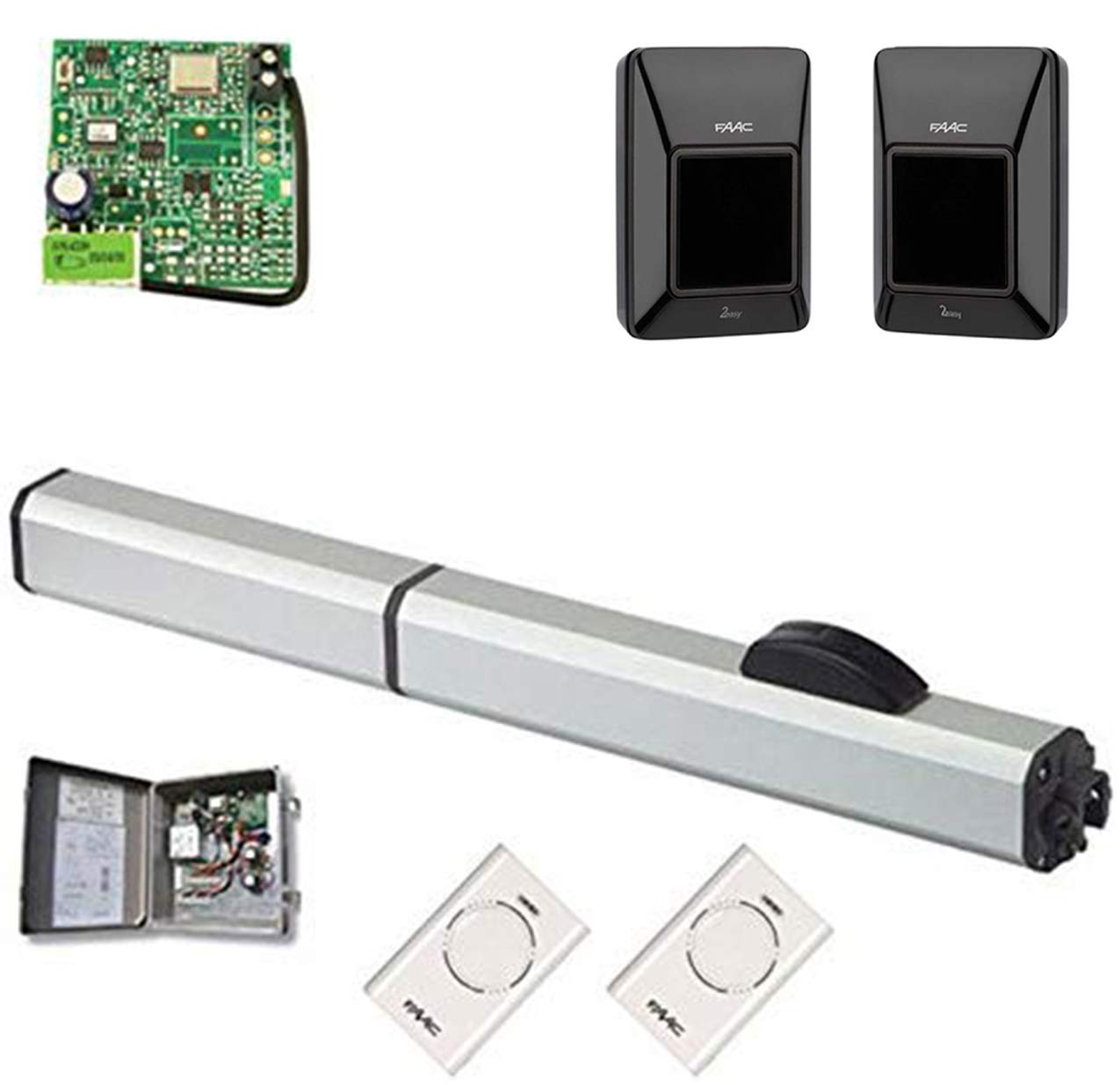
Image 1.1: The FAAC 400 Swing Gate Opener unit.
The FAAC 400 gate operator is designed for a wide range of applications, from residential to heavy industrial gates. It is capable of operating swing gates up to 16 feet long and weighing up to 1,300 lbs. Key features include quiet operation, a key-protected manual release mechanism, and self-lubricating components for extended life.
2. Alaye Aabo
Always prioritize safety during installation, operation, and maintenance. Failure to follow these safety guidelines may result in serious injury or damage to property.
- Rí i dájú pé onímọ̀-ẹ̀rọ iná mànàmáná tó mọṣẹ́ ló ṣe gbogbo ìsopọ̀ iná mànàmáná, kí ó sì tẹ̀lé àwọn ìlànà iná mànàmáná tó wà ní àdúgbò.
- Ge agbara kuro ninu ohun ti n ṣii ẹnu-ọna ṣaaju ki o to ṣe itọju tabi iṣẹ eyikeyi.
- Keep hands, feet, and clothing clear of the gate and opener mechanism during operation.
- Do not allow children to play near the gate or operate the controls.
- Install safety devices such as photocells and safety edges to prevent entrapment.
- Ṣayẹwo ẹnu-ọna ati ṣiṣi nigbagbogbo fun awọn ami ti wọ, ibajẹ, tabi aiṣedeede.
3. Package Awọn akoonu
Verify that all components are present and undamaged upon unpacking. The basic single kit typically includes:
- FAAC 400 CBAC EG Hydraulic Operator (1 unit)
- Iṣagbesori biraketi ati Hardware
- Key for Manual Release
- Ilana Afowoyi (iwe yii)
Additional accessories such as control boards, receivers, transmitters, and safety devices are sold separately and may be required for a complete operational system.
4. Eto ati fifi sori
Installation should only be performed by qualified personnel. Refer to the detailed wiring diagrams and mechanical installation instructions provided in the separate technical manual for specific steps.
4.1 fifi sori ẹrọ
- Prepare the Gate: Ensure the gate operates smoothly manually and is properly hinged and balanced.
- Mount the Operator: Securely attach the FAAC 400 operator to the gate post and gate leaf using the provided mounting brackets and hardware. Ensure correct alignment to prevent undue stress on the operator.
- Adjust End Stops: Install mechanical end stops for both open and closed positions to prevent over-travel of the gate.
4.2 Electrical Awọn isopọ
- Ibi ti ina elekitiriki ti nwa: Connect the 115V AC power supply to the control board, ensuring proper grounding.
- Motor relays: Connect the motor wires from the operator to the designated terminals on the control board.
- Awọn Ẹrọ Aabo: Wire all safety devices (photocells, safety edges) to the control board according to their respective manuals.
- Awọn ẹrọ Iṣakoso: Connect any desired control devices (keypads, remote receivers, push buttons) to the control board.
4.3 Eto ati Eto Ibẹrẹ
After mechanical and electrical installation, refer to the control board manual for initial power-up, limit switch adjustments, and programming of operating parameters such as opening/closing speeds, pause times, and force settings.
5. Awọn ilana Iṣiṣẹ
The FAAC 400 gate opener can be operated via various control devices connected to its control board.
5.1 Iṣiṣẹ Aifọwọyi
Once programmed, the gate will open or close upon activation from a remote control, keypad, or other access control device. The gate will automatically stop at its programmed limits.
5.2 Afowoyi Tu
In case of power failure or malfunction, the gate can be operated manually:
- Locate the manual release mechanism on the operator.
- Insert the provided key into the lock and turn it to disengage the hydraulic lock.
- Manually push the gate open or closed.
- To re-engage, turn the key back to the locked position and operate the gate electrically once to reset the mechanism.
6. Itọju
Regular maintenance ensures the longevity and safe operation of your FAAC 400 gate opener.
6.1 Monthly Checks
- Inspect the gate for smooth manual operation, ensuring hinges are lubricated and free of obstruction.
- Check all mounting bolts and hardware for tightness.
- Test all safety devices (photocells, safety edges) to ensure they are functioning correctly.
- Verify that the manual release mechanism operates smoothly.
6.2 Annual Service
- Have a qualified technician inspect the hydraulic fluid level and condition.
- Check for any signs of leaks from the hydraulic system.
- Ṣayẹwo awọn asopọ itanna fun ipata tabi ibajẹ.
- Clean any debris from the operator housing.
7. Laasigbotitusita
This section provides solutions to common issues. For complex problems, contact a qualified technician.
| Isoro | Owun to le Fa | Ojutu |
|---|---|---|
| Gate does not move | No power; Safety device activated; Manual release engaged | Check power supply; Inspect safety devices; Disengage manual release |
| Gate opens/closes partially | Obstruction; Incorrect limit settings | Remove obstruction; Re-adjust limit switches |
| Isakoṣo latọna jijin ko ṣiṣẹ | Dead battery; Out of range; Not programmed | Replace battery; Move closer to receiver; Reprogram remote |
8. Awọn pato
- Awoṣe: FAAC 400 CBAC EG
- Nọmba apakan: 10420212.5
- Ibi ti ina elekitiriki ti nwa: 115V AC
- Gigun Ẹnu-ọna Ti o pọju: ẹsẹ 16 (mita 4.88)
- Max Gate Weight: 1,300 lbs (590 kg)
- Orisi oniṣẹ: Epo eefun
- Ìwọ̀n Nkan: 55 iwon (24.95 kg)
- Olupese: FAAC
9. atilẹyin ọja Information
FAAC products are covered by a limited warranty against defects in materials and workmanship. The specific terms and duration of the warranty may vary by region and product. Please retain your proof of purchase. For detailed warranty information, refer to the warranty card included with your product or contact FAAC customer support.
10. Atilẹyin
For technical assistance, spare parts, or further information regarding your FAAC 400 Swing Gate Opener, please contact your authorized FAAC dealer or visit the official FAAC website. When contacting support, please have your model number (10420212.5) and serial number ready.