
1. Ifihan
The Benetech GM610 is a portable digital wood moisture meter designed for quick and accurate measurement of moisture content in various wood types. It also provides environmental temperature and humidity readings. This manual provides detailed instructions for the proper use, setup, operation, and maintenance of your device to ensure optimal performance and longevity.
2. Awọn ẹya Ọja
- Adjustable for 4 different wood species groups.
- Data hold function to lock readings.
- Automatic temperature compensation for varying environmental conditions.
- Review function for maximum moisture reading.
- Backlight on/off switch for improved visibility.
- Utilizes CPU technology for precise measurements.
- Powered by 2 AAA batteries with a battery icon indicator on the display.
- Large LCD display for clear readability.
- Automatic power-off after 120 seconds of inactivity; manual power-off is also available.
- Capable of measuring environmental humidity and temperature.
3. Ọja Ipariview

olusin 1: Iwaju view of the Benetech GM610 Wood Moisture Meter with the protective cap removed, displaying the LCD screen and control buttons.

Figure 2: The Benetech GM610 Wood Moisture Meter held in hand, demonstrating the illuminated LCD display with current readings.
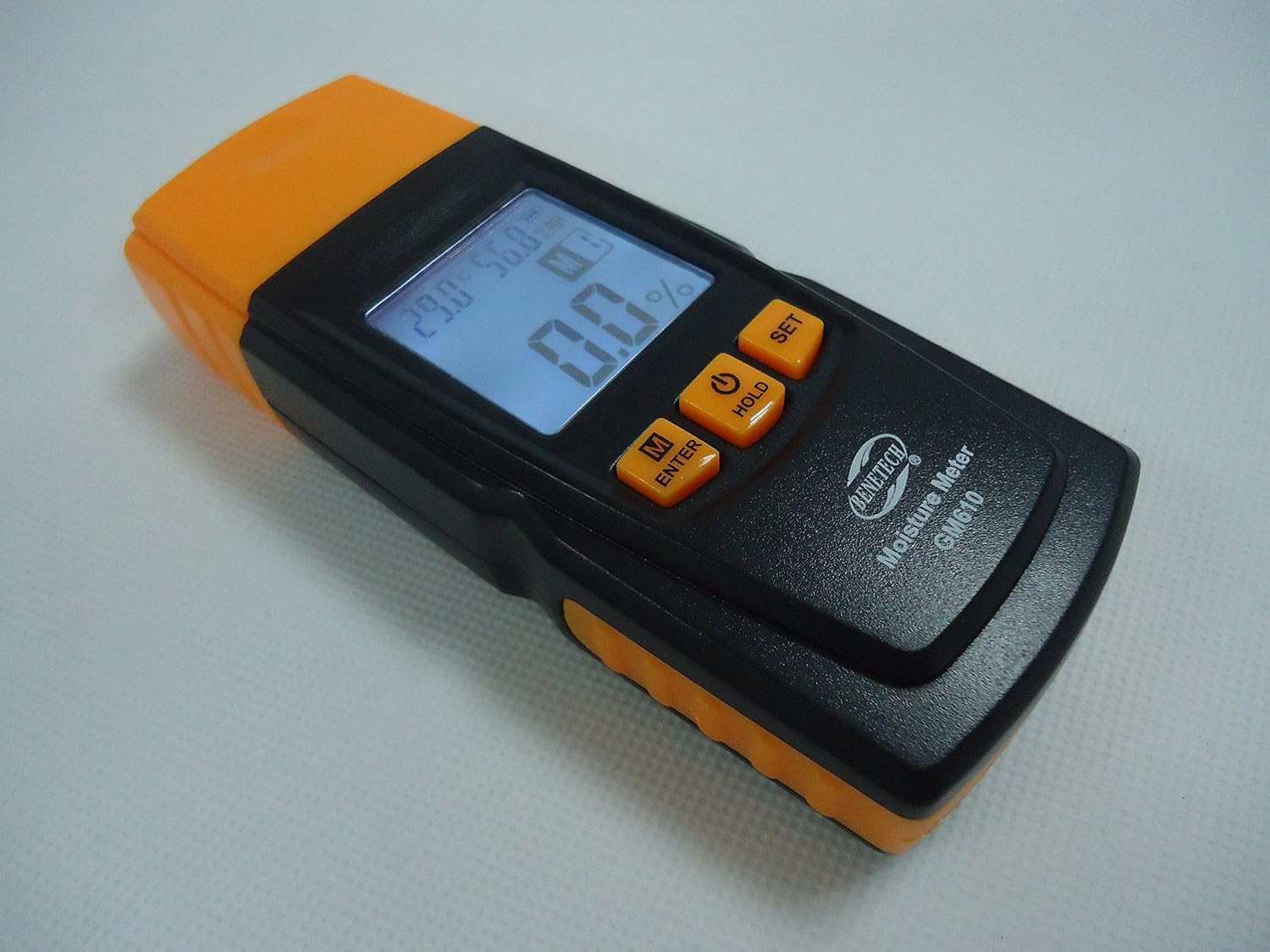
olusin 3: An angled view of the Benetech GM610, showing the top measurement pins and the side profile ti ẹrọ.

Figure 4: The Benetech GM610 Wood Moisture Meter presented in its open retail packaging, with the orange protective cap positioned next to it.
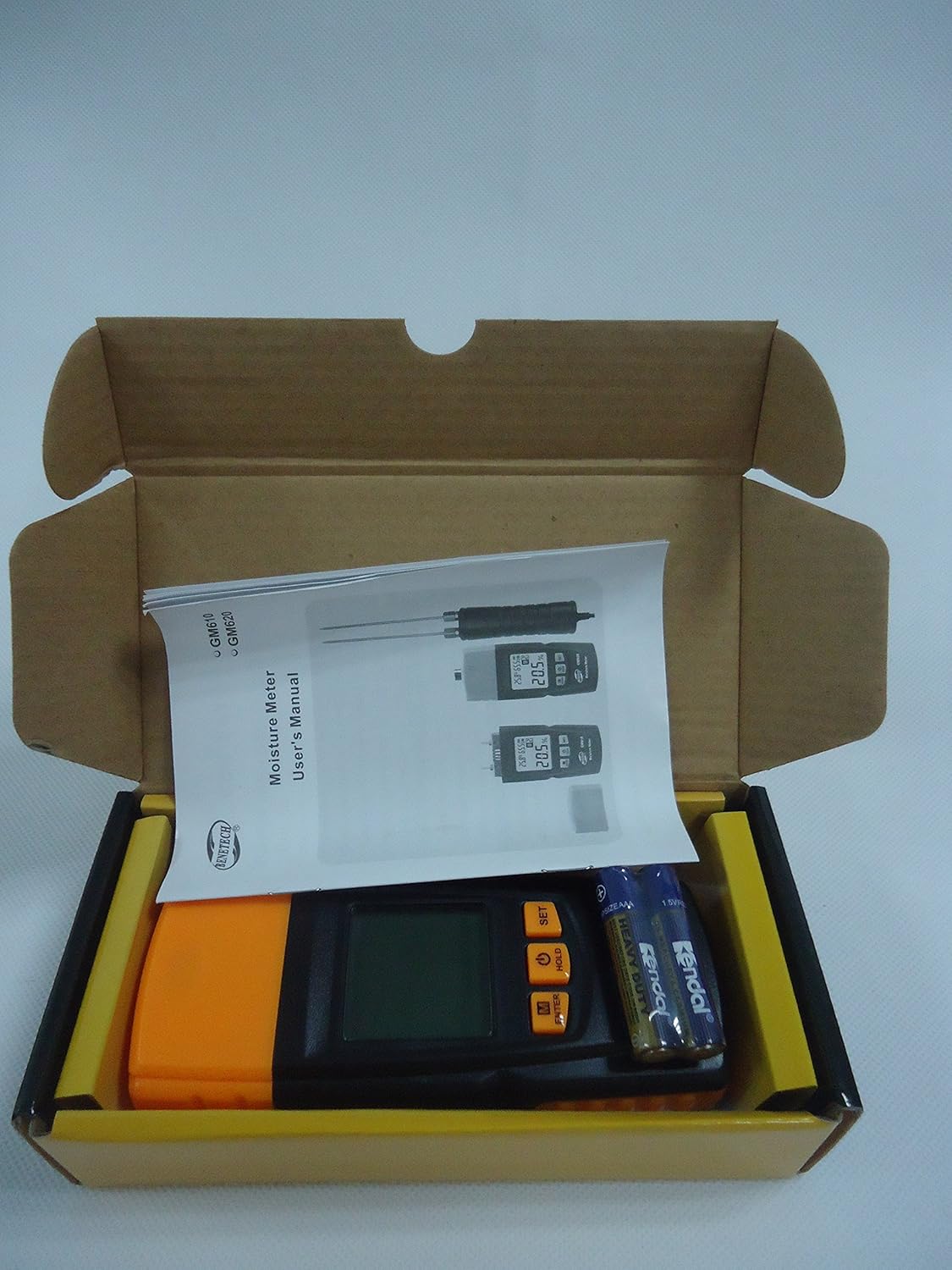
Figure 5: Contents of the Benetech GM610 package, including the moisture meter, user manual, and AAA batteries.
4. Eto
4.1 Fifi sori batiri
- Wa ideri iyẹwu batiri ni ẹhin ẹrọ naa.
- Gbe tabi yọ ideri naa kuro lati ṣii yara naa.
- Fi awọn batiri AAA 1.5V meji (2) sii, ki o rii daju pe polarity ti o tọ (+/-).
- Rọpo ideri iyẹwu batiri ni aabo.
Akiyesi: Awọn batiri ni igbagbogbo ko si ati pe o gbọdọ ra lọtọ.
5. Awọn ilana Iṣiṣẹ
5.1 Agbara Tan / Pa
- Lati fi agbara sori ẹrọ, tẹ bọtini naa DIMU button (power symbol).
- To manually power off the device, press and hold the DIMU bọtini fun isunmọ 2 aaya.
- The device will automatically power off after 120 seconds of inactivity to conserve battery life.
5.2 Measuring Wood Moisture
- Yọ fila aabo kuro lati awọn pinni wiwọn.
- Gently push the measurement pins into the wood surface to be tested. Ensure both pins are fully inserted and make good contact with the wood.
- Ogorun akoonu ọrinrintage yoo han loju iboju LCD.
- Lẹ́yìn ìwọ̀n, fi pẹ̀lẹ́pẹ̀lẹ́ yọ àwọn pin náà kúrò kí o sì fi fìlà ààbò náà rọ́pò rẹ̀.
5.3 Selecting Wood Species Group
The GM610 allows adjustment for 4 different wood species groups to ensure accurate readings. Refer to the wood species chart (usually provided in a separate document or on the device itself) to determine the correct group for your wood type.
- Tẹ awọn M/ENTER button to cycle through the wood species groups (M1, M2, M3, M4).
- Select the group that corresponds to the wood you are measuring.
5.4 Data idaduro Išė
Láti dì kíkà tó wà lórí ìbòjú náà:
- While a measurement is being taken, briefly press the DIMU button. The reading will be held on the screen.
- Tẹ awọn DIMU button again to release the reading and resume live measurement.
5.5 Backlight Iṣakoso
Láti tan tàbí pa ìmọ́lẹ̀ ẹ̀yìn ìbòjú:
- Tẹ awọn SET button to toggle the backlight.
5.6 Environmental Measurement
The device also displays the ambient temperature and relative humidity on the upper part of the LCD screen.
- The temperature unit (Celsius or Fahrenheit) can typically be switched by pressing and holding the SET button (refer to specific device instructions if this differs).
6. Itọju
6.1 Ninu
- Mu ese ẹrọ rẹ jẹ pẹlu asọ, asọ gbigbẹ.
- Ma ṣe lo abrasive ose tabi epo.
- Ensure the measurement pins are clean and free of debris after each use.
6.2 Ibi ipamọ
- Always replace the protective cap over the measurement pins when not in use to prevent damage and injury.
- Tọju ẹrọ naa ni itura, aye gbigbẹ, kuro lati orun taara ati awọn iwọn otutu to gaju.
- Tí o bá ń tọ́jú rẹ̀ fún ìgbà pípẹ́, yọ àwọn bátìrì náà kúrò kí ó má baà jò.
6.3 Batiri Rirọpo
When the battery indicator on the LCD shows low power, replace the batteries as described in the Setup section (4.1 Battery Installation).
7. Laasigbotitusita
| Isoro | Owun to le Fa | Ojutu |
|---|---|---|
| Ẹrọ naa ko ṣiṣẹ. | Awọn batiri kekere tabi okú; fifi sori batiri ti ko tọ. | Rọpo awọn batiri pẹlu awọn tuntun, ni idaniloju polarity ti o pe. |
| Inaccurate moisture readings. | Incorrect wood species group selected; pins not fully inserted; pins dirty or damaged. | Verify wood species group; ensure pins are fully inserted; clean or inspect pins for damage. |
| Ifihan ti wa ni baibai tabi flicker. | Agbara batiri kekere. | Rọpo awọn batiri. |
| Auto-off function not working. | Device is actively being used or buttons pressed. | Ensure no interaction for 120 seconds. If issue persists, contact support. |
8. Awọn pato
| Paramita | Iye |
|---|---|
| Moisture Measurement Range | 2% to 70% (specific ranges for wood types: 2~40%/50%/60%/70%) |
| Moisture Measurement Error | ± 1% |
| Iwọn otutu | -10℃ si 60℃ (14℉ si 140℉) |
| Ibiti ọriniinitutu | 20% RH si 90% RH |
| Ibi ti ina elekitiriki ti nwa | 2 x 1.5V AAA batiri |
| Agbara aifọwọyi laifọwọyi | Lẹhin awọn aaya 120 ti aiṣiṣẹ |
| Iwọn | 107.7g (laisi awọn batiri) |
| Awọn iwọn | 135.6mm x 55mm x 29.4mm |
9. Atilẹyin ọja ati Support
This Benetech GM610 Wood Moisture Meter is covered by a standard manufacturer's warranty against defects in materials and workmanship. Please refer to your purchase documentation for specific warranty terms and duration.
For technical support, troubleshooting assistance, or warranty claims, please contact the retailer or manufacturer directly using the contact information provided at the time of purchase.