
Ọrọ Iṣaaju
Welcome to the user manual for your Nokia 130 DS TA-1017 mobile phone. This guide provides essential information for setting up, operating, maintaining, and troubleshooting your device. Please read this manual carefully to ensure proper use and to maximize your phone's capabilities.
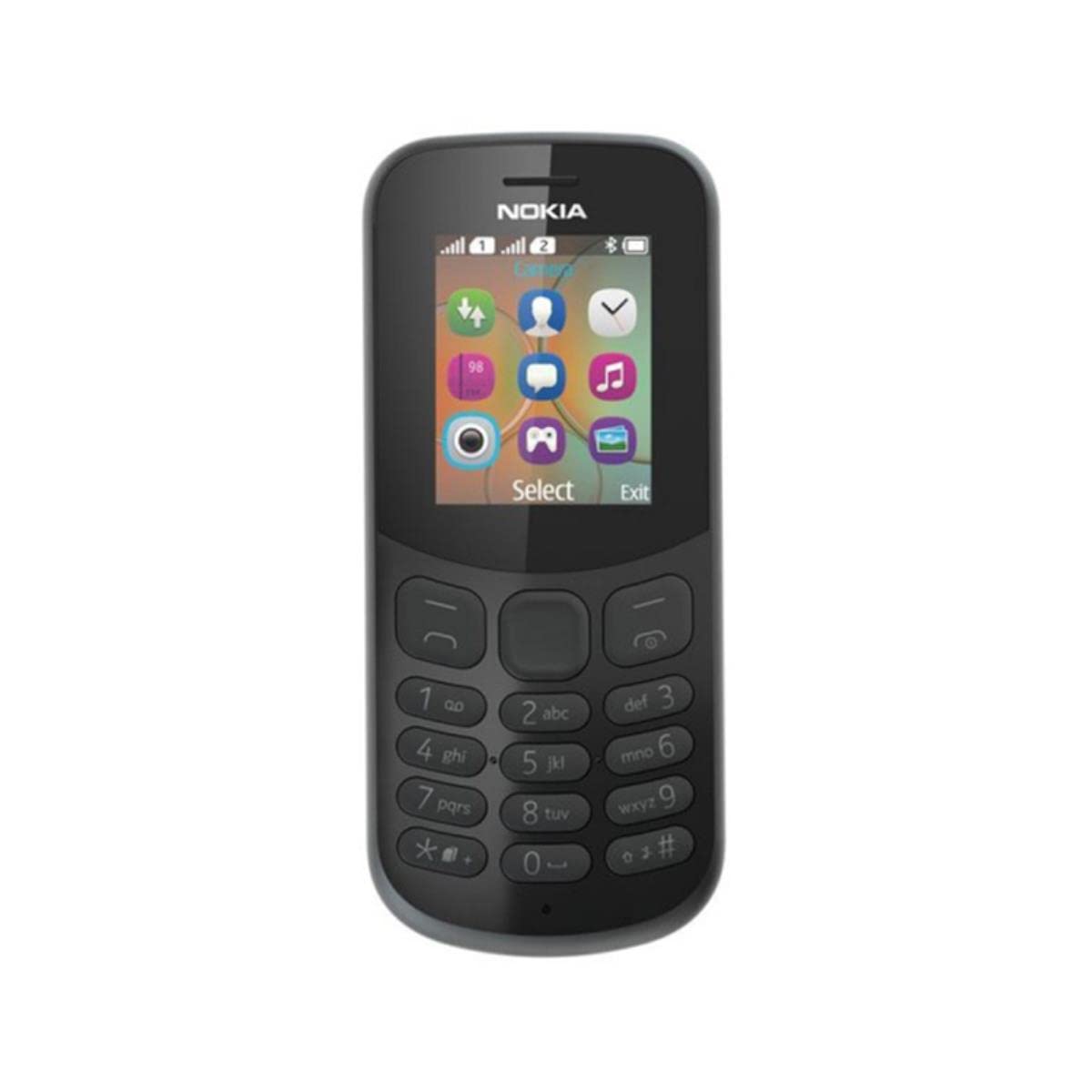
Aworan: Ẹyin view of the Nokia 130 DS TA-1017 mobile phone, highlighting the camera and speaker components.
Ṣeto
1. Insert SIM Card(s)
The Nokia 130 DS TA-1017 supports dual SIM cards. To insert a SIM card:
- Yọ ideri ẹhin foonu kuro.
- Ti o ba ti fi batiri sii, yọ kuro.
- Slide the SIM card(s) into the designated slot(s) with the gold contacts facing down.
- Ensure the SIM card(s) are securely in place.
2. Fi kaadi iranti sii
To expand storage, you can insert a MicroSD card (up to 32 GB):
- With the back cover and battery removed, locate the MicroSD card slot.
- Insert the MicroSD card into the slot with the gold contacts facing down until it clicks into place.
3. Insert and Charge Battery
The phone uses a removable 1020 mAh battery.
- Align the battery contacts with the phone's contacts and gently press the battery into place.
- Rọpo ideri ẹhin.
- Connect the charger to the phone's charging port and plug it into a power outlet. The phone will indicate charging status.
4. Agbara Tan / Paa
To power on your phone, press and hold the power key until the phone vibrates or the screen lights up. To power off, press and hold the power key, then select 'Power off' from the options.
Ṣiṣẹ Foonu Rẹ
1. Ipilẹ Lilọ kiri
Your Nokia 130 DS TA-1017 runs on the Nokia S30+ operating system. Use the navigation keys and the center select key to move through menus and make selections. The left and right soft keys perform functions indicated on the screen.
2. Ṣiṣe ati Gbigba awọn ipe
- Lati ṣe ipe kan: Enter the phone number using the keypad and press the call key (green button).
- Lati dahun ipe kan: Press the call key when the phone rings.
- Lati pari ipe kan: Press the end call key (red button).
3. Fifiranṣẹ ati Gbigba Awọn ifiranṣẹ
Navigate to the 'Messages' menu to compose and send SMS messages. You can also view received messages in your inbox.
4. Lilo Kamẹra
Your phone is equipped with a VGA camera. To use the camera, navigate to the 'Camera' application from the main menu. Use the center select key to capture photos.
5. Connecting with Bluetooth
To connect to other Bluetooth devices:
- Go to 'Menu' > 'Settings' > 'Connectivity' > 'Bluetooth'.
- Tan-an Bluetooth.
- Yan 'Awọn ẹrọ ti a so pọ' tabi 'Wa fun audio devices' to find and connect to compatible devices.
6. Listening to Audio
The phone features a 3.5 mm headphone jack. Plug in compatible headphones to listen to music or radio privately.
Itoju
1. Ninu Rẹ Device
Use a soft, lint-free cloth to clean the phone's screen and body. Avoid using harsh chemicals or abrasive materials, as these can damage the device.
2. Itọju batiri
- Yago fun ṣiṣafihan batiri si awọn iwọn otutu to gaju.
- Maṣe lu tabi ba batiri jẹ.
- Tí wọn kò bá lo fóònù náà fún ìgbà pípẹ́, fi bátìrì tí ó ti gba agbára díẹ̀ pamọ́.
3. Software imudojuiwọn
Periodically check for software updates to ensure your phone has the latest features and security enhancements. Refer to the phone's settings menu for update options.
Laasigbotitusita
Wọpọ Oran ati Solusan
- Foonu ko ṣiṣẹ: Rii daju pe batiri ti gba agbara ati fi sii daradara.
- Ko si ifihan nẹtiwọki: Check that the SIM card is properly inserted. Move to an area with better network coverage.
- Igbesi aye batiri ti ko dara: Reduce screen brightness, close unused applications, or replace an aging battery.
- Kò le ṣe/gba awọn ipe: Verify SIM card activation and network status.
Olubasọrọ Support
If you encounter issues that cannot be resolved using the troubleshooting steps, please contact Nokia customer support or your retailer for assistance.
Awọn pato
| Ẹya ara ẹrọ | Sipesifikesonu |
|---|---|
| Orukọ awoṣe | 130 DS TA-1017 |
| Awọn iwọn | 10.6 x 4.5 x 1.4 cm |
| Eto isesise | Nokia S30+ |
| Àgbo | 4 MB |
| Ti abẹnu Memory | 8 MB |
| MicroSD Card Support | Titi di 32 GB |
| Ifihan | 1.8" TFT, 160 x 120 pixels |
| Agbara Batiri | 1020 mAh (yiyọ) |
| Asopọmọra | GSM (900/1800), Bluetooth |
| Kamẹra | VGA (Rear) |
| Jack agbekọri | 3.5 mm |
| SIM Iho | SIM meji |
| Aago Ọrọ | Titi di awọn wakati 22 |
Atilẹyin ọja ati Support
For information regarding your product's warranty, please refer to the warranty card included in the product packaging or visit the official Nokia support website. Keep your proof of purchase for warranty claims. For further assistance, contact Nokia customer service.